1. Вступ
This manual provides essential information for the setup, operation, and maintenance of your Anderic OEM ONN Roku TV Remote Control. Designed as a direct replacement, this remote offers seamless control for compatible ONN Roku TV models without requiring complex programming.

Зображення 1.1: Передня та бічна частини view of the Anderic OEM ONN Roku TV Remote Control, highlighting its ergonomic design and button layout.
The Anderic RCAFIR remote is engineered to provide convenient access to all essential functions of your ONN Roku TV, including dedicated buttons for popular streaming services like Netflix, Disney, Hulu, and Vudu.

Image 1.2: The Anderic remote control pointing towards an ONN Roku TV, illustrating its capability to control the TV with a single device.
2. Налаштування
2.1 Встановлення батареї
The remote control requires two (2) AAA batteries for operation. Batteries are not included.
- Знайдіть кришку батарейного відсіку на задній панелі пульта дистанційного керування.
- Slide the cover downwards or press the latch (if present) and lift to open.
- Вставте дві батарейки типу AAA, переконавшись, що позитивний (+) та негативний (-) полюси правильно збігаються з позначками всередині відсіку.
- Встановіть кришку відсіку для батарейок, зсунувши її на місце до клацання.

Image 2.1: Diagram illustrating the remote control's dimensions and the required AAA batteries for operation.
2.2 Initial Use (No Programming Required)
This Anderic remote control is pre-programmed for ONN Roku TVs. No manual programming or setup is required. Once batteries are installed, the remote is ready for immediate use with compatible ONN Roku TV models.

Image 2.2: A couple comfortably using the remote control, emphasizing the 'No Programming Needed' feature for immediate enjoyment.
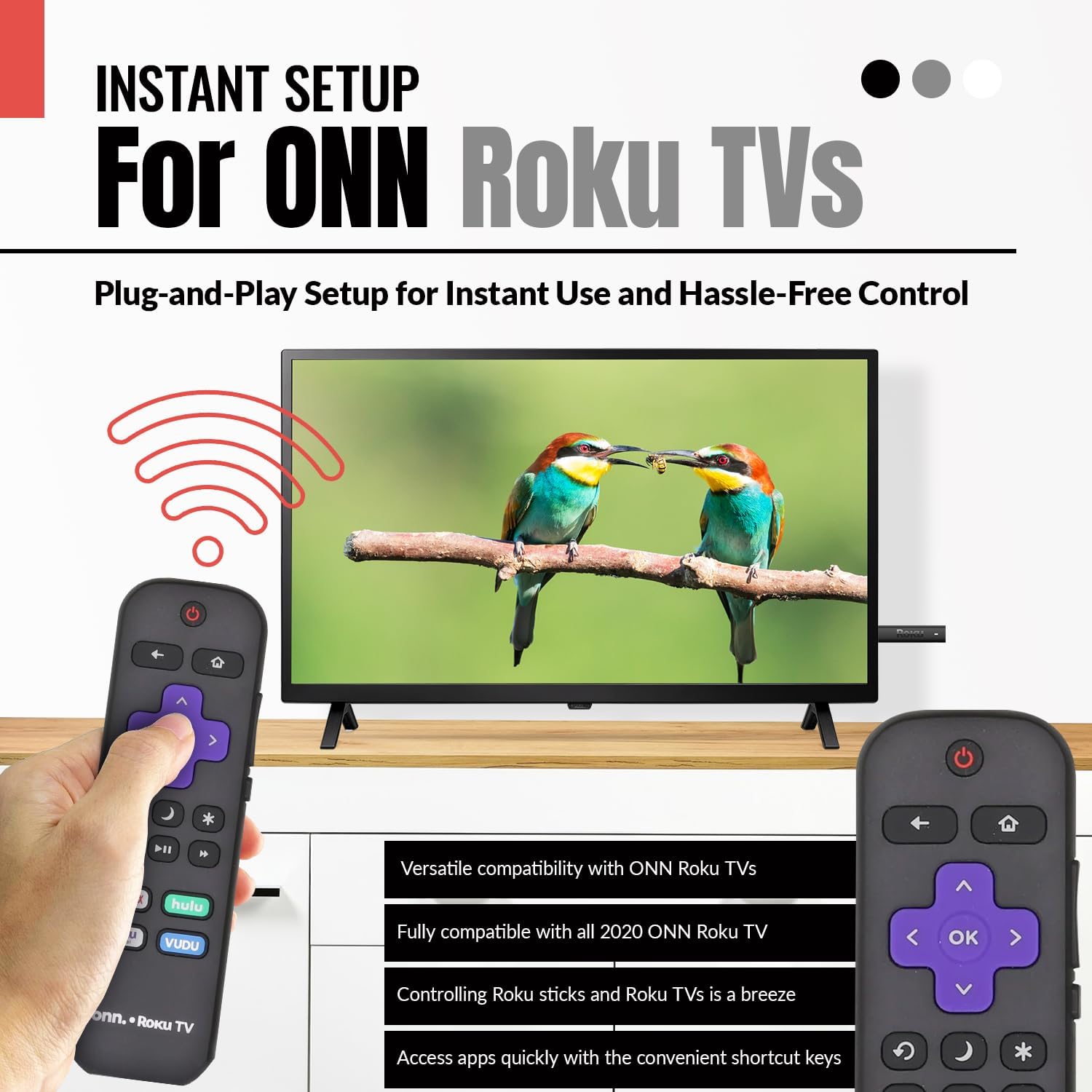
Image 2.3: A hand holding the remote control with a TV displaying content, illustrating the instant plug-and-play setup for ONN Roku TVs.
3. Інструкція з експлуатації
3.1 Розташування та функції кнопок
The Anderic ONN Roku TV remote control features a user-friendly layout with dedicated buttons for various functions. Ensure a clear line of sight between the remote and your TV's infrared sensor for optimal performance.

Зображення 3.1: Крупний план view of the remote control, emphasizing dedicated TV power, volume buttons, and pre-programmed streaming shortcut buttons for accessibility.
- Кнопка живлення (Red Circle with Line): Вмикає або вимикає телевізор.
- Кнопка Назад (Стрілка вліво): Повернення до попереднього екрана або меню.
- Кнопка "Додому (Значок будинку): Перехід на головний екран Roku.
- Directional Pad (Purple Arrows): Використовується для навігації по меню та вмісту.
- OK Button (Purple 'OK'): Вибирає елемент або підтверджує дію.
- Кнопки збільшення / зменшення гучності: Регулює гучність телевізора.
- Кнопка вимкнення звуку: Вмикає або вимкнення звуку телевізора.
- Кнопка миттєвого повтору (Curved Arrow): Jumps back a few seconds during video playback.
- Sleep Button (Місяць значок): Встановлює таймер сну для телевізора.
- Star Button (Зірочка): Accesses options or settings within certain apps.
- Кнопка відтворення/паузи (Triangle/Two Bars): Відтворює або призупиняє медіаконтент.
- Кнопки перемотування вперед/назад: Skips forward or backward in media content.
- Streaming Service Shortcut Buttons (Netflix, Hulu, Vudu, Roku Channel): Забезпечує прямий доступ до цих потокових програм.

Image 3.2: A user operating the remote control, highlighting its comprehensive functionality beyond just streaming.
4. Сумісність
The Anderic RCAFIR remote control is designed for broad compatibility with ONN Roku TV models. It functions as a direct replacement for several original ONN Roku remotes.
4.1 Compatible ONN Roku TV Models
This remote is fully compatible with all 2020 ONN Roku TV models and is supplied with the following specific ONN Roku TV models:
- 100005397
- 100012584
- 100012585
- 100012586
- 100012587
- 100012589
- 100012590
- 100018971
- 100021258
- 100021261
- 100024699
4.2 Replacement for Original Remotes
The RCAFIR remote serves as a direct replacement for the original ONN RCALIR Roku remote with Netflix, Disney, Hulu, and Vudu buttons, as well as other compatible models including:
- 276168
- 3226000855
- 3226000887

Image 4.1: A graphic illustrating the replacement compatibility for the ONN Roku TV RCALIR remote, highlighting preset compatibility and easy setup.

Image 4.2: A woman holding the remote control, signifying its role as a reliable replacement for entertainment mastery.
5. Вирішення проблем
5.1 Пульт не відповідає
- Перевірте батареї: Переконайтеся, що батарейки вставлені правильно з дотриманням полярності (+/-). Замініть старі або розряджені батарейки новими батарейками типу AAA.
- Пряма видимість: Verify there are no obstructions between the remote control and the TV's infrared sensor. The remote operates using infrared technology, requiring a direct line of sight.
- Потужність телевізора: Confirm that your ONN Roku TV is powered on and not in standby mode.
- Дистанційне скидання: Remove the batteries from the remote, press each button a few times to discharge any residual power, then reinsert the batteries.
5.2 Specific Button Issues
- If a specific button is not working, gently clean around the button with a soft, dry cloth to remove any dust or debris that might be interfering with its function.
- Ensure the remote is pointed directly at the TV's IR sensor when pressing the button.
6. Технічні характеристики продукту
| Особливість | Деталь |
|---|---|
| Номер моделі | ONN-RCAFIR |
| Розміри продукту | 5.75 x 1.75 x 1 дюймів |
| Вага товару | 1.76 унції |
| Потрібні батареї | 2 батарейки AAA (не входять в комплект) |
| Технологія підключення | Інфрачервоний (ІЧ) |
| Сумісні пристрої | Television (ONN Roku TV models) |
| Особливість | Ergonomic design, Pre-programmed |
7. Важлива інформація
7.1 Юридична відмова від відповідальності
Anderic is a registered trademark of Dan's Electronics Etc., Inc. All Rights Reserved. We are not affiliated with Roku. Roku is a registered trademark of Roku Inc.
7.2 Інформація про виробника
Anderic, a brand of Dan's Electronics Etc., Inc., has been manufacturing replacement remote controls since 1999. The company is based in NC, USA, and focuses on providing high-quality replacement remote controls and accessories to extend the life of your equipment.


