1. Вступ
The ThinkScan SR6 is a professional OBD2 diagnostic scanner designed for comprehensive vehicle system analysis and maintenance. It supports diagnostics for six major vehicle systems: Anti-lock Braking System (ABS), Supplemental Restraint System (SRS), Body Control Module (BCM), Tire Pressure Monitoring System (TPMS), Engine Control Module (ECM), and Transmission Control Module (TCM). Additionally, it offers five essential reset functions: Electronic Parking Brake (EPB) Reset, Tire Pressure Monitoring System (TPMS) Reset, Oil Light Reset, Steering Angle Sensor (SAS) Reset, and Throttle Body Adjustment (TBA).
This manual provides detailed instructions on how to set up, operate, and maintain your ThinkScan SR6 device to ensure accurate and efficient vehicle diagnostics.
Що в коробці
- ThinkScan SR6 Diagnostic Tool (with integrated OBD2 cable)
- USB-кабель для зарядки/передачі даних
- Посібник користувача
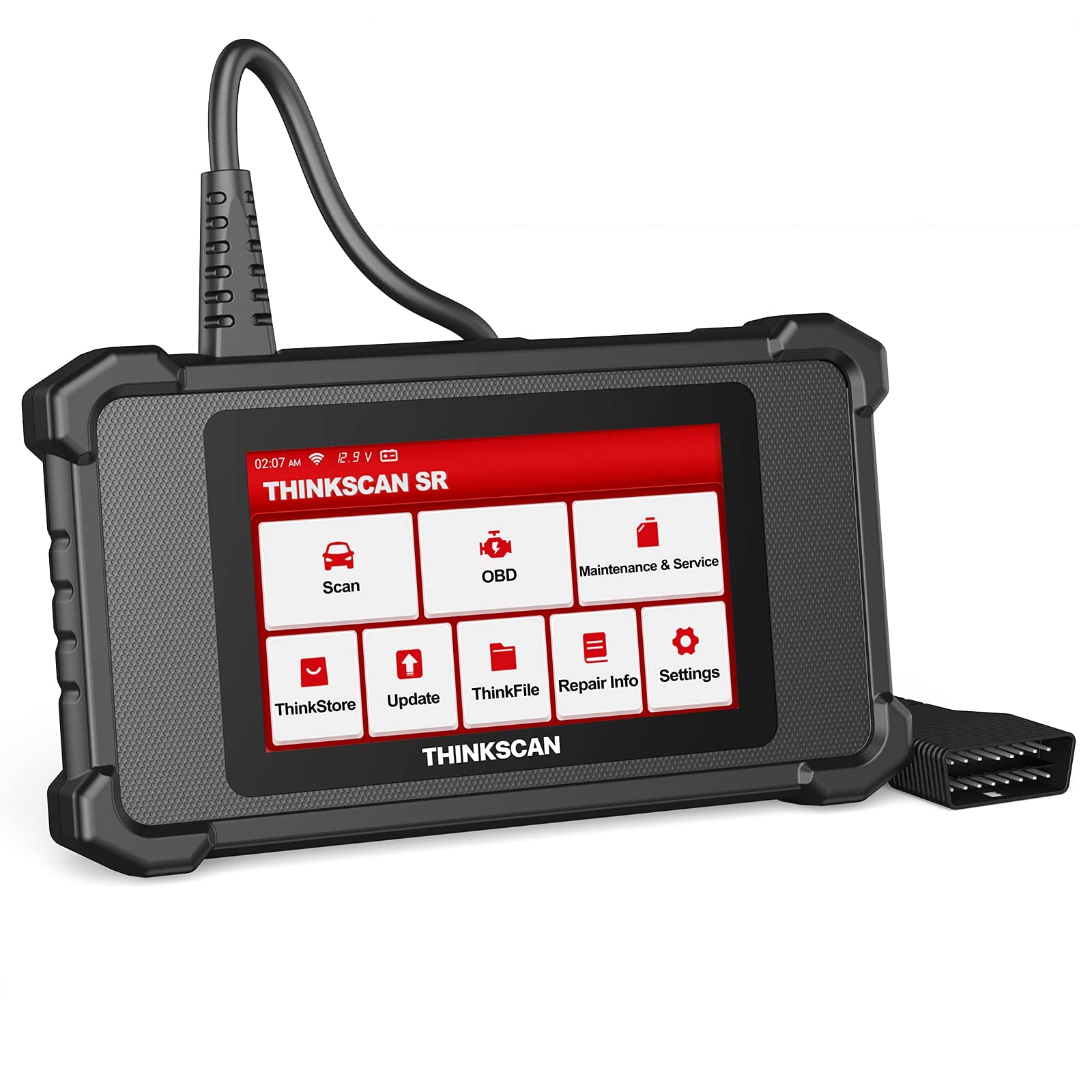
Image: ThinkScan SR6 OBD2 Scanner device and its packaging.
Відео: Оверview of the ThinkScan SR6 Scan Tool, demonstrating its unboxing and initial features. This video highlights the device's physical components and basic interface.
2. Налаштування
2.1 Підключення до вашого автомобіля
- Знайдіть 16-контактний роз'єм передачі даних (DLC) автомобіля. Зазвичай він знаходиться під панеллю приладів з боку водія.
- Переконайтеся, що запалювання автомобіля знаходиться в положенні ВИМКНЕНО.
- Plug the ThinkScan SR6's integrated OBD2 cable into the vehicle's DLC. Ensure a secure connection.
- Turn the vehicle's ignition to the ON position (engine can be off or running, depending on the diagnostic task). The device will power on automatically.
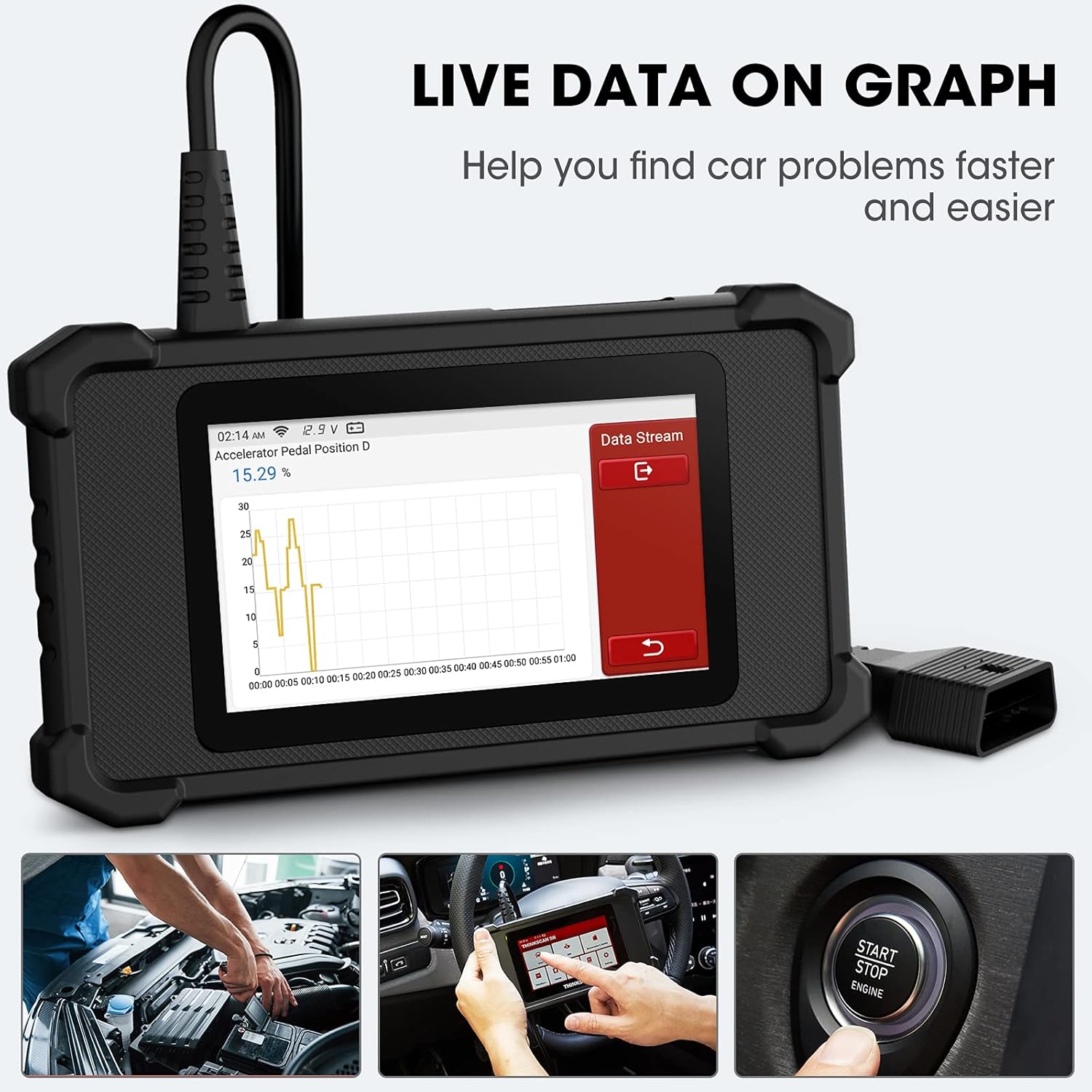
Image: The ThinkScan SR6 device connected to a vehicle's OBD2 port, ready for operation.
2.2 Початкова конфігурація пристрою
- Upon first use, the device may prompt you to select a language. Follow the on-screen instructions.
- Connect the device to a Wi-Fi network for software updates. Navigate to Налаштування > Wi-Fi та виберіть свою мережу.
- Perform a software update to ensure you have the latest vehicle coverage and diagnostic functions. Go to оновлення в головному меню.
3. Операція
3.1 Діагностика системи
The ThinkScan SR6 supports comprehensive diagnostics for six key vehicle systems. From the main menu, select Сканувати почати.
- Система АБС: Diagnoses issues related to the anti-lock braking system.
- Система SRS: Checks the supplemental restraint system (airbags).
- BCM System: Analyzes the body control module for electrical and body-related faults.
- TPMS System: Monitors tire pressure and related sensor issues.
- ECM System: Diagnoses engine control module faults.
- TCM System: Checks the transmission control module for transmission-related problems.

Image: Visual representation of the six major vehicle systems supported for diagnostics by the ThinkScan SR6.
3.2 Повні функції OBD2
Access standard OBD2 functions by selecting OBD from the main menu. These functions are crucial for emissions-related diagnostics and general engine health checks.
- Прочитайте коди: Отримує діагностичні коди несправностей (DTC) з комп'ютера автомобіля.
- Очистити коди: Erases DTCs and turns off the Check Engine Light (MIL).
- Стоп-кадр: Відображає знімок умов експлуатації автомобіля на момент виникнення несправності, пов'язаної з викидами.
- Живі дані: Відображає потоки даних у режимі реального часу від різних датчиків та компонентів.
- Готовність I/M: Перевіряє готовність систем моніторингу викидів.
- Випробування датчика O2: Отримує результати тестів моніторингу датчика O2.
- Інформація про транспортний засіб: Displays vehicle identification information (VIN, CID, CVN).
- Тестування системи EVAP: Ініціює випробування системи контролю випарних викидів.
- Тестування бортового монітора: Retrieves results for on-board diagnostic monitoring tests.
- Перевірка компонентів: Allows testing of specific vehicle components.
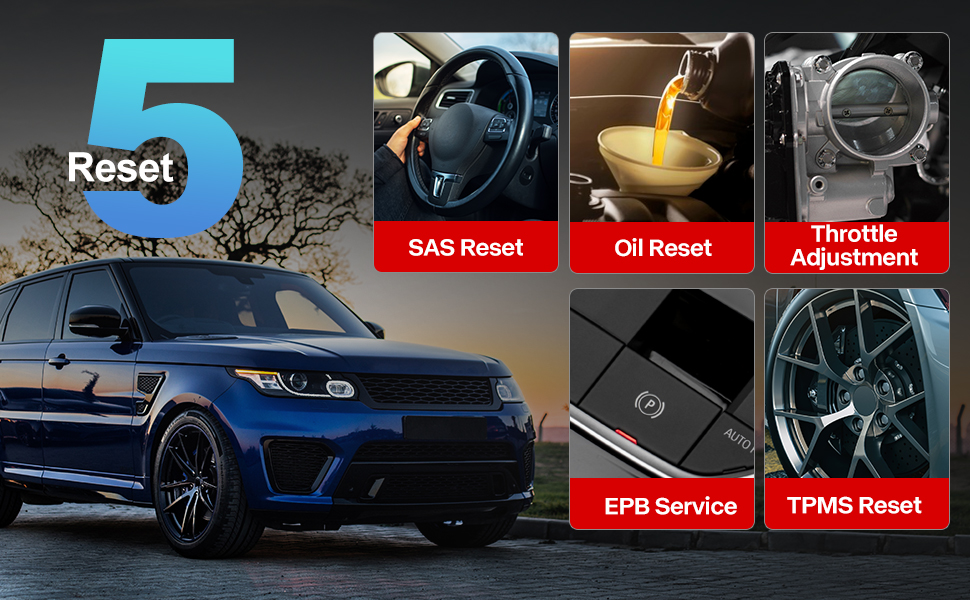
Image: A visual guide to the comprehensive OBD2 functions available on the ThinkScan SR6, including code reading, live data, and vehicle information retrieval.
3.3 DTC Lookup Function
When a Diagnostic Trouble Code (DTC) is retrieved, the ThinkScan SR6 can help you understand its meaning. Navigate to Інформація про ремонт > Бібліотека кодів несправностей OBD to input the code and receive a detailed description.
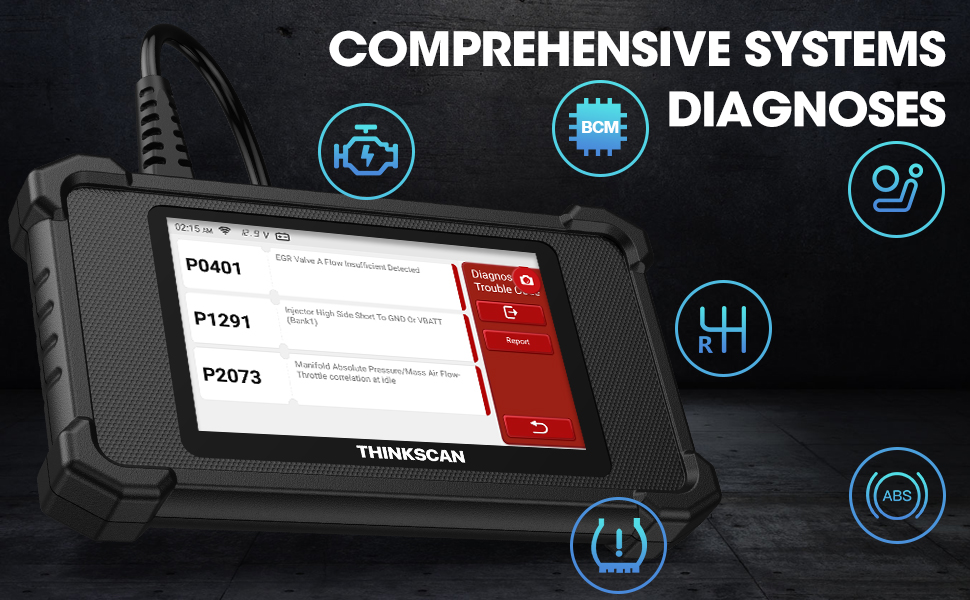
Image: The DTC Lookup function displaying fault codes and their corresponding meanings, aiding in quick diagnosis.
3.4 Live Data Graph
The Live Data function allows you to view real-time sensor data in a graphical format, making it easier to identify anomalies and diagnose intermittent problems. Select OBD > Дані в реальному часі щоб отримати доступ до цієї функції.
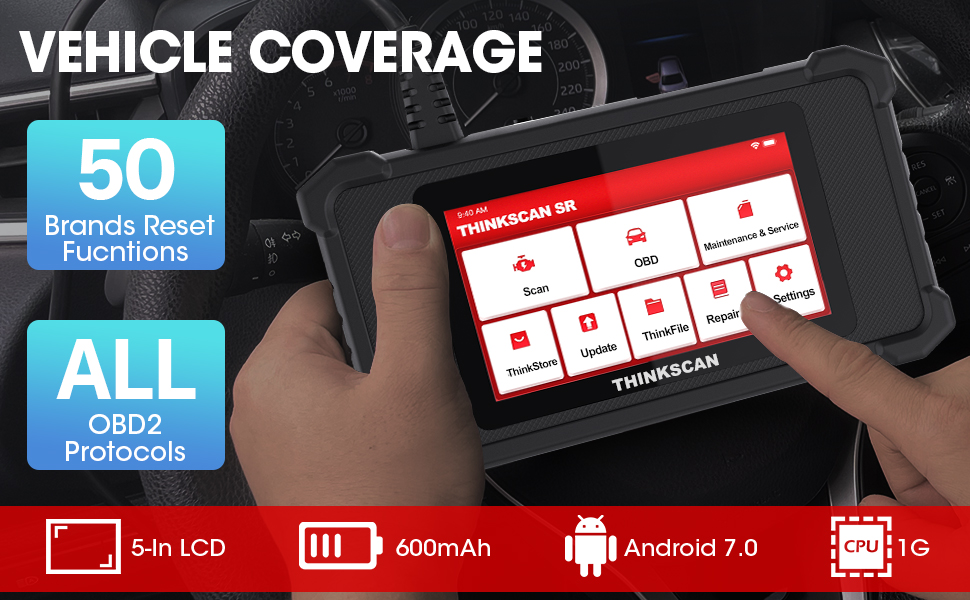
Image: The ThinkScan SR6 displaying live vehicle data in a graphical format, illustrating real-time sensor readings for diagnostic purposes.
4. Maintenance & Service Functions
The ThinkScan SR6 provides five commonly used reset functions to assist with vehicle maintenance. Access these by selecting Технічне обслуговування та обслуговування з головного меню.
- Скидання індикатора оливи: Скидає індикатор обслуговування оливи після заміни оливи.
- Сервіс EPB: Скидає налаштування електронної системи стоянкового гальма після заміни гальмівних колодок.
- Скидання SAS: Calibrates the steering angle sensor after steering system repairs.
- Скидання TPMS: Resets the tire pressure monitoring system after tire rotation or sensor replacement.
- TBA (Throttle Body Adjustment): Перезавчає положення дросельної заслінки.

Image: An illustration of the five free reset functions offered by the ThinkScan SR6, including throttle adjustment and various system resets.
4.1 Оновлення програмного забезпечення
Regular software updates are essential to ensure your ThinkScan SR6 has the latest vehicle models, diagnostic functions, and bug fixes. The device supports Wi-Fi updates for convenience.
- Переконайтеся, що пристрій підключено до стабільної мережі Wi-Fi.
- У головному меню виберіть оновлення.
- Дотримуйтесь підказок на екрані, щоб завантажити та встановити доступні оновлення.

Image: A comparison highlighting the ThinkScan SR6's features, including its 5-inch touch screen, Android 7.0 OS, and one-click Wi-Fi update capability.
5. Вирішення проблем
If you encounter issues with your ThinkScan SR6, consider the following common solutions:
- Пристрій не вмикається: Ensure the OBD2 cable is securely connected to the vehicle's DLC and the vehicle's ignition is ON. Check the vehicle's battery voltage.
- Connection errors: Verify the OBD2 cable connection. Try connecting to a different vehicle (if available) to rule out vehicle-specific issues. Ensure Wi-Fi is stable for updates.
- Діагностична функція не працює: Ensure the vehicle model and year are supported for the specific function. Perform a software update.
- Understanding fault codes: Використовуйте Бібліотека кодів несправностей OBD під Інформація про ремонт to look up DTC meanings.
For more detailed troubleshooting or specific repair information, the device includes a Інформація про ремонт section with a fault code library, coverage list, and video tutorials. You can also connect the device to Wi-Fi and use the відео option to search for relevant repair guides.
6. Технічні характеристики
| Особливість | Деталь |
|---|---|
| Бренд | thinkcar |
| Номер моделі | TKSR6 |
| Розмір екрана | 5 дюймів |
| Операційна система | Android 7.0 |
| Джерело живлення | Працює від батареї |
| Вага товару | 1 фунта |
| Розміри продукту | 4.13 x 8.07 x 1.18 дюймів |
| Акумулятори | Потрібна 1 літій-полімерна батарея (у комплекті) |
| Покриття автомобіля | US-based vehicles after 1996, EU-based vehicles after 2000, Asia-based vehicles after 2008 |
7. Гарантія та підтримка
For technical assistance, warranty information, or any inquiries regarding your ThinkScan SR6 device, please contact thinkcar customer support. The manufacturer provides 7*24 hours support.
Електронна пошта: jushi@thinkcar.com
Please refer to the official thinkcar website or the included warranty card for detailed warranty terms and conditions.


