1. Вступ
Продукт закінченийview
The CALEX Smart Aroma Diffuser is a versatile device designed to enhance your home environment. It functions as an aroma diffuser, humidifier, air purifier, and ambient light source. With WiFi connectivity, you can control its features, including fragrance diffusion, humidification, and RGB lighting, directly from the free Calex application on your smartphone. This manual provides comprehensive instructions for safe and effective use of your device.
Ключові характеристики:
- Smart App Control (Calex App)
- Wi-Fi підключення
- Дифузія аромату
- Зволоження
- Очищення повітря
- Customizable RGB Ambient Lighting (100+ options)
- Programmable Timers and Scenarios
2. Попередження про безпеку
Будь ласка, уважно прочитайте всі попередження щодо безпеки перед використанням пристрою.
- Уникайте прямого контакту шкіри з нерозведеними ефірними оліями.
- Зберігайте пристрій та ефірні олії у недоступному для дітей та домашніх тварин місці.
- Забезпечте належну вентиляцію в приміщенні, де використовується дифузор.
- Unplug the device from the power outlet when not in use or during maintenance.
- Do not exceed the maximum water fill line.
- Використовуйте лише чисту водопровідну або дистильовану воду.
- Do not tilt or move the device when it is operating or contains water.
- Не занурюйте пристрій у воду чи будь-яку іншу рідину.
- Не блокуйте вихід туману.
3. Продукт закінчивсяview
Familiarize yourself with the components of your CALEX Smart Aroma Diffuser.

Зображення 3.1: спереду view of the CALEX Smart Aroma Diffuser, showing the wood-grain base, translucent top, and control buttons (ON/OFF, +, -, LIGHT).

Image 3.2: The CALEX Smart Aroma Diffuser in operation, emitting a fine mist, placed on a stack of magazines next to a vase of flowers.
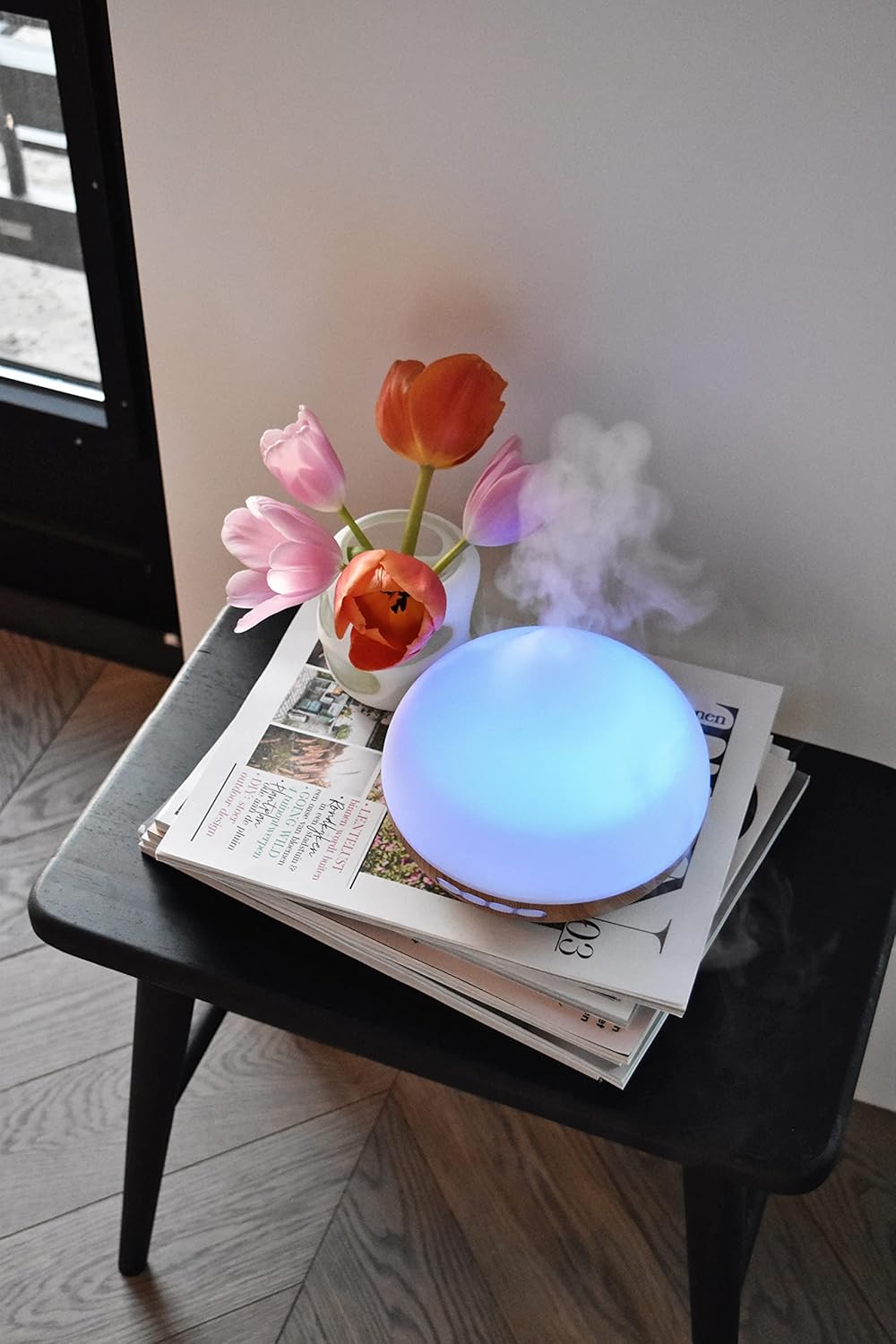
Image 3.3: The CALEX Smart Aroma Diffuser displaying a blue ambient light, placed on a table with flowers and magazines.

Image 3.4: The CALEX Smart Aroma Diffuser displaying a warm yellow ambient light, emitting mist, placed on a table with flowers and magazines.
4. Інструкції з налаштування
- Розпакуйте дифузор: Акуратно вийміть усі компоненти з упаковки.
- Розмістіть дифузор: Position the diffuser on a flat, stable, and water-resistant surface.
- Підключіть живлення: Plug the power adapter into the diffuser's power input, then plug the adapter into a standard electrical outlet.
- Залити водою: Remove the top cover. Fill the water tank with clean tap water or distilled water up to the indicated maximum fill line (300 ml capacity). Do not overfill.
- Додати ефірну олію (за бажанням): Add a few drops of your preferred essential oil or fragrance to the water.
- Замінити кришку: Щільно встановіть верхню кришку назад на дифузор.
- Download Calex App: Download the free Calex app from your smartphone's app store (available for iOS and Android).
- Підключення до WiFi: Follow the in-app instructions to connect your diffuser to your home WiFi network. This typically involves putting the diffuser into pairing mode (refer to app for specific steps) and selecting your WiFi network.
5. Експлуатація дифузора
5.1 Основна операція
- Увімкнення/вимкнення живлення: Press the "ON/OFF" button on the diffuser or use the Calex app to turn the device on or off.
- Контроль туману: Use the "+" and "-" buttons on the diffuser to adjust the mist intensity (if applicable) or control via the app.
- Контроль світла: Press the "LIGHT" button on the diffuser to cycle through light colors or turn the light off. For full RGB control and advanced options, use the Calex app.
5.2 Smart App Control
The Calex app provides extensive control over your smart aroma diffuser:
- Пульт дистанційного керування: Operate the diffuser from anywhere with an internet connection.
- Налаштування туману: Adjust mist output levels and set continuous or intermittent diffusion modes.
- RGB освітлення: Choose from over 100 color options, adjust brightness, and select dynamic lighting effects to match your mood or decor.
- Таймери та розклади: Set specific times for the diffuser to turn on/off, change light settings, or adjust mist output. Create personalized scenarios for different routines (e.g., "Wake Up," "Relax," "Sleep").
- Голосове керування: Integrate with smart home assistants like Amazon Alexa or Google Assistant for hands-free control (e.g., "Alexa, turn on the diffuser light").

Image 5.1: Screenshot of the Calex app displaying color and brightness controls for the smart diffuser's RGB lighting.

Image 5.2: Screenshot of the Calex app's main screen, showing the "My Home" section where connected smart devices are managed.
6. Технічне обслуговування та догляд
Регулярне очищення забезпечує оптимальну роботу та подовжує термін служби вашого дифузора.
- Щоденне технічне обслуговування:
- Злийте залишки води з бака.
- Протріть внутрішню частину резервуара для води чистою м’якою тканиною.
- Перед кожним використанням доливайте свіжу воду.
- Щотижневе прибирання:
- Від’єднайте дифузор від розетки.
- Зніміть верхню кришку та спорожніть резервуар для води.
- Add a small amount of white vinegar (about 10 ml) to the water tank and let it sit for 10-15 minutes to loosen mineral buildup.
- Gently wipe the inside of the tank and the ultrasonic disc with a soft brush or cotton swab. Avoid scrubbing forcefully.
- Ретельно промийте резервуар чистою водою, переконавшись, що не залишилося залишків оцту.
- Протріть зовнішню частину дифузора м’якою губкоюamp тканина.
- Дайте всім деталям повністю висохнути на повітрі, перш ніж знову складати або зберігати.
- Зберігання: If storing the diffuser for an extended period, ensure it is clean and completely dry. Store it in a cool, dry place away from direct sunlight.
7. Вирішення проблем
If you encounter issues with your CALEX Smart Aroma Diffuser, refer to the following common problems and solutions:
| проблема | Можлива причина | Рішення |
|---|---|---|
| Немає туману або низький рівень туману | Low water level; Water tank dirty; Ultrasonic disc blocked; Diffuser tilted. | Add water to the tank; Clean the water tank and ultrasonic disc; Ensure diffuser is on a flat surface. |
| Пристрій не вмикається | Not plugged in; Power adapter faulty; No power from outlet. | Перевірте підключення до живлення; спробуйте іншу розетку; зверніться до служби підтримки, якщо адаптер несправний. |
| Проблеми з підключенням програми | Incorrect WiFi password; Diffuser too far from router; Router issues; App not updated. | Verify WiFi password; Move diffuser closer to router; Restart router; Update Calex app. |
| Light not working correctly | App settings; Internal fault. | Check light settings in the Calex app; Restart the diffuser. |
8. Технічні характеристики продукту
| Особливість | Специфікація |
|---|---|
| Бренд | КАЛЕКС |
| Номер моделі | 429262 |
| Колір | White/Wood look |
| Розміри продукту (Д x Ш x В) | 14 х 16.8 х 14 см |
| Вага товару | 305 грами |
| Ємність | 300 мілілітрів |
| потужність | 10 Вт |
| томtage | 240 вольт |
| матеріал | Reeds (wood-look base) |
| Функція автоматичного відключення | так |
| Особливості | Aroma Diffuser, Humidifier, Timer |
| Зона покриття | Approximately 10 square meters |
9. Гарантія та підтримка
For warranty information and customer support, please refer to the documentation included with your purchase or visit the official CALEX webсайт. Зберігайте чек про покупку для будь-яких гарантійних претензій.
Інтернет-ресурси: