1. Вступ
This manual provides essential instructions for setting up, operating, and maintaining your ENHANCE Colmi V23 Smart Watch. Please read this manual thoroughly before using the device to ensure proper function and longevity.

Figure 1.1: ENHANCE Colmi V23 Smart Watch
2. Інформація про безпеку
Disclaimer: This device is not a medical device and is not intended to replace a Sphygmomanometer (an instrument for measuring blood pressure). Individuals with hypertension or other medical conditions should consult their doctor before using this device for health monitoring purposes.
3. Що в коробці
- 1x ENHANCE Colmi V23 Smart Watch
- 1x кабель для зарядки
- 1x Посібник користувача
4. Налаштування
4.1 Заряджання смарт-годинника
Before initial use, fully charge your smart watch. Connect the magnetic charging cable to the charging points on the back of the watch and plug the USB end into a power adapter (not included) or a computer's USB port. A full charge typically takes approximately 2 hours.

Рисунок 4.1: Заряджання смарт-годинника
4.2 Встановлення та сполучення програм
- Завантажити "Da Fit" application from your device's app store (compatible with iOS 9.0 and above, Android 4.0 and above). You can also scan the QR code provided in the included manual to download the app.
- Відкрийте додаток Da Fit на своєму смартфоні.
- Follow the in-app instructions to add a new device. Select the V23 Smart Watch from the list of available devices to pair.
- Переконайтеся, що Bluetooth увімкнено на вашому смартфоні під час процесу сполучення.
5. Керування смарт-годинником
5.1 Навігація за допомогою сенсорного екрана
The ENHANCE Colmi V23 features a 1.3-inch HD color full touch screen for easy operation. Swipe left, right, up, or down to navigate through menus and functions. Tap to select options.

Figure 5.1: Touch Screen Interface Overview
5.2 Налаштування циферблатів годинника
Personalize your smart watch with over 100 watch faces available through the Da Fit application. You can also create custom watch faces using your own photos.
- Відкрийте додаток Da Fit на своєму смартфоні.
- Navigate to "Add a Device" > "WATCH FACES".
- Select an existing watch face or choose "Edit" to customize with a picture.
- Select your desired picture, adjust its position, and save.
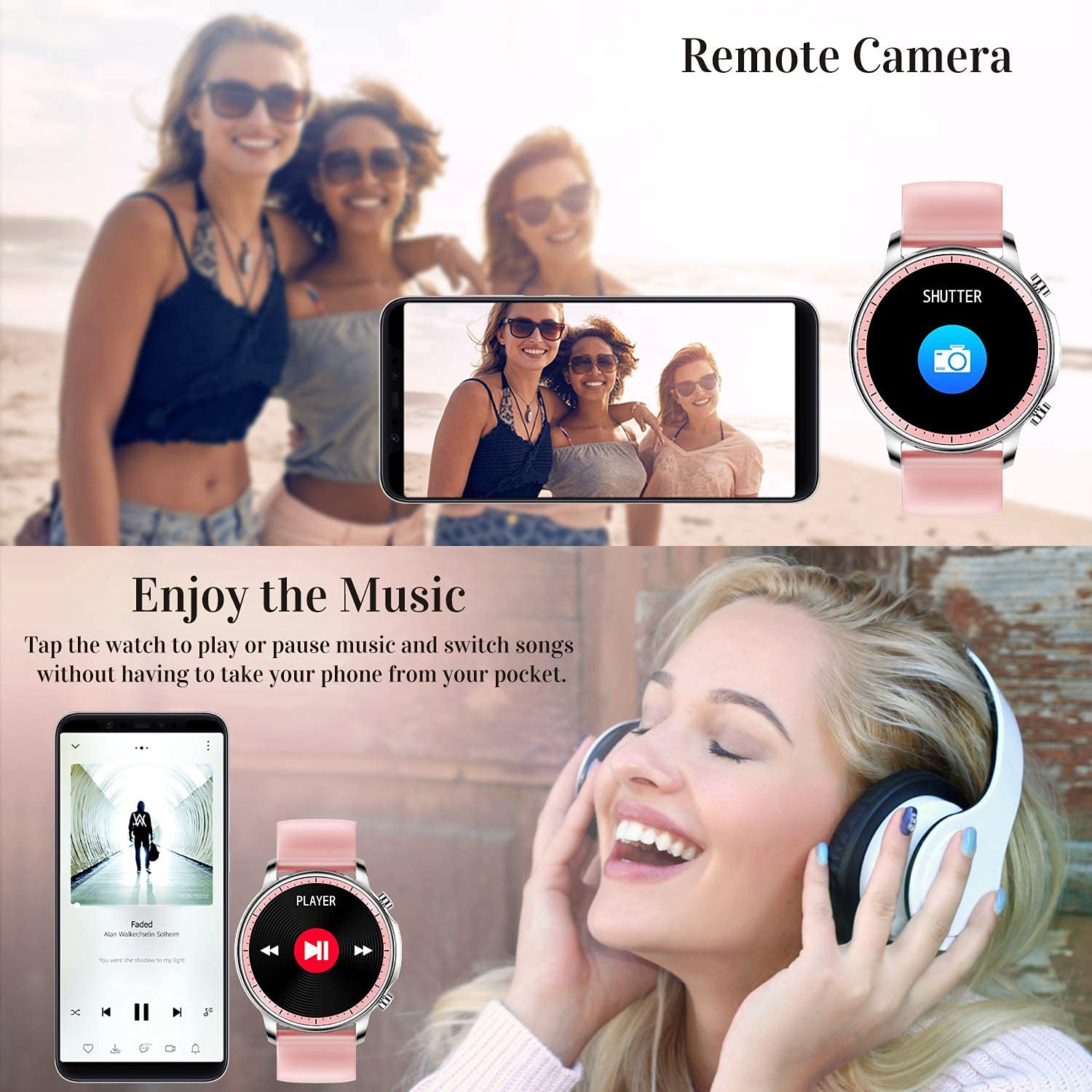
Рисунок 5.2: Налаштування циферблатів годинника
5.3 Сповіщення
Receive call, message, email, and app notifications directly on your smart watch. (Note: The watch cannot answer or make calls.)

Figure 5.3: Call and Message Reminders
5.4 Керування музикою
Control music playback on your smartphone directly from your watch. Tap to play/pause or switch songs without needing to access your phone.
5.5 Віддалена камера
Use your smart watch as a remote shutter for your smartphone camera. This feature allows you to take photos from a distance.

Figure 5.4: Remote Camera and Music Control
6. особливості
6.1 Моніторинг здоров'я
- Монітор серцевого ритму (ЧСС): Безперервно контролює ваш серцевий ритм протягом дня.
- Blood Pressure (BP) Monitor: Provides blood pressure readings. (Refer to safety disclaimer in Section 2).
- Монітор кисню в крові (SpO2): Вимірює рівень насичення крові киснем.
- Відстеження сну: Records sleep information, including deep sleep, light sleep, and awake time, to help you understand your sleep patterns.
- Відстеження жіночого здоров'я: Offers features for tracking female health cycles.

Figure 6.1: Heart Rate and Blood Pressure Monitoring

Figure 6.2: Smart Sleep Monitoring
6.2 Відстеження активності
The smart watch offers 7 data record modes to track various sports activities:
- ходьба
- Біг
- Велоспорт
- Баскетбол
- футбол
- Бадмінтон
- Пропуск
This feature helps you monitor your exercise data and gain insights into your fitness levels.

Figure 6.3: Smart Watch Functions Overview
6.3 Розумні нагадування
- Сидячий нагадування: Reminds you to move and stay active after periods of inactivity.
- Будильник: Встановлюйте будильники безпосередньо на годиннику.
6.4 Інші функції
- Секундомір
- Fun Game
7. Технічне обслуговування
7.1 Водонепроникність
The ENHANCE Colmi V23 Smart Watch is IP68 waterproof, making it resistant to daily wet conditions such as hand washing or light rain. Avoid prolonged submersion in water, hot water, or steam, and do not operate buttons underwater.
7.2 Очищення
Регулярно протирайте годинник і ремінець м’якою сухою тканиною. За потреби використовуйте злегкаamp тканиною, а потім ретельно висушіть. Уникайте використання агресивних хімікатів або абразивних матеріалів.
7.3 Догляд за акумулятором
Щоб продовжити термін служби батареї, уникайте частого повного розряджання батареї. Заряджайте годинник, коли рівень заряду батареї низький. Зберігайте годинник у прохолодному, сухому місці, коли він не використовується протягом тривалого часу.
8. Вирішення проблем
- Годинник не вмикається: Переконайтеся, що годинник повністю заряджений. Підключіть його до зарядного пристрою щонайменше на 30 хвилин.
- Годинник не сполучається з телефоном: Make sure Bluetooth is enabled on your phone and the watch is within range. Restart both the watch and your phone, then try pairing again through the Da Fit app.
- Неточні дані про стан здоров'я: Ensure the watch is worn snugly on your wrist, not too tight or too loose. Clean the sensor on the back of the watch. Remember, this device is not a medical instrument.
- Сповіщення не відображаються: Check notification settings in the Da Fit app and your phone's system settings to ensure permissions are granted for the app to display notifications.
9. Технічні характеристики
| Бренд | ПОКРАЩЕННЯ |
| Модель | V23 Smart watch |
| Розміри продукту | 1.03 х 2 х 4.15 см |
| Вага товару | 42 г |
| Розмір екрана | 1.3 дюймів |
| роздільна здатність | 240 х 230 |
| Тип дисплея | Цифровий РК-дисплей |
| Ємність акумулятора | 200 мАг (літій-полімерний) |
| Спосіб зарядки | Magnetic Wire Charging |
| Бездротовий тип | Bluetooth |
| Сумісні пристрої | Mobile Phone (Android 4.0+ & iOS 9.0+) |
| Операційна система | Android і iOS |
| Водонепроникність | IP68 |
| матеріал | пластик |
10. Гарантія та підтримка
For warranty information and customer support, please refer to the documentation included with your product or contact ENHANCE customer service. The included user manual contains details regarding warranty terms and contact information.


