вступ
This manual provides detailed instructions for the safe and efficient operation, maintenance, and troubleshooting of your BE COOL Air Cooler, Model BCP5AC2101F. Please read this manual thoroughly before using the appliance and keep it for future reference.
Важливі інструкції з безпеки
- Завжди переконайтеся, що прилад встановлено на стійкій, рівній поверхні.
- Не занурюйте прилад, шнур або вилку у воду чи інші рідини.
- Unplug the appliance from the power outlet before cleaning, filling, or performing any maintenance.
- Тримайте прилад у недоступному для дітей та домашніх тварин місці.
- Не блокуйте вхідні та вихідні отвори для повітря. Забезпечте належну вентиляцію навколо пристрою.
- Використовуйте в резервуарі для води лише чисту воду з-під крана. Не додавайте жодних хімікатів чи добавок.
- Якщо шнур живлення пошкоджено, його має замінити виробник, його сервісний агент або особа з аналогічною кваліфікацією, щоб уникнути небезпеки.
- Цей прилад призначений лише для домашнього використання всередині приміщень.
Продукт закінченийview
Familiarize yourself with the components of your BE COOL Air Cooler.

Малюнок 1: Спереду view of the BE COOL Air Cooler, showing the main fan grille, water level indicator, and "BE COOL" logo.

Figure 2: Top control panel with buttons for Timer, Cool, Speed, and On/Off, along with indicator lights.

Figure 3: Diagram illustrating key features: integrated dust filter, timer function, and remote control operation.
Налаштування
1. Розпакування
Обережно вийміть повітряний охолоджувач з упаковки. Зберігайте упаковку для подальшого зберігання або транспортування.
2. Кріплення коліс
The appliance comes with 4 castor wheels for easy mobility. Insert each wheel into the designated slots at the bottom of the unit until they click securely into place.
3. Наповнення резервуара для води
The BE COOL Air Cooler features a 5-liter water tank. For cooling and humidifying functions, the tank must be filled with water.
- Переконайтеся, що прилад від’єднано від розетки.
- Locate the water tank opening, typically at the bottom rear or side of the unit.
- Carefully pour clean tap water into the tank. Do not exceed the "MAX" fill line indicated on the water level indicator.
- For enhanced cooling, you may add ice packs (not included) to the water tank if available.
- Close the water tank opening securely.
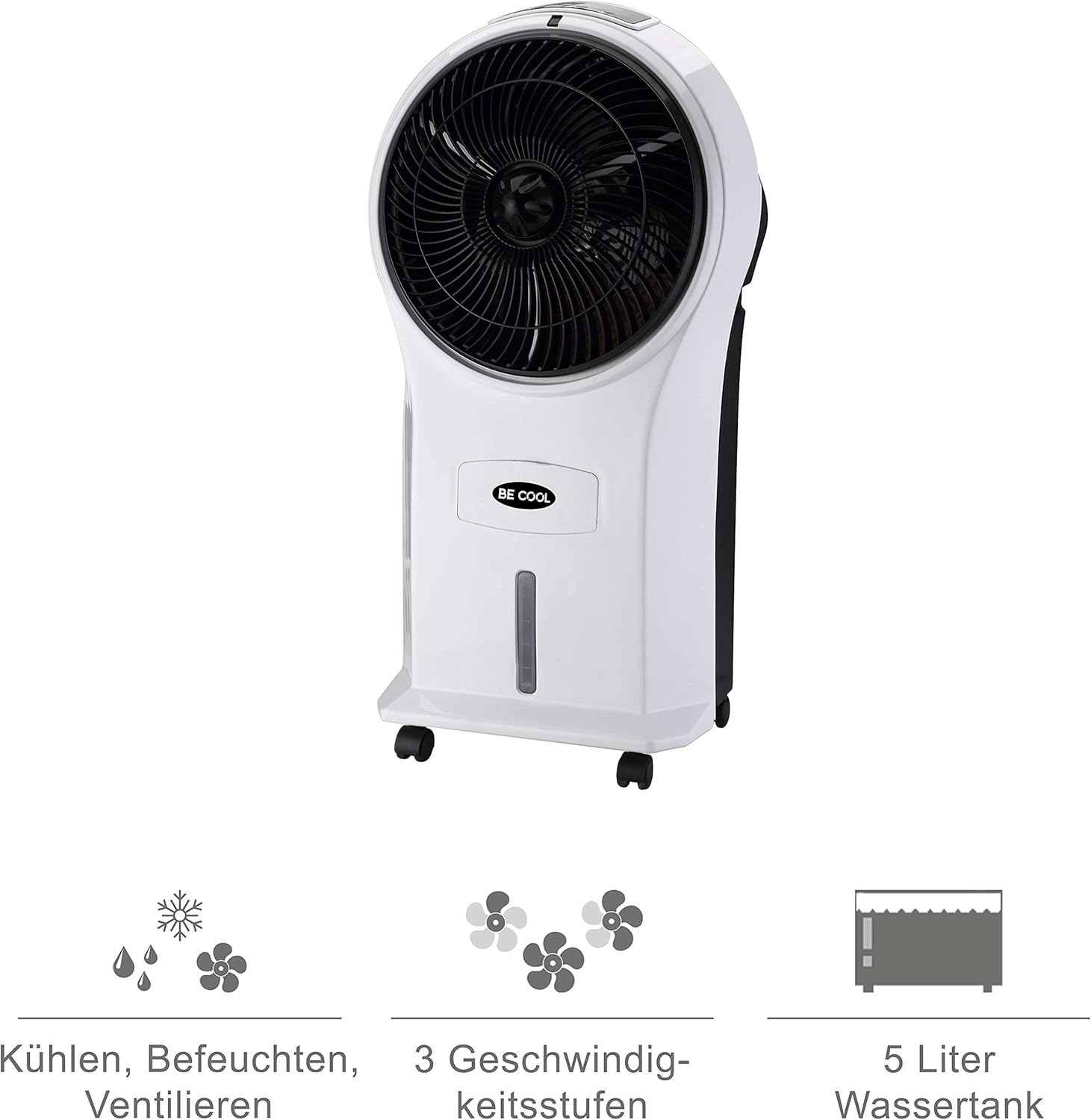
Figure 4: Visual representation of the 3-in-1 functions (cooling, humidifying, ventilating), 3 speed levels, and the 5-liter water tank capacity.
Інструкція з експлуатації
1. Увімкнення/вимкнення живлення
Plug the power cord into a suitable electrical outlet. Press the Увімкнення/вимкнення кнопку на панелі керування або пульті дистанційного керування, щоб увімкнути або вимкнути пристрій.
2. Регулювання швидкості вентилятора
Натисніть швидкість button repeatedly to cycle through the three available fan speeds: Low, Medium, and High. The corresponding indicator light will illuminate.
3. Cooling and Humidifying Function
To activate the cooling and humidifying function, ensure the water tank is filled. Press the круто button. The unit will begin to draw water from the tank to cool and humidify the air. This function can reduce room temperature by up to 8°C.
4. Функція таймера
The air cooler features a 7-hour timer. Press the Таймер button repeatedly to set the desired operating time in increments (e.g., 1 hour, 2 hours, 4 hours, up to 7 hours). The unit will automatically turn off once the set time has elapsed.
5. Використання дистанційного керування
The included remote control allows for convenient operation from a distance. Ensure the remote control has batteries installed (batteries not included). Point the remote control towards the front of the air cooler when operating.
6. Air Purification
The integrated filter helps to purify the air by trapping dust, pollen, mites, bacteria, and unpleasant odors, contributing to a cleaner indoor environment.

Figure 5: The BE COOL Air Cooler positioned in a bedroom, demonstrating its compact size and portability.

Figure 6: The BE COOL Air Cooler in an office environment, highlighting its suitability for various indoor spaces.
Технічне обслуговування
Регулярне технічне обслуговування забезпечує оптимальну продуктивність та довговічність вашого повітряного охолоджувача.
1. Очищення повітряного фільтра
The air filter should be cleaned regularly, especially if the unit is used frequently or in dusty environments.
- Від’єднайте прилад від розетки.
- Locate and remove the air filter, usually found at the back of the unit.
- Gently clean the filter with a soft brush or vacuum cleaner to remove dust. For deeper cleaning, rinse with lukewarm water and mild detergent.
- Дайте фільтру повністю висохнути на повітрі, перш ніж знову вставляти його в пристрій.
2. Очищення резервуара для води
To prevent mold and mildew growth, clean the water tank weekly or as needed.
- Unplug the appliance and empty any remaining water from the tank.
- Протріть резервуар зсередини м’якою тканиною dampм’яким миючим розчином.
- Rinse the tank thoroughly with clean water to remove any detergent residue.
- Дайте резервуару повністю висохнути перед тим, як знову наповнювати його або зберігати пристрій.
3. Зовнішнє прибирання
Протріть зовнішню поверхню пристрою м’якою, damp тканина. Не використовуйте абразивні засоби чи розчинники.
4. Зберігання
If storing the air cooler for an extended period, ensure the water tank is empty and clean, and the unit is dry. Store it in a cool, dry place, preferably in its original packaging.
Усунення несправностей
Зверніться до цього розділу, щоб дізнатися про поширені проблеми та їх вирішення.
| проблема | Можлива причина | Рішення |
|---|---|---|
| Пристрій не включається. | Немає живлення; кнопка живлення не натиснута. | Check if the power cord is securely plugged in. Press the On/Off button. |
| Без охолоджувального ефекту. | Water tank empty; Cool function not activated. | Fill the water tank. Press the Cool button. |
| Слабкий потік повітря. | Air filter clogged; Fan speed set too low. | Clean the air filter. Increase the fan speed. |
| Неприємний запах. | Stagбрудна вода в баку; брудний фільтр. | Empty and clean the water tank. Clean or replace the air filter. |
| Не працює пульт дистанційного керування. | Розряджені або неправильно вставлені батарейки; Перешкода між пультом дистанційного керування та пристроєм. | Replace batteries. Ensure no obstructions and point directly at the unit. |
Технічні характеристики
- модель: BCP5AC2101F
- тип: 3-in-1 Evaporative Air Cooler (Cooler, Humidifier, Fan)
- Споживана потужність: 45 Вт
- Потужність повітряного потоку: 17.5 cubic meters per minute (1050 m³/h)
- Ємність резервуара для води: 5 літра
- Швидкість вентилятора: 3 (низький, середній, високий)
- Таймер: До 7 годин
- Тип управління: Remote Control, Manual Buttons
- Розміри (Д x Ш x В): 31.5 x 27 x 61 см (12.4 x 10.6 x 24 дюйма)
- вага: 2.9 кілограмів (6.4 фунта)
- колір: Білий/Чорний
- Включені компоненти: Main unit, Remote control, 4 Castor wheels
Гарантія та підтримка
For warranty information or technical support, please refer to the warranty card included with your purchase or contact Be Cool customer service. Keep your proof of purchase for warranty claims.
For further assistance, you may visit the official Be Cool store on Amazon: Be Cool Store


