1. Вступ
The Poly Voyager Focus 2 UC USB-A Headset is designed to create a focused audio environment, blocking out background noise for clear communication. Featuring three levels of hybrid Active Noise Canceling (ANC) and Poly Acoustic Fence technology, it ensures you hear your calls clearly and are heard without distractions. This headset offers all-day comfort and versatile connectivity for computers (via BT700 USB-A adapter) and mobile devices (via Bluetooth v5.1). This Microsoft Teams certified version includes a dedicated Teams button for enhanced collaboration.
2. Що в коробці
- Voyager Focus 2 UC USB-A Headset
- Чохол для транспортування
- BT700 USB-A Adapter
- Зарядний кабель
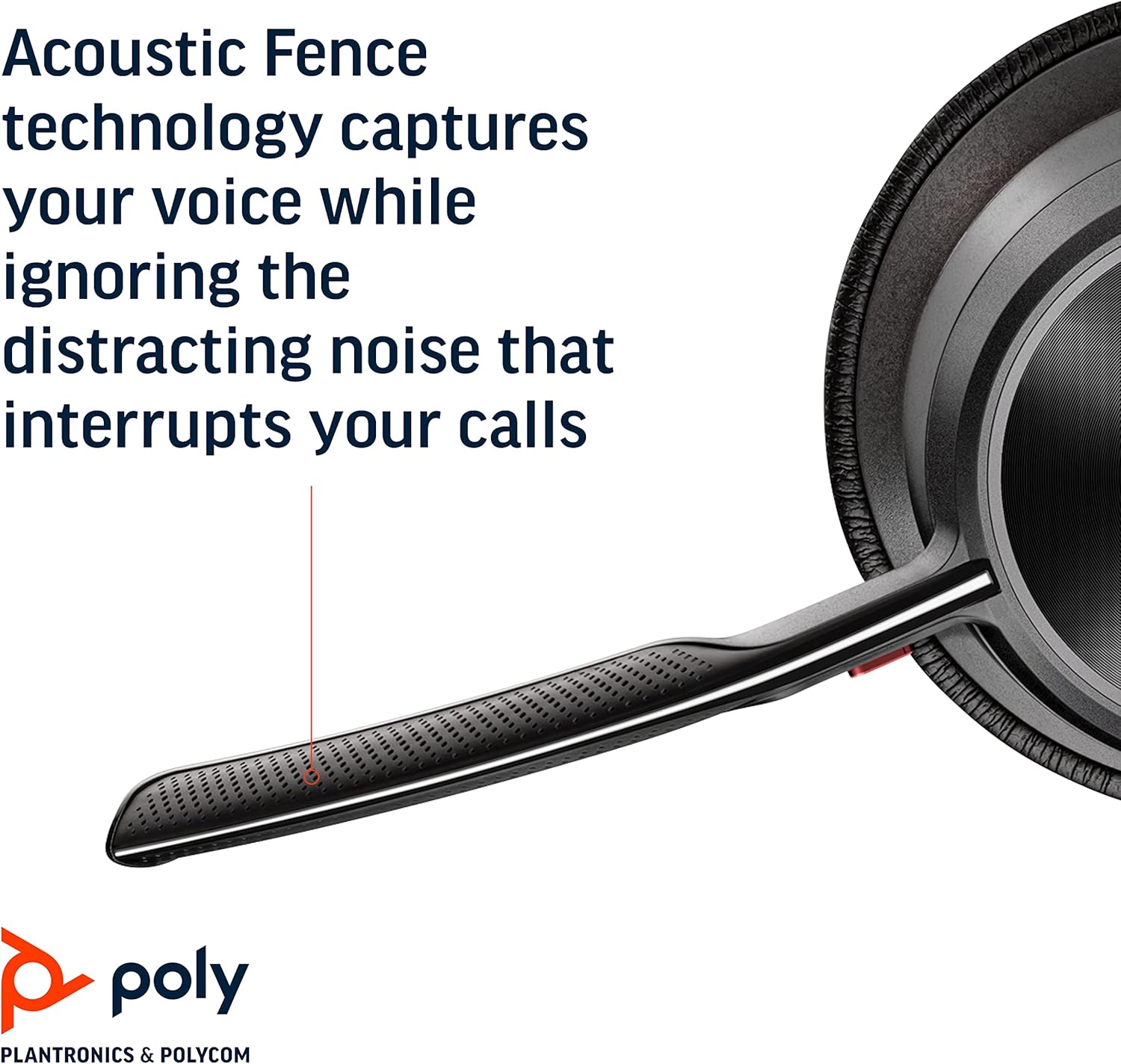
Image: Headset components including the BT700 USB-A adapter and charging cable.
3. Налаштування
3.1 Заряджання гарнітури
Connect the charging cable to the headset's USB port and to a power source. A full charge provides up to 19 hours of talk time. If using an optional charging stand, simply place the headset on the stand to charge.

Image: The Poly Voyager Focus 2 UC USB-A Headset placed on its charging stand.
3.2 Connecting to a Computer (USB-A Adapter)
- Вставте адаптер BT700 USB-A у вільний порт USB-A на вашому комп’ютері.
- Увімкніть гарнітуру.
- Світлодіодний індикатор адаптера блиматиме синім кольором, а потім світитиметься синім світлом постійно після підключення до гарнітури.
3.3 Connecting to a Mobile Device (Bluetooth)
- With the headset powered off, slide and hold the Power switch towards the Bluetooth icon until the LED flashes red and blue.
- На своєму мобільному пристрої перейдіть до налаштувань Bluetooth та виберіть «Poly Voyager Focus 2» зі списку доступних пристроїв.
- Once successfully paired, the headset LED will stop flashing.
3.4 Налаштування гарнітури
Adjust the headband for a comfortable fit. Position the boom microphone approximately two finger-widths from the corner of your mouth. The microphone boom is flexible and can be rotated to either the left or right side, automatically adjusting audio channels.

Image: A woman wearing the headset, demonstrating a comfortable fit for work.
4. Інструкція з експлуатації
4.1 Увімкнення/вимкнення живлення
Slide the Power switch to the 'On' position to power on the headset. Slide it to 'Off' to power off.
4.2 Регулювання гучності
Use the volume up (+) and volume down (-) buttons located on the earcup to adjust the listening volume.

Image: Close-up of the headset earcup with visible volume controls.
4.3 Вимкнути/Увімкнути звук
Press the dedicated mute button on the microphone boom to mute or unmute your microphone. The Dynamic Mute Alert feature will notify you if you speak while muted.

Зображення: Детальне view of the headset's boom microphone.
4.4 Active Noise Canceling (ANC)
Adjust the noise canceling level (High, Low, or Off) using the ANC switch on the earcup to suit your environment and personal preference.
4.5 Керування викликами
Press the Call button on the earcup to answer or end a call. For Microsoft Teams calls, use the dedicated Teams button for instant access to the Teams App and notifications.
5. особливості
- Аудіопродуктивність: Three options of Advanced Digital Hybrid Active Noise Canceling (ANC) – high, low, and off – for personalized noise control.
- Poly Acoustic Fence Technology: Advanced multi-microphone noise canceling ensures callers hear only your voice, not your surroundings.
- Розумні технології: Dynamic Mute Alert notifies you if you speak while your microphone is muted.
- All-Day Wearing: Lightweight headband with a sling and plush ear cushions provide comfort for extended use. Up to 19 hours of talk time.
- Multiple Device Connections: Connects to a computer via the included BT700 USB-A adapter and to a mobile device via Bluetooth v5.1.
Відео: Посадовець надview of the Poly Voyager Focus 2 headset, highlighting its key features and design.
6. Технічне обслуговування
6.1 Очищення
Протріть гарнітуру м’якою ганчіркоюamp cloth. Avoid using harsh chemicals or abrasive materials. Ensure the microphone and earcup surfaces are free from debris.
6.2 Зберігання
When not in use, store the headset in its provided carry case to protect it from dust and damage. Avoid storing in extreme temperatures.
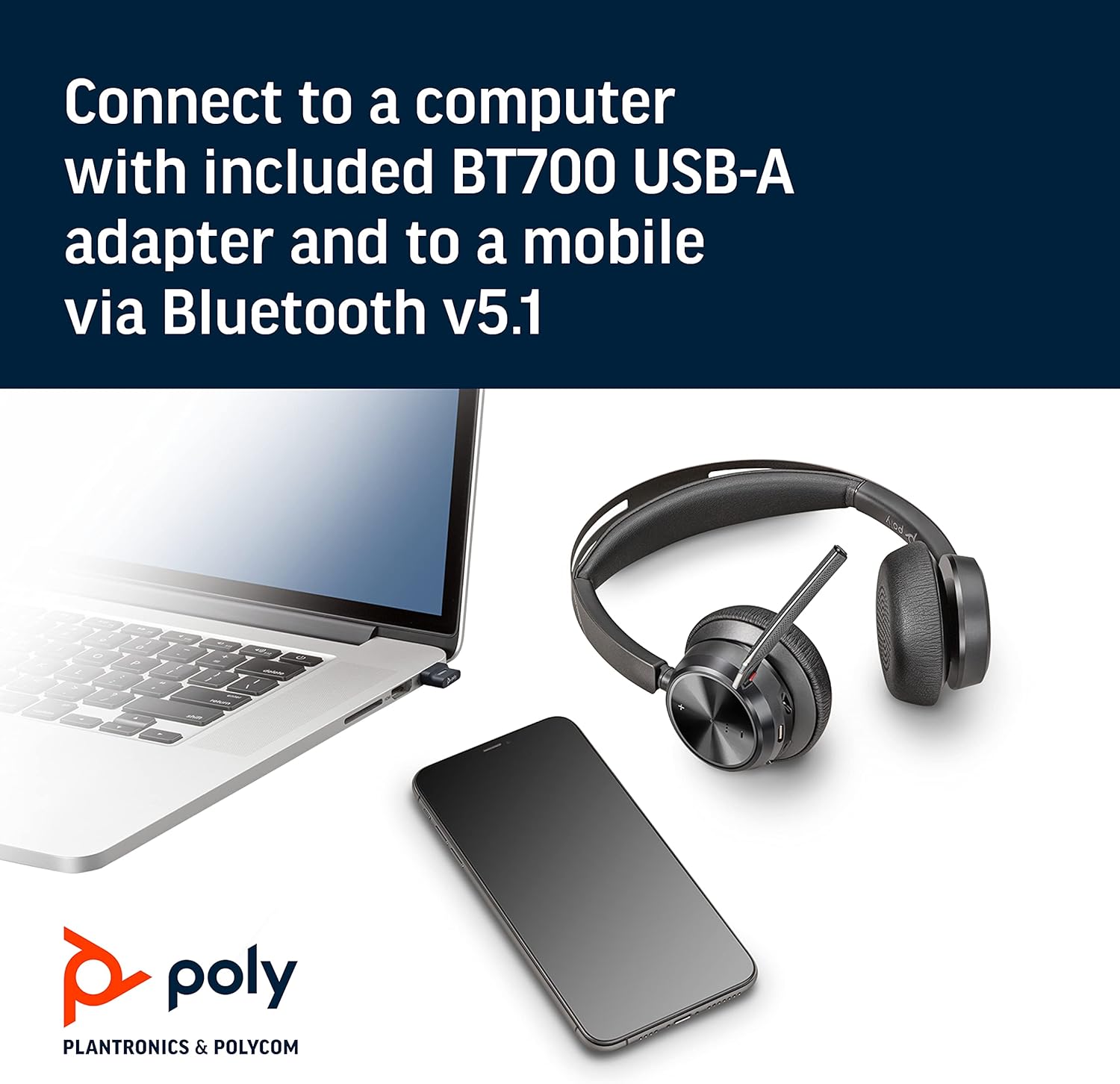
Image: The headset neatly folded and stored inside its carry case.
7. Вирішення проблем
7.1 No Sound/Poor Audio Quality
- Переконайтеся, що гарнітура увімкнена та повністю заряджена.
- Check that the headset is correctly paired with your device (computer via USB adapter or mobile via Bluetooth).
- Verify the volume levels on both the headset and your connected device.
- If connected to a computer, ensure the Poly BT700 adapter is recognized as the default audio device in your system settings.
7.2 Мікрофон не працює
- Confirm the microphone is not muted (check the mute button and Dynamic Mute Alert).
- Ensure the microphone boom is properly positioned near your mouth.
- Перевірте налаштування звуку вашого пристрою, щоб переконатися, що мікрофон гарнітури вибрано як пристрій введення.
7.3 Проблеми з підключенням
- Перезавантажте гарнітуру та підключений пристрій.
- Move closer to your connected device to ensure you are within the Bluetooth range (up to 10 meters for mobile, 50 meters for BT700 adapter).
- If using the BT700 adapter, try plugging it into a different USB port.
- Unpair and re-pair the headset with your device.
8. Технічні характеристики
| Назва моделі | Voyager Focus 2 UC-M USB-A |
| Номер моделі товару | 213726-02 |
| Технологія підключення | Bluetooth 5.1 |
| Контроль шуму | Active Noise Cancellation (Hybrid Digital) |
| Технологія мікрофона | Поліакустична огорожа |
| Термін служби батареї (час розмови) | До 19 годин |
| Гніздо для навушників | USB |
| Вага товару | 175 грамів (6.2 унції) |
| Розміри продукту | 4 x 6 x 2.8 дюймів |
| Сумісні пристрої | PCs, Smartphones, Tablets, Laptops |
| Включені компоненти | Headset, carry case, BT700 USB adapter and charging cable |
9. Гарантія та підтримка
For warranty information, technical support, or to register your product, please visit the official Poly website or refer to the documentation included with your purchase. You can also visit the Магазин POLY на Amazon для отримання додаткових ресурсів та інформації про продукт.