1. Вступ
The OnePlus 7 Pro (Model GM1917) is a high-performance smartphone designed to deliver a smooth and immersive user experience. It features a 6.67-inch Fluid AMOLED display with a 90 Hz refresh rate and QHD+ resolution, offering exceptional clarity and fluidity. The device is equipped with a versatile camera system, including a 48 MP main camera, an ultra-wide-angle lens, and 3x optical zoom, enhanced by smart scene recognition and Nightscape 2.0 technology. This manual provides essential information for setting up, operating, and maintaining your OnePlus 7 Pro.

Малюнок 1: Спереду view of the OnePlus 7 Pro smartphone.
2. Початкове налаштування
2.1. Вміст упаковки
Перш ніж продовжити, переконайтеся, що всі предмети присутні у вашій упаковці:
- OnePlus 7 Pro Smartphone (Model GM1917)
- Адаптер живлення
- USB-кабель Type-C
- Інструмент для витягування SIM-карти
- Короткий посібник
- Інформація про безпеку
2.2. Вставлення SIM-карт
- Знайдіть лоток для SIM-картки на боковій стороні пристрою.
- Вставте інструмент для вилучення SIM-картки в маленький отвір на лотку та міцно натисніть, доки лоток не вийде.
- Place your Nano-SIM cards into the tray with the gold contacts facing down. The OnePlus 7 Pro supports Dual SIM functionality.
- Обережно вставте лоток у пристрій.
2.3. Увімкнення та початкове налаштування
- Натисніть і утримуйте кнопку живлення (розташовану праворуч), доки не з’явиться логотип OnePlus.
- Дотримуйтесь підказок на екрані, щоб вибрати мову, підключитися до мережі Wi-Fi та налаштувати обліковий запис Google.
- You will be guided through setting up security features such as fingerprint unlock and face unlock.
3. Operating Your OnePlus 7 Pro
3.1. Функції дисплея
The OnePlus 7 Pro features a 6.67-inch Fluid AMOLED display with a QHD+ resolution (2560 x 1440 pixels) and a 90 Hz refresh rate. This combination provides incredibly smooth scrolling, fluid animations, and vibrant colors. Adjust display settings such as brightness, color mode, and refresh rate (if applicable) in the Settings menu under 'Display'.
3.2. Продуктивність та сховище
Powered by a Qualcomm Snapdragon 855 processor and 6GB of RAM, the OnePlus 7 Pro delivers robust performance for multitasking, gaming, and demanding applications. The device comes with 128GB of internal storage, providing ampбільше місця для програм, фотографій та відео.
3.3. Навігація
Your device offers various navigation options, including traditional on-screen navigation buttons or gesture navigation. These can be customized in the Settings menu under 'Buttons & gestures'.
4. Система камер
The OnePlus 7 Pro is equipped with a triple rear camera setup and a unique pop-up front camera.
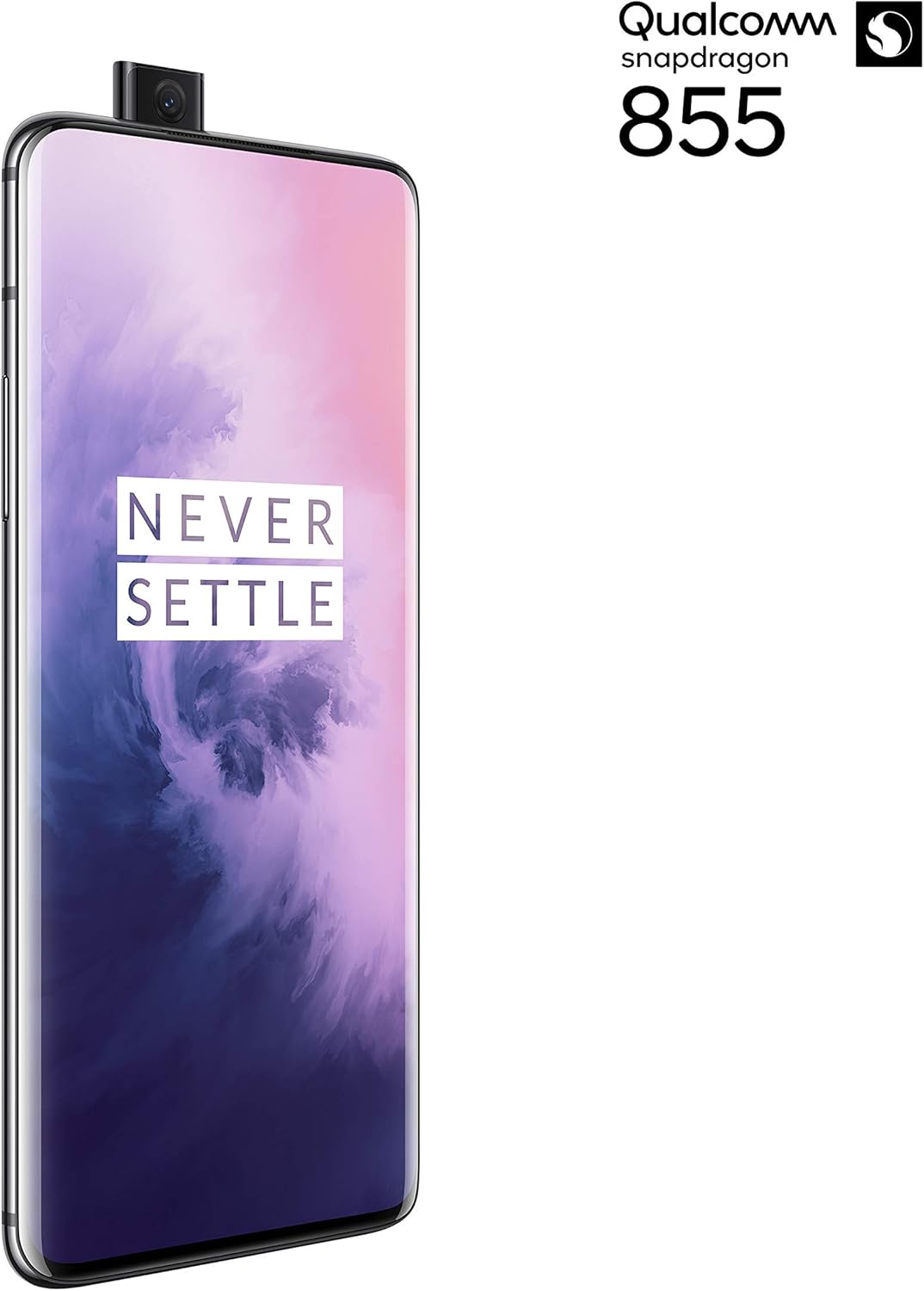
Малюнок 2: Спереду view of the OnePlus 7 Pro with its pop-up selfie camera.
4.1. Задні камери
- Основна камера: 48 MP sensor for high-resolution photos.
- Ультраширококутний об'єктив: Охоплює ширше поле view, ideal for landscapes and group shots.
- Телеоб'єктив: Offers 3x optical zoom for clear, detailed shots from a distance.
4.2. Фронтальна камера
The device features a motorized pop-up front camera, ensuring an uninterrupted full-screen display. This camera is designed for high-quality selfies and video calls.
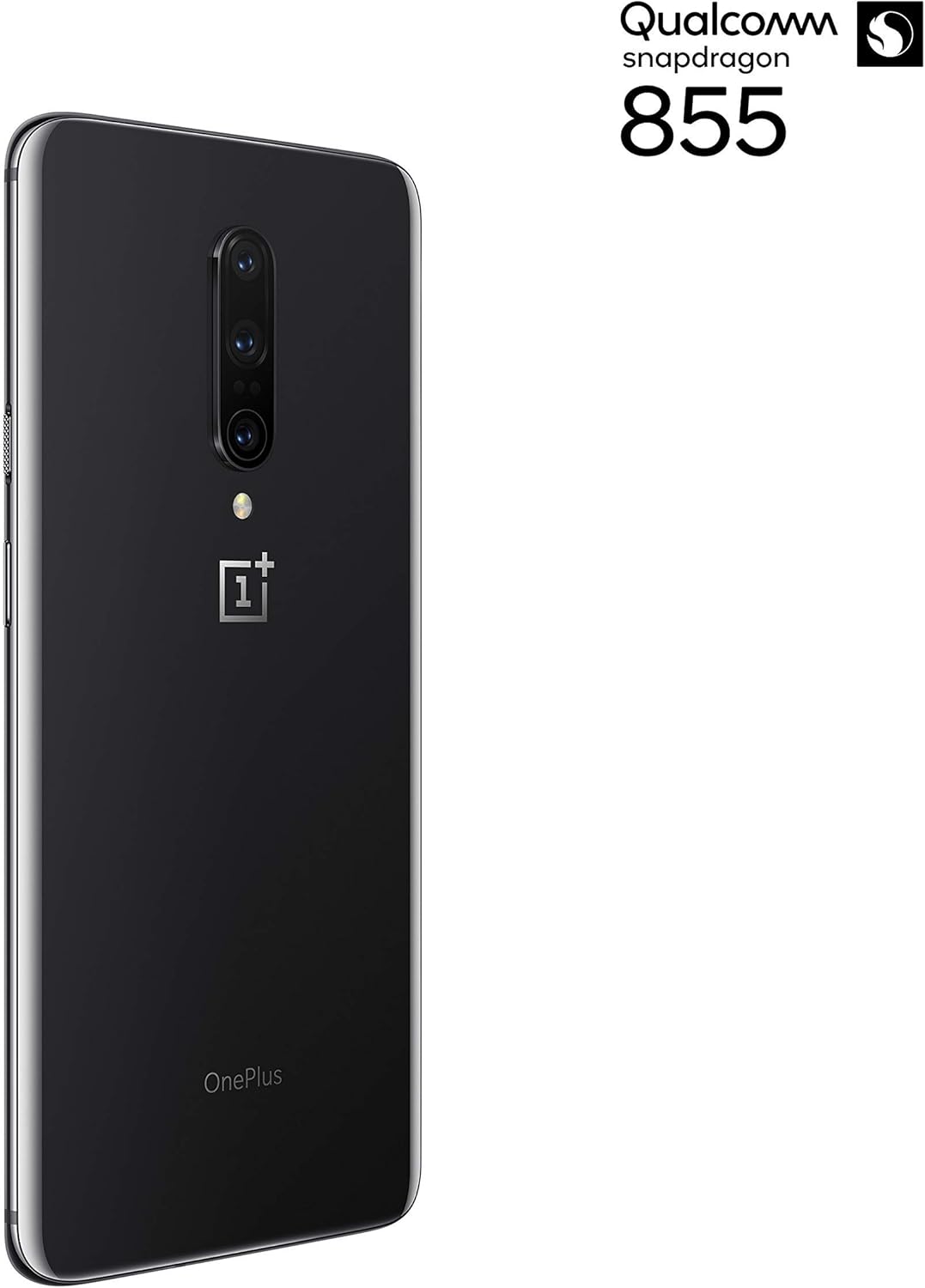
Малюнок 3: Задня частина view of the OnePlus 7 Pro highlighting the triple camera module.
4.3. Режими камери
Explore various camera modes to enhance your photography:
- Фото: Стандартний режим для повсякденної зйомки.
- Портрет: Створює ефект глибини різкості, розмиваючи фон.
- Nightscape 2.0: Optimizes photos taken in low-light conditions for brighter and clearer results.
- Професійний режим: Пропонує ручне керування такими налаштуваннями, як ISO, витримка та баланс білого.
- Відео: Records high-quality videos.
5. Акумулятор та заряджання
The OnePlus 7 Pro is equipped with a 4000 mAh battery, designed to provide extended usage. It supports Warp Charge technology for rapid charging.
5.1. Зарядка вашого пристрою
To charge your device, connect the provided USB Type-C cable to the phone's charging port and the power adapter. Plug the adapter into a wall outlet. For optimal charging speed, use only the official OnePlus Warp Charge adapter and cable.
5.2. Оптимізація батареї
To maximize battery life, consider the following:
- Налаштуйте яскравість екрана.
- Увімкніть режим економії заряду батареї, коли це необхідно.
- Закрийте невикористовувані програми, що працюють у фоновому режимі.
- Обмежте використання фонових даних для певних програм.
6. Технічні характеристики
| Особливість | Специфікація |
|---|---|
| Номер моделі | GM1917 |
| Дисплей | 6.67-inch Fluid AMOLED, QHD+ (2560 x 1440), 90 Hz |
| Процесор | Qualcomm Snapdragon 855 |
| ОЗУ | 6 ГБ |
| Внутрішня пам'ять | 128 ГБ |
| Задня камера | 48 MP Main, Ultra-Wide, 3x Optical Zoom Telephoto |
| Фронтальна камера | Pop-up Selfie Camera |
| Ємність акумулятора | 4000 мАг |
| Операційна система | Android |
| Підключення | Wi-Fi, 4G LTE (AT&T, Verizon, T-Mobile compatible) |
| Тип SIM | Подвійний Nano-SIM |
7. Вирішення проблем
If you encounter issues with your OnePlus 7 Pro, try the following steps:
- Пристрій не відповідає: Press and hold the Power button for approximately 10 seconds to force restart the device.
- Проблеми з програмою: Clear the cache and data for the problematic app in Settings > Apps > [App Name] > Storage. If the issue persists, uninstall and reinstall the app.
- Підключення до мережі: Увімкнення та вимкнення режиму польоту. Перезавантажте пристрій. Перевірте, чи вставлена SIM-картка.
- Розряд батареї: Review 'Battery Usage' in Settings to identify apps consuming excessive power. Reduce screen brightness and disable unnecessary features.
- Програмні збої: Ensure your device's software is up to date via Settings > System > System updates.
- Заводські налаштування: В крайньому випадку, ви можете виконати скидання до заводських налаштувань (Налаштування > Система > Параметри скидання > Стерти всі дані). Попередження: Це призведе до видалення всіх даних на вашому пристрої. Перш ніж продовжити, створіть резервну копію важливої інформації.
8. Догляд і технічне обслуговування
To ensure the longevity and optimal performance of your OnePlus 7 Pro:
- Keep the device clean using a soft, lint-free cloth. Avoid harsh chemicals.
- Захистіть екран захисною плівкою та використовуйте захисний чохол.
- Уникайте впливу екстремальних температур, прямих сонячних променів або вологи на пристрій.
- Regularly back up your data to a cloud service or external storage.
- Install software updates to benefit from the latest features and security enhancements.
9. Гарантія та підтримка
For information regarding warranty coverage, technical support, or service, please refer to the documentation provided with your purchase or visit the official OnePlus support website. As this is a renewed product, specific warranty terms may vary; please consult your seller for details on their renewed product warranty and return policy.


