1. Вступ
This manual provides comprehensive instructions for the installation, operation, and maintenance of your CALEX Smart Mini Indoor IP Camera. Please read this manual thoroughly before using the product to ensure proper functionality and safety.
The CALEX Smart Mini Indoor IP Camera is a Wi-Fi surveillance camera offering 1080P Full HD resolution, night vision capabilities, two-way audio communication, and flexible storage options via MicroSD card or cloud.
2. Вміст упаковки
Перевірте наявність усіх елементів в упаковці:
- 1 x CALEX Smart Mini Indoor IP Camera
- 1 x Power Adapter (AC 220-240 V, 50/60 Hz input; DC 5 V output)
- 1 x USB кабель
- 1 x Посібник користувача (цей документ)
- Mounting accessories (if applicable, not explicitly listed but common for cameras)

Figure 2.1: CALEX Smart Mini Indoor IP Camera and its retail packaging. The packaging highlights 1080P Full HD, Wi-Fi 2.4 GHz, and compatibility with the Calex Smart app.
3. Продукт закінчивсяview
Familiarize yourself with the components of your CALEX Smart Mini Indoor IP Camera.
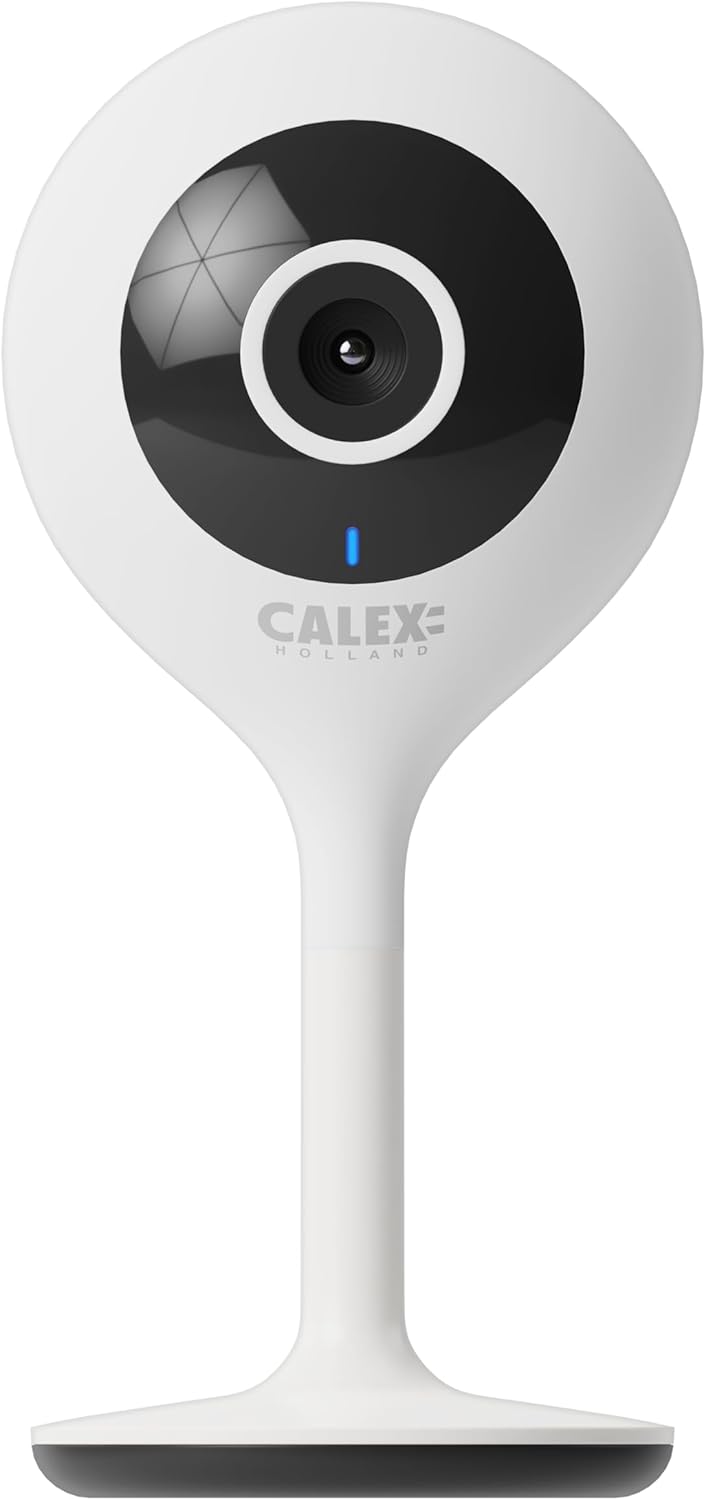
Малюнок 3.1: Спереду view of the CALEX Smart Mini Indoor IP Camera. It features a central lens, an indicator light, and the CALEX HOLLAND logo.

Малюнок 3.2: Задня частина view of the CALEX Smart Mini Indoor IP Camera. This view shows the speaker grille, a reset button, and the MicroSD card slot. The USB power input is located at the base.
Ключові характеристики:
- Роздільна здатність Full HD 1080P: Забезпечує чітке та детальне відео footage.
- Нічне бачення: Equipped with infrared LEDs for clear monitoring in low-light or dark conditions.
- Двостороннє аудіо: Вбудований мікрофон і динамік для зв'язку.
- З'єднання Wi-Fi: Connects to your home Wi-Fi network (2.4 GHz only).
- Локальна пам'ять: Supports MicroSD card for continuous recording or event-triggered recording.
- Хмарне сховище: Додатковий хмарний сервіс зберігання даних для безпечного запису поза межами приміщення.
- Виявлення руху: Alerts and records upon detecting movement.
- Контроль мобільних додатків: Керувати і view live feed via the Calex Smart app.
- Сумісність з голосовим помічником: Works with Amazon Alexa and Google Home.
4. Налаштування та встановлення
4.1 Перш ніж почати
- Переконайтеся, що ваша мережа Wi-Fi працює на частоті 2.4 ГГц. Камера не підтримує Wi-Fi 5 ГГц.
- Підготуйте назву вашої мережі Wi-Fi (SSID) та пароль.
- Download the "Calex Smart" app from your mobile device's app store.
- Розмістіть камеру в зоні дії вашого Wi-Fi роутера.

Figure 4.1: QR codes for downloading the Calex Smart app. Scan the appropriate QR code for your device (iOS or Android) to download the application.
Download the Calex Smart app here: iOS App Store | Google Play Store
4.2 Початкові кроки налаштування
- Увімкнення: Connect the camera to a power outlet using the provided USB cable and power adapter. The camera's indicator light will begin to flash, indicating it is ready for pairing.
- Open Calex Smart App: Launch the Calex Smart app on your smartphone. If you are a new user, register an account. If you already have an account, log in.
- Додати пристрій: Tap the "+" icon in the top right corner of the app to add a new device. Select "Security & Video Surveillance" and then "Smart Camera".
- Confirm Indicator Status: Follow the in-app instructions. Confirm that the indicator light on your camera is flashing rapidly.
- Введіть дані Wi-Fi: Enter your 2.4 GHz Wi-Fi network name and password when prompted.
- Сканувати QR-код: The app will generate a QR code. Hold your phone with the QR code approximately 15-20 cm (6-8 inches) in front of the camera lens. The camera will emit a sound when it successfully scans the QR code.
- Підключення: Tap "I heard a prompt" in the app. The camera will then attempt to connect to your Wi-Fi network. Once connected, the indicator light will turn solid blue.
- Назва пристрою: Once connected, you can name your camera (e.g., "Living Room Camera", "Nursery Camera").


Малюнок 4.2: Впрamples of the Calex Smart app interface. The left image shows a live camera feed with options for screenshot, speaking, and recording. The right image shows a settings screen within the app.
5. Керування камерою
5.1 Живий View
Open the Calex Smart app and select your camera from the device list to access the live video feed. You can view the feed in portrait or landscape mode.

Рисунок 5.1: Користувач viewing the live feed from the CALEX Smart Mini Indoor IP Camera on their smartphone.
5.2 Двосторонній аудіозв'язок
У прямому ефірі view, tap the microphone icon to speak through the camera's speaker. Tap the speaker icon to listen to audio from the camera's microphone.
5.3 Запис і відтворення
- Ручний запис: Tap the "Record" button in the live view interface to start or stop manual recording. Recordings are saved to your phone's gallery.
- Скріншот: Tap the "Screenshot" button to capture a still image from the live feed.
- Запис на карту MicroSD: Insert a MicroSD card (up to 128GB, not included) into the camera's slot for continuous or event-triggered recording. Ensure the card is formatted within the app settings.
- Хмарне сховище: Subscribe to the cloud storage service via the app for secure, off-site storage of event recordings.
- Відтворення: Доступ до записаного footage from the "Playback" section within the camera's settings in the app.

Figure 5.2: The Calex Smart app interface displaying options for cloud storage and video playback. This allows users to review записані події.
5.4 Виявлення руху та сповіщення
Configure motion detection sensitivity and alert settings in the app. You will receive push notifications on your smartphone when motion is detected.
5.5 Голосове керування (Alexa/Google Home)
To integrate your camera with Amazon Alexa or Google Home, follow the instructions in the respective voice assistant app to enable the "Calex Smart" skill/action. You can then use voice commands to view зображення з камери на сумісних розумних дисплеях.

Figure 5.3: A couple using voice commands with an Amazon Echo device, demonstrating the camera's compatibility with smart home ecosystems like Alexa and Google Home.
6. Технічне обслуговування
- Прибирання: Використовуйте м’яку суху тканину для очищення об’єктива та корпусу камери. Не використовуйте рідкі засоби для чищення або аерозолі.
- Оновлення прошивки: Periodically check the Calex Smart app for available firmware updates for your camera. Keeping the firmware updated ensures optimal performance and security.
- Скидання камери: If you experience connectivity issues or need to reconfigure the camera, locate the reset button on the back of the device (refer to Figure 3.2). Use a pin or a straightened paperclip to press and hold the reset button for approximately 5-10 seconds until the indicator light flashes rapidly. This will restore the camera to factory settings.
7. Вирішення проблем
| проблема | Можлива причина | Рішення |
|---|---|---|
| Камера не може підключитися до Wi-Fi. | Incorrect Wi-Fi password; 5 GHz Wi-Fi network; camera too far from router; Wi-Fi signal interference. |
|
| Немає прямої відеотрансляції. | Camera offline; poor internet connection; app issue. |
|
| Картку MicroSD не розпізнано. | Card not inserted correctly; card corrupted; unsupported card size/format. |
|
| Двосторонній аудіозв'язок не працює. | Microphone/speaker muted in app; low volume; app permissions. |
|
8. Технічні характеристики
| Особливість | Деталь |
|---|---|
| Назва моделі | Розумна безпека |
| Номер моделі | 5501000300 |
| роздільна здатність | 1080p Full HD |
| Підключення | Wi-Fi (лише 2.4 ГГц) |
| Вхідна потужність | Змінний струм 220-240 вольт, 50/60 Гц |
| Вихідна потужність (адаптер) | 5 вольт постійного струму |
| Споживана потужність | 5 Вт |
| Розміри (Д x Ш x В) | 3.2 x 5.3 x 11 см (1.26 x 2.09 x 4.33 дюйма) |
| вага | 167 грамів (0.37 фунта) |
| матеріал | пластик |
| Колір | Білий |
| Параметри зберігання | MicroSD (до 128 ГБ), хмарне сховище |
| Особливості | Night Vision, Two-Way Audio, Motion Detection, Compatible with Alexa/Google Home |
| Середовище використання | закритий |
9. Гарантія та підтримка
CALEX products are designed and manufactured to the highest quality standards. For warranty information and technical support, please refer to the official CALEX webсайт або зверніться безпосередньо до служби підтримки клієнтів.
Виробник: КАЛЕКС
Щоб отримати додаткову допомогу, відвідайте CALEX Official Webсайт.
10. Інформація про безпеку
- Не піддавайте камеру впливу води або вологи. Цей виріб призначений лише для використання в приміщенні.
- Не намагайтеся розбирати або ремонтувати камеру самостійно. Звертайтеся до кваліфікованого персоналу для проведення будь-яких технічних робіт.
- Use only the provided power adapter and cable to prevent damage or fire.
- Keep the camera away from direct sunlight, heat sources, and strong magnetic fields.
- Ensure the camera is placed on a stable surface to prevent it from falling.


