1. Вступ
Thank you for choosing the Lenco SCD-720 Boombox. This versatile audio system offers a wide range of playback options, including DAB+ and FM radio, Bluetooth 5.0 connectivity, a CD/MP3 player, a cassette player, and a USB port for digital audio files. It features 2 x 6W RMS audio output with Bass Reflex for enhanced sound and comes with a remote control for convenient operation. This manual provides essential information for setting up, operating, and maintaining your device.
2. Важлива інформація з безпеки
- Перед використанням пристрою уважно прочитайте всі інструкції.
- Збережіть цей посібник для подальшого використання.
- Не піддавайте пристрій впливу дощу або вологи, щоб запобігти пожежі або ураженню електричним струмом.
- Забезпечте належну вентиляцію. Не блокуйте вентиляційні отвори.
- Не розміщуйте пристрій поблизу джерел тепла, таких як радіатори, обігрівачі, печі чи інші прилади (включаючи ampліфікатори), які виробляють тепло.
- Захищайте шнур живлення від наступання або защемлення, особливо біля вилок, розеток і в місці виходу з пристрою.
- Використовуйте лише насадки/аксесуари, зазначені виробником.
- Відключайте цей пристрій від мережі під час грози або якщо він не використовується протягом тривалого часу.
- Звертайтеся до кваліфікованого сервісного персоналу. Обслуговування потрібне, якщо пристрій було пошкоджено будь-яким чином, наприклад, пошкоджено шнур живлення або вилка, була пролита рідина або всередину пристрою потрапили предмети, пристрій піддався впливу дощу або вологи, не працює належним чином , або було видалено.
3. Продукт закінчивсяview
Familiarize yourself with the main components and controls of your Lenco SCD-720 Boombox.
Фронт View з портом USB

This image shows the front of the Lenco SCD-720 Boombox, highlighting the main control panel, speakers, and a USB stick inserted into the USB port on the top left.
Фронт View with CD Compartment Open

This image displays the Lenco SCD-720 Boombox from the front, with the top-loading CD compartment lid open, ready for CD insertion.
Задня View
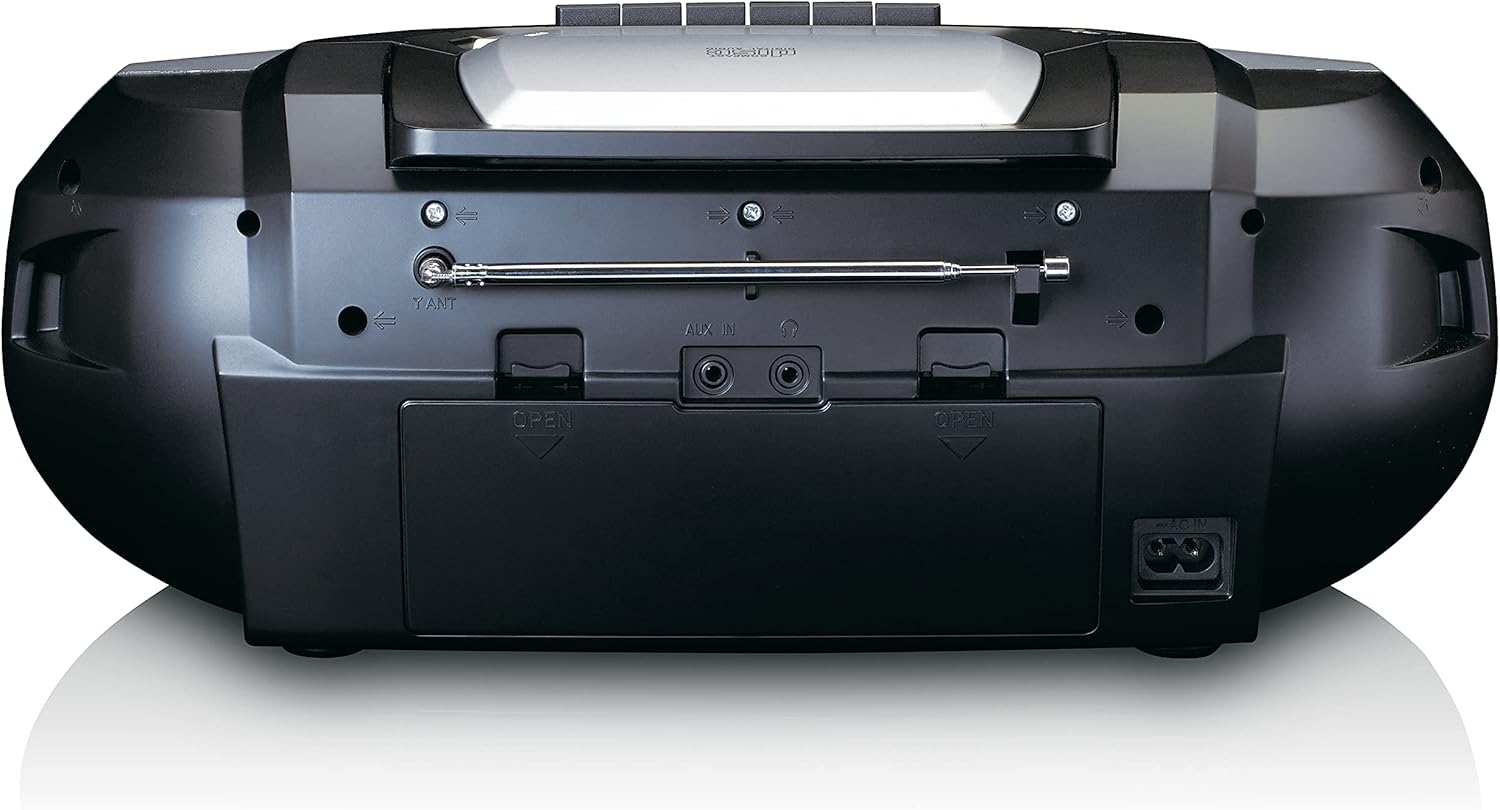
This image shows the back of the Lenco SCD-720 Boombox, featuring the telescopic antenna, AUX input, headphone jack, and the AC power input socket.
Control Panel Close-up

Детальний view of the Lenco SCD-720 Boombox's central control panel, including the digital display, source selection buttons, tuning/navigation buttons, and the illuminated volume knob.
Boombox with Remote Control
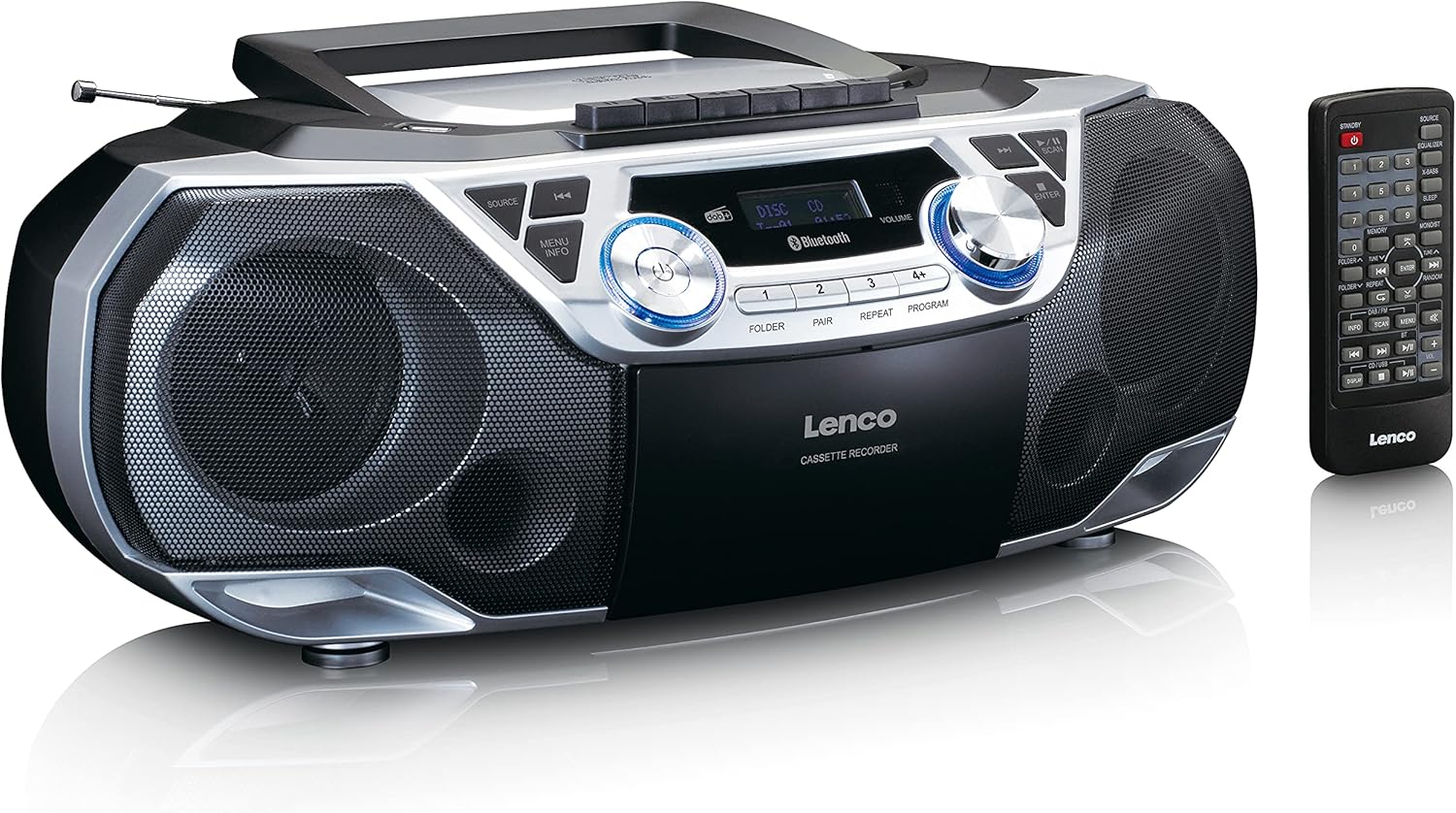
The Lenco SCD-720 Boombox is displayed next to its included remote control, illustrating the complete package.
Макет пульта дистанційного керування

A close-up image of the remote control for the Lenco SCD-720 Boombox, showing all buttons for power, source selection, playback, tuning, and other functions.
4. Налаштування
4.1 Підключення живлення
The Lenco SCD-720 Boombox can be powered by AC mains or batteries.
- Живлення змінного струму: Connect the supplied AC power cord to the AC IN socket on the rear of the unit and then to a standard wall outlet.
- Робота від батареї: For portable use, open the battery compartment on the rear of the unit and insert 8 x 'C' type batteries (not included), ensuring correct polarity. Close the compartment securely.
4.2 Регулювання антени
For optimal radio reception, extend the telescopic antenna fully. Adjust its position and angle to achieve the best signal quality for both DAB+ and FM broadcasts.
4.3 Початкове ввімкнення
Натисніть ПОТУЖНІСТЬ button on the unit or remote control to turn on the boombox. The display will light up, and the unit will typically start in the last used mode.
5. Інструкція з експлуатації
5.1 Загальні засоби контролю
- Увімкнення/вимкнення живлення: Натисніть ПОТУЖНІСТЬ кнопку.
- Регулювання гучності: Обертайте ОБ'ЄМ ручку на пристрої або скористайтеся ГУЧНІСТЬ + / - кнопки на пульті дистанційного керування.
- Вибір джерела: Натисніть ДЖЕРЕЛО button on the unit or the dedicated source buttons (DAB/FM, CD/USB, BT) on the remote to switch between modes (DAB+, FM, CD, USB, Bluetooth, AUX).
5.2 Робота радіо (DAB+/FM)
- Виберіть режим: Натисніть ДЖЕРЕЛО button until DAB+ or FM mode is selected.
- Авто сканування: У режимі DAB+ або FM натисніть СКАНУВАТИ кнопку для автоматичного пошуку та збереження доступних станцій.
- Ручна настройка: Використовуйте TUNE < / > кнопки для ручного налаштування частоти.
- Попередньо встановлені станції: The unit allows you to save your favorite stations. Press and hold one of the numbered preset buttons (1-4) to store the current station. Briefly press a preset button to recall a stored station.
- DAB+ Information: У режимі DAB+ натисніть ІНФО button to cycle through various information such as program type, signal strength, time, and date.
5.3 Відтворення компакт-дисків/MP3
- Load CD: Open the CD compartment lid by pressing the ВІДЧИНЕНО button. Place a CD or MP3 CD with the label side facing up. Close the lid securely.
- Відтворення: The CD will start playing automatically. If not, press the ВІДТВОРЕННЯ/ПАУЗА кнопку.
- Елементи керування: використання SKIP << / >> кнопки для перемикання треків. Натисніть і утримуйте для швидкого перемотування вперед/назад.
- повторити: Прес ПОВТОР to repeat the current track or all tracks.
- програма: Прес ПРОГРАМА to create a custom playback order for tracks.
5.4 Відтворення та запис касет
- Load Cassette: Open the cassette compartment. Insert a cassette tape.
- Відтворення: Натисніть ГРАТИ кнопку.
- Запис: To record from Radio, CD, USB, or AUX, select the desired source. Insert a blank cassette. Press the ЗАПИС button (usually red) along with the ГРАТИ кнопку одночасно.
- Елементи керування: використання ШВИДКО ВПЕРЕД і НАЗАД кнопки. Натисніть СТОП/ВИЙМАТИ to stop playback and open the compartment.
5.5 Підключення Bluetooth 5.0
- Увійти в режим Bluetooth: Натисніть ДЖЕРЕЛО кнопку, доки на дисплеї не з’явиться «BT» або «Bluetooth». Пристрій перейде в режим сполучення, що буде позначено миготливим значком Bluetooth.
- Сполучення: On your smartphone or tablet, enable Bluetooth and search for available devices. Select 'Lenco SCD-720' from the list. Once paired, the Bluetooth icon will stop flashing.
- Відтворення: Start playing audio on your connected device. The sound will be streamed to the boombox.
5.6 Відтворення з USB
- Вставте USB-накопичувач: Вставте флеш-накопичувач USB з MP3 files в порт USB.
- Виберіть режим USB: Натисніть ДЖЕРЕЛО button until 'USB' appears. The unit will automatically scan and begin playing MP3 files.
- Елементи керування: Use the playback control buttons (PLAY/PAUSE, SKIP << / >>) to manage your music.
5.7 Вхід AUX
Connect external audio devices (e.g., MP3 players, smartphones without Bluetooth) to the AUX IN jack on the rear of the unit using a 3.5mm audio cable (not included). Select AUX mode via the ДЖЕРЕЛО кнопку.
5.8 Вихід для навушників
For private listening, connect headphones to the НАВУШНИКИ jack on the rear of the unit. The main speakers will be muted automatically.
5.9 Пульт дистанційного керування
The included remote control provides full functionality for the boombox, allowing you to control power, source, volume, playback, tuning, and other settings from a distance. Ensure the remote has working batteries and is pointed towards the front of the boombox.
6. Технічне обслуговування
6.1 Очищення пристрою
Wipe the exterior of the boombox with a soft, dry cloth. Do not use abrasive cleaners, waxes, or solvents as they may damage the finish. For stubborn stains, a slightly damp можна використовувати тканину, а потім суху тканину.
6.2 Догляд за лінзами CD
If CD playback becomes erratic, the CD lens may need cleaning. Use a commercially available CD lens cleaner disc. Do not touch the lens directly.
6.3 Очищення касетної головки
Regularly clean the cassette heads, pinch rollers, and capstans with a cotton swab lightly moistened with isopropyl alcohol to ensure optimal sound quality and prevent tape damage.
6.4 Заміна батареї
If the unit is powered by batteries and performance degrades, replace all 8 'C' type batteries with new ones, ensuring correct polarity. Do not mix old and new batteries or different types of batteries.
7. Вирішення проблем
| проблема | Можлива причина | Рішення |
|---|---|---|
| Немає живлення | Шнур живлення не підключено; батарейки розряджені або неправильно вставлені. | Check AC cord connection; Replace batteries, ensuring correct polarity. |
| Ні звуку | Занадто низька гучність; вибрано неправильне джерело; підключено навушники. | Збільште гучність; виберіть правильне джерело; від’єднайте навушники. |
| Поганий радіоприйом | Антена не висунута або неправильно розташована; слабкий сигнал. | Extend and adjust the telescopic antenna; Try moving the unit to a different location. |
| CD/USB не відтворюється | Disc dirty/scratched; USB format not supported; Incorrect mode. | Clean or replace disc; Ensure USB contains MP3 files; Select CD or USB mode. |
| Помилка з’єднання Bluetooth | Boombox not in pairing mode; Device too far; Bluetooth off on device. | Ensure boombox is in BT pairing mode; Move device closer; Enable Bluetooth on your device. |
| Cassette recording issues | Incorrect source selected; Cassette write-protect tab engaged. | Select the desired recording source; Ensure the write-protect tab on the cassette is not broken off. |
8. Технічні характеристики
- модель: SCD-720SI
- Бренд: Lenco
- Підключення: DAB+, FM Radio, Bluetooth 5.0, CD/MP3 Player, Cassette Player, USB Playback, AUX Input, Headphone Output
- Аудіовихід: 2 х 6 Вт RMS
- Джерело живлення: AC 230V ~ 50Hz or 8 x 'C' type batteries (DC 12V)
- Підтримувані аудіоформати: CD, CD-R/RW, MP3 (from CD/USB)
- Особливості: Bass Reflex, Remote Control
- Розміри (Д x Ш x В): Приблизно 38.5 см x 23.5 см x 14.5 см
- колір: Срібло
- Виробник: Ленко ГмбХ
- Країна походження: Китай
9. Гарантія та підтримка
Lenco products are covered by a warranty in accordance with European law. For specific warranty terms and conditions, please refer to the warranty card included with your product or visit the official Lenco website. For technical support, service, or spare parts information, please contact Lenco customer service or your local dealer. Please have your model number (SCD-720SI) and purchase details ready when contacting support.
Information regarding software updates and spare parts availability is not provided at this time.