вступ
This manual provides comprehensive instructions for the setup, operation, and maintenance of your Plantronics Poly Studio P5 Webcam and Voyager 4220 UC Headset Kit. Please read this manual thoroughly before using the product to ensure optimal performance and longevity.
The kit includes a high-definition webcam designed for professional video conferencing and a stereo Bluetooth wireless headset for clear audio communication.
Вміст упаковки
- Poly Studio P5 Webкулачок
- Бездротова гарнітура Poly Voyager 4220 UC
- USB-A Adapter (for headset)
- USB Cable (for webкамера)
- Короткий посібник
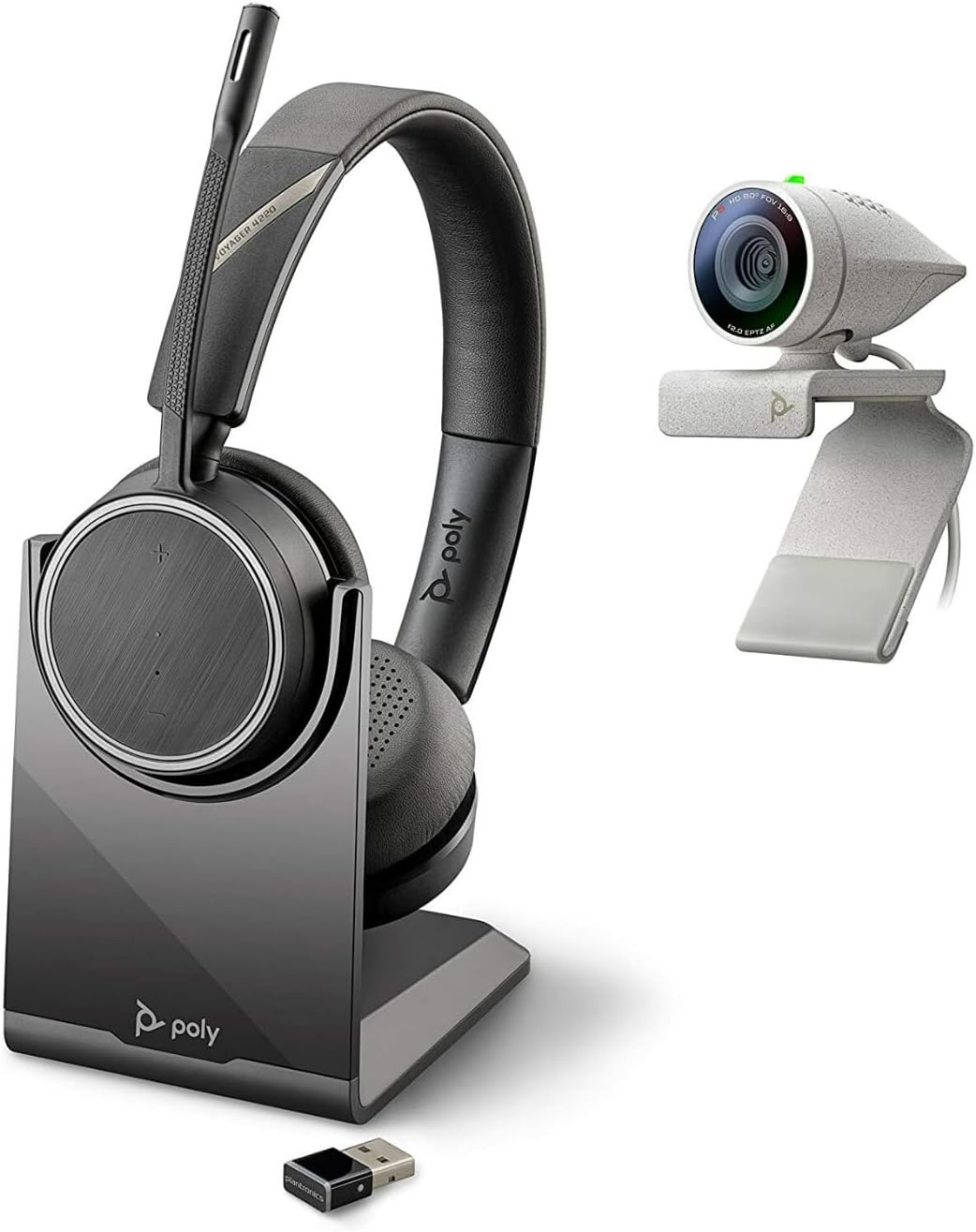
Image: Poly Studio P5 Webcam and Voyager 4220 UC Headset Kit, showing the webcam, headset, charging stand, and USB adapter.
Інструкції з налаштування
1. Poly Studio P5 Webналаштування камери
- Монтаж Webкамера:
Розмістіть webcam on top of your monitor or laptop screen. Adjust the clip to secure it firmly. The webcam can also be mounted on a tripod using the integrated tripod-ready design.

Image: Poly Studio P5 Webcam positioned on top of a laptop screen, showing its compact design and mounting clip.
- Connecting to your Computer:
Connect the integrated USB cable from the webcam to an available USB port on your PC or Mac. The device is plug-and-play; drivers will install automatically.
- Конфіденційність:
The webcam features an integrated privacy shutter. Slide the shutter to cover the lens when not in use to enhance security and privacy.

Зображення: спереду view of the Poly Studio P5 Webcam, highlighting the lens and the integrated privacy shutter mechanism.
2. Voyager 4220 UC Headset Setup
- Зарядка гарнітури:
Before first use, fully charge the headset. Connect the charging cable to the headset and a USB power source. A full charge provides approximately 12 hours of talk time or 15 hours of listening time.
- Connecting the USB-A Adapter:
Insert the USB-A adapter into an available USB port on your PC or Mac. The adapter will automatically pair with the Voyager 4220 UC headset.
- Носіння гарнітури:
Adjust the headband for a comfortable fit. Position the microphone boom approximately two finger-widths from the corner of your mouth for optimal voice pickup.
Інструкція з експлуатації
1. Using the Poly Studio P5 Webкулачок
- Відеоконференції: The webcam is compatible with Zoom, Microsoft Teams, and other video conferencing services. Select "Poly Studio P5" as your camera and microphone input within your chosen application's settings.
- Automatic Low-Light Compensation: The webcam automatically adjusts to maintain proper light exposure, ensuring clear visibility even in darker environments.
- Цифрове збільшення: The camera supports up to 4x digital zoom. This feature can typically be controlled through your video conferencing software or the Poly Lens Desktop app.

Image: A person wearing the Voyager 4220 UC Headset and using the Poly Studio P5 Webcam with a laptop, demonstrating a typical video conferencing setup.
2. Using the Voyager 4220 UC Headset
- Увімкнення/вимкнення живлення: Slide the power switch to turn the headset on or off.
- Регулювання гучності: Use the volume up (+) and volume down (-) buttons on the earcup to adjust audio levels.
- Вимкнути/увімкнути звук: Press the mute button on the microphone boom or earcup to mute or unmute your microphone.
- Контроль дзвінків: Press the call button to answer or end calls in supported applications.
- Noise-Cancelling Microphones: The headset features dual noise-cancelling microphones to reduce background noise for clear voice transmission.
3. Poly Lens Desktop App
The Poly Lens Desktop app allows you to customize settings, receive firmware updates, and access practical tips for your devices. Download the app from the official Poly webсайт.
- Налаштувати webcam settings (e.g., brightness, contrast, zoom).
- Configure headset audio preferences.
- Receive health and wellness reminders.
Технічне обслуговування
- Прибирання:
Витріть webcam lens and headset surfaces with a soft, dry, lint-free cloth. Do not use liquid cleaners or abrasive materials.
- Зберігання:
Зберігайте пристрої в прохолодному, сухому місці, подалі від прямих сонячних променів та екстремальних температур, коли вони не використовуються.
- Оновлення прошивки:
Regularly check for firmware updates via the Poly Lens Desktop app to ensure optimal performance and access to new features.
Усунення несправностей
| проблема | Можлива причина | Рішення |
|---|---|---|
| Webкамеру не виявлено | Loose USB connection, incorrect software settings, driver issue. |
|
| Немає звуку з гарнітури | Headset not powered on, not paired, volume too low, incorrect audio output selected. |
|
| Мікрофон не працює | Microphone muted, incorrect audio input selected, boom not positioned correctly. |
|
| Погана якість відео | Low light conditions, dirty lens, internet bandwidth issues. |
|
Технічні характеристики
Poly Studio P5 Webкулачок
- Максимальна роздільна здатність екрана: FHD (1080p)
- Роздільна здатність захоплення відео: 1080p
- Технологія фотосенсора: CMOS
- Задня WebРоздільна здатність камери: 5 Мп
- Максимальна фокусна відстань: 4
- Максимальна діафрагма: f/2.0
- Технологія підключення: USB
- Апаратна платформа: ПК, Mac
- Особливості: Integrated privacy shutter, automatic low-light compensation, tripod-ready design.
- Розміри продукту: 14.1 x 8.3 x 4.5 inches (Kit dimensions)
- Вага товару: 2.09 pounds (Kit weight)
Гарнітура Poly Voyager 4220 UC
- Бездротовий тип: Bluetooth
- Час розмови: До 12 годин
- Час прослуховування: До 15 годин
- Мікрофони: Dual noise-cancelling
- Підключення: Адаптер USB-A
- Підтримуваний формат аудіо: AAC, MP3
- Акумулятори: 1 літій-полімерна батарея (у комплекті)
Інформація про гарантію
For detailed warranty information, please refer to the warranty card included with your product or visit the official Poly webсайт. Стандартні гарантійні умови зазвичай поширюються на виробничі дефекти протягом певного періоду з дати покупки.
Підтримка та контакт
For technical support, product registration, or to download the latest software and drivers, please visit the official Poly support webсайт:
Webсайт: www.poly.com/support
Ви також можете знайти розділи поширених запитань та форуми спільноти на сторінці підтримки.


