вступ
This user manual provides detailed instructions for the setup, operation, maintenance, and troubleshooting of your iFFALCON 43K71 4K Ultra HD Smart Android LED TV. Please read this manual thoroughly before using the television and retain it for future reference.

Зображення: спереду view of the iFFALCON 43K71 4K Ultra HD Smart Android LED TV, showcasinйого тонкий дизайн та яскравий дисплей.
Інформація про безпеку
Завжди дотримуйтесь наступних запобіжних заходів, щоб запобігти пожежі, ураженню електричним струмом або травмам:
- Не піддавайте телевізор дії дощу або вологи.
- Забезпечте належну вентиляцію; не блокуйте вентиляційні отвори.
- Використовуйте лише шнур живлення, що постачається з телевізором.
- Do not open the TV cabinet; refer all servicing to qualified personnel.
- Тримайте телевізор подалі від прямих сонячних променів, джерел тепла та сильних магнітних полів.
- Розмістіть телевізор на стійкій, рівній поверхні або надійно закріпіть його на стіні.
Що в коробці
Переконайтеся, що всі компоненти присутні під час розпакування:
- 1 x iFFALCON 43K71 LED TV
- 1 x Remote Controller (with 2 AAA batteries)
- 2 x Table Stand components
- 1 х посібник користувача
- 1 х гарантійний талон
- 1 х аудіокабель
Налаштування
1. Фізичне встановлення
You can install your TV using the included table stands or by wall-mounting (wall mount bracket sold separately).
Встановлення настільної підставки:
- Обережно покладіть телевізор екраном донизу на м’яку рівну поверхню, щоб запобігти пошкодженню екрана.
- Attach the two table stand components to the designated slots on the bottom of the TV using the provided screws. Ensure they are securely fastened.
- Обережно підніміть телевізор у вертикальне положення на стійкій рівній поверхні.
Монтаж настінного кріплення:
For wall mounting, consult a professional installer. Ensure the wall mount bracket is compatible with the TV's VESA mounting pattern and can support the TV's weight (approximately 6.9 kg).

Зображення: Верх view of the iFFALCON 43K71 TV, showing its slim profile and stand attachment points.
2. Початкове увімкнення та підключення до мережі
- Підключіть шнур живлення до телевізора, а потім до розетки.
- Натисніть кнопку живлення на телевізорі або на пульті дистанційного керування, щоб увімкнути телевізор.
- Дотримуйтесь інструкцій на екрані, щоб завершити початкове налаштування, зокрема вибрати мову, країну та мережеве підключення (Wi-Fi або Ethernet).
- Sign in with your Google account to access Android TV features and download apps.
Керування телевізором
Пульт дистанційного керування
The supplied remote control allows you to navigate the TV's interface and access various functions.
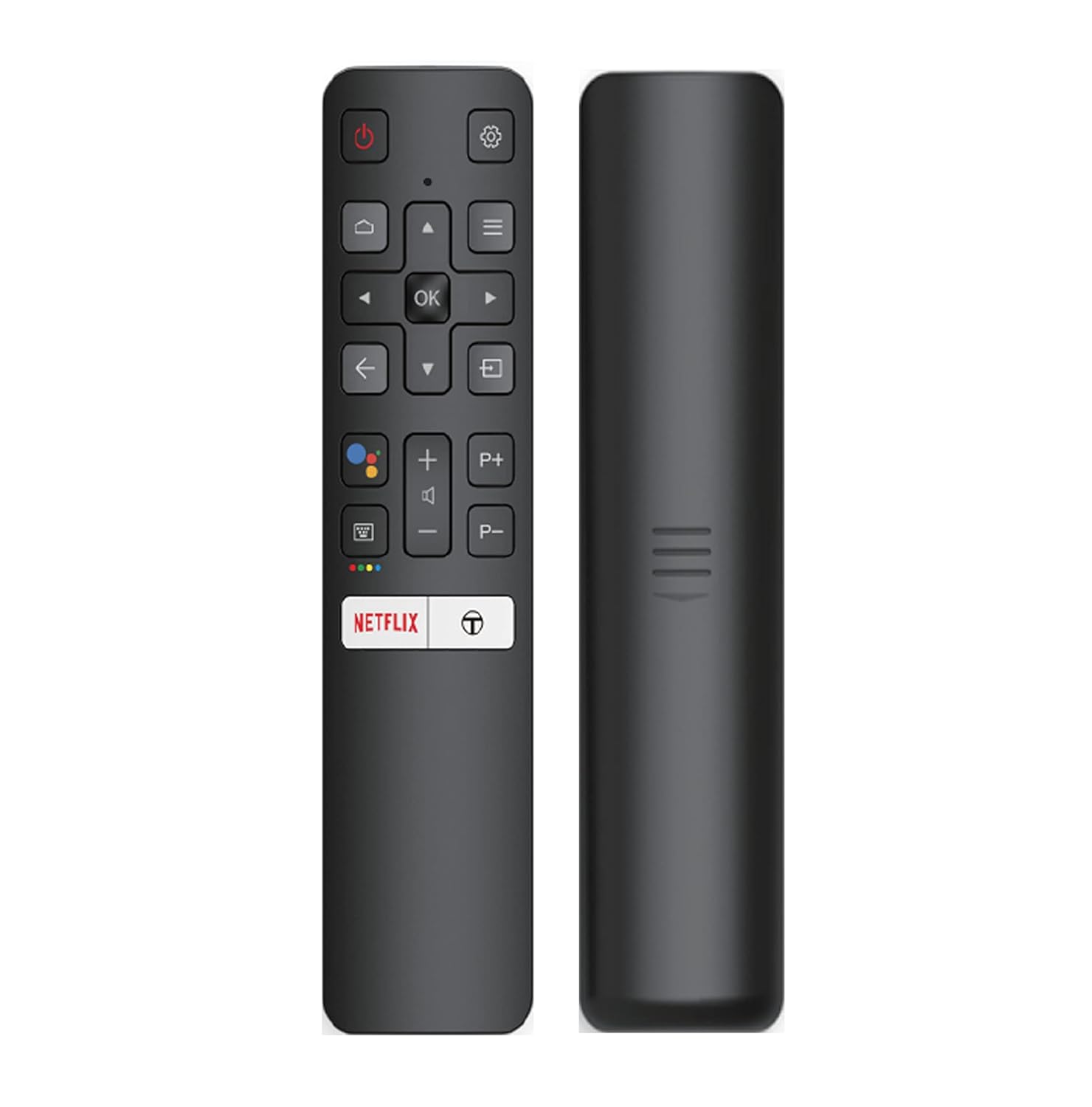
Image: The iFFALCON 43K71 remote control, featuring dedicated buttons for Netflix, Amazon Prime Video, Zee5, and Google Assistant.
Ключові кнопки включають:
- Потужність: Вмикає/вимикає телевізор.
- Навігація (Вгору/Вниз/Вліво/Вправо/ОК): Навігація по меню та підтвердження вибору.
- Назад: Повернення до попереднього екрана.
- Головна: Доступ до головного екрана Android TV.
- Гучність +/-: Регулює гучність.
- Channel P+/P-: Змінює канали.
- Google Assistant: Активує голосове керування.
- Netflix, Prime Video, Zee5: Direct access buttons for streaming services.
Функції Smart TV (Android TV)
Your iFFALCON 43K71 TV runs on Android 9.0, providing access to a wide range of applications and smart functionalities.

Image: The Android TV home screen on the iFFALCON 43K71, displaying various streaming apps like Netflix, YouTube, and Prime Video.
- програми: Download and install apps from the Google Play Store, including Netflix, YouTube, Prime Video, Disney+Hotstar, and more.
- Голосове керування в режимі Hands-Free: Use the built-in Google Assistant to control your TV, search for content, and manage smart home devices by speaking commands directly to the TV.
- Вбудований Chromecast: Транслюйте контент зі свого смартфона, планшета або комп'ютера безпосередньо на екран телевізора.
- AI-IN: iFFALCON's AI-IN technology integrates with Google Assistant for enhanced smart home connectivity and personalized recommendations.
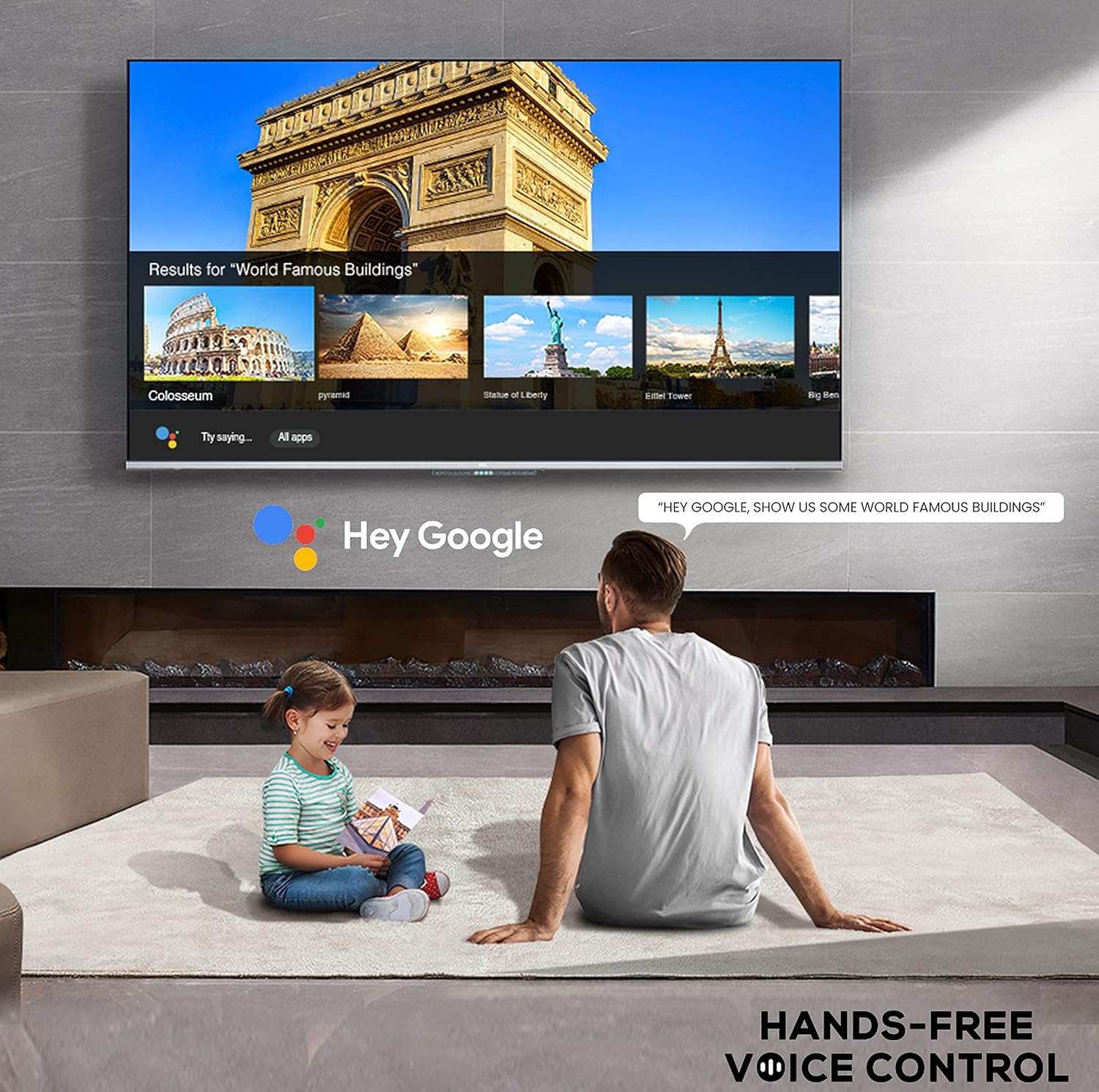
Image: A user interacting with the iFFALCON 43K71 using hands-free voice control, demonstrating the Google Assistant feature.
Підключення
Телевізор пропонує різні порти для підключення зовнішніх пристроїв:
- Порти HDMI (2): Connect set-top boxes, Blu-ray players, gaming consoles, etc.
- USB-порт (1): Підключіть жорсткі диски, USB-флешки для відтворення медіафайлів.
- Bluetooth: Підключіть бездротові навушники, саундбари або інші аксесуари з підтримкою Bluetooth.
- Wi-Fi: Підключіться до домашньої бездротової мережі для доступу до Інтернету.
- Аудіокабель: For external audio connections.
Налаштування зображення та звуку
Налаштуйте параметри зображення та звуку, щоб оптимізувати viewнабутий досвід.
- Режими зображення: Select from various preset picture modes (e.g., Standard, Dynamic, Movie, Sport) or customize settings like brightness, contrast, color, and sharpness.
- 4K Ultra HD & HDR 10: Experience stunning detail and vibrant colors with 4K resolution and High Dynamic Range (HDR 10) support.
- Мікро затемнення: Enhances contrast by analyzing video content in hundreds of separate zones and adjusting brightness and darkness independently.
- Режими звуку: Choose from preset sound modes (e.g., Standard, Music, Movie, Clear Voice) or adjust equalizer settings.
- Dolby Audio: Enjoy immersive audio with Dolby Audio processing, delivering rich, clear, and powerful sound from the 30 Watts speakers.
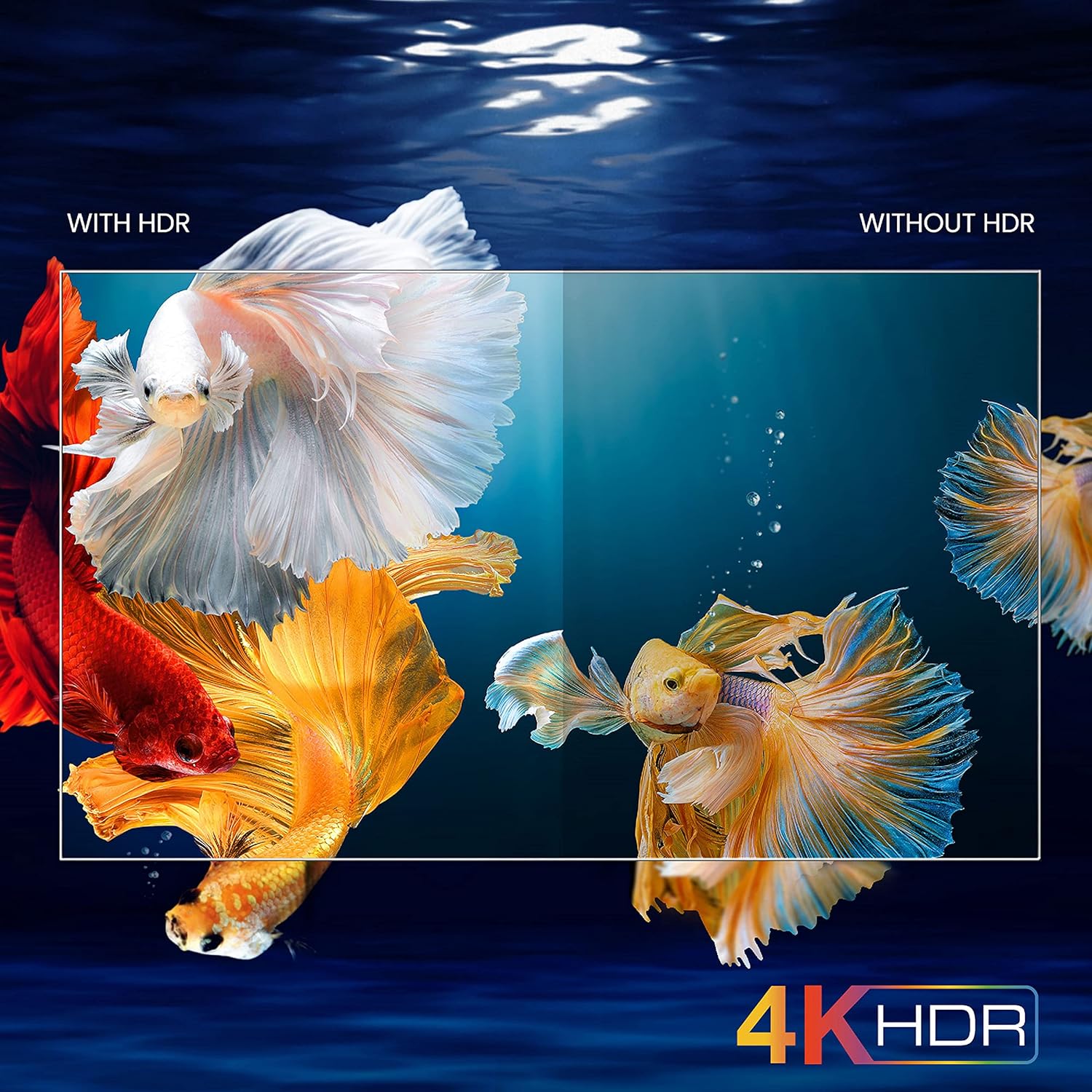
Image: A visual comparison demonstrating the enhanced color and contrast with 4K HDR enabled versus disabled on the iFFALCON 43K71 TV.
Технічне обслуговування
прибирання
- Завжди відключайте телевізор від мережі перед чищенням.
- Використовуйте м’яку суху тканину для протирання екрана та корпусу. Для стійких плям злегка протрітьampпротріть тканину водою або м’яким, неабразивним засобом для чищення екранів.
- Не використовуйте спирт, бензол, розчинники або інші леткі речовини.
Оновлення програмного забезпечення
The TV may receive software updates periodically to improve performance and add new features. Ensure your TV is connected to the internet to receive these updates automatically or check for them manually in the settings menu.
Усунення несправностей
If you encounter issues, refer to the following common solutions before contacting support:
| проблема | Можливе рішення |
|---|---|
| Телевізор не вмикається. | Check if the power cord is securely plugged into the TV and the power outlet. Ensure the power outlet is working. Try pressing the power button on the TV itself. |
| Зображення немає, але звук присутній. | Перевірте джерело вхідного сигналу. Переконайтеся, що зовнішні пристрої правильно підключені та ввімкнені. Спробуйте перезавантажити телевізор. |
| Звуку немає, але зображення є. | Check the volume level and ensure the TV is not muted. Verify audio output settings. If using external speakers, check their connections and power. |
| Не працює пульт дистанційного керування. | Замініть батарейки (2 батарейки типу AAA). Переконайтеся, що між пультом дистанційного керування та ІЧ-датчиком телевізора немає перешкод. |
| Неможливо підключитися до Wi-Fi. | Check your router and modem. Restart them if necessary. Ensure you are entering the correct Wi-Fi password. Try moving the TV closer to the router or using an Ethernet cable. |
| Повільна продуктивність або збої програми. | Close unused applications. Clear cache for problematic apps. Restart the TV. Consider a factory reset as a last resort (this will erase all data and settings). |
Технічні характеристики
Key technical specifications for the iFFALCON 43K71 TV:
| Особливість | Деталь |
|---|---|
| Модель | 43K71 |
| Розмір екрана | 43 дюйма (108 см) |
| роздільна здатність | 4K Ultra HD (3840 x 2160 пікселів) |
| Частота оновлення | 60 Гц |
| Операційна система | Android 9.0 |
| ОЗУ | 2 ГБ |
| Зберігання | 16 ГБ |
| Звуковий вихід | 30 Watts (Dolby Audio Power Speakers) |
| Порти HDMI | 2 |
| USB порти | 1 |
| Підключення | Wi-Fi, Bluetooth |
| Розміри (ДxШxВ) | 96 x 4.1 x 55.8 см (без підставки) |
| Вага товару | 6.9 кг |

Image: Diagram showing the physical dimensions of the iFFALCON 43K71 TV in centimeters and inches.
Гарантія
The iFFALCON 43K71 TV comes with a Гарантія 1 рік provided by the manufacturer from the date of purchase. Please retain your purchase receipt for warranty claims. For detailed terms and conditions, refer to the included Warranty Card.
Підтримка
For further assistance, technical support, or service requests, please contact iFFALCON customer service. Contact details can typically be found on the manufacturer's official webсайті або в гарантійному талоні.
Продукт закінченийview відео
Відео: Короткий попередній оглядview відеошоуasing key features and visual enhancements of the iFFALCON 43K71 4K Ultra HD Smart Android LED TV, including 4K HDR, dynamic tone mapping, color enhancement, Android TV interface, and hands-free voice control.


