1. Вступ
Thank you for choosing the Hama 186369 Weather Forecast Center. This device provides comprehensive weather data, including satellite-based forecasts, indoor and outdoor temperature/humidity, and more. This manual will guide you through the setup, operation, and maintenance of your weather station to ensure optimal performance.
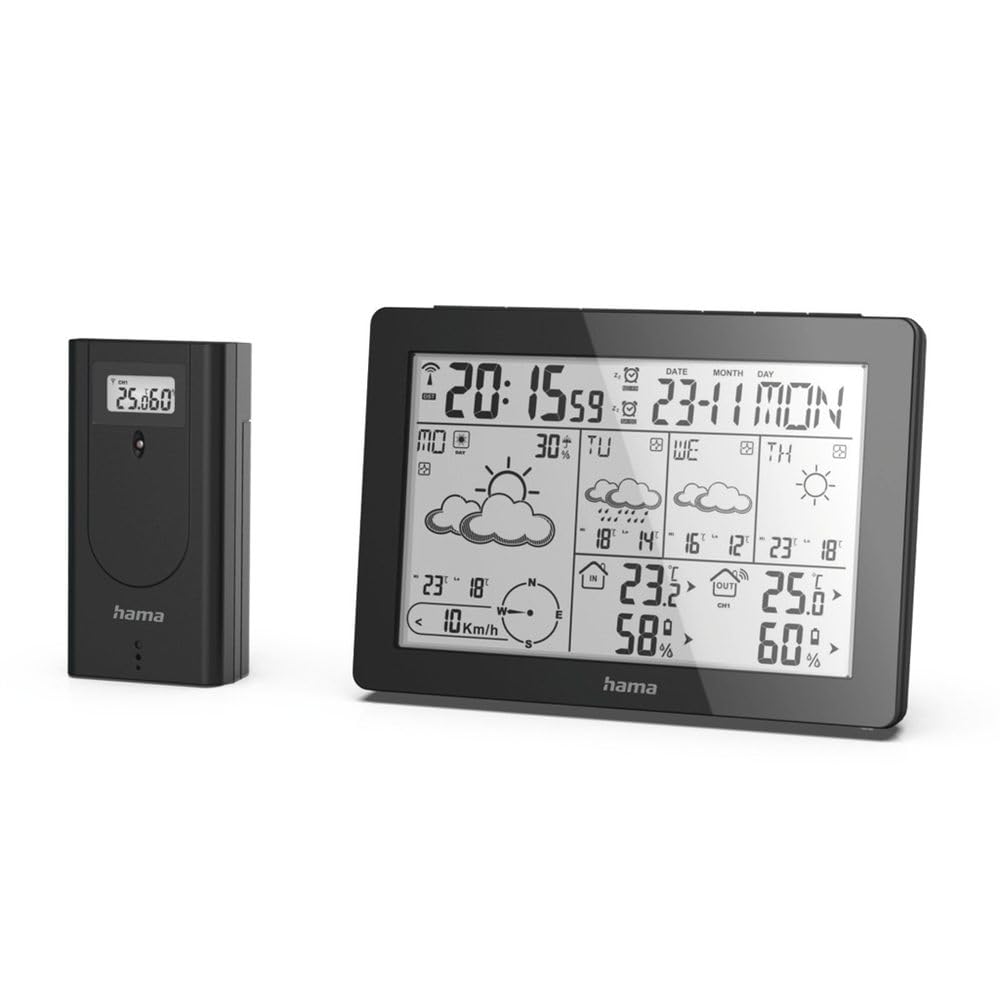
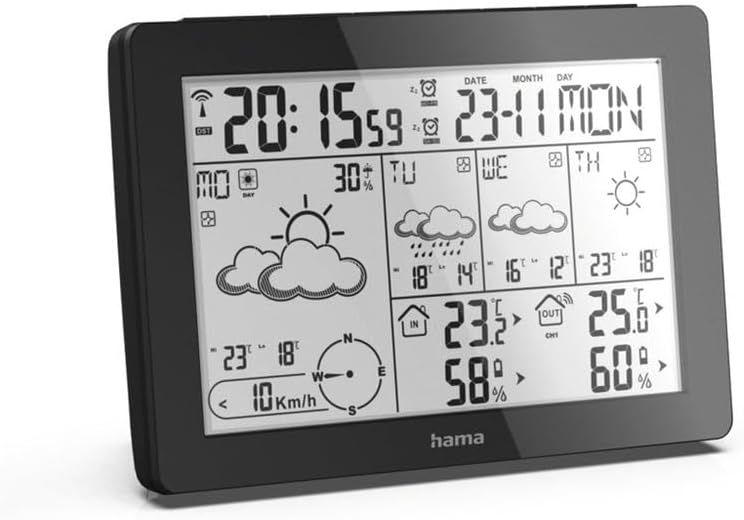
The Hama 186369 Weather Forecast Center main unit, showcasing its digital display with various weather parameters.
2. Вміст упаковки
Будь ласка, перевірте наявність та належний стан усіх перелічених нижче предметів:
- Hama 186369 Weather Forecast Center (Base Station)
- Бездротовий зовнішній датчик
- 4 x AA Batteries (for both units)
- Ця Інструкція з експлуатації

The complete set, including the base station and the wireless outdoor sensor.
3. Техніка безпеки
- Do not open the device. Improper repair can lead to considerable hazards for the user.
- Do not expose the product to direct sunlight, extreme temperatures, or high humidity.
- Тримайте цей виріб, як і всі електричні вироби, в недоступному для дітей місці.
- Захищайте виріб від бруду, вологи та перегріву.
- Використовуйте виріб тільки за призначенням.
- Не використовуйте виріб у місцях, де електронні вироби заборонені.
- When inserting batteries, note the correct polarity (+ and - markings) and insert the batteries accordingly. Otherwise, the batteries could leak or explode.
- Replace all batteries of a set at the same time. Do not mix old and new batteries or batteries of different types.
4. Налаштування
4.1 Встановлення батарей
The Hama 186369 Weather Forecast Center and its outdoor sensor require AA batteries for operation.
- Open the battery compartment cover on the back of both the base station and the outdoor sensor.
- Insert the AA batteries, ensuring correct polarity (+ and -). The base station requires 2x AA batteries, and the outdoor sensor requires 2x AA batteries.
- Надійно закрийте кришки батарейного відсіку.
Inserting batteries into the base station. Ensure correct polarity.

The wireless outdoor sensor, which also requires batteries.
4.2 Initial Operation and Signal Reception
After inserting the batteries, the base station will automatically search for the DCF-77 signal and connect to the outdoor sensor.
- Place the base station and the outdoor sensor close to each other during initial setup.
- The DCF-77 radio signal for time and date synchronization will be automatically received. This process may take several minutes.
- The outdoor sensor will transmit temperature and humidity data to the base station. Ensure they are within range (up to 30 meters in open areas).

закінченоview of the weather station's features and components, including the outdoor sensor and base station display.
5. Operating the Weather Forecast Center
5.1 Дисплей закінчивсяview
The main display shows various information at a glance:
- Час і дата: Synchronized via DCF-77 signal.
- Температура та вологість у приміщенні: Вимірюється базовою станцією.
- Температура та вологість повітря на вулиці: Received from the wireless outdoor sensor.
- Прогноз погоди: Satellite-based 4-day forecast for 60 regions/30 regions in Europe, updated daily.
- Rain Probability: Indication of precipitation likelihood.
- Швидкість і напрямок вітру: Displayed graphically.
- Frost Alarm: Activates when temperatures drop to a critical level.
5.2 Функції кнопок
The buttons on the top of the base station allow you to adjust settings and view different information.

Топ view of the base station showing the control buttons.
- РЕЖИМ: Switches between display modes (e.g., time, alarm setting).
- КАНАЛ: Selects different outdoor sensor channels if multiple sensors are used.
- DAY/NIGHT/SNOOZE+LIGHT: Activates backlight, snooze function for alarm, or switches between day/night display.
- ТЕСТ: Initiates a test of the sensor connection.
- ВВЕРХ ВНИЗ: Adjusts values during settings or navigates through forecast data.
5.3 Налаштування часу та дати (ручне налаштування)
While the time and date are usually set automatically via the DCF-77 signal, you can manually adjust them if needed.
- Натисніть і утримуйте РЕЖИМ кнопку, доки дисплей часу не почне блимати.
- Використовуйте UP і ВНИЗ кнопки для налаштування години, потім натисніть РЕЖИМ щоб підтвердити та перейти до хвилин.
- Повторіть для хвилин, року, місяця та дня.
- Прес РЕЖИМ ще раз, щоб вийти з режиму налаштування.
5.4 Функція будильника
The weather station includes an alarm function.
- Натисніть РЕЖИМ button repeatedly until the alarm time is displayed.
- Натисніть і утримуйте РЕЖИМ для переходу в режим налаштування будильника
- використання UP і ВНИЗ щоб встановити потрібний час будильника.
- Прес РЕЖИМ для підтвердження кожного налаштування.
- Щоб увімкнути/вимкнути будильник, натисніть кнопку UP кнопку, коли відображається час будильника. Значок будильника з’явиться/зникне.
6. Технічне обслуговування
6.1 Очищення
- Очищуйте цей виріб лише злегка damp, тканиною без ворсу та не використовуйте агресивні засоби для чищення.
- Ensure that no water gets into the device.
6.2 Заміна батареї
When the battery indicator appears on the display, replace all batteries in the respective unit (base station or outdoor sensor).
- Follow the steps in section 4.1 "Inserting Batteries".
- Утилізуйте використані батареї відповідно до місцевих правил.
7. Вирішення проблем
| проблема | Можлива причина | Рішення |
|---|---|---|
| No display / Weak display | Батарейки розряджені або неправильно вставлені. | Замініть батарейки, дотримуючись правильної полярності. |
| Немає показників зовнішньої температури/вологості | Outdoor sensor not connected or out of range. |
|
| Неправильний час/дата | DCF-77 signal not received or interference. |
|
| Неточний прогноз погоди | Incorrect region setting or temporary signal issue. |
|
8. Технічні характеристики
| Особливість | Деталь |
|---|---|
| Номер моделі | 186369 |
| Розміри (базова станція) | 3 х 15.3 х 10.5 см |
| вага | 510 г |
| матеріал | Акрилові |
| Джерело живлення | Battery-powered (4 AA batteries required, included) |
| Підключення | Wireless (for outdoor sensor) |
| Особливості | Alarm, Wireless Outdoor Sensor, Frost Alarm, DCF-77 Radio Clock |
| Прогноз погоди | Satellite-based 4-day forecast for 60 regions/30 regions in Europe, daily updated data for 611 locations. |
| Рекомендоване використання | Temperature measurement, hobby, private, business. |
9. Гарантія та підтримка
Hama GmbH & Co.
For technical support or warranty claims, please contact your retailer or visit the official Hama webсайт для подальшої допомоги.

Hama: Experience and competence since 1923.


