1. Вступ
The THIRDREALITY Zigbee Motion Sensor (Model 3RMS16BZ) is a wireless, pet-friendly device designed to detect motion and integrate with various smart home ecosystems. This sensor enhances home automation by triggering routines, controlling smart lights, and providing notifications based on detected movement. It is compatible with a range of Zigbee hubs and Echo devices with built-in Zigbee hubs.

Image 1.1: The THIRDREALITY Zigbee Motion Sensor, a compact white device with a motion detection lens.
2. Ключові характеристики
- Zigbee Standard Compatibility: Requires a Zigbee Hub. Compatible with Echo (4th Gen), Echo Plus (1st & 2nd Gen), Echo Studio, Echo Show 8 (3rd Gen), Echo Show 10 (2nd & 3rd Gen), Echo Hub, Eero 6, Eero Pro 6, Home Assistant, SmartThings (2015/2018), Aeotec, Hubitat, Homey Bridge, Homey Pro, and Third Reality Hub Gen2 Plus.
- Routine Creation: Enables custom routines via the Alexa app, such as personalized messages or actions upon motion detection.
- Розумне керування світлом: Integrates with smart lights or plugs connected to Alexa to automatically turn lights on/off based on motion.
- Безпроблемне налаштування: Quick installation and automatic device discovery with compatible Echo devices. Designed for indoor use only.
- Extended Range & Battery Life: Detects motion up to 20 feet (6 meters) away. Powered by 2 AAA batteries with an estimated 2-year lifespan under typical usage.
- Broad Smart Assistant Support: With the optional Smart Bridge MZ1 (sold separately), it integrates with Apple HomeKit, Google Home, Amazon Alexa, and SmartThings, supporting OTA firmware updates.
3. Вміст упаковки
Перш ніж розпочати встановлення, переконайтеся, що всі елементи присутні:
- THIRDREALITY Zigbee Motion Sensor (Model 3RMS16BZ)
- Батарея AAA × 2
- Двосторонній скотч
- Гвинти × 2
4. Налаштування та встановлення
4.1. Встановлення батареї
- Gently slide open the back cover of the motion sensor.
- Вставте дві батарейки типу AAA, дотримуючись правильної полярності (+/-).
- Надійно закрийте задню кришку.

Зображення 4.1: Ззаду view of the motion sensor showing model number 3RMS16BZ and FCC ID.
4.2. Pairing with a Zigbee Hub or Compatible Echo Device
A Zigbee hub or a compatible Echo device with a built-in Zigbee hub is required for operation.
- Ensure your Zigbee hub or Echo device is powered on and in pairing mode.
- For Echo devices, say "Alexa, discover devices."
- The motion sensor will automatically be discovered and added to your smart home system.
- For SmartThings, scan the QR code in the quick start guide and download the user manual, then follow the instructions to install the SmartThings driver.
Video 4.2: This video demonstrates the three steps to setting up your smart home with Third Reality products, including the motion sensor.
Відео 4.3: Оверview of various Third Reality smart home products and their functionalities.
4.3. Монтаж датчика руху
The sensor is designed for indoor use and can be mounted using either the provided double-sided tape or screws.
- Оптимальне розміщення: Position the sensor in an area where motion is expected, such as hallways, entryways, or rooms. Ensure the sensor's detection range (up to 30 feet / 9 meters) covers the desired area.
- Уникайте перешкод: For best performance, avoid placing the sensor behind large objects or in areas where its view might be obstructed.
- Pet-Friendly Consideration: The sensor is pet-friendly, meaning it is designed to minimize false triggers from small pets. Consider mounting it at a height that primarily detects human movement if false pet triggers are a concern.

Зображення 4.4: Наприкладamples of easy installation, showing the motion sensor mounted on a wall and placed on a surface.
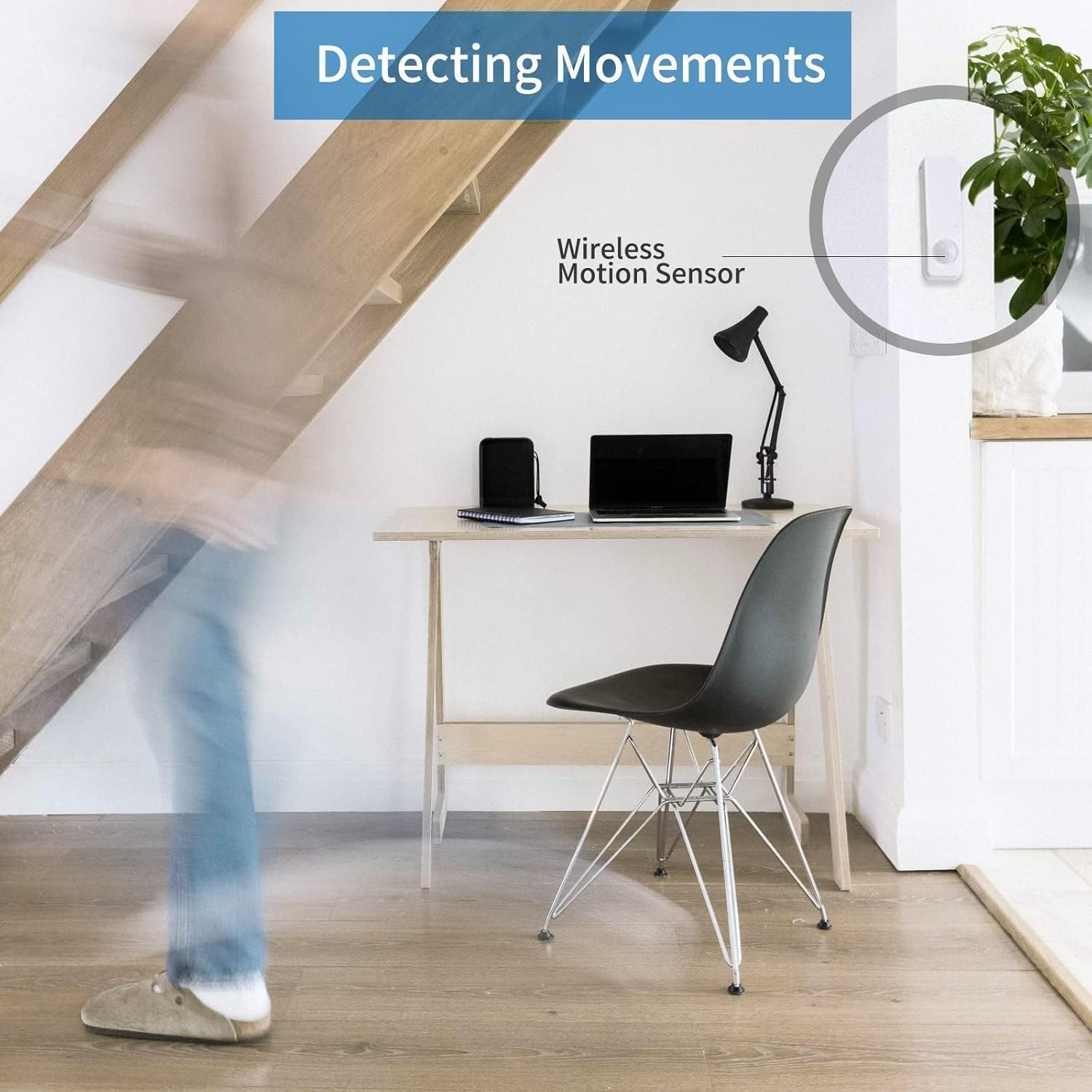
Image 4.5: A visual representation of the motion sensor detecting movement in a room.
5. Операція
5.1. Creating Routines with Alexa
Once paired, you can create custom routines in the Alexa app to automate actions based on motion detection.
- Відкрийте програму Alexa.
- Navigate to the "Routines" section.
- Create a new routine and select the motion sensor as the trigger.
- Define the desired actions, such as playing a custom message ("Welcome Home") or controlling smart lights.
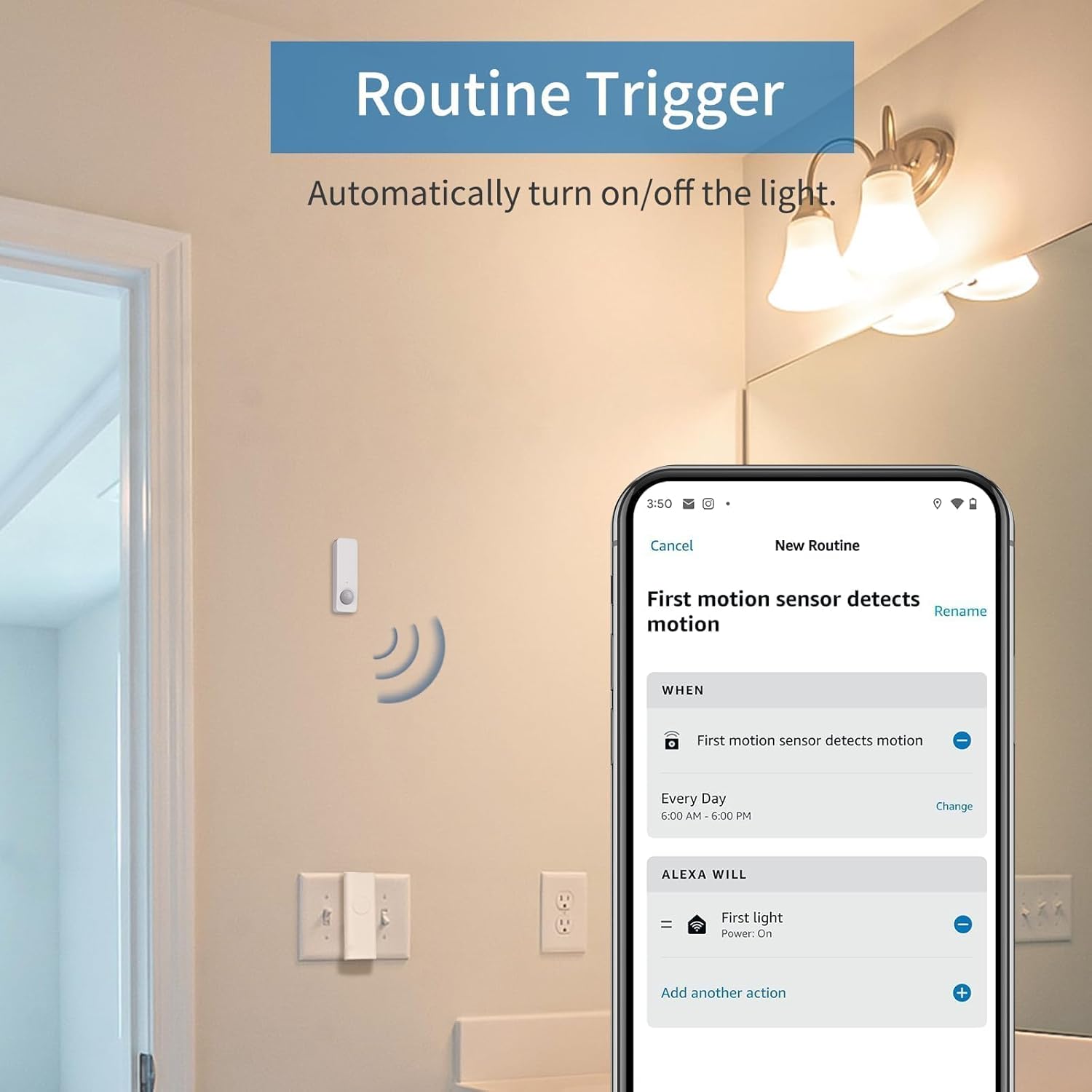
Image 5.1: Screenshot of the Alexa app demonstrating how to set up a routine triggered by motion detection to turn on a light.

Image 5.2: A woman interacting with smart home devices, illustrating voice alarms from Apple Home Pod/Google Nest triggered by the motion sensor.
5.2. Smart Light Control
Integrate your motion sensor with smart lights or smart plugs to automate lighting:
- In the Alexa app, create a routine where motion detection by the THIRDREALITY sensor triggers a smart light or plug to turn on.
- Optionally, set a condition for the light to turn off after a specified period of no motion.
5.3. Smart Bridge MZ1 Integration (Optional)
For expanded compatibility with Apple HomeKit, Google Home, and other platforms, the Smart Bridge MZ1 (sold separately) can be used.
- Connect the Smart Bridge MZ1 to your network.
- Pair the motion sensor with the Smart Bridge MZ1.
- This enables integration with additional smart assistant ecosystems and allows for Over-The-Air (OTA) firmware updates for the sensor.

Image 5.3: Diagram illustrating the connection of the motion sensor to various smart assistants via the Smart Bridge MZ1.
Video 5.4: This video demonstrates how the wireless motion sensor can be used with the Smart Bridge MZ1 for enhanced smart home functionality.
6. Технічне обслуговування
6.1. Заміна батареї
The motion sensor uses 2 AAA alkaline batteries, which typically last for 2 years. Replace batteries when the device indicates low power in your smart home app.
- Slide open the back cover.
- Вийміть старі батареї.
- Вставте нові батарейки типу AAA, дотримуючись правильної полярності.
- Закрийте задню кришку.
6.2. прибирання
Wipe the sensor with a soft, dry cloth. Avoid using liquid cleaners or abrasive materials, as these can damage the device.
7. Вирішення проблем
- Датчик не виявляє руху:
- Перевірте рівень заряду батареї та замініть її, якщо необхідно.
- Ensure the sensor is placed in an unobstructed location.
- Verify the sensor is within the effective range of your Zigbee hub.
- Пристрій не сполучається:
- Confirm your Zigbee hub or Echo device is in pairing mode.
- Переконайтеся, що в датчику є свіжі батарейки.
- Try resetting the sensor (refer to device-specific reset instructions if available, or remove/reinsert batteries).
- Move the sensor closer to the hub during the pairing process.
- Тригери хибного руху:
- Adjust sensor placement to avoid areas with drafts, direct sunlight, or heat sources that might cause false positives.
- If pets are causing false triggers, try mounting the sensor at a higher position or adjusting its angle.
- Routines Not Triggering:
- Verify that the routine is correctly configured in the Alexa app (or other smart home app).
- Ensure the motion sensor is enabled and reporting motion events to the hub.
Video 7.1: This video provides a quick guide on setting up Third Reality smart home devices, which may assist with pairing and routine creation.
8. Технічні характеристики
| Атрибут | Деталь |
|---|---|
| Бренд | ТРЕТЯ РЕАЛЬНІСТЬ |
| Номер моделі | 3RMS16BZ |
| Колір | Білий |
| Джерело живлення | Працює від батареї |
| Тип батареї | 2 AAA Alkaline batteries (included) |
| Термін служби батареї | До 2 років (типове використання) |
| Вага товару | 1.83 унції |
| Розміри продукту | 0.79" Г x 1.06" Ш x 3.54" В |
| Максимальна дальність | 30 Feet (6 meters for detection) |
| Тип монтажу | Настінне кріплення |
| Підключення | Стандарт Zigbee |
| Сумісні пристрої | Echo (4th Gen), Echo Plus (1st Gen and 2nd Gen), Echo Studio, Eero 6, Eero Pro 6, Home Assistant, SmartThings 2015/2018, Aeotec, Homey, Hubitat, Homey Bridge, Homey Pro, Third Reality Hub and Third Reality Smart Speaker |
| Включені компоненти | AAA Battery × 2, Double-sided Tape, Screw × 2, Wireless Motion Sensor |
| UPC | 850001595278 |
9. Гарантія та підтримка
For warranty information and technical support, please refer to the official THIRDREALITY webсайт або зверніться безпосередньо до служби підтримки клієнтів. Зазвичай продукт включає гарантію виробника, яка покриває дефекти матеріалів та виготовлення.
Політика повернення: The product is subject to a 30-day return policy for refund or replacement.
Виробник: Third Reality, Inc.


