1. Вступ
The Sygonix SY-4504968 Digital Timer is designed for automated control of electrical devices, such as lighting, in homes or offices. This versatile timer offers 15 programmable configurations, including weekly settings, allowing for up to 20 switching times per day, totaling 140 switching points per week. It features automatic summer and winter time adjustment, a countdown function, and a random mode. The timer supports both flush and surface mounting.
Please read this manual thoroughly before installation and operation to ensure correct usage and to prevent damage.

малюнок 1: Фронт view of the Sygonix SY-4504968 Digital Built-in Timer, showing the digital display and the main power button.
2. Техніка безпеки
- Встановлення має виконувати кваліфікований електрик відповідно до місцевих електротехнічних норм та правил.
- Ensure the power supply is disconnected before installation, maintenance, or any wiring work.
- The device requires a neutral wire for operation. Verify its presence in your electrical box.
- Do not exceed the maximum load capacity of 1800 W.
- Не піддавайте пристрій впливу вологи, екстремальних температур або прямих сонячних променів.
- Не намагайтеся розбирати або модифікувати пристрій. Звертайтеся до кваліфікованого персоналу для проведення будь-яких робіт з обслуговування.
3. Вміст упаковки
Перевірте наявність усіх елементів в упаковці:
- Sygonix SY-4504968 Digital Built-in Timer
- Surface mount frame
- Монтажні шурупи та дюбелі
- Інструкція з експлуатації
4. Продукт закінчивсяview
The timer features a digital display and control buttons located behind a protective cover.

малюнок 2: Крупним планом view of the timer's digital display, showing time, day (TU for Tuesday), and 'PROG' and 'ON' indicators.

малюнок 3: The timer with its protective cover open, revealing the control buttons for programming and settings.
4.1. Індикатори дисплея
- Відображення часу: Shows current time in HH:MM format.
- Індикатор дня: Displays the current day of the week (e.g., MO, TU, WE).
- ПРОГ: Indicates that a program is active or being set.
- УВІМК./ВИМК.: Indicates the current switching state of the connected device.
4.2. Control Buttons (behind cover)
- Clock/Set Button: Використовується для встановлення поточного часу та дня неділі.
- Кнопка PROG: Входить у режим налаштування програми.
- Кнопка RND (Випадковий вибір): Activates/deactivates random switching mode.
- CD (Countdown) Button: Activates/deactivates countdown function.
- Кнопки +/-: Used to adjust values (time, program settings).
- Кнопка R (скидання): Resets the timer to factory defaults.
5. Монтаж
The timer can be installed either flush-mounted into a wall box or surface-mounted using the provided frame.
5.1. Схема підключення
Важливо: Ensure the main power supply is switched off before proceeding with any wiring. This device requires a neutral wire connection.
Connect the Live (L), Neutral (N), and Switched Live (L') wires according to the diagram provided with the product. The neutral wire is essential for the timer's internal clock and display to function.
5.2. Монтаж впритул
- Prepare a standard wall box (minimum depth of 50mm recommended for easier wiring).
- Connect the electrical wires to the terminals on the back of the timer as per the wiring diagram.
- Carefully push the timer into the wall box, ensuring wires are not pinched.
- Закріпіть таймер на стінній коробці за допомогою гвинтів, що входять до комплекту.
- Attach the front cover plate.

малюнок 4: The digital timer flush-mounted into a wall, blending with the room's decor.
5.3. Поверхневий монтаж
- Attach the surface mount frame to the wall using the provided screws and wall plugs.
- Connect the electrical wires to the terminals on the back of the timer.
- Insert the timer into the surface mount frame, ensuring a secure fit.
- Attach the front cover plate.
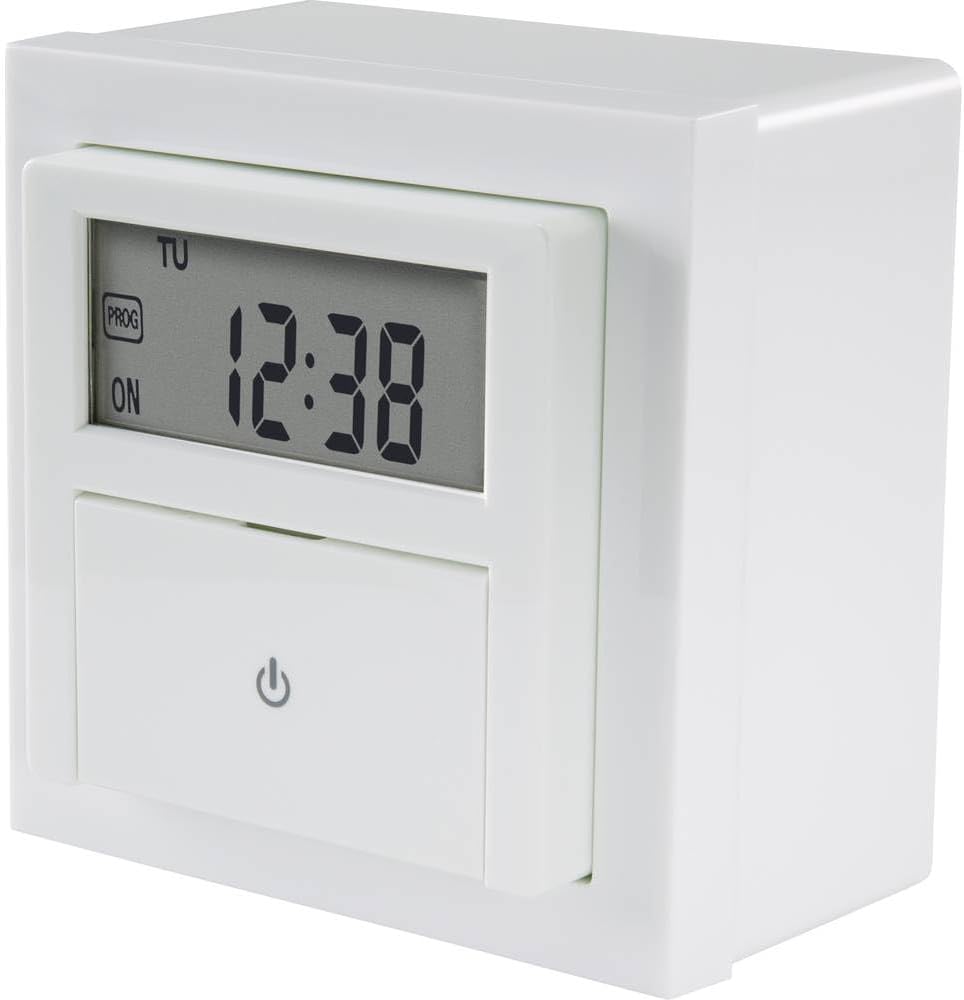
малюнок 5: сторона view of the timer, illustrating its depth for installation considerations.
6. Налаштування
6.1. Initial Power-On and Reset
After installation and restoring power, the display will light up. If the display is erratic or shows incorrect values, press the R (Скидання) button with a pointed object (e.g., a pen tip) to clear all settings and restore factory defaults.
6.2. Встановлення поточного часу та дня
- Open the protective cover to access the control buttons.
- Натисніть і утримуйте Clock/Set кнопку приблизно 3 секунди, доки не почне блимати дисплей часу.
- Використовуйте +/- кнопки для налаштування години. Натисніть Clock/Set ще раз для підтвердження та переходу до хвилин.
- Використовуйте +/- кнопки для налаштування хвилин. Натисніть Clock/Set again to confirm and move to day.
- Використовуйте +/- buttons to select the current day of the week (MO, TU, WE, TH, FR, SA, SU).
- Прес Clock/Set one last time to save the settings and exit the time setting mode.
6.3. Automatic Summer/Winter Time Adjustment
The timer is equipped with an automatic summer/winter time adjustment feature. This function typically activates automatically based on pre-programmed dates. No manual intervention is usually required for this feature.
7. Операційна
7.1. Programming Weekly Schedules
The timer allows for up to 15 different program configurations, with 20 switching times per day, totaling 140 switching points per week.
- Натисніть ПРОГ button to enter program setting mode. The display will show '1 ON' (for program 1, switch-on time).
- Використовуйте +/- buttons to set the desired switch-on hour. Press ПРОГ щоб підтвердити та перейти до хвилин.
- Використовуйте +/- buttons to set the desired switch-on minutes. Press ПРОГ to confirm and move to day selection.
- Використовуйте +/- buttons to select the day(s) for this program. You can choose individual days, blocks of days (e.g., MO-FR), or all days. Press ПРОГ для підтвердження.
- The display will now show '1 OFF' (for program 1, switch-off time). Repeat steps 2-4 to set the switch-off time and day(s) for this program.
- After setting the 'OFF' time, press ПРОГ again to move to the next program ('2 ON') or to exit program setting mode if no more programs are needed.
- To exit program mode at any time, press the Clock/Set кнопку.
7.2. Функція зворотного відліку
The countdown function allows you to set a specific duration after which the connected device will switch ON or OFF.
- Натисніть CD (Countdown) button. The display will show 'CD' and a default countdown time.
- Використовуйте +/- buttons to adjust the desired countdown duration (hours and minutes).
- Прес CD again to start the countdown. The device will switch its state (ON to OFF, or OFF to ON) once the countdown finishes.
- Щоб скасувати зворотний відлік, натисніть CD button again during the countdown.
7.3. Random Mode
The random mode switches the connected device ON and OFF at irregular intervals, simulating presence for security purposes.
- Натисніть RND (Random) button. The display will show 'RND'.
- The timer will now activate and deactivate the connected device at random times within a predefined period (e.g., 30 minutes to 2 hours).
- To deactivate random mode, press the RND button again. The 'RND' indicator will disappear.
8. Технічне обслуговування
- Протирайте пристрій м’якою сухою тканиною. Не використовуйте абразивні засоби для чищення або розчинники.
- The internal battery (if present for memory backup) is typically long-lasting and not user-replaceable. If the timer loses settings during power outages, the battery may need professional replacement.
9. Вирішення проблем
| проблема | Можлива причина | Рішення |
|---|---|---|
| Дисплей таймера порожній. | Немає живлення; внутрішня батарея розряджена. | Check power connection. If power is present, the internal battery may need replacement (professional service recommended). |
| Timer does not switch connected device. | Incorrect wiring; program not activated; device faulty. | Verify wiring (especially neutral connection). Ensure programs are correctly set and activated. Test the connected device independently. |
| Налаштування втрачаються після відключення живленняtage. | Internal backup battery depleted. | The internal battery needs replacement. Contact customer support or a qualified technician. |
| Cannot set time/program. | Incorrect button sequence; device frozen. | Refer to the 'Setup' and 'Operating' sections. Press the R (Скидання) button to clear and try again. |
10. Технічні характеристики
- модель: SY-4504968
- Виробник: Сигонікс
- томtage: 230 вольт
- Макс. навантаження: 1800 Вт
- Розміри продукту (Д x Ш x В): 12 х 9 х 8 см
- вага: 230 грами
- Тип дисплея: цифровий
- Кількість програм: 15
- Switching Points: Up to 140 per week (20 per day)
- Потрібні батареї: Yes (for internal clock/memory backup, typically not user-replaceable)
11. Гарантія та підтримка
Sygonix products are manufactured to high-quality standards. For warranty information, please refer to the warranty card included with your purchase or visit the official Sygonix website. For technical support, troubleshooting assistance, or spare parts, please contact your retailer or the Sygonix customer service department.


