вступ
The TP-Link Deco S4 Whole Home Mesh WiFi System is designed to provide seamless and stable Wi-Fi coverage throughout your home. This 1-pack unit extends your existing Deco Mesh WiFi system, eliminating dead zones and ensuring a strong signal for all your connected devices. It functions as a Wi-Fi router or extender replacement, offering fast dual-band speeds and convenient management through the Deco app.

Image: A single TP-Link Deco S4 unit, a white cylindrical device with a black top, designed for discreet placement in any home environment.
Що в коробці
Your TP-Link Deco S4 (1-Pack) package includes the following items:
- 1 x Deco S4 Unit
- 1 кабель Ethernet RJ45
- 1 x адаптер живлення
- 1 x Посібник зі швидкого встановлення
Посібник із налаштування
Setting up your Deco S4 unit is a straightforward process using the Deco app. Follow these steps for a quick installation:
- Connect the Deco Unit: Plug in your Deco S4 unit to a power outlet. If this is your first Deco unit, connect it to your cable modem using the provided Ethernet cable.
- Завантажте застосунок Deco: Download and launch the TP-Link Deco app on your Android or iOS device. The app is available on the App Store and Google Play.
- Дотримуйтесь інструкцій у додатку: The Deco app will guide you through the remaining steps to configure your Deco system. This includes creating your Wi-Fi network name and password, and adding additional Deco units if you have them.
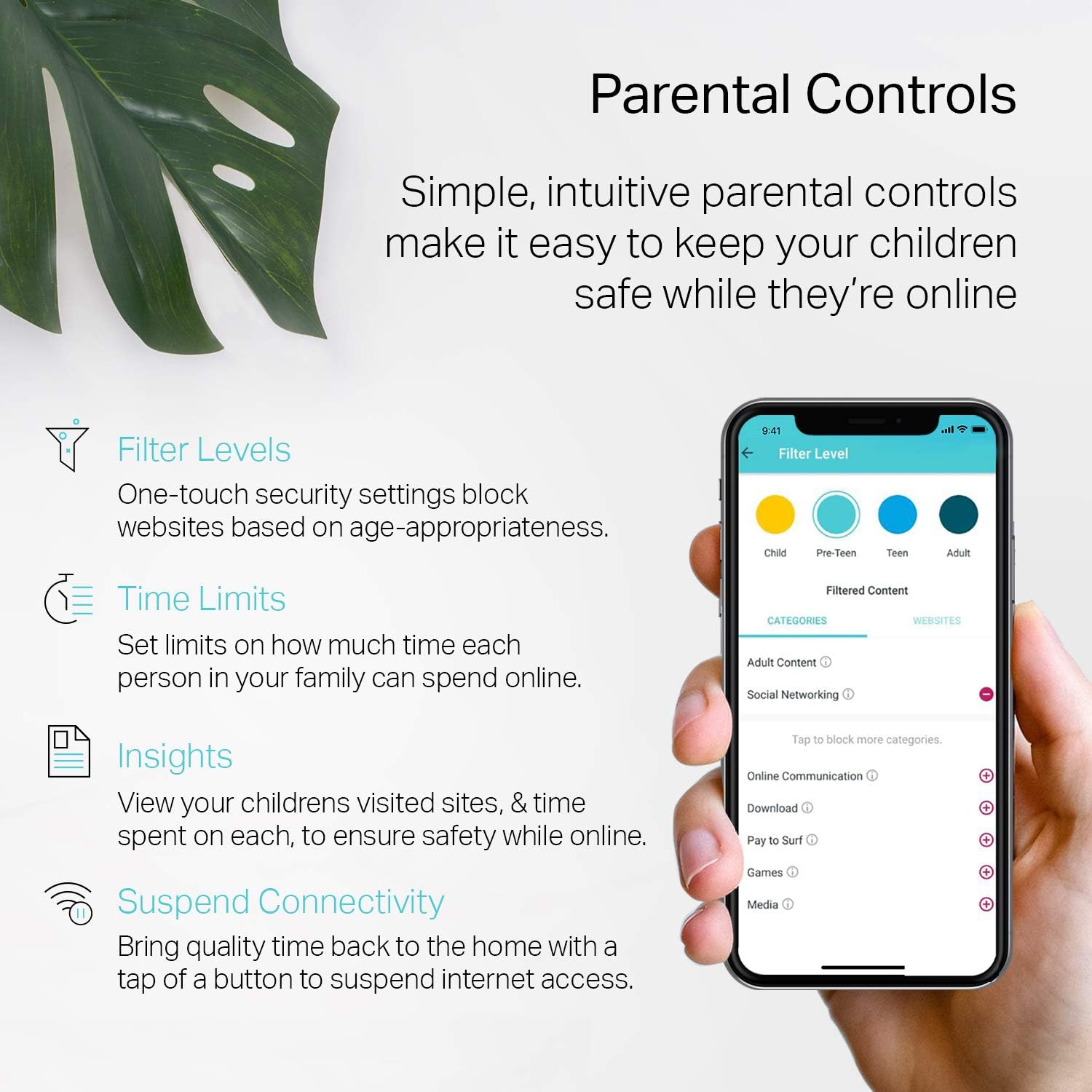
Image: A visual guide illustrating the three simple steps to set up the TP-Link Deco S4 using the dedicated mobile application.
For optimal performance, place your Deco units strategically to ensure good signal strength between them. The system is designed to automatically connect and form a unified mesh network.
Інструкція з експлуатації
Once your Deco S4 system is set up, it operates to provide a seamless Wi-Fi experience. Here's how to get the most out of your system:
- Безперебійний роумінг: Your devices will automatically switch between Deco units as you move around your home, ensuring you always have the strongest possible connection without interruptions.
- Single Network Name: The Deco system creates a single Wi-Fi network name (SSID) and password for your entire home, simplifying connectivity.
- Батьківський контроль: Utilize the Deco app to set up profiles for family members, limit online time, and block inappropriate webсайти.
- Голосове керування: The Deco S4 supports Amazon Alexa, allowing you to control guest Wi-Fi settings with voice commands.
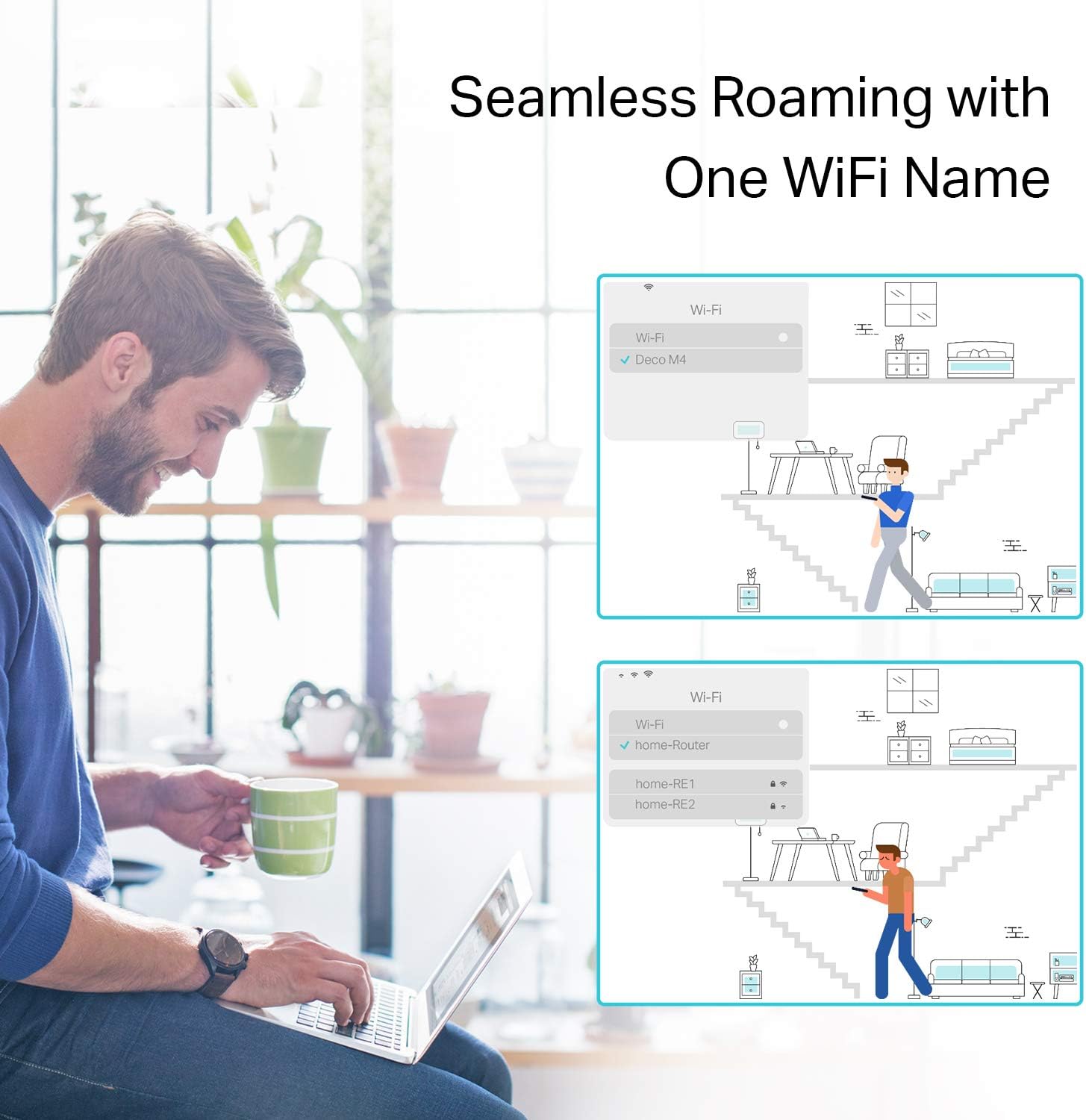
Image: A diagram demonstrating how the Deco Mesh system provides seamless Wi-Fi roaming with a single network name, ensuring continuous connectivity throughout a home.
особливості
The TP-Link Deco S4 offers a range of features designed to enhance your home Wi-Fi experience:
- Deco Mesh Technology: Creates a unified network for whole-home coverage, eliminating Wi-Fi dead zones.
- AC1900 Dual-Band Wi-Fi: Provides fast and stable connections across 2.4 GHz and 5 GHz bands.
- Гігабітні порти: Each Deco S4 unit includes two Gigabit Ethernet ports for high-speed wired connections, supporting WAN/LAN auto-sensing.
- Connects up to 100 Devices: Supports a high number of connected devices for busy smart homes.
- Батьківський контроль: Manage and monitor internet usage for family members with customizable profiles.
- Просте налаштування та керування: Configure and manage your network effortlessly using the intuitive Deco mobile app.
- Широка сумісність: Працює з усіма основними інтернет-провайдерами (потрібен модем).

Image: The Deco app's parental control features, including content filtering, time limits, usage insights, and the ability to pause internet access for specific profiles.
Усунення несправностей
If you encounter issues with your Deco S4 system, consider the following common troubleshooting steps:
- Перевірте світлодіодний індикатор:
- Суцільний білий: Deco is working correctly and connected to the internet.
- Пульсуючий синій: Deco готовий до налаштування.
- Суцільний червоний: Deco has no internet connection. Check your modem and main Deco unit.
- Пульсуючий червоний: Deco is disconnected from the main Deco unit. Try moving it closer or checking for obstructions.
- Перезавантажте пристрої: Power cycle your modem, main Deco unit, and any satellite Deco units.
- Перевірте підключення: Переконайтеся, що всі кабелі Ethernet надійно підключені.
- Проблеми з програмою Deco: If the app shows inaccurate device status or bandwidth, try refreshing the app or restarting your mobile device. Ensure the app is updated to the latest version.
- Швидкий роумінг: If devices are slow to switch between Deco units, ensure 'Fast Roaming' is enabled in the Deco app's advanced settings. Note that some older devices may not fully support this feature.
- Physical Obstructions: Concrete walls or large metal objects can interfere with Wi-Fi signals. Try adjusting the placement of your Deco units to minimize such obstructions.
Технічні характеристики
| Атрибут | Деталь |
|---|---|
| Розміри продукту | 3.6 x 3.6 x 6.4 дюймів |
| Вага товару | 1.63 фунта |
| Стандарт бездротового зв'язку | 802.11a, 802.11ac, 802.11b, 802.11g, 802.11n |
| Клас діапазону частот | Дводіапазонний |
| Технологія підключення | Ethernet, Wi-Fi |
| Особливість | Режим точки доступу |
| Включені компоненти | 1 RJ45 Ethernet Cable, 1 power adapter, 1 quick installation guide |
Гарантія та підтримка
For warranty information, technical assistance, or any product-related inquiries, please contact TP-Link support:
- телефон: (866) 225-8139
- Webсайт: myproducts.tp-link.com/us
- Електронна пошта: support.USA@tp-link.com
Можливо, ви зможете придбати додаткові плани захисту.