вступ
The POLY Voyager Focus UC is a stereo Bluetooth headset designed for professionals. It offers seamless connectivity between PC/Mac and smartphones, featuring active noise canceling to enhance focus in various environments.
Ключові характеристики:
- Wireless connectivity to PC/Mac via USB-A Bluetooth adapter and mobile phones via Bluetooth.
- Certified for Microsoft Teams and compatible with other leading collaboration platforms.
- Active Noise Canceling (ANC) for reduced background distractions.
- Three noise-canceling microphones for clear voice transmission.
- Up to 12 hours talk time (10 hours with ANC) and 15 hours listening time (12 hours with ANC).
- Roaming range of up to 98 feet (30 meters).
- Plush ear cushions for extended comfort.
Що в коробці
- POLY Voyager Focus UC Headset
- Bluetooth-адаптер USB-A
- Зарядний кабель (USB)
- Carrying Case (if included with specific variant)
Note: Specific contents may vary based on product variant and region.
Налаштування
1. Початковий платіж
Before first use, fully charge your headset. Connect the included USB charging cable to the headset's charging port and to a powered USB port on your computer or a USB wall adapter. The LED indicator on the headset will show charging status.
2. Увімкнення/вимкнення живлення
To power on the headset, slide the Power switch located on the right earcup. To power off, slide the switch back to the off position.
3. Connecting to PC/Mac (USB-A Adapter)
- Insert the USB-A Bluetooth adapter into an available USB port on your computer.
- Світлодіодний індикатор адаптера блиматиме синім кольором, а потім світитиметься синім світлом постійно після підключення до гарнітури.
- Ensure the headset is powered on and in pairing mode (if not already paired).
- Your computer should automatically recognize the headset. Select "POLY Voyager Focus UC" as your audio device in your system settings and communication applications (e.g., Microsoft Teams, Zoom).
4. Connecting to Mobile Phone (Bluetooth)
- With the headset powered on, slide and hold the Power switch towards the Bluetooth icon until the LED flashes red and blue.
- On your mobile phone, go to Bluetooth settings and select "POLY Voyager Focus UC" from the list of available devices.
- Once paired, the headset LED will stop flashing and you will hear a voice prompt confirming the connection.
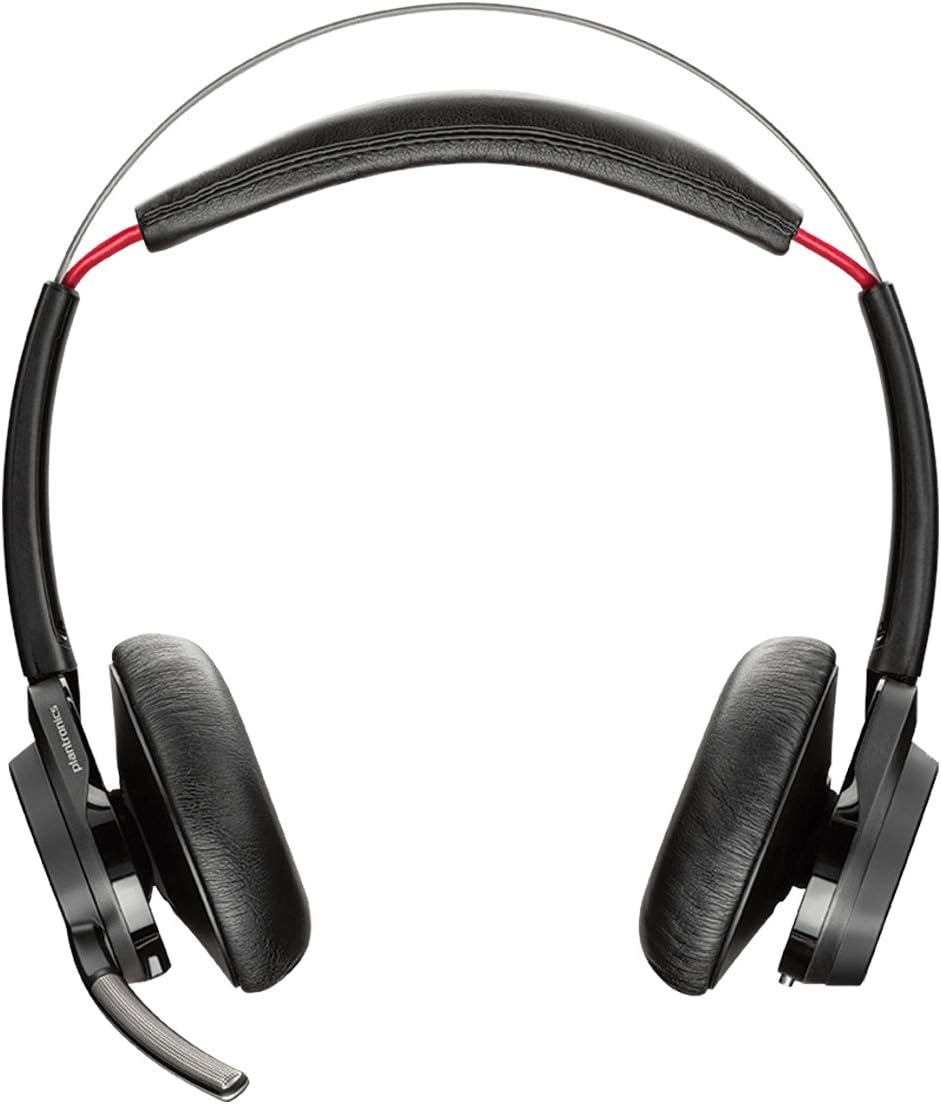
Малюнок 1: Спереду view of the POLY Voyager Focus UC Headset, showing the dual earcups and adjustable boom microphone.
Інструкція з експлуатації
1. Керування викликами
- Відповісти/закінчити виклик: Press the Call button on the right earcup.
- Вимкнути/увімкнути звук: Press the Mute button on the boom microphone or lift/lower the boom mic.
- Регулювання гучності: Rotate the volume wheel on the right earcup up or down.
2. Active Noise Canceling (ANC)
To activate or deactivate Active Noise Canceling, slide the ANC switch located on the left earcup. ANC helps reduce ambient background noise for improved focus.
3. Відтворення медіафайлів
- Відтворення/пауза: Press the Play/Pause button on the right earcup.
- Наступний трек: Натисніть кнопку Вперед.
- Попередній трек: Press the Backward button.
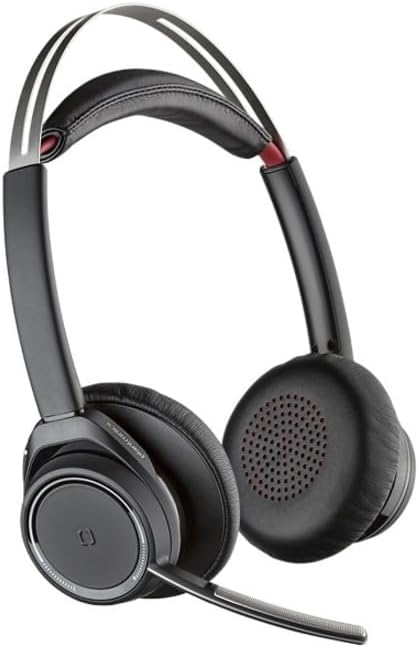
Figure 2: Close-up of the right earcup, illustrating the call, media, and volume controls.
Технічне обслуговування
- Прибирання: Використовуйте м’яку суху тканину для очищення гарнітури. Уникайте використання абразивних засобів для чищення або розчинників.
- Зберігання: Store the headset in its carrying case when not in use to protect it from dust and damage.
- Догляд за акумулятором: Щоб подовжити термін служби акумулятора, уникайте частого повного розряджання акумулятора. Регулярно заряджайте гарнітуру, навіть якщо вона не використовується постійно.
Усунення несправностей
Немає звуку / Погана якість звуку
- Переконайтеся, що гарнітура увімкнена та повністю заряджена.
- Verify the headset is correctly paired and connected to your device (PC/Mac or mobile phone).
- Check your device's audio settings to ensure the "POLY Voyager Focus UC" is selected as the output and input device.
- If using the USB-A adapter, try plugging it into a different USB port.
- Перезавантажте комп’ютер або мобільний пристрій.
Мікрофон не працює
- Ensure the microphone boom is lowered and not muted.
- Check your application's (e.g., Teams, Zoom) microphone settings to confirm the headset is selected.
- Розташуйте мікрофон ближче до рота.
Проблеми з підключенням Bluetooth
- Ensure the headset is within the 98 feet (30 meters) operating range of your device.
- Clear previous Bluetooth pairings on your device and re-pair the headset.
- Avoid sources of interference such as Wi-Fi routers, microwaves, or other Bluetooth devices.
Технічні характеристики
| Особливість | Деталь |
|---|---|
| Назва моделі | Voyager Focus UC |
| Технологія підключення | Бездротовий (Bluetooth) |
| Технологія бездротового зв'язку | Bluetooth 4.0 |
| Контроль шуму | Активне шумозаглушення |
| Час розмови | Up to 12 hours (10 hours with ANC on) |
| Час прослуховування | Up to 15 hours (12 hours with ANC on) |
| Діапазон Bluetooth | До 30 метрів (98 фути) |
| Сумісні пристрої | PCs, Macs, Mobile Phones, VoIP and Conferencing Applications |
| Вага товару | 0.634 унції |
| Розміри продукту | 8.4 x 7.3 x 2.3 дюймів |
| матеріал | пластик |
Гарантія та підтримка
Цей продукт поставляється з a 2 рік глобальної гарантії. For warranty claims or technical support, please visit the official POLY support webсайт або зверніться до служби підтримки клієнтів. Зберігайте чек про покупку для підтвердження гарантії.
For further assistance, refer to the official POLY webсайт: www.poly.com


