вступ
Thank you for choosing the Tecno Minipod M1 True Wireless Stereo (TWS) Earbuds. This manual provides detailed instructions on how to set up, operate, and maintain your Minipod M1 earbuds to ensure optimal performance and longevity. The Minipod M1 offers a seamless audio experience with its portable charging case, long playback time, IPX4 water resistance, and smart touch controls.
Що в коробці
- 1 x Tecno Minipod M1 TWS Earphone (Left and Right)
- 1 портативний кейс для зарядки
- 1 x USB-кабель для зарядки
- 1 х посібник користувача
- 2 пари вушних насадок (різних розмірів)
- 1 х силіконовий захисний чохол
- 1 x Hook (Carabiner)

Image: Infographic highlighting key features of the Tecno Minipod M1, including 18 hours non-stop music, ENC Noise Reduction Technology, Bluetooth 5.0, cool touch controls, portable charging case, IPX4 water resistance, and 4.2gm ultra-light body.
Продукт закінченийview
The Tecno Minipod M1 consists of two lightweight earbuds and a compact charging case. The case not only protects the earbuds but also provides additional battery life for extended listening.
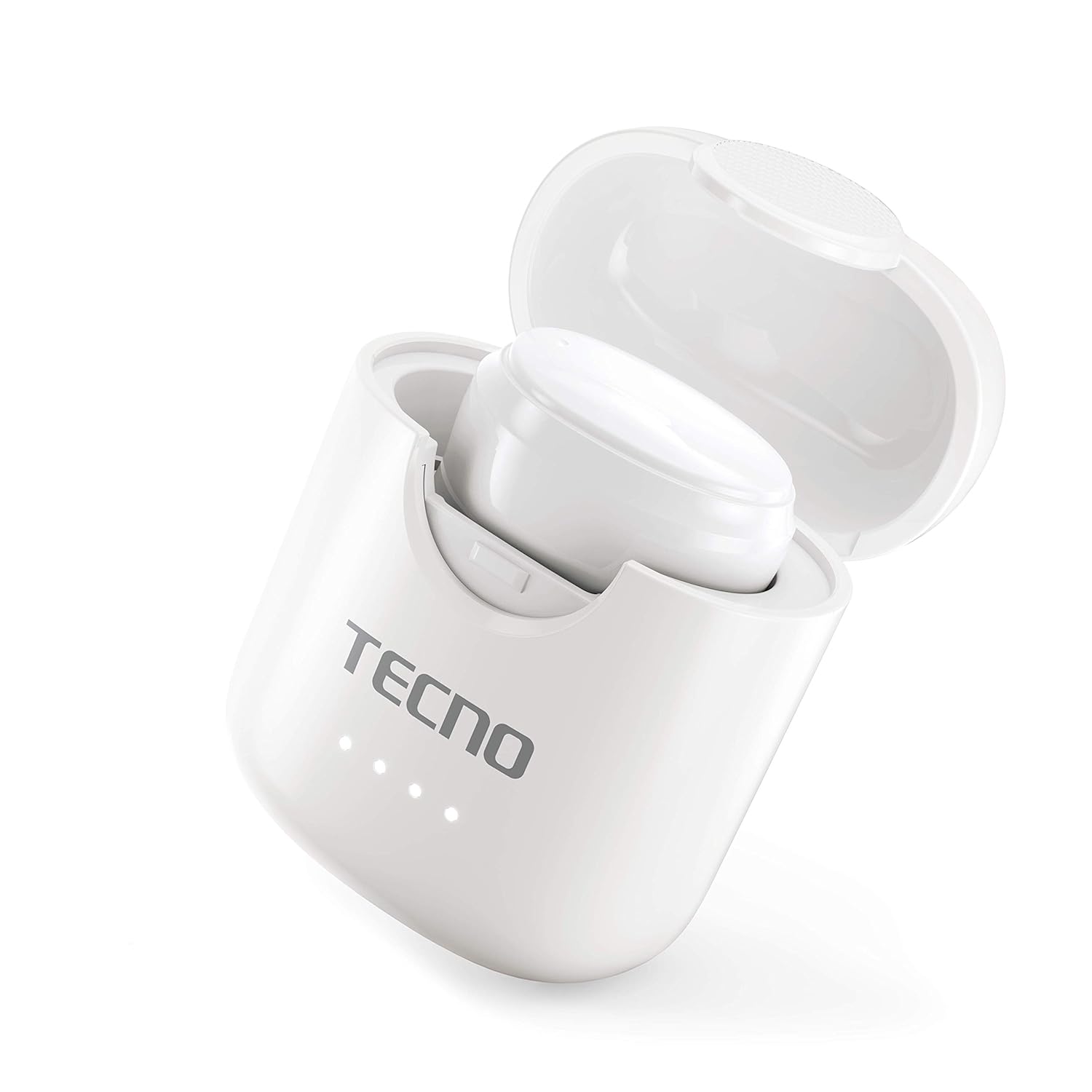
Image: The Tecno Minipod M1 earbud securely placed inside its open charging case, showing the compact design and charging indicators.

Image: A detailed close-up of a single Tecno Minipod M1 earbud, highlighting its ergonomic shape and touch-sensitive surface.
Компоненти:
- Навушники: Left and Right, each with touch controls and built-in microphone.
- Зарядний футляр: Houses and charges the earbuds, with LED indicators for battery status.
- Порт заряджання USB: Розташований на зарядному футлярі для підключення живлення.
Налаштування
1. Початкова зарядка:
Before first use, fully charge the Tecno Minipod M1 earbuds and their charging case.
- Вставте обидва навушники в зарядний футляр. Переконайтеся, що вони правильно встановлені у відповідних гніздах.
- Connect the provided USB charging cable to the charging port on the case and the other end to a USB power source (e.g., computer, wall adapter).
- The LED indicators on the charging case will illuminate to show charging status. Once fully charged, the indicators may change color or turn off.

Image: The Tecno Minipod M1 charging case in a closed position, showing the LED indicators on the front that display charging status.
2. Сполучення з вашим пристроєм:
The Minipod M1 earbuds use Bluetooth 5.0 for a stable and quick connection.
- Відкрийте зарядний футляр. Навушники автоматично перейдуть у режим сполучення.
- На смартфоні або пристрої з підтримкою Bluetooth перейдіть до налаштувань Bluetooth.
- шукати available devices and select "Tecno Minipod M1" from the list.
- Once connected, you will hear a confirmation tone, and the earbuds' indicator lights will change.
- Для наступного використання навушники автоматично підключатимуться до останнього сполученого пристрою, коли їх виймуть з кейса.
Операційна
Розумне сенсорне керування:
The Tecno Minipod M1 features intuitive touch controls on each earbud.
| Дія | КОНТРОЛЬ |
|---|---|
| Відтворення/призупинення музики | Один раз торкніться будь-якого навушника |
| Наступний трек | Двічі торкніться правого навушника |
| Попередній трек | Двічі торкніться лівого навушника |
| Відповісти/закінчити виклик | Один раз торкніться будь-якого навушника |
| Відхилити виклик | Натисніть і утримуйте будь-який навушник протягом 2 секунд |
| Активуйте голосовий помічник | Потрійне торкання будь-якого навушника |
Носіння навушників:
Choose the correct size of eartips for a comfortable and secure fit. Insert the earbuds gently into your ear canal and twist slightly to ensure a snug fit. A proper fit enhances sound quality and noise cancellation.
Технічне обслуговування
Прибирання:
- Регулярно протирайте навушники та зарядний футляр м’якою, сухою тканиною без ворсу.
- Не використовуйте абразивні засоби для чищення, спирт або хімічні розчинники.
- Обережно видаліть будь-яку вушну сірку або сміття з вушних наконечників та сітки динаміка за допомогою невеликої м’якої щіточки або ватного тампона.
Зберігання:
- Коли навушники не використовуються, завжди зберігайте їх у зарядному футлярі, щоб захистити їх та підтримувати зарядженими.
- Зберігайте пристрій у прохолодному, сухому місці, подалі від екстремальних температур та прямих сонячних променів.
Водонепроникність (IPX4):
The Tecno Minipod M1 earbuds are IPX4 water resistant, meaning they are protected against splashing water from any direction. This makes them suitable for workouts and light rain. However, they are not designed for swimming or submersion in water. Do not charge the earbuds or case if they are wet.

Image: The Tecno Minipod M1 charging case shown with various colorful silicone protective covers, emphasizing the included accessory for better protection and portability.
Усунення несправностей
| проблема | Можливе рішення |
|---|---|
| Навушники не заряджаються | Переконайтеся, що зарядний кабель надійно підключено. Перевірте, чи зарядний футляр має живлення. Очистіть зарядні контакти на обох навушниках та футлярі. |
| Не вдається підключитися до пристрою | Make sure Bluetooth is enabled on your device. Ensure earbuds are in pairing mode (open case). Forget "Tecno Minipod M1" from your device's Bluetooth list and try pairing again. Move closer to your device. |
| Звук відтворюється лише в одному навушнику | Помістіть обидва навушники назад у зарядний футляр, закрийте кришку, зачекайте кілька секунд, потім відкрийте кришку та спробуйте ще раз. Переконайтеся, що обидва навушники заряджені. |
| Низька гучність або погана якість звуку | Adjust the volume on your device. Ensure earbuds are properly seated in your ears. Clean any debris from the speaker mesh and eartips. |
| Мікрофон не працює під час дзвінків | Ensure the earbuds are connected as a "headset" profile in your device's Bluetooth settings. Check for any obstructions on the microphone opening. |
Технічні характеристики
| Особливість | Деталь |
|---|---|
| Назва моделі | Tecno Minipod M1 |
| Версія Bluetooth | 5.0 |
| Загальний час відтворення | Up to 18 hours (6 hours on earbuds + 12 hours with charging case) |
| Водонепроникність | IPX4 (захист від поту та бризок) |
| шумозаглушення | Зменшення шуму навколишнього середовища (ENC) |
| Елементи керування | Розумне сенсорне керування |
| Вага навушника | Приблизно 4.2 г на навушник |
| Розміри (продукт) | 2.4 х 1.7 х 2.7 см |
| матеріал | Полікарбонат (ПК), акрилонітрилбутадієнстирол (АБС) |
| Сумісність операційної системи | iOS, Android |
Гарантія та підтримка
The Tecno Minipod M1 comes with a Гарантія 6 місяців з дати покупки. Ця гарантія поширюється на виробничі дефекти. Будь ласка, збережіть підтвердження покупки для пред'явлення претензій по гарантії.
For technical support, warranty claims, or any other inquiries, please contact Tecno customer service through their official webсайт або контактну інформацію, надану в документах про покупку. Ви також можете відвідати Магазин Tecno на Amazon для отримання додаткової інформації.