вступ
The Timex TW500 is a versatile alarm clock radio designed for modern living. It features wireless charging for compatible devices, a USB charging port, dual digital alarms, an FM radio with presets, a dimmable display, and a sleep timer. This manual provides detailed instructions for setting up and operating your device.
Продукт закінченийview

Фронт View: The Timex TW500 alarm clock radio features a large, clear green LED display showing the time, along with indicators for PM, alarm status, and charging. Control buttons are located on the top panel.

Можливість подвійної зарядки: This image illustrates the dual charging feature of the TW500, with a smartphone wirelessly charging on the top surface and another smartphone connected to the USB-A charging port located on the back of the unit.
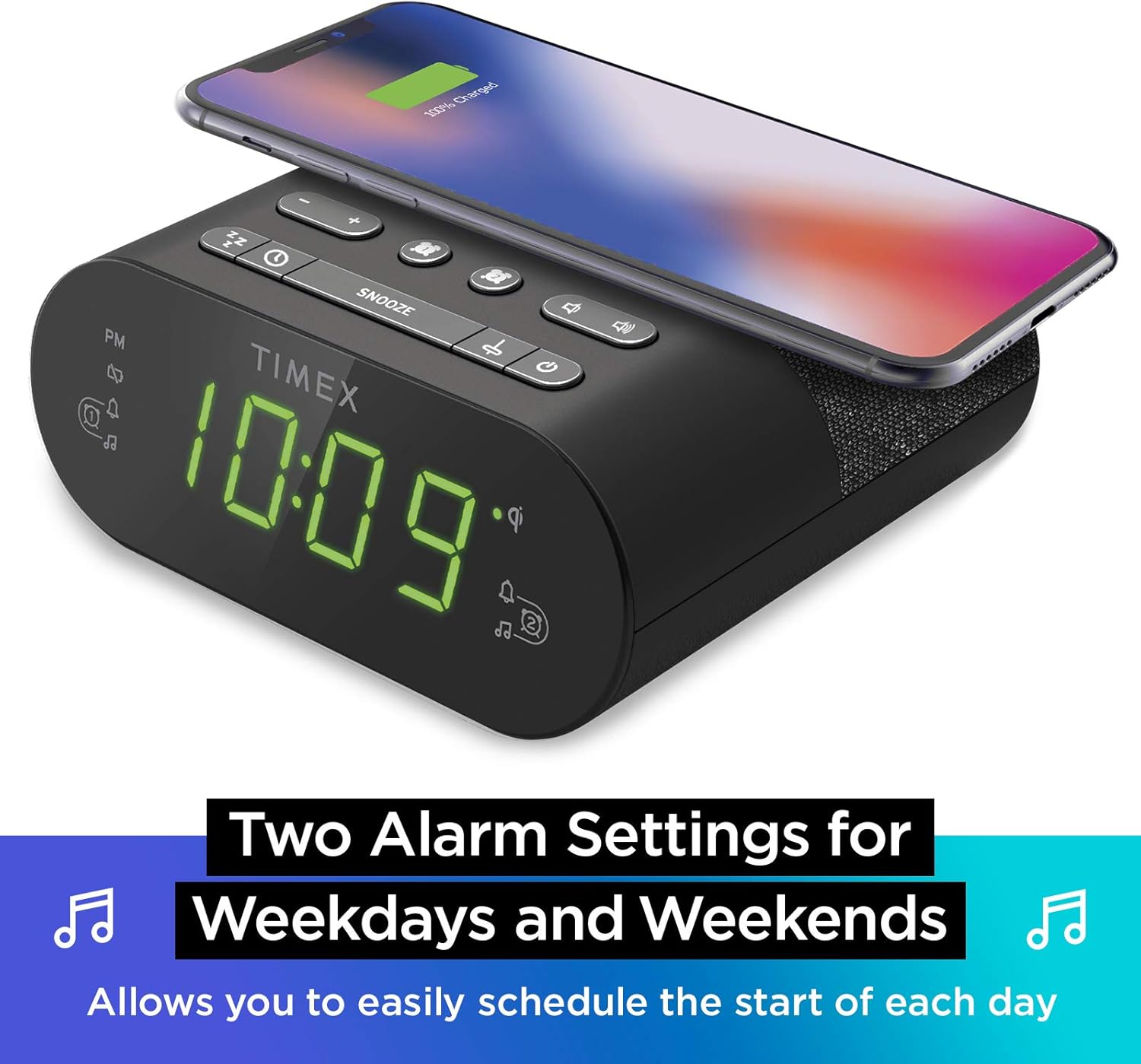
Налаштування подвійного будильника: The TW500 supports two independent alarm settings, allowing users to schedule separate wake times for different days or for two individuals.
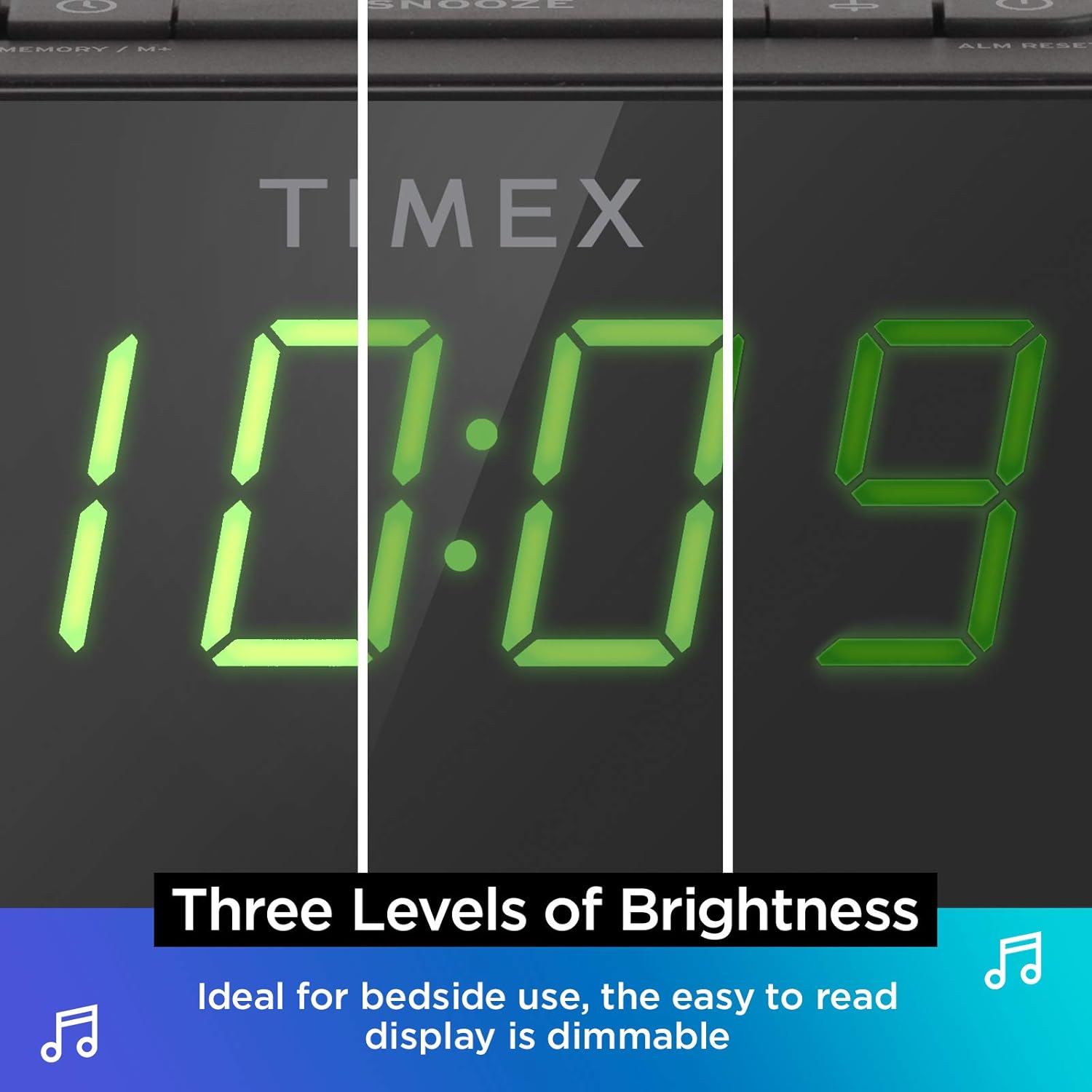
Дисплей з можливістю затемнення: The digital display offers multiple brightness levels, ensuring comfortable viewing in various lighting conditions, from bright daylight to a dark bedroom.
Налаштування
1. Підключення живлення
Connect the supplied AC power adapter to the DC jack on the back of the unit and plug the other end into a working wall outlet. The unit will power on and the display will light up.
2. Встановлення резервної батареї
Для безперервного відліку часу під час відключення електроенергіїtages, install one CR-2032 battery (included) into the battery compartment on the bottom of the unit. Ensure correct polarity (+/-) as indicated.
3. Налаштування антени
Extend the FM wire antenna on the back of the unit fully for optimal FM radio reception. Adjust its position as needed to improve signal quality.
Інструкція з експлуатації
Встановлення часу
- Натисніть і утримуйте ВСТАНОВИТИ ЧАС кнопку, розташовану на верхній панелі, доки не почне блимати дисплей часу.
- Натисніть - or + кнопки для налаштування години. Зверніть увагу на індикатор PM.
- Натисніть ВСТАНОВИТИ ЧАС button again to confirm the hour and move to minutes setting.
- Натисніть - or + кнопки для налаштування хвилин.
- Натисніть ВСТАНОВИТИ ЧАС button one last time to save the time and exit time setting mode.
Налаштування будильників (Будильник 1 та Будильник 2)
The TW500 features two independent alarms. The process is identical for both.
- Натисніть і утримуйте ТРИВОГА ОДИН or ТРИВОГА ДВА кнопку, доки не почне блимати час будильника.
- Натисніть - or + кнопки для налаштування години будильника. Зверніть увагу на індикатор PM.
- Натисніть відповідну ТРИВОГА ОДИН or ТРИВОГА ДВА button again to confirm the hour and move to minutes setting.
- Натисніть - or + кнопки для налаштування хвилин будильника.
- Натисніть відповідну ТРИВОГА ОДИН or ТРИВОГА ДВА button again to select the alarm source (FM radio or Tone). The corresponding icon will light up.
- Натисніть відповідну ТРИВОГА ОДИН or ТРИВОГА ДВА button one last time to save the alarm setting. The alarm indicator will remain lit.
To turn an alarm off, repeatedly press the corresponding ТРИВОГА ОДИН or ТРИВОГА ДВА button until the alarm indicator light turns off.
Робота FM-радіо
- Натисніть УВІМК./ВИМК кнопку, щоб увімкнути радіо.
- Натисніть - or + buttons to tune to your desired FM station. Press and hold to auto-scan for the next available station.
- Натисніть ОБСЯГ - or ОБ'ЄМ + кнопки для регулювання гучності.
- Встановлення попередніх налаштувань: Натисніть і утримуйте MEMORY/M+ button. The preset number will flash. Use the - or + buttons to select a preset number (1-10). Press MEMORY/M+ знову, щоб зберегти.
- Згадуючи пресети: Коротко натисніть ПРЕДУСТАНОВКИ FM кнопку для перемикання між збереженими станціями.
- Натисніть УВІМК./ВИМК button to turn off the radio.
Бездротова зарядка
The top surface of the TW500 features a Qi-compatible wireless charging pad.
- Place your Qi-enabled smartphone or other compatible device directly onto the wireless charging pad.
- Ensure the device is centered on the charging pad for optimal connection. A charging indicator on your device or the TW500 (if applicable) will confirm charging has begun.
- Після повної зарядки вийміть пристрій.
USB зарядка
A 5W USB-A charging port is located on the back of the unit.
- Connect your device's USB charging cable to the USB port on the TW500.
- Підключіть інший кінець кабелю до вашого пристрою. Заряджання розпочнеться автоматично.
Диммер дисплея
Яскравість дисплея можна налаштувати відповідно до ваших уподобань.
- Натисніть ДИММЕР button repeatedly to cycle through different brightness levels (High, Medium, Low, Off).
Таймер сну
Таймер сну дозволяє вам засинати під радіо, яке автоматично вимкнеться через встановлений час.
- Під час відтворення радіо натисніть кнопку СПАТИ кілька разів натисніть кнопку , щоб перемикатися між опціями таймера сну (наприклад, 10, 20, 30, 60, 90 хвилин, Вимк.).
- Радіо гратиме протягом вибраного часу, а потім автоматично вимкнеться.
Функція відкладення
Коли лунає будильник, натисніть велику кнопку СНОЙЗ button on the top of the unit to temporarily silence the alarm for 9 minutes. The alarm will sound again after the snooze period.
Технічне обслуговування
- Прибирання: Використовуйте м’яку суху тканину для очищення зовнішньої частини пристрою. Не використовуйте рідкі засоби для чищення або абразивні матеріали.
- Заміна батареї: Replace the CR-2032 backup battery annually or if the time display is incorrect after a power outage.
- Зберігання: Якщо пристрій зберігатиметься протягом тривалого часу, від’єднайте його від живлення та вийміть резервний акумулятор.
Усунення несправностей
| проблема | Можлива причина | Рішення |
|---|---|---|
| Пристрій не вмикається. | Адаптер живлення не підключений або розетка не працює. | Ensure AC adapter is securely plugged into the unit and a live wall outlet. Test the outlet with another device. |
| Сигналізація не звучить. | Будильник не налаштовано, гучність будильника занадто низька або будильник вимкнено. | Verify alarm time and source are set correctly. Increase radio volume if alarm source is FM. Ensure alarm indicator is lit. |
| Поганий прийом FM-радіо. | Антена не висунута або сигнал слабкий. | Fully extend the FM wire antenna and reposition it for better reception. Try moving the unit to a different location. |
| Бездротова зарядка не працює. | Device not Qi-compatible, not centered, or foreign object on pad. | Ensure your device supports Qi wireless charging. Re-position the device centrally on the pad. Remove any metal objects or thick cases. |
| Зарядка через USB не працює. | Несправний кабель або пристрій несумісний. | Try a different USB cable. Ensure the device is compatible with standard USB charging. |
Технічні характеристики
- модель: TW500
- Розміри: 5.48 см (Ш) x 2.17 см (Г) x 5.20 см (В)
- вага: 0.7 фунта (приблизно 0.32 кг)
- Споживана потужність: Адаптер змінного струму (в комплекті)
- Резервний акумулятор: 1 батарея CR-2032 (в комплекті)
- Бездротова зарядка: Qi-сумісний
- Порт заряджання USB: 5 Вт USB-A
- радіо: FM with 10 presets
- Дисплей: 0.9" Green LED, Dimmable
- Сигнали: Dual Digital Alarms (Wake to Radio or Tone)
Офіційне відео продукту
Це відео надає візуальне уявлення проview of the Timex TW500, highlighting its key features such as wireless charging, USB charging, FM radio, dual alarms, and dimmable display. It demonstrates the product's compact design and functionality.
Гарантія та підтримка
This Timex product comes with a limited warranty. For detailed warranty information, product support, or to register your product, please refer to the warranty card included in your product packaging or visit the official Timex website. If you are not 100% satisfied with your new Timex alarm clock radio and its performance, please contact the seller for assistance.
Виробник: Timex
UPC: 758859207179


