1. Вступ
This manual provides essential instructions for the safe and efficient use of your LIFX Color Smart LED Bulb. The LIFX Color bulb offers a wide spectrum of colors and white tones, controllable via Wi-Fi without the need for a separate hub. It is designed to enhance your lighting experience with smart features and energy efficiency.

Image: The LIFX Color Smart LED Bulb alongside its product packaging, highlighting its features.
Ключові характеристики:
- Billions of Colors: Access a vast range of colors and a wide cool-to-warm white spectrum (1500K to 9000K).
- Яскравість Lumens 800: Забезпечує ample підсвічування для різних налаштувань.
- E26 Edison Screw Base: Standard fitting for easy installation.
- З'єднання Wi-Fi: Connects directly to your 2.4GHz Wi-Fi network, no hub required.
- Голосове керування: Compatible with Alexa, Apple HomeKit/Siri, and Hey Google.
- Розклад та сцени: Customize lighting schedules and create personalized scenes.
2. Інформація про безпеку
Please read and follow these safety guidelines to prevent injury or damage to the product.
- Тільки для використання в приміщенні: Ця лампа призначена для використання всередині приміщень у сухих місцях.
- Правильна установка: Перед встановленням або вийманням лампочки переконайтеся, що живлення вимкнено.
- томtage Сумісність: Use only within the specified voltage range (AC 100-240V, 50/60 Hz).
- Уникайте закритих світильників: Do not use in fully enclosed luminaires as this may reduce bulb life.
- Диммери: Do not use with standard dimmer switches. Dimming is controlled via the app or voice assistants.
- Утилізація: Утилізуйте електронні відходи відповідально згідно з місцевими правилами.
3. Вміст упаковки
Your LIFX Color Smart LED Bulb package should contain the following:
- 1 x LIFX Color Smart LED Bulb (E26 Edison Screw)
4. Посібник із налаштування
4.1 Фізичне встановлення
- Ensure the power to the light fixture is turned off at the switch.
- Carefully screw the LIFX Color Smart LED Bulb into a standard E26 Edison screw socket. Do not overtighten.
- Turn the power back on at the switch. The bulb should illuminate with a default white light.

Image: A visual guide showing the three simple steps for setting up the LIFX bulb: screwing it into a lamp, downloading the app, and enjoying the light.
4.2 Завантаження програми та підключення до Wi-Fi
- Download the official LIFX app from the Apple App Store or Google Play Store.
- Open the LIFX app and create an account or log in.
- Follow the in-app instructions to add your new LIFX bulb. This typically involves scanning a QR code on the bulb or its packaging and connecting to your home's 2.4GHz Wi-Fi network.
- Ensure your mobile device is connected to the 2.4GHz Wi-Fi network during the setup process.
4.3 Інтеграція голосового помічника
The LIFX Color bulb is compatible with popular voice assistants. Follow the instructions within your preferred voice assistant's app to link your LIFX account.
- Amazon Alexa: Enable the LIFX skill in the Alexa app and discover devices.
- Apple HomeKit/Siri: Use the Home app on your iOS device to add the accessory.
- Гей, Google: Link your LIFX account in the Google Home app.

Image: A collage of logos indicating compatibility with various smart home platforms and voice assistants.
5. Інструкція з експлуатації
5.1 Controlling Color and Brightness
Use the LIFX app to adjust the bulb's color and brightness. The app features a color wheel and sliders for precise control.
- Open the LIFX app and select your bulb.
- Drag your finger across the color wheel to choose a desired color.
- Adjust the brightness slider to set the light intensity from 1% to 100%.
- For white light, select from the warm to cool white spectrum options.

Image: A smartphone displaying the LIFX app interface, featuring a color wheel for selecting light colors and adjusting brightness.
5.2 Голосове керування
Once integrated with a voice assistant, you can control your LIFX bulb using simple voice commands.
- "Алексо, увімкни світло у вітальні."
- "Hey Google, set the kitchen light to blue."
- «Сірі, зменши світло в спальні до 50%.»
- "Alexa, set the kitchen to 'Frozen'."

Image: A person in a kitchen interacting with a voice assistant to control the lighting, demonstrating hands-free operation.
5.3 Scheduling and Scenes
Automate your lighting to fit your daily routine or create custom ambiances.
- Розклади: In the LIFX app, set specific times for your lights to turn on/off, change color, or adjust brightness. For example, schedule lights to gradually brighten in the morning for a gentle wake-up or dim in the evening for winding down.
- Сцени: Create and save custom lighting configurations (e.g., "Movie Night," "Relax," "Party"). Activate these scenes with a single tap in the app or via voice command.
- Безпека: Use scheduling to make it appear as if someone is home when you are away.

Зображення: Зовнішній вигляд view of a house at dusk, illustrating how scheduled lighting can provide added security by making it appear occupied.

Image: A person waking up in bed as a smart light gradually brightens, demonstrating the use of light as an alarm clock replacement.
6. Технічне обслуговування
The LIFX Color Smart LED Bulb requires minimal maintenance.
- Прибирання: Ensure the bulb is cool and the power is off before cleaning. Wipe with a soft, dry cloth. Do not use liquid cleaners or abrasive materials.
- Зберігання: Якщо ви зберігаєте цибулину, тримайте її в оригінальній упаковці або захисному контейнері в прохолодному сухому місці.
7. Вирішення проблем
If you encounter issues with your LIFX Color Smart LED Bulb, refer to the following common solutions:
| проблема | Можливе рішення |
|---|---|
| Bulb not connecting to Wi-Fi/App |
|
| Bulb is unresponsive or offline |
|
| Голосові команди не працюють |
|
8. Технічні характеристики
Detailed technical specifications for the LIFX Color Smart LED Bulb (Model: L3A19LC08E26US):
| Особливість | Деталь |
|---|---|
| Назва моделі | LIFX Color - 800 Lumens |
| Номер моделі | L3A19LC08E26US |
| Тип світла | LED |
| Розмір форми лампи | A19 |
| Основа лампи | E26 |
| Яскравість | 800 люменів |
| Wattage Використання | 9.0W at full brightness |
| Еквівалент лампи розжарювання | 60 Вт |
| томtage Дальність | AC 100-240 В 50/60 Гц |
| Колірна температура | від 1500K до 9000K |
| Індекс передачі кольору (CRI) | 80 |
| Кут променя | 235° |
| затемнення | Software dimming 1% - 100% |
| Wi-Fi | 2.4GHz (WPA, WPA2 Security) |
| Розміри (Ш x В) | 2.36 in x 4.13 in (60mm x 105mm) |
| матеріал | Алюміній, Пластик |
| Середнє життя | 206,432 Hours (approx. 22.8 years) |
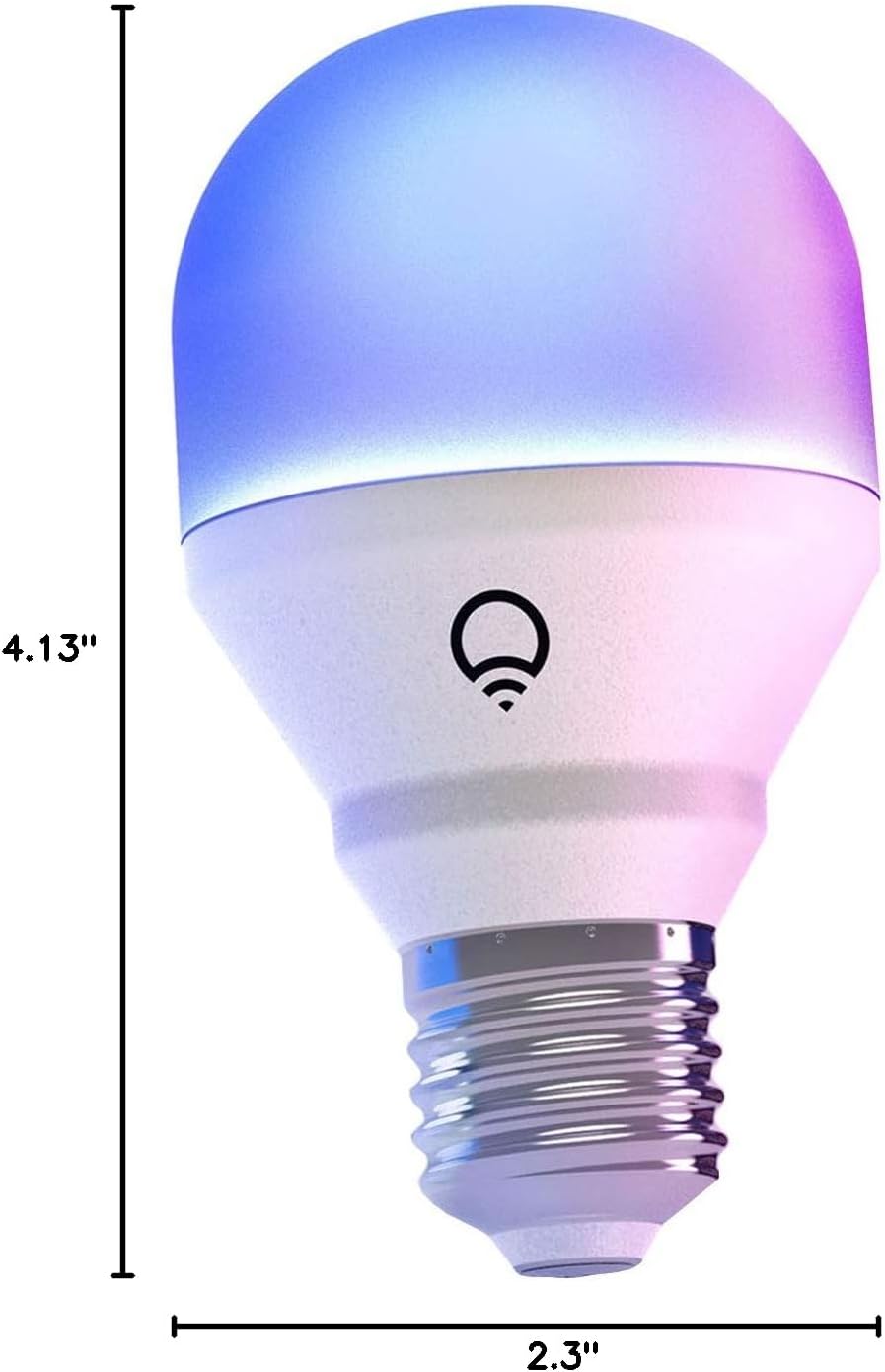
Image: A diagram illustrating the physical dimensions of the LIFX Color Smart LED Bulb.
9. Інформація про гарантію
The LIFX Color Smart LED Bulb comes with a Гарантія 2 рік. Please retain your proof of purchase for warranty claims. For specific terms and conditions, refer to the official LIFX webсайту або зв’яжіться зі службою підтримки клієнтів.
10. Підтримка
Для отримання додаткової допомоги, технічної підтримки або view frequently asked questions, please visit the official LIFX support website. You can typically find contact information for customer service on their webтакож сайт.
Інтернет-ресурси:
- LIFX Official Webсайт: www.lifx.com
- Support Section: Refer to the support or FAQ section on the official website for troubleshooting guides and contact options.


