1. Вступ
Thank you for choosing the Lepro Smart LED Strip Light. This manual provides essential information for the safe and efficient use of your new LED strip light. Please read these instructions carefully before installation and operation, and retain them for future reference.
2. Інформація про безпеку
- Перед встановленням або техобслуговуванням переконайтеся, що джерело живлення відключено.
- Діючий томtage is 12V. Use only the provided power adapter.
- This product is IP65 waterproof, suitable for both indoor and outdoor use. However, the power adapter and controller are not waterproof and must be protected from moisture.
- Do not bend the LED strip sharply or apply excessive force, as this may damage the circuit.
- Зберігати в недоступному для дітей місці.
- The LED strip is designed with short-circuit protection for enhanced safety.
- Уникайте прямого впливу джерела світла на очі протягом тривалого часу.
3. Вміст упаковки
Перевірте наявність усіх компонентів в упаковці:
- 5m RGB IP65 Waterproof LED Strip
- WiFi контролер
- Power Adapter (European Adapter 12V 1.5A)
- Пульт дистанційного керування
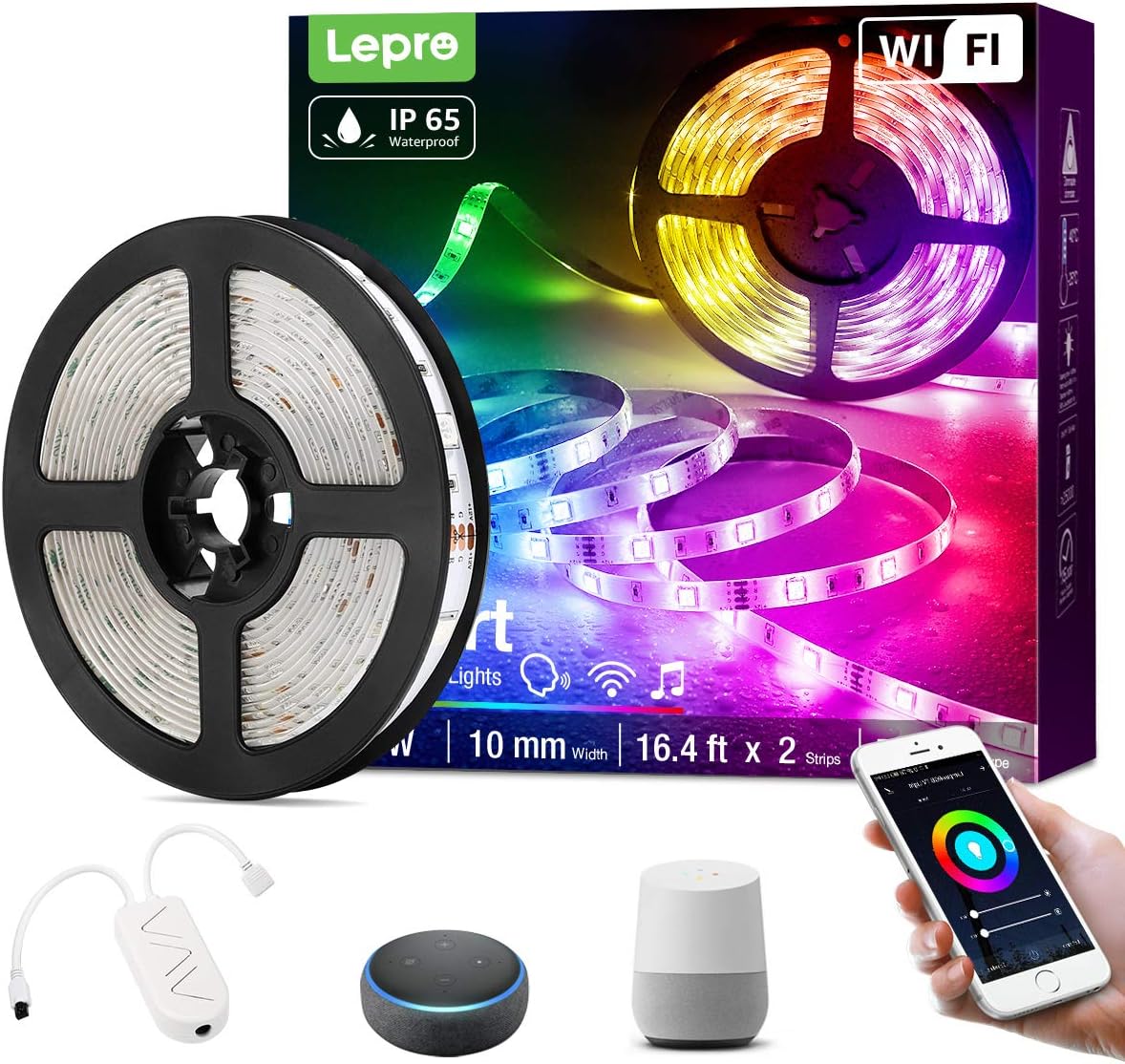
Зображення 3.1: закінченоview of the Lepro Smart LED Strip Light and its included components, such as the LED strip reel, WiFi controller, and power adapter.
4. Особливості продукту
- Інтелектуальне управління: Connects via WiFi (2.4 GHz only) for stable control.
- Голосове керування: Compatible with Amazon Alexa and Google Assistant, no additional hub required.
- Функціональність програми: Features include countdown, automatic execution, timer function for preset scenarios, and various scene modes.
- Dimmable RGB: Offers a wide range of colors and adjustable brightness.
- Водонепроникність IP65: Designed for versatile indoor and outdoor decoration.
- Висока яскравість: Equipped with 30 LEDs per meter for enhanced illumination.
- Безпечний на дотик: Operates at a low 12V, ensuring minimal heat and safety.

Зображення 4.1: The IP65 waterproof LED strip installed in an outdoor setting, demonstrating its suitability for various environments.

Зображення 4.2: Top image shows a hand safely holding the illuminated LED strip. Bottom image provides a close-up view of the IP65 waterproof coating on the LED strip.
5. Посібник із встановлення
- Очистіть поверхню: Переконайтеся, що поверхня для встановлення чиста, суха та гладка.
- Вимірювання та вирізання (необов'язково): If necessary, measure the desired length and cut the LED strip only at the designated cutting marks (usually indicated by a scissor icon or copper pads).
- Очистіть і приклейте: Remove the adhesive backing from the LED strip and firmly press it onto the desired surface.
- Підключення компонентів: Connect the LED strip to the WiFi controller, and then connect the controller to the power adapter.
- Плагін: Підключіть адаптер живлення до стандартної електричної розетки.
6. Інструкція з експлуатації
6.1 Basic Control with Controller Button
After plugging in the strip, you can use the physical button on the controller to:
- Увімкнути/вимкнути світло.
- Cycle through different scene modes.
- Reset the device (usually by holding the button for several seconds).
6.2 Smart Control via Lepro LampUX App
For full functionality, download the "Lepro LampUX" app from your smartphone's app store.
- Завантажити додаток: шукати "Lepro LampUX" and install it.
- Реєстрація/Увійти: Створіть обліковий запис або увійдіть.
- Додати пристрій: Follow the in-app instructions to add your LED strip light. Ensure your phone is connected to a 2.4 GHz WiFi network during setup.
- КОНТРОЛЬ: Once connected, you can control power, color, brightness, set timers, schedules, and customize scene modes directly from the app.

Зображення 6.1: A smartphone screen showing the Lepro LampUX app interface, including a color wheel for light customization and options for smart control. The image also depicts a modern home with LED strip lighting.

Зображення 6.2: A collage of smartphone screens illustrating various features of the Lepro LampUX app, such as timer settings, scheduling, color options, smart modes, scene modes, and DIY customization.
6.3 Голосове керування за допомогою Alexa/Google Assistant
To enable voice control, link your Lepro LampUX account with Amazon Alexa or Google Assistant:
- Open Smart Assistant App: Відкрийте додаток Amazon Alexa або Google Home на своєму смартфоні.
- Увімкнути навичку/дію: шукати the "LE Lampux" skill (for Alexa) or action (for Google Assistant) and enable it.
- Зв'язати обліковий запис: Follow the prompts to link your Lepro LampUX account.
- Відкрийте для себе пристрої: Once linked, ask your smart assistant to discover new devices.
- Голосові команди: You can now use voice commands such as "Alexa, turn on the bedroom light" or "Hey Google, change the strip light to purple."

Зображення 6.3: A visual guide on a smartphone screen demonstrating the process of linking the Lepro LampUX app with Amazon Alexa, showing the steps to enable the skill and connect accounts.

Зображення 6.4: A family enjoying LED strip lighting in their living room, with smart speakers visible, illustrating the convenience of voice control with commands like "Alexa, change the strip light to purple."
7. Технічне обслуговування
- Прибирання: Gently wipe the LED strip with a soft, dry cloth. Do not use abrasive cleaners or solvents.
- Огляд: Periodically check the strip and connections for any signs of damage or wear.
- Зберігання: If storing the strip for an extended period, ensure it is clean, dry, and coiled loosely to prevent damage.
8. Вирішення проблем
| проблема | Можлива причина | Рішення |
|---|---|---|
| Світлодіодна стрічка не світиться. | Немає живлення, погане з'єднання, несправний адаптер. | Перевірте розетку, переконайтеся, що всі з'єднання надійні, спробуйте іншу розетку. |
| Не вдається підключитися до Wi-Fi. | Incorrect WiFi band (not 2.4 GHz), incorrect password, too far from router. | Ensure your router is broadcasting a 2.4 GHz signal. Verify WiFi password. Move the strip closer to the router. Reset the controller and try again. |
| Голосове керування не працює. | Skill/Action not enabled, account not linked, incorrect commands. | Check if the "LE Lampux" skill/action is enabled and your account is linked in the Alexa/Google Home app. Use precise commands. |
| Colors are inconsistent or incorrect. | Damaged section of the strip, connection issue. | Inspect the strip for physical damage. Ensure connections are firm. |
9. Технічні характеристики
| Атрибут | Деталь |
|---|---|
| Бренд | Лепро |
| Номер моделі | PR904116-RGB-WP-EU |
| Розміри продукту | 16.5 x 16.5 x 6.5 см (в упаковці) |
| Вага товару | 320 грами |
| Довжина | 5 метрів |
| Колір | RGB |
| Рейтинг водонепроникності | IP65 (LED Strip only) |
| томtage | 12 вольт |
| потужність | 24 Вт |
| Тип лампочки | LED |
| Підключення | WiFi (2.4 GHz only) |
| Сумісність | Amazon Alexa, Google Assistant |
| Включені компоненти | LED Strip, WiFi Controller, Remote Control, Power Adapter |
10. Гарантія та підтримка
For warranty information or technical support, please refer to the documentation included with your purchase or visit the official Lepro website. Contact details for customer service are typically available on the product packaging or the brand's online support page.


