вступ
This manual provides detailed instructions for the installation, operation, and maintenance of your BINIZE Double Din Car Stereo. Please read this manual thoroughly before using the product to ensure proper functionality and to prevent damage. Keep this manual for future reference.
Продукт закінченийview
The BINIZE Double Din Car Stereo is a 10.1-inch multimedia player running on an Android 13 system. It offers a range of features designed to enhance your in-car entertainment and navigation experience.
Ключові характеристики:
- 10.1-inch capacitive touch screen with 1024x600 resolution.
- Android 13 Operating System with Quad-core Coretex-A7 processor (up to 1.3GHz).
- 2 ГБ оперативної пам'яті + 32 ГБ вбудованої пам'яті.
- Підтримка бездротового CarPlay та Android Auto.
- Wired MirrorLink for Android and iOS devices.
- Вбудований Bluetooth для дзвінків у режимі hands-free та потокової передачі аудіо.
- Integrated GPS receiver for online and offline navigation.
- FM Radio tuner.
- Support for AUX, front, and rear camera inputs.
- Steering Wheel Control compatibility (manual learning required).
- Built-in Wi-Fi receiver and support for 4G communication (via external dongle, not included).
- Expandable options for OBD and tire pressure monitoring (accessories sold separately).

Figure 1: BINIZE Double Din Car Stereo Front View з виділеними ключовими особливостями.
Налаштування та встановлення
Proper installation is crucial for the optimal performance of your car stereo. If you are unfamiliar with car audio wiring and installation, professional assistance is recommended.
Фізичні розміри:
The unit measures approximately 251mm (width) x 146mm (height) x 56mm (depth). Ensure your vehicle's dashboard opening is compatible with these dimensions.
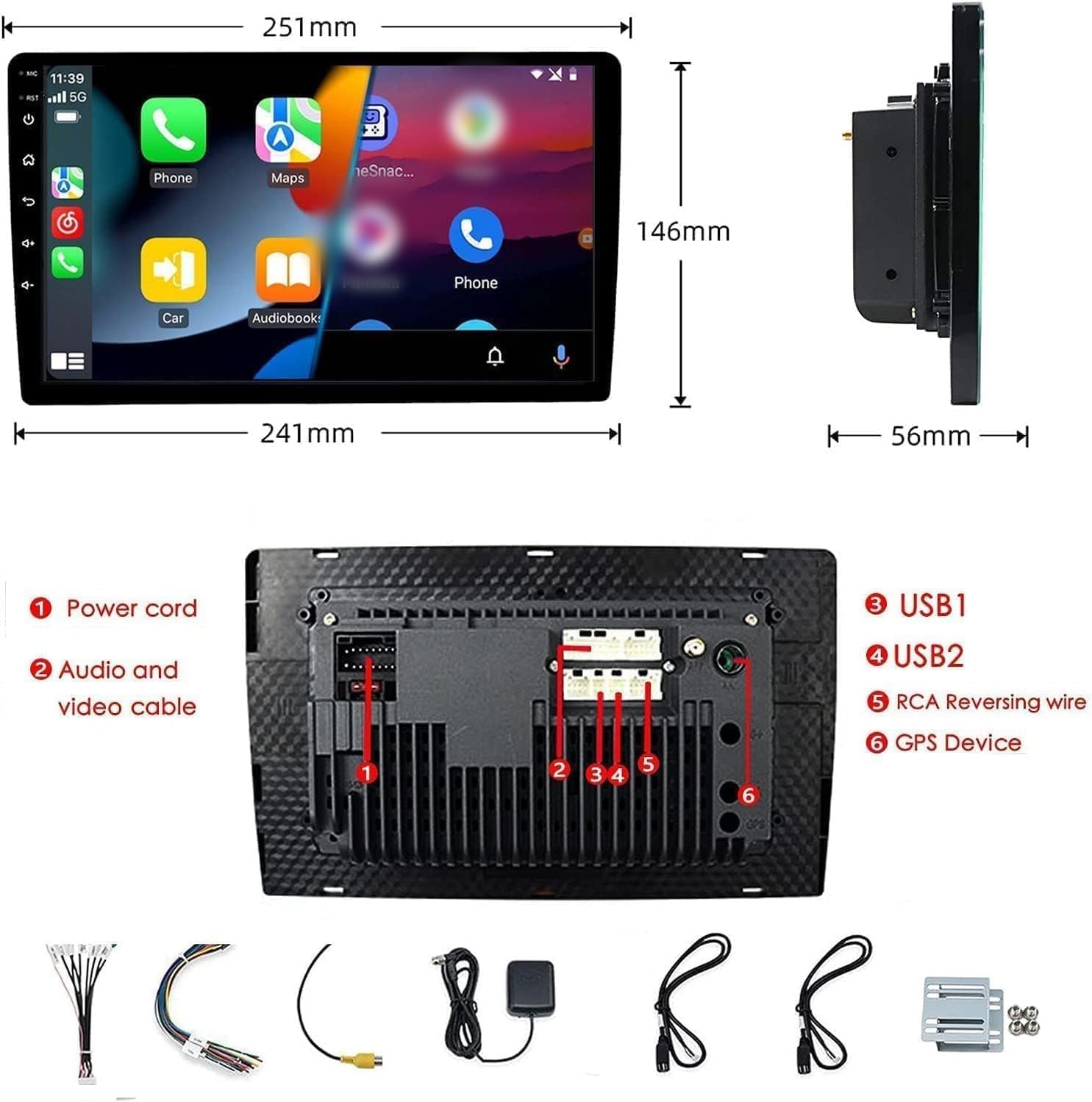
Figure 2: Unit dimensions and rear panel connection points.
Підключення проводів:
Зверніться до доданої схеми підключення для отримання інформації про конкретні з'єднання. Основні з'єднання включають:
- Шнур живлення: Connect to vehicle's power supply (constant 12V, accessory 12V, ground).
- Audio and Video Cable: Для зовнішніх аудіо/відео пристроїв.
- USB-порти (USB1, USB2): For media playback, phone charging, and wired CarPlay/Android Auto.
- RCA Reversing Wire: Connect to the backup camera trigger wire.
- GPS Device: Connect the external GPS antenna for navigation functionality.
- Steering Wheel Control Wires (Key/SW): Для інтеграції з елементами керування на кермі автомобіля.
Переконайтеся, що всі з'єднання надійно закріплені та належним чином ізольовані, щоб запобігти коротким замиканням.
Інструкція з експлуатації
Увімкнення/вимкнення живлення:
The unit will power on automatically when the vehicle's ignition is turned on. To manually power off or restart, use the power button on the front panel.
Робота з сенсорним екраном:
Navigate the interface by tapping, swiping, and pinching on the 10.1-inch capacitive touch screen, similar to a smartphone or tablet.
FM-радіо:
Access the FM Radio application from the main menu. You can scan for stations, save presets, and adjust volume. The unit supports standard FM frequencies.

Рисунок 3: Інтерфейс FM-радіо.
Парування Bluetooth:
- Переконайтеся, що Bluetooth увімкнено на вашому мобільному телефоні.
- На автомобільній стереосистемі відкрийте програму Bluetooth.
- шукати available devices on your phone and select "BINIZE" or a similar device name.
- Підтвердьте код сполучення на обох пристроях, якщо буде запропоновано.
- Після сполучення ви можете здійснювати дзвінки в режимі hands-free та транслювати аудіо.
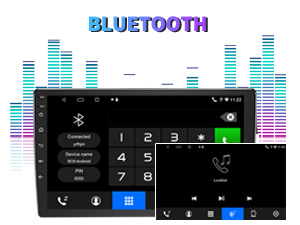
Figure 4: Bluetooth pairing screen.
Управління кермом:
To use your vehicle's steering wheel controls, manual learning is required. Access the Steering Wheel Control settings in the system menu and follow the on-screen instructions to map your vehicle's buttons to the stereo functions.
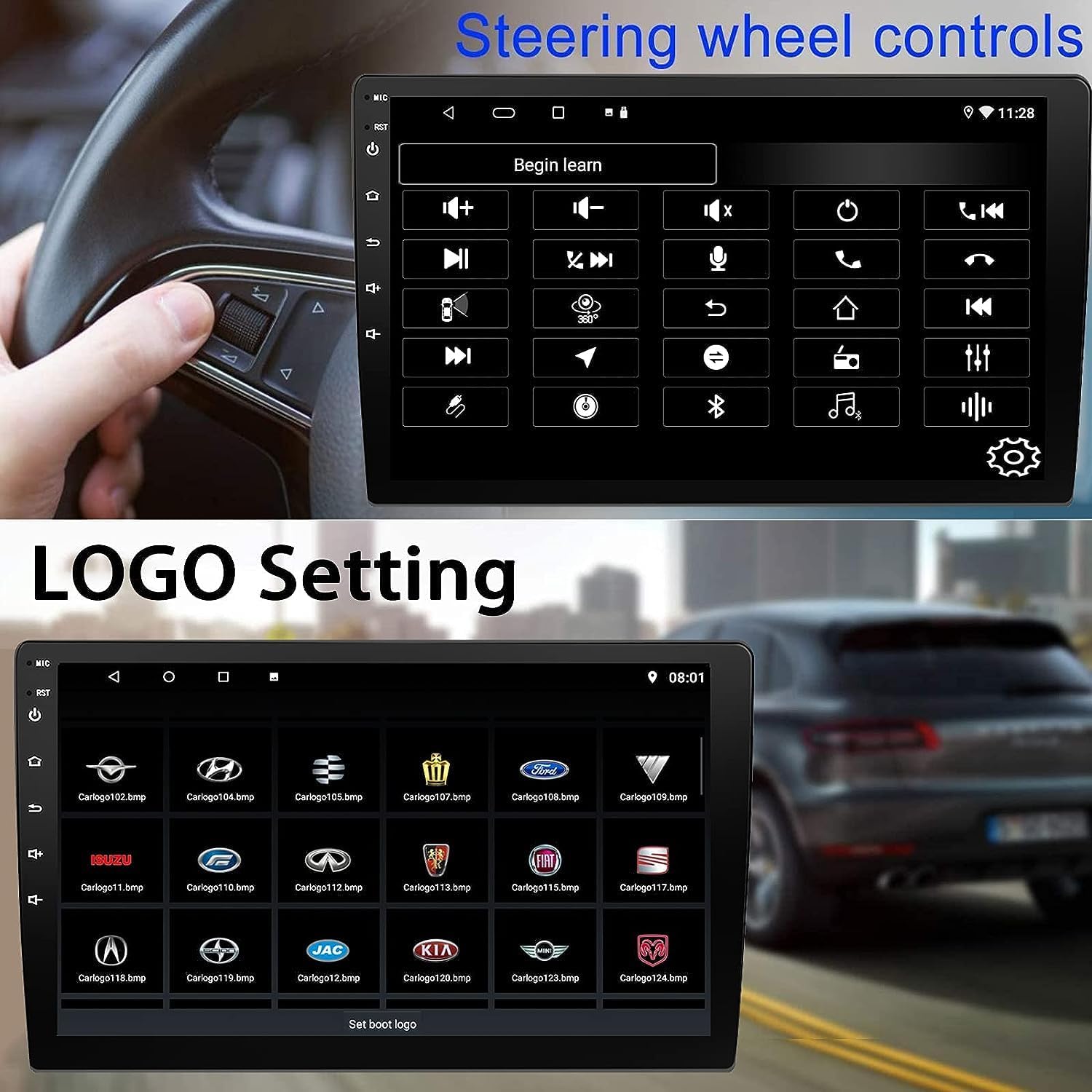
Рисунок 5: Екран налаштування керування на кермі.
Connectivity: CarPlay, Android Auto, and MirrorLink
Бездротовий CarPlay:
Connect your iPhone wirelessly to access CarPlay features such as navigation, music, messages, and calls directly on the stereo display. Ensure Wi-Fi and Bluetooth are enabled on your iPhone.
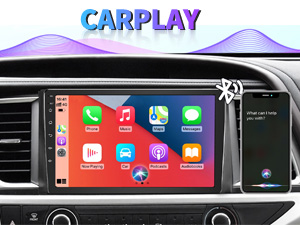
Figure 6: Wireless CarPlay interface.
Бездротовий Android Auto:
Connect your Android phone wirelessly to use Android Auto for navigation, communication, and entertainment apps. Ensure Wi-Fi and Bluetooth are enabled on your Android device.

Figure 7: Wireless Android Auto interface.
Дзеркальне посилання:
MirrorLink allows you to display your smartphone's screen directly onto the car stereo. This feature works with both Android and iOS devices via a wired connection. Note that CarPlay/Android Auto and MirrorLink cannot be used simultaneously.

Figure 8: MirrorLink feature displaying a phone screen on the stereo.
Навігація
The car stereo features an integrated GPS receiver, supporting both online and offline navigation. Connect to Wi-Fi or a mobile hotspot to use online navigation apps. For offline navigation, you may need to download map data.

Figure 9: GPS navigation map display.
Вхід з камери
Резервна камера:
The unit supports backup camera input. When properly connected, the display will automatically switch to the rear view when the vehicle is put into reverse, providing parking assistance with guidelines.
Фронт View Камера:
The stereo also supports front view camera input, allowing for enhanced visibility when maneuvering in tight spaces.

Figure 10: Backup camera and front view camera displays.
Технічне обслуговування
To ensure the longevity and optimal performance of your BINIZE car stereo, follow these maintenance guidelines:
- Очищення екрану: Використовуйте м’яку тканину без ворсу, щоб обережно протерти сенсорний екран. Для стійких плям злегка протрітьampПротріть тканину водою або засобом для чищення екранів. Уникайте агресивних хімікатів або абразивних матеріалів.
- Генеральне прибирання: Keep the unit and surrounding areas free from dust and debris. Use a soft brush or compressed air to clean vents and button areas.
- Оновлення програмного забезпечення: Periodically check for available software updates through the system settings to ensure you have the latest features and performance improvements.
- Уникайте екстремальних температур: Не піддавайте пристрій впливу надмірного тепла або холоду протягом тривалого часу, оскільки це може вплинути на його електронні компоненти.
Усунення несправностей
Якщо у вас виникли проблеми з автомобільною стереосистемою, зверніться до наступних поширених проблем та способів їх вирішення:
| проблема | Можлива причина | Рішення |
|---|---|---|
| Пристрій не вмикається. | Неправильна проводка; перегорілий запобіжник; проблеми з живленням автомобіля. | Check power connections and vehicle fuses. Ensure constant 12V and accessory 12V are correctly wired. |
| Ні звуку. | Занадто низька гучність; увімкнено вимкнення звуку; проблема з проводкою динаміка. | Збільште гучність. Перевірте, чи увімкнено вимкнення звуку. Перевірте підключення динаміків. |
| CarPlay/Android Auto не підключається бездротовим способом. | Bluetooth/Wi-Fi off on phone; Pairing issue; Software glitch. | Ensure phone's Bluetooth and Wi-Fi are on. Try re-pairing the device. Restart both phone and stereo. Some users reported needing to open phone's Bluetooth settings each time. |
| Screen too bright/dim at night. | Display settings not optimized. | Adjust brightness settings in the display menu. Consider using a screen dimming app if available. |
| Не відображається зображення з камери заднього виду. | Camera not connected; RCA reversing wire not connected or faulty. | Check camera and RCA reversing wire connections. Ensure the camera is powered. |
Технічні характеристики
| Особливість | Деталь |
|---|---|
| Бренд | BINIZE |
| Номер моделі | Бінізувати |
| Операційна система | Android 13 |
| Розмір екрана | 10.1 дюйма (26 см видимої діагоналі) |
| роздільна здатність | 1024x600 |
| Процесор | Quad-core Coretex-A7, 1.3GHz |
| Пам'ять (RAM) | 2 ГБ |
| Зберігання (ROM) | 32 ГБ |
| Підключення | Bluetooth, Wi-Fi, USB, Auxiliary |
| Особливості | Wireless CarPlay, Wireless Android Auto, MirrorLink, GPS Navigation, Touchscreen, Built-In Bluetooth |
| Режим аудіовиходу | Стерео (конфігурація каналів об'ємного звуку 2.0) |
| Вага товару | 2.94 фунта |
| Колір | чорний |
Гарантія та підтримка
Інформація про гарантію:
The BINIZE Double Din Car Stereo comes with a 1-річна безкоштовна гарантія з дати покупки. Ця гарантія поширюється на виробничі дефекти та несправності за умов нормального використання. Будь ласка, збережіть чек про покупку для пред'явлення претензій по гарантії.
Технічна підтримка:
For any technical assistance, questions, or issues not covered in this manual, please contact our professional technical support team. You can reach us via Amazon email for 24/7 online technical support. Our team is available to assist with system upgrades and parts replacement.
We are committed to providing enthusiastic customer service and ensuring your satisfaction with the BINIZE product.


