Інструкція з експлуатації баштового вентилятора CREATE/COOL постійного струму
Model: 901ac5f5-3fab-4ab6-92cb-7ef7d8ca7a54
1. Вступ
Thank you for choosing the CREATE/COOL DC Tower Fan. This bladeless tower fan is designed to provide efficient and quiet air circulation with its advanced DC motor and 9-speed settings. Featuring a sleek design, remote control, and 90-degree oscillation, it offers optimal comfort for any room.
Please read this manual thoroughly before operating the device to ensure safe and proper use. Keep this manual for future reference.
2. Техніка безпеки
- Завжди відключайте вентилятор від розетки перед чищенням або будь-яким технічним обслуговуванням.
- Не використовуйте вентилятор з пошкодженим шнуром або вилкою. Якщо шнур або вилка пошкоджені, зверніться до кваліфікованого сервісного персоналу.
- Do not place the fan near water or in excessively humid environments.
- Keep fingers, hair, and loose clothing away from the fan's openings during operation.
- Переконайтеся, що вентилятор встановлено на стійкій, рівній поверхні, щоб запобігти перекиданню.
- Цей прилад не призначений для використання особами (включаючи дітей) з обмеженими фізичними, сенсорними чи розумовими здібностями, або з браком досвіду та знань, якщо вони не перебувають під наглядом або не отримали інструкції щодо використання приладу особою, відповідальною за їх безпеку.
- Слідкуйте за дітьми, щоб переконатися, що вони не граються з пристроєм.
- Не вставляйте жодних предметів у отвори вентилятора.
- Не накривайте вентилятор під час роботи.
3. Вміст упаковки
Перевірте наявність усіх елементів в упаковці:
- CREATE/COOL DC Tower Fan Unit
- Пульт дистанційного керування
- Шнур живлення (вбудований)
- Посібник користувача (цей документ)
4. Налаштування
- Розпакуйте вентилятор: Carefully remove the tower fan and all accessories from the packaging.
- Розміщення: Встановіть вентилятор на твердій рівній поверхні. Переконайтеся, що навколо вентилятора достатньо місця для належної циркуляції повітря та коливань.
- Підключіть живлення: Insert the power plug into a standard electrical outlet. Ensure the voltagвідповідає вимогам вентилятора (230 В).
- Акумулятор пульта дистанційного керування: The remote control may require batteries (not included). Open the battery compartment and insert the correct type and number of batteries, observing polarity.
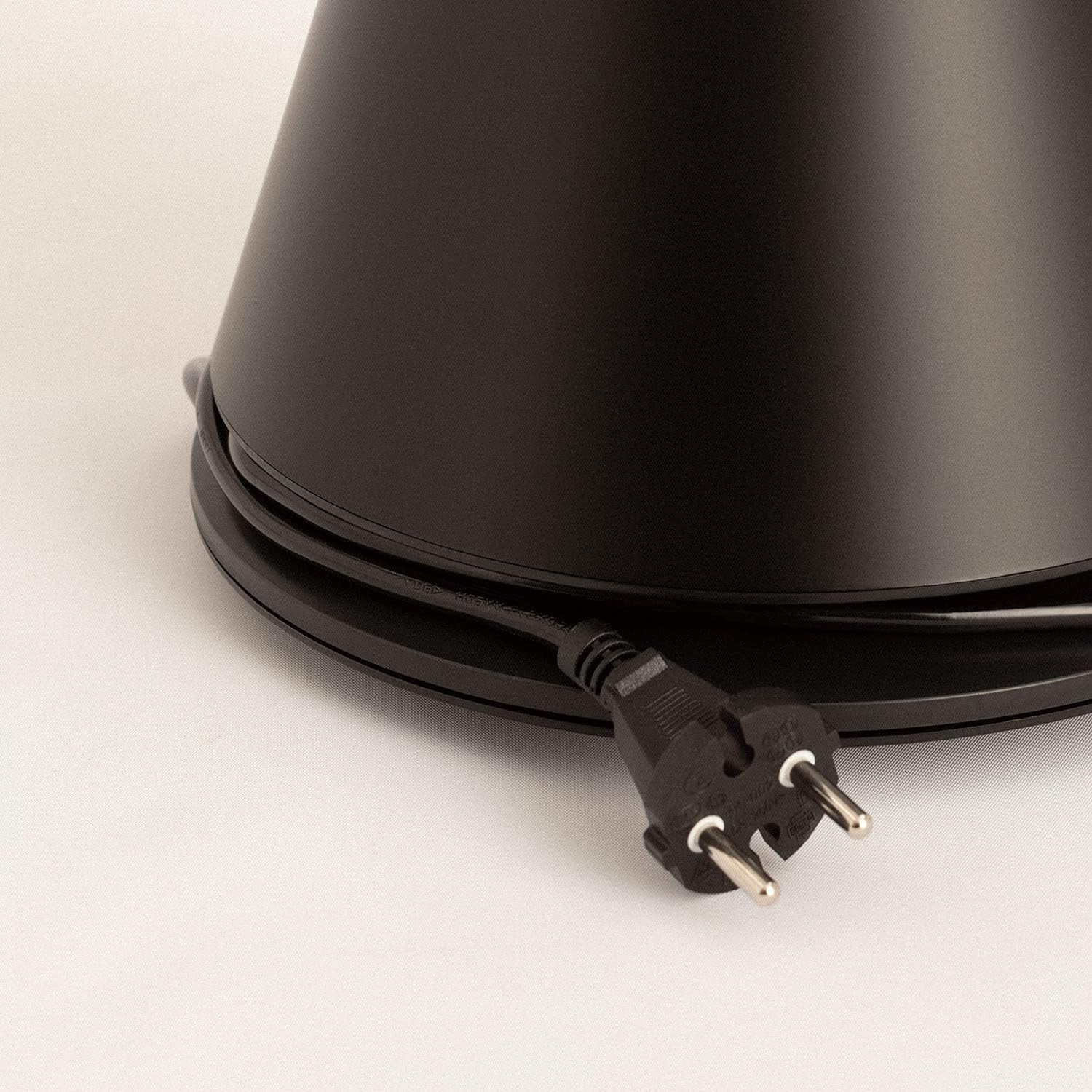
Image: Power cord connected to the fan base.
This image shows the integrated power cord and plug, ready for connection to a wall outlet. The cord is neatly wrapped around the base for storage.
5. Інструкція з експлуатації
Control Panel (Digital Display Touch-System)
The fan features a digital display touch-system on its top, which also serves as the integrated remote control storage. Touch the icons to control the fan.
Пульт дистанційного керування
The magnetic remote control can be stored conveniently on top of the fan. It provides full functionality for operating the fan from a distance.

Image: Remote control for the tower fan.
This image displays the compact remote control with clearly labeled buttons for power, speed adjustment, mode selection, and oscillation control.
функції:
- Увімкнення/вимкнення живлення: Натисніть кнопку живлення (⏻), щоб увімкнути або вимкнути вентилятор.
- Регулювання швидкості: The fan has 9 speed levels. Use the '+' and '-' buttons to increase or decrease the fan speed.
- Режими вітру: Select between 2 wind modes (e.g., Normal, Sleep, Natural - specific modes may vary). Press the mode button to cycle through available modes.
- Коливання: Натисніть кнопку коливання (↻) to activate or deactivate the 90-degree oscillation feature, which distributes air evenly across the room.
- Таймер: Set the fan to automatically turn off after a specified period. Refer to the display for timer settings (e.g., 1-12 hours).

Image: Tower fan placed in a bedroom.
This image shows the sleek black tower fan positioned in a modern bedroom, demonstrating its compact footprint and aesthetic integration into a living space.
6. Технічне обслуговування
Регулярне очищення допоможе підтримувати продуктивність вентилятора та продовжити термін його служби.
- Очищення зовнішньої частини: Протріть зовнішні поверхні вентилятора м’якою тканиноюamp тканина. Не використовуйте абразивні засоби чи розчинники.
- Видалення пилу: Використовуйте пилосос зі щіткою-насадкою або стиснене повітря, щоб видалити пил з решіток впускного та випускного отворів повітря.
- Зберігання: Якщо вентилятор зберігатиметься протягом тривалого часу, від’єднайте його від мережі, ретельно очистіть та зберігайте у прохолодному сухому місці, бажано в оригінальній упаковці.
- Не занурюйте вентилятор у воду чи будь-яку іншу рідину.
7. Вирішення проблем
| проблема | Можлива причина | Рішення |
|---|---|---|
| Вентилятор не вмикається. | Not plugged in; Power outlet not working; Power button not pressed. | Переконайтеся, що вентилятор надійно підключено до робочої розетки. Натисніть кнопку живлення. |
| Слабкий потік повітря. | Low speed setting; Air inlets/outlets blocked by dust. | Increase the fan speed. Clean the air inlets and outlets. |
| Вентилятор шумить. | Fan not on a level surface; Internal obstruction; High speed setting. | Place the fan on a flat, stable surface. Check for any obstructions. Reduce fan speed. |
| Не працює пульт дистанційного керування. | Розряджені або неправильно вставлені батарейки; Перешкода між пультом дистанційного керування та вентилятором. | Replace batteries, ensuring correct polarity. Remove any obstructions. Ensure remote is pointed at the fan. |
8. Технічні характеристики
| Особливість | Деталь |
|---|---|
| Бренд | СТВОРИТИ |
| Номер моделі | 901ac5f5-3fab-4ab6-92cb-7ef7d8ca7a54 |
| Розміри продукту | 102 x 23 x 102 cm (approx. 23D x 23W x 102H cm) |
| вага | 2.6 кілограма |
| Колір | чорний |
| Джерело живлення | Провідний електричний |
| томtage | 230 вольт |
| Wattage | 26 Вт |
| Рівень шуму | 2 dB (Note: This value seems unusually low based on customer reviews, typical fan noise is higher. Please refer to actual product performance.) |
| Кількість швидкостей | 9 |
| Особливості | Oscillating, Lightweight, DC Motor, Timer, Remote Control |
9. Гарантія та підтримка
CREATE products are manufactured to the highest quality standards. For information regarding warranty coverage, please refer to the warranty card included with your purchase or visit the official CREATE webсайт.
For technical support, troubleshooting assistance, or spare parts, please contact CREATE customer service. Contact details can typically be found on the product packaging or the official brand webсайт.
Webсайт: CREATE Official Store


