1. Вступ
The KAIWEETS HT106D Socket Tester is designed to quickly and accurately detect common wiring faults in standard electrical sockets and RCD (Residual Current Device) protected circuits. It features a clear LED display for voltage measurement and intuitive LED indicators for wiring status. This manual provides essential information for the safe and effective use of your device.
2. Інформація про безпеку
Будь ласка, уважно прочитайте всі попередження та інструкції з техніки безпеки перед використанням цього виробу. Недотримання цих інструкцій може призвести до ураження електричним струмом, пожежі або серйозних травм.
- This device is rated CAT II 300V. Do not use it for measurements exceeding this rating.
- Не використовуйте тестер, якщо він виглядає пошкодженим або працює неналежним чином.
- Do not use the tester in wet conditions or with wet hands.
- Always ensure the socket is de-energized before performing any wiring work. This tester is for verification only.
- The RCD test function may trip the circuit breaker. Ensure all sensitive equipment is saved or turned off before performing an RCD test.
- Important Note for 3x230V installations without neutral (common in Belgium): This tester may not function correctly or provide accurate readings in 3x230V installations without a neutral wire. It is primarily designed for systems with a neutral connection.
- Зберігати в недоступному для дітей місці.
3. Продукт закінчивсяview
The KAIWEETS HT106D Socket Tester is a compact and robust device designed for ease of use. It features a digital display for voltage and a series of LED indicators to show wiring status.

малюнок 1: Фронт view of the KAIWEETS HT106D Socket Tester, showing the digital voltage display, LED indicators, and RCD test button.
3.1 Компоненти
- Plug Pins: For insertion into the electrical socket.
- Світлодіодні індикатори: Red LEDs that illuminate in various patterns to indicate wiring status.
- Цифровий дисплей: Показує виміряний об'ємtage.
- RCD Test Button: Initiates the RCD trip test.
- Wiring Status Chart: Printed on the device for quick reference.
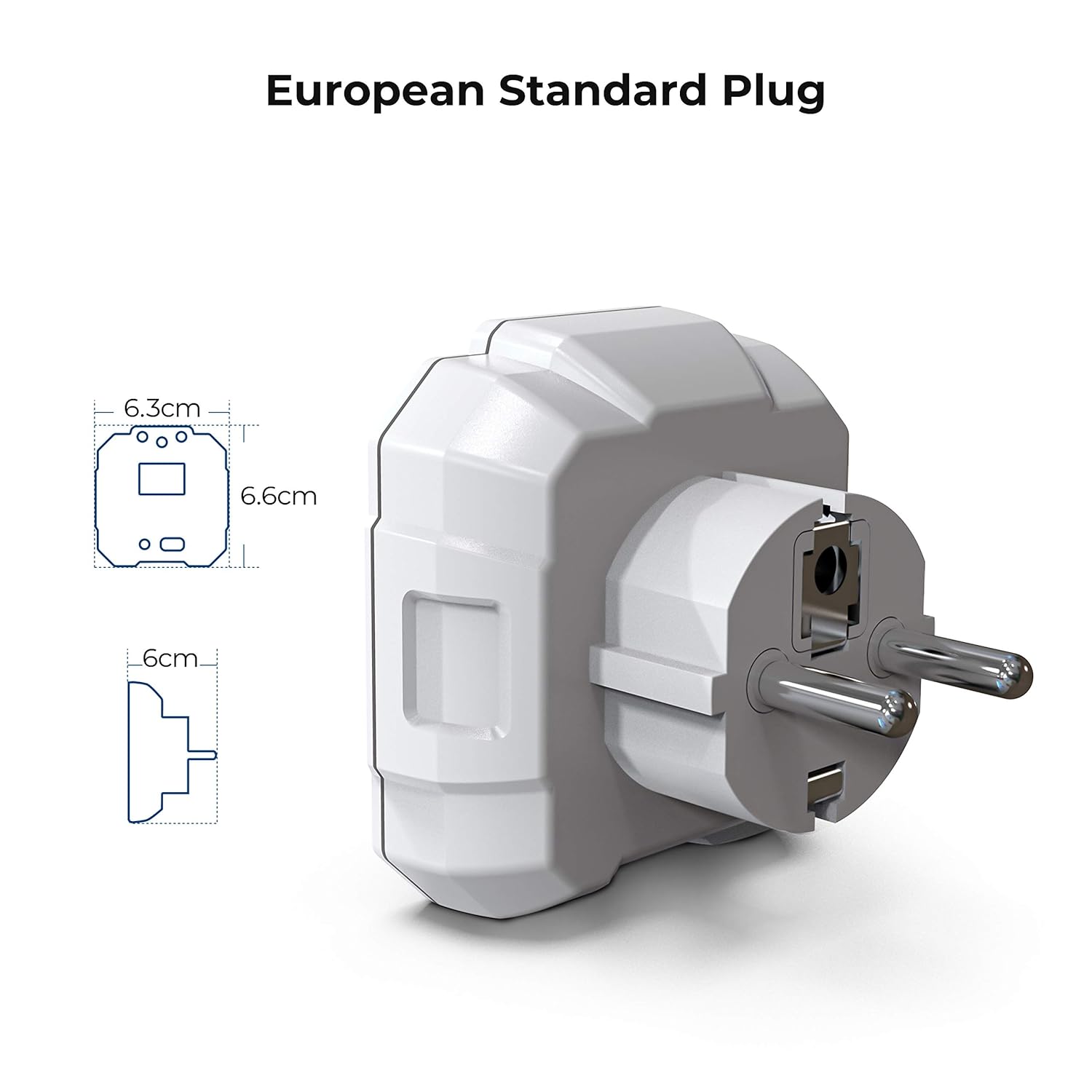
малюнок 2: Diagram illustrating the dimensions of the KAIWEETS HT106D European standard plug.
4. Налаштування
The KAIWEETS HT106D Socket Tester comes with 2 AAA batteries included and pre-installed. No initial setup is required beyond ensuring the batteries are correctly seated if the device does not power on.
4.1 Встановлення/заміна батареї
If battery replacement is needed, carefully open the battery compartment, insert 2 AAA batteries observing polarity, and close the compartment securely.

малюнок 3: Задня view of the KAIWEETS HT106D Socket Tester, showing the battery compartment location.
5. Інструкція з експлуатації
The HT106D is designed for simple plug-and-play operation. Once plugged into a live socket, it automatically performs a wiring check and displays the voltage.
5.1 Basic Wiring Test
- Insert the KAIWEETS HT106D Socket Tester into the socket you wish to test.
- Observe the LED indicators on the front panel. The pattern of illuminated red LEDs will correspond to a specific wiring condition.
- Refer to the wiring status chart printed on the device or in Section 5.4 of this manual to interpret the results.

малюнок 4: Visual representation of the 7 circuit conditions detected by the HT106D, with corresponding LED patterns.
5.2 томtage Вимірювання
Upon insertion into a live socket, the digital display on the HT106D will automatically show the measured voltage of the socket. This provides an immediate reading of the electrical supply.

малюнок 5: Крупним планом view of the digital display showing the measured voltage.
5.3 RCD Test
The RCD test function verifies the operation of Residual Current Devices (RCDs) by simulating an earth fault condition. This test should only be performed on RCD-protected circuits.
- Plug the HT106D into an RCD-protected socket.
- Ensure the wiring status indicates 'Correct' before proceeding.
- Натисніть Кнопка тестування ПЗВ (located at the bottom of the device).
- If the RCD is functioning correctly, it should trip, cutting power to the circuit. The tester's lights will go out.
- If the RCD does not trip, it indicates a potential fault with the RCD device, and further investigation by a qualified electrician is recommended.
- To restore power, reset the RCD at your consumer unit.
Caution: Performing an RCD test will temporarily cut power to the circuit. Save any unsaved work on computers or other electronic devices before initiating the test.

малюнок 6: The KAIWEETS HT106D plugged into a socket, ready for or performing an RCD test.
5.4 Розуміння світлодіодних індикаторів
The HT106D uses a combination of three red LEDs to indicate the wiring status. Refer to the table below for interpretation:
| Світлодіодний шаблон | Стан проводки | опис |
|---|---|---|
| ● ● ● (All three LEDs ON) | Правильно | The wiring is correct. |
| ● ○ ○ (Left LED ON) | Відкритий ґрунт | The earth wire is not connected. |
| ○ ● ○ (Middle LED ON) | Відкрити Нейтрально | The neutral wire is not connected. |
| ○ ○ ● (Right LED ON) | Відкрити Live | The live wire is not connected. |
| ● ● ○ (Left & Middle LEDs ON) | Live/Ground Reverse | The live and earth wires are reversed. |
| ○ ● ● (Middle & Right LEDs ON) | Live/Neutral Reverse | Фазний та нульовий дроти переплутані. |
| ● ○ ● (Left & Right LEDs ON) | Live/Ground Reverse, Missing Ground | The live and earth wires are reversed, and the earth connection is missing. |
Примітка: '●' indicates an illuminated LED, '○' indicates an unlit LED.
6. Технічні характеристики
| Особливість | Специфікація |
|---|---|
| Модель | HT106D |
| Робочий випtage Дальність | 48 В - 250 В змінного струму |
| Діапазон частот | 50 Гц - 60 Гц |
| RCD Test Current | >30 мА |
| Рейтинг безпеки | CAT II 300V, CE |
| Джерело живлення | 2 батареї AAA (у комплекті) |
| Розміри | Приблизно 7.9 х 7.5 х 7.5 см |
| вага | Приблизно 80 грам |
| Тип вилки | European Standard 2-pin |
| Колір | Білий |
7. Технічне обслуговування
- Прибирання: Протирайте пристрій сухою м’якою тканиною. Не використовуйте абразивні засоби для чищення або розчинники.
- Зберігання: Зберігайте тестер у прохолодному, сухому місці, подалі від прямих сонячних променів та екстремальних температур. У разі тривалого зберігання вийміть батарейки, щоб запобігти витіканню.
- Огляд: Periodically inspect the device for any signs of damage, such as cracks in the casing or bent pins. Do not use if damaged.
8. Вирішення проблем
- Пристрій не вмикається: Перевірте, чи правильно встановлено батарейки та чи достатньо вони заряджені. За потреби замініть батарейки.
- No LED indication or voltagелектронний дисплей: Ensure the socket is live and functioning. Test with a known working socket. If still no indication, the device may be faulty.
- RCD test does not trip the circuit: Ensure the socket is RCD-protected. If it is, and the RCD does not trip, the RCD itself may be faulty and requires inspection by a qualified electrician.
- Неточно обtagелектронне читання: Ensure the tester is fully inserted into the socket. If the reading is consistently off, compare with another calibrated voltage метр.
9. Гарантія та підтримка
KAIWEETS offers a 36-month service and technical support for the HT106D Socket Tester. If you encounter any issues or require assistance, please contact KAIWEETS customer support through their official webсайт або роздрібний продавець, де було придбано товар.
For technical support or warranty claims, please have your model number (HT106D) and proof of purchase ready.


