1. Вступ
This instruction manual provides detailed information for the Intel Core i9-10900K Desktop Processor, covering installation, operation, maintenance, troubleshooting, and technical specifications. It is designed to assist users in setting up and optimizing their processor for high-performance computing. The Intel Core i9-10900K is an unlocked 10th Gen desktop processor featuring Intel Turbo Boost Max Technology 3.0, optimized for enthusiast gamers and serious creators, delivering high-performance overclocking capabilities. Please note that a thermal solution is not included and the processor is compatible only with 400 series chipset based motherboards. It operates at 125W.
2. Продукт закінчивсяview
The Intel Core i9-10900K processor offers advanced features for demanding applications:
- 10 Cores / 20 Threads: Provides exceptional multitasking and processing power.
- Socket Type LGA 1200: Ensures compatibility with specific motherboard chipsets.
- Up to 5.3 GHz Unlocked: Allows for advanced overclocking to achieve higher performance.
- Compatible with Intel 400 Series Chipset Based Motherboards: Essential for proper system integration.
- Intel Turbo Boost Max Technology 3.0 Support: Dynamically increases processor frequency for demanding workloads.
- Підтримка пам'яті Intel Optane: Покращує швидкість реагування системи та пришвидшує доступ до даних.
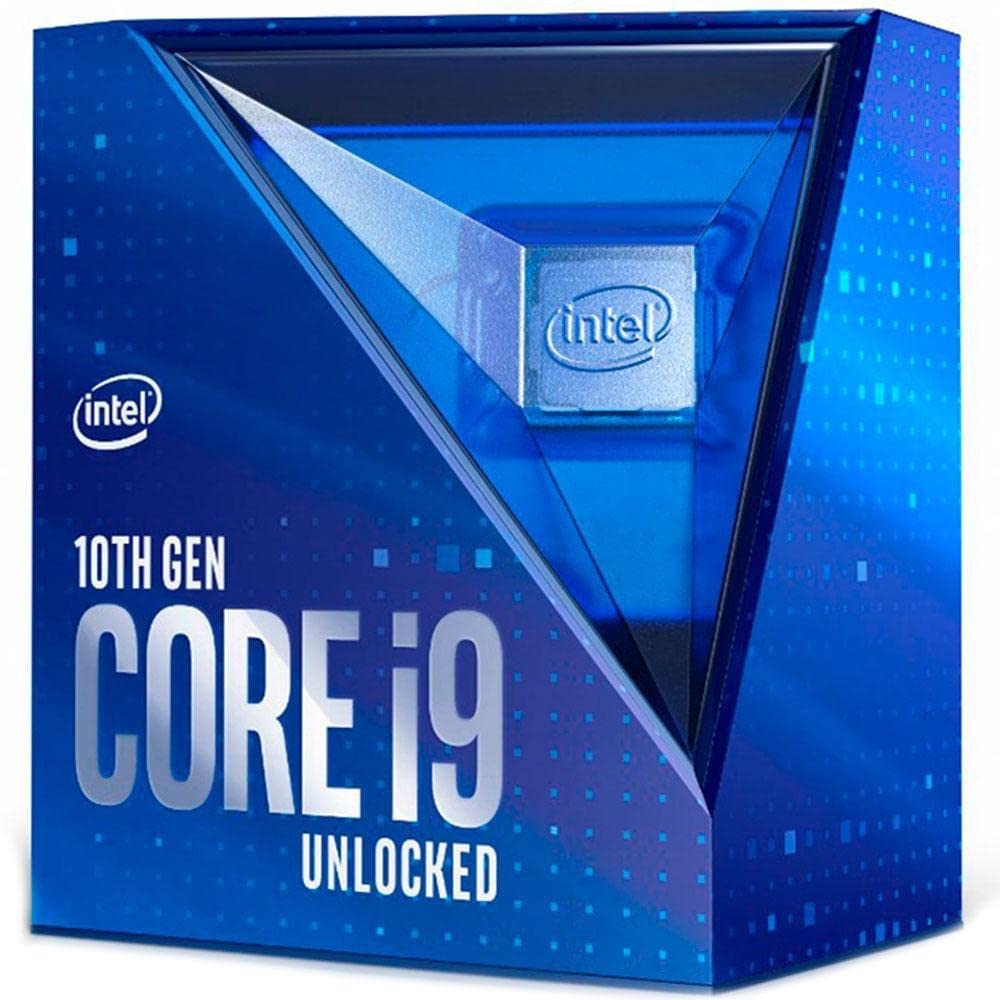
Figure 2.1: Retail packaging for the Intel Core i9-10900K Desktop Processor. This box contains the processor and documentation.
Відео про продуктview
Відео 2.1: Посадовець надview of the 10th Gen Intel Core Boxed Processor Family, highlighting key features and performance benefits.
3. Налаштування та встановлення
Installing your Intel Core i9-10900K processor requires careful handling and adherence to specific steps. Ensure your system is powered off and unplugged before beginning installation.
- Сумісність материнської плати: Verify that your motherboard uses the LGA 1200 socket and an Intel 400 series chipset. Refer to your motherboard's manual for specific compatibility details.
- Підготуйте розетку: Gently lift the load plate lever on the CPU socket. Open the load plate.
- Встановіть процесор: Carefully align the processor with the socket, matching the two alignment notches on the processor with the corresponding keys on the socket. Ensure the gold triangle on the processor aligns with the triangle on the socket. Lower the processor straight down into the socket without forcing it.
- Захистіть процесор: Close the load plate and push the load plate lever back into its locked position. This will secure the processor firmly in the socket.
- Нанесіть термопасту: Нанесіть невелику кількість високоякісної термопасти на центр інтегрованого теплорозподільника (IHS) процесора.
- Встановлення теплового рішення: Attach a compatible thermal solution (CPU cooler) to the motherboard, ensuring it makes firm contact with the processor's IHS. This processor does not include a thermal solution, so a separate cooler is required.
- Підключіть живлення: Підключіть кабель живлення вентилятора процесора до відповідного роз'єму на материнській платі.
Важливо: Always handle the processor by its edges to avoid touching the gold contacts or the top surface. Incorrect installation can damage the processor or motherboard.
4. Операція
The Intel Core i9-10900K is designed for high-performance computing across various tasks, including gaming, content creation, and demanding applications. Its unlocked nature allows for advanced customization.
- Стандартна операція: The processor will automatically adjust its clock speed based on workload demands, utilizing Intel Turbo Boost Max Technology 3.0 to reach higher frequencies when needed.
- Розгін: As an unlocked processor, the i9-10900K allows for manual adjustment of core frequency, voltage, and other parameters through the motherboard BIOS/UEFI or Intel Extreme Tuning Utility (XTU). Overclocking can provide additional performance but requires adequate cooling and may void your warranty if not performed correctly. Consult Intel's official resources for safe overclocking guidelines.
- Термічний моніторинг: Modern motherboards and operating systems provide tools to monitor CPU temperature. Ensure your thermal solution is effectively dissipating heat to prevent thermal throttling and maintain optimal performance.
5. Технічне обслуговування
Proper maintenance ensures the longevity and optimal performance of your Intel Core i9-10900K processor.
- Система охолодження: Regularly inspect and clean your CPU cooler (heatsink and fan or liquid cooler radiator) to remove dust buildup. Dust can impede airflow and reduce cooling efficiency.
- Термопаста: Over time, thermal paste can dry out and become less effective. If you notice consistently high temperatures, consider reapplying fresh thermal paste. This typically involves removing the cooler, cleaning old paste, and applying new paste.
- Системне середовище: Ensure your computer case has good airflow and is kept in a clean, dust-free environment to minimize internal dust accumulation.
6. Вирішення проблем
Якщо у вас виникли проблеми з процесором Intel Core i9-10900K, виконайте такі дії з усунення несправностей:
- Немає дисплея/Система не завантажується:
- Verify the processor is correctly seated in the LGA 1200 socket.
- Переконайтеся, що всі кабелі живлення (24-контактний ATX, 8-контактний процесор) надійно підключені до материнської плати.
- Перевірте, чи правильно встановлено модулі оперативної пам'яті.
- Confirm your motherboard BIOS/UEFI is updated to support the 10th Gen processor.
- Overheating/Thermal Throttling:
- Ensure the CPU cooler is correctly installed and making firm contact with the processor.
- Verify thermal paste application is adequate and evenly spread.
- Check that CPU fan(s) are spinning and connected to the correct headers.
- Clean any dust from the heatsink or radiator.
- Improve case airflow by managing cables and adding/adjusting case fans.
- Нестабільність/збої системи:
- If overclocked, revert to default CPU settings in BIOS/UEFI to rule out overclocking instability.
- Переконайтеся, що всі драйвери (чіпсет, відеокарта) оновлені.
- Запустіть інструменти діагностики пам'яті, щоб перевірити наявність проблем з оперативною пам'яттю.
For further assistance, refer to your motherboard's manual or Intel's official support webсайт.
7. Технічні характеристики
| Особливість | Деталь |
|---|---|
| Базова частота процесора | 3.7 ГГц |
| Максимальна турбо частота | 5.3 ГГц |
| Ядра | 10 |
| Нитки | 20 |
| Тип розетки | LGA 1200 |
| TDP | 125 Вт |
| Кеш | 20 МБ кешу Intel Smart |
| Максимальний розмір пам'яті | 128 ГБ |
| Типи пам'яті | DDR4-2933 |
| Версія PCI Express | 3.0 |
| Максимальна кількість ліній PCI Express | 16 |
| Сумісні чіпсети | Чипсет Intel 400 серії |
| Номер моделі товару | BX8070110900K |
| Вага товару | 2.64 унції |
| Розміри продукту | 3.54 x 5.24 x 6.1 дюймів |
8. Гарантія та підтримка
Intel provides a standard warranty for its processors. For detailed information regarding your product's warranty, including terms, conditions, and duration, please visit the official Intel website. You can also find comprehensive support resources, drivers, and utility software there.
- Official Intel Support: For technical assistance, FAQs, and driver downloads, visit Підтримка Intel.
- Інформація про гарантію: Details on processor warranties can be found at Intel Processor Warranty.
Зберігайте підтвердження покупки для гарантійних претензій.


