1. Продукт закінчивсяview
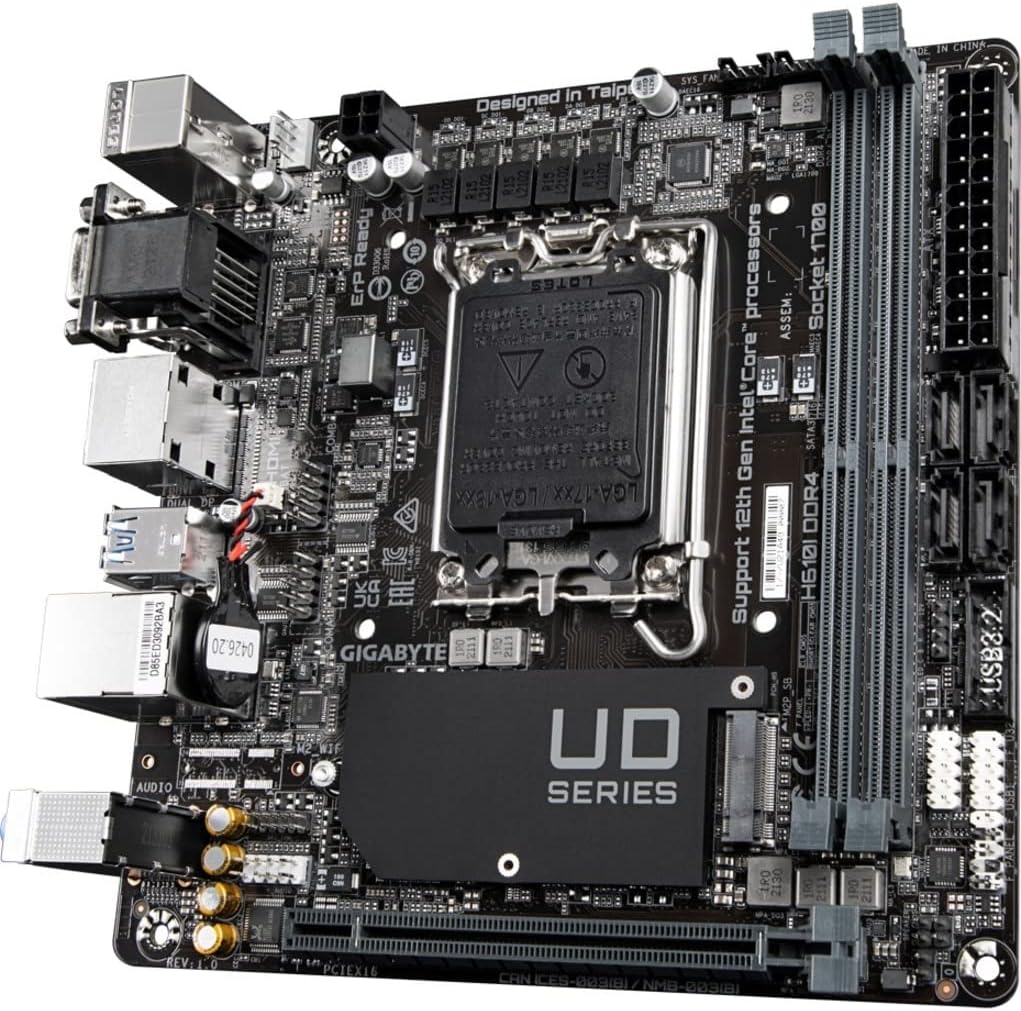
The GIGABYTE H610I DDR4 is a Mini-ITX motherboard designed to support 12th Generation Intel Core Series Processors. It offers a robust platform for building compact yet powerful systems, suitable for various applications from gaming to everyday computing. This motherboard integrates essential features for reliable performance and connectivity.
Ключові характеристики:
- Роз'єм Intel LGA 1700: Supports 12th Gen Intel Core Series Processors.
- Сумісність з DDR4: Features Dual Channel Non-ECC Unbuffered DDR4 memory support with 2 DIMM slots.
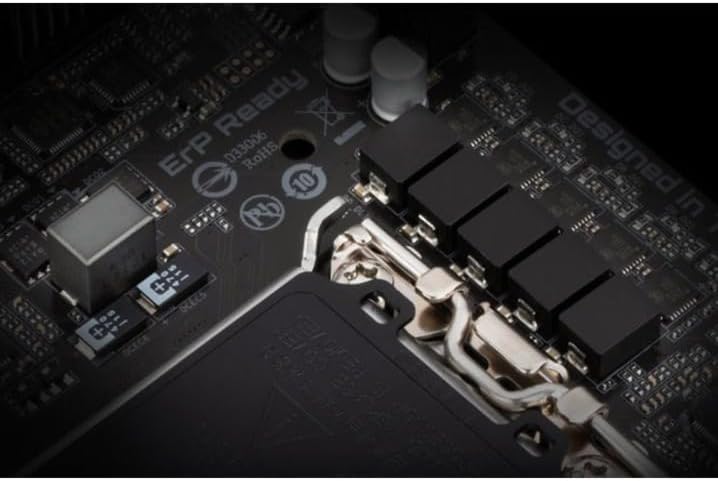
- Дизайн з потужним керуванням: Equipped with a 4+1+1 Hybrid Digital VRM Design for stable power delivery.
- Розширене підключення: Includes PCIe 4.0 support, a Single NVMe PCIe 3.0 x4 M.2 slot, and USB 3.2 Gen1 ports.
- Швидка мережа: Integrated Intel GbE LAN Chip for reliable wired network connections.
- Динамічний звук: Features High Quality Audio Capacitors and Audio Noise Guard for enhanced sound experience.


2. Налаштування та встановлення
Follow these steps for proper installation of your GIGABYTE H610I DDR4 motherboard and its components.
2.1 Встановлення процесора
- Знайдіть роз'єм процесора LGA 1700 на материнській платі.
- Відкрийте важіль роз'єму процесора та зніміть захисну кришку.
- Carefully align your 12th Gen Intel Core processor with the socket, ensuring the notches on the CPU match the keys on the socket.
- Обережно вставте процесор у роз'єм, не докладаючи зусиль.
- Закрийте важіль роз'єму процесора, щоб закріпити процесор.

2.2 Встановлення пам'яті DDR4
- Знайдіть два слоти DDR4 DIMM на материнській платі.
- Відкрийте затискачі з обох кінців гнізда DIMM.
- Зіставте виїмку на модулі пам'яті DDR4 з ключем у гнізді DIMM.
- Щільно вставте модуль пам'яті в гніздо, доки затискачі не зафіксуються на місці.
2.3 Installing NVMe M.2 SSD
- Locate the single NVMe PCIe 3.0 x4 M.2 slot.
- Викрутіть гвинт M.2 та вирівняйте стійку з материнської плати.
- Вставте твердотільний накопичувач M.2 у слот під кутом.
- Gently push down the M.2 SSD and secure it with the screw and standoff.
2.4 Підключення живлення
- Підключіть 24-контактний основний роз'єм живлення ATX від блока живлення до відповідного роз'єму на материнській платі.
- Connect the 8-pin CPU power connector (or 4-pin if applicable) to the CPU power header.
2.5 Підключення передньої панелі та периферійних пристроїв
Connect your case's front panel headers (power button, reset button, USB, audio) to the corresponding pins on the motherboard. Refer to your case manual for specific pin layouts. Connect peripherals such as USB devices, display cables, and network cables to the rear I/O ports.
3. Інструкція з експлуатації
3.1 Initial Boot-up and BIOS/UEFI Setup
- Після складання всіх компонентів підключіть монітор, клавіатуру та мишу.
- Power on your system. During the boot process, press the DEL кілька разів поспіль, щоб увійти до утиліти налаштування BIOS/UEFI.
- In the BIOS/UEFI, you can configure boot order, system time, and other advanced settings. Save changes and exit to continue booting into your operating system installer.
3.2 Встановлення драйвера
After installing your operating system, install the necessary drivers for the motherboard components. These typically include chipset drivers, LAN drivers, audio drivers, and any other peripheral drivers. Drivers can usually be found on the GIGABYTE official webсайт для вашої конкретної моделі материнської плати.
4. Технічне обслуговування
4.1 Очищення
Regularly clean your computer's interior to prevent dust buildup, which can lead to overheating and reduced performance. Use compressed air to remove dust from fans, heatsinks, and other components. Ensure the system is powered off and unplugged before cleaning.
4.2 Оновлення BIOS/UEFI
Періодично перевіряйте GIGABYTE website for BIOS/UEFI updates. Updates can improve system stability, add support for new hardware, or fix bugs. Follow the instructions provided by GIGABYTE carefully when performing a BIOS/UEFI update to avoid system damage.
5. Вирішення проблем
У цьому розділі розглядаються поширені проблеми, з якими можна зіткнутися під час використання вашої материнської плати.
5.1 Немає виводу на дисплей
- Перевірте підключення монітора: Ensure your monitor is correctly connected to the graphics card or motherboard's integrated graphics port and is powered on.
- Verify RAM Installation: Reseat the DDR4 memory modules firmly in their slots. Incorrectly seated RAM is a common cause of no display.
- Потужність ЦП: Confirm the 8-pin (or 4-pin) CPU power connector is securely plugged into the motherboard.
- Відеокарта: If using a dedicated graphics card, ensure it is properly seated in the PCIe slot and has all necessary power cables connected.
- Bent CPU Pins: Carefully inspect the CPU socket for any bent pins. If found, contact GIGABYTE support.
5.2 System Unresponsive / Does Not Boot
- Джерело живлення: Ensure the power supply is connected to the motherboard (24-pin ATX and CPU power) and is switched on.
- Очистити CMOS: Try clearing the CMOS (Complementary Metal-Oxide-Semiconductor) settings. This can usually be done by removing the CMOS battery for a few minutes or using a dedicated jumper on the motherboard.
- Мінімальна конфігурація завантаження: Disconnect all non-essential peripherals and components (e.g., extra storage drives, expansion cards) and attempt to boot with only the CPU, one RAM stick, and the graphics card (if no integrated graphics).
5.3 RAM Slot Malfunction
- If one of the two DDR4 RAM slots is not functioning, try testing each RAM stick individually in each slot to isolate the faulty component (RAM stick or motherboard slot).
- Ensure the RAM is compatible with the motherboard's specifications (DDR4, Non-ECC Unbuffered).
6. Технічні характеристики
| Особливість | Специфікація |
|---|---|
| Бренд | GIGABYTE |
| Назва моделі | H610I DDR4 |
| Гніздо ЦП | LGA 1700 |
| Сумісні процесори | 12th Gen Intel Core Series Processors |
| Тип чіпсета | Intel H610 |
| Технологія оперативної пам'яті | DDR4 (Dual Channel Non-ECC Unbuffered) |
| слоти пам'яті | 2 модулі DIMM |
| Тактова частота пам'яті | До 3200 МГц |
| PCIe слоти | PCIe 4.0 |
| Слоти M.2 | 1 x NVMe PCIe 3.0 x4 M.2 |
| USB порти | USB 3.2 Gen1, USB 2.0 |
| LAN | Intel GbE LAN Chip |
| Аудіо | High Quality Audio Capacitors and Audio Noise Guard |
| Форм-фактор | Міні-ITX |
| Розміри продукту | 8.74 x 7.09 x 2.56 дюймів |
| Вага товару | 1.3 фунта |
7. Відео про продукти
7.1 Відео з демонстрацією продукту
This video provides a brief demonstration of the GIGABYTE H610I DDR4 Mini-ITX Motherboard, showcasing its physical features and design. (Duration: 0:35)
7.2 продукт закінченоview відео
Посадовець надview video detailing the features and benefits of the GIGABYTE H610I DDR4 Mini-ITX Motherboard. (Duration: 0:52)
8. Гарантія та підтримка
8.1 Інформація про гарантію
GIGABYTE products are covered by a limited warranty. The specific terms and duration of the warranty may vary by region and product type. Please refer to the warranty card included with your product or visit the official GIGABYTE webдля отримання детальної інформації про гарантію.
8.2 Технічна підтримка
Для отримання технічної допомоги, завантаження драйверів або додаткової інформації про продукт, будь ласка, відвідайте офіційний сайт підтримки GIGABYTE. webсайт. Ви можете знайти поширені запитання, посібники з усунення несправностей та контактну інформацію служби підтримки клієнтів.
Офіційний представник GIGABYTE Webсайт: www.gigabyte.com


