вступ
Welcome to the world of smart lighting with your new Feit Electric Smart Wi-Fi LED Bulbs. These bulbs offer advanced features including RGB color changing, tunable white light, dimming capabilities, and seamless control via the Feit Electric app, Alexa, or Google Assistant. This manual will guide you through the setup process and help you maximize your smart lighting experience.
Продукт закінченийview
Ключові характеристики
- Wi-Fi увімкнено: Control your bulbs from anywhere using the Feit Electric app (2.4 GHz Wi-Fi network required).
- Голосове керування: Compatible with Alexa and Google Home Assistant for hands-free operation.
- Color Changing & Tunable White: Choose from millions of colors and adjust white light from soft white to daylight.
- затемнення: Adjust brightness levels to suit any mood or activity.
- Scheduling & Grouping: Set routines, create groups for multiple bulbs, and customize scenes.
- Енергоефективний: 9W LED (60W equivalent) with a long lifespan of 25,000 hours.
Вміст упаковки
- Feit Electric Smart Wi-Fi LED Bulbs (3-pack)
- Інструкція з експлуатації

Image: The Feit Electric Smart Wi-Fi LED Bulb 3-pack, showing the product packaging and an illuminated bulb demonstrating its color-changing capabilities.
Важлива інформація з безпеки
Please read and understand all safety instructions before installing or using your Feit Electric Smart Wi-Fi LED Bulbs. Failure to do so may result in fire, electric shock, or other hazards.
- Ризик ураження електричним струмом: Do not use with wet hands or in wet locations.
- Тільки для використання в приміщенні: These bulbs are designed for indoor use in dry locations.
- Not for Emergency Exits: Не призначений для використання зі світильниками аварійних виходів або аварійними лампами.
- Сумісність з диммером: Not for use with standard dimmers. Dimmable only via the Feit Electric app or compatible voice assistants.
- Робоча температура: Ensure the operating environment is within the specified temperature range.
- Вимкніть перед встановленням: Always turn off the power to the fixture before installing or removing the bulb.
- Правильна утилізація: Dispose of bulbs according to local regulations.
Встановлення та налаштування
Step 1: Physical Installation
- Ensure the power to the light fixture is turned ВИМКНЕНО at the switch before installation.
- Carefully screw the Feit Electric Smart Wi-Fi LED Bulb into a standard E26 medium base socket.
- Увімкніть живлення ON at the switch. The bulb should blink rapidly, indicating it is in pairing mode. If it does not blink, turn the bulb off for 1 second and on for 2 seconds, repeating this 3 times.
Step 2: Download the Feit Electric App
Download the Feit Electric app on your smartphone or tablet. шукати "Feit Electric" in the Apple App Store or Google Play Store, or scan the QR code on the product packaging.
Дотримуйтесь інструкцій у додатку, щоб створити обліковий запис або увійти.
Крок 3. Підключіться до Wi-Fi
- Open the Feit Electric app and tap the + icon in the top right corner to add a device.
- Select "Lighting" and then "Light Source (Wi-Fi)".
- Confirm that your bulb is blinking rapidly. If not, reset it by turning it off for 1 second and on for 2 seconds, repeating 3 times.
- Введіть назву та пароль вашої мережі Wi-Fi 2.4 ГГц. Note: The bulbs only support 2.4 GHz Wi-Fi networks.
- The app will begin pairing with your bulb. Once connected, you can rename your bulb for easier control.
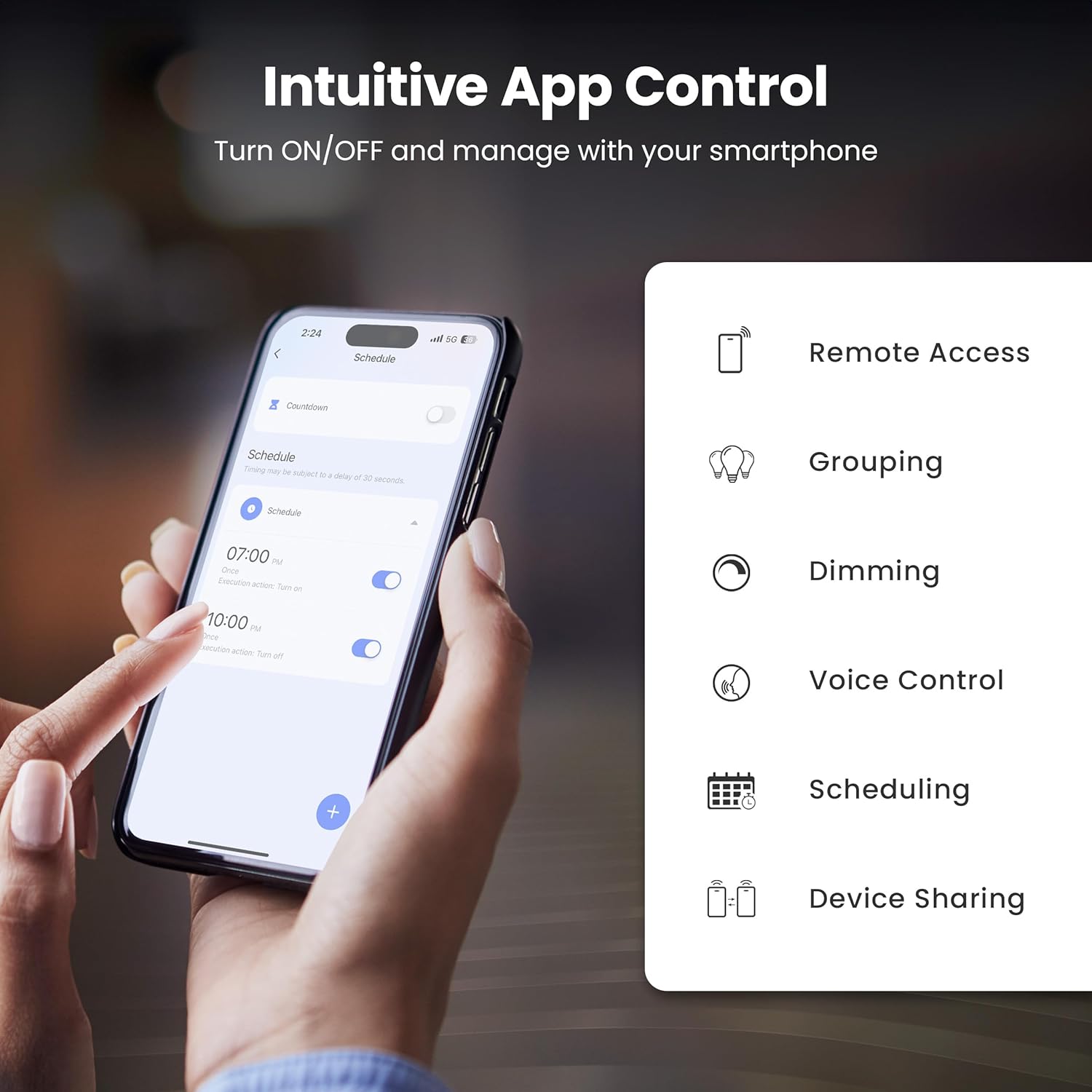
Image: A smartphone screen showing the Feit Electric app interface, demonstrating scheduling features for smart bulbs.

Image: A smartphone screen showing the Feit Electric app with a color wheel, allowing users to select from millions of colors for their smart bulb.
Керування розумною лампочкою
Basic Controls (App)
- Увімкнення/вимкнення: Торкніться значка лампочки в додатку, щоб увімкнути або вимкнути її.
- Затемнення: Use the brightness slider in the app to adjust the light intensity from 1% to 100%.
Color Changing and Tunable White
- Вибір кольору: In the app, navigate to the color section to choose from a spectrum of millions of colors.
- Регульований білий: Adjust the white light temperature from warm soft white (2700K) to cool daylight (6500K) to suit your preference.

Image: A smartphone displaying the Feit Electric app with options for dimming and scheduling, positioned next to a wall-mounted lamp.

Image: A room interior bathed in a vibrant blue light from a smart bulb, demonstrating the color-changing capability.
Голосове керування
Integrate your Feit Electric Smart Bulbs with Amazon Alexa or Google Assistant for convenient voice control.
- Ensure your smart bulb is connected to the Feit Electric app.
- Open the Alexa or Google Home app and enable the "Feit Electric" skill/service.
- Підключіть свій обліковий запис Feit Electric, коли буде запропоновано.
- Discover devices. Once discovered, you can use voice commands such as:
- "Алексо, увімкни світло у вітальні."
- «Гей, Google, зменш світло в спальні до 50%.»
- "Alexa, change the kitchen light to blue."

Image: An Amazon Echo Dot device alongside logos for Feit Electric and Google Home, illustrating compatibility with voice assistants.
Scheduling and Grouping
- Розклади: Set specific times for your lights to turn on/off, dim, or change color. Access this feature in the Feit Electric app's "Schedule" section.
- групи: Combine multiple bulbs into a single group (e.g., "Living Room Lights") to control them simultaneously. This is managed in the app's "Groups" section.
- Сцени: Create custom lighting presets for different activities or moods (e.g., "Movie Night," "Reading").

Image: A smartphone screen showing the Feit Electric app's scheduling interface, allowing users to set automated routines for their smart lights.

Image: The Feit Electric app interface demonstrating how multiple smart bulbs can be grouped and controlled by specific areas or rooms, such as the Kitchen, Dining Room, and Living Room.
Догляд та обслуговування
- Прибирання: Перед чищенням переконайтеся, що лампочка вимкнена та охолонула. Протріть м’якою сухою тканиною. Не використовуйте рідкі або абразивні засоби для чищення.
- Заміна: These LED bulbs have a long lifespan. When replacement is necessary, ensure power is off before unscrewing the old bulb and installing a new one.
- Зберігання: Якщо зберігаєте цибулини, тримайте їх у прохолодному, сухому місці, подалі від прямих сонячних променів та екстремальних температур.
Усунення несправностей
| проблема | Рішення |
|---|---|
| Bulb not connecting to Wi-Fi. |
|
| Bulb frequently disconnects from Wi-Fi. |
|
| Голосове керування не працює. |
|
| Bulb is unresponsive in the app. |
|
Технічні характеристики
| Специфікація | Значення |
|---|---|
| Номер моделі | OM60/RGBW/CA/AG/3 |
| Тип світла | LED |
| Wattage | 9 Вт (еквівалент 60 Вт) |
| Яскравість | 800 люменів |
| Колірна температура | 2700K - 6500K (Tunable White) + RGB Color Changing |
| Розмір форми лампи | A19 |
| Основа лампи | E26 Середній |
| томtage | 120 вольт |
| Спосіб контролю | App, Voice (2.4 GHz Wi-Fi) |
| Середнє життя | 25,000 години |
| Використання в приміщенні/зовні | закритий |
| Розміри продукту | 2.4 см (Ш) x 4.3 см (В) |

Image: A visual representation of the bulb's specifications, including physical dimensions and electrical characteristics.
Гарантія та підтримка клієнтів
Інформація про гарантію
This Feit Electric Smart Wi-Fi LED Bulb comes with a one-year warranty. For warranty claims or assistance, please contact Feit Electric customer service.
Підтримка клієнтів
Щоб отримати цілодобову підтримку клієнтів, відвідайте довідковий центр Feit Electric або зв’яжіться з ними безпосередньо:
- Webсайт: help.feit.com
- Електронна пошта: info@feit.com
- Безкоштовний телефон: 1-866-326-БУЛБА

Image: Feit Electric customer support information, including a QR code and website link for 24/7 assistance.


