вступ
Welcome to your new TERIOS Mobile Game Controller. This manual provides detailed instructions for setup, operation, and maintenance to ensure optimal performance and an enhanced gaming experience across various platforms including Android smartphones, Windows PCs, and PlayStation 3 consoles. Please read this manual thoroughly before using the device.
Ключові характеристики
- Innovative Gaming: Designed to enrich your mobile gaming experience with precision and responsiveness.
- Широка сумісність: Connects via Bluetooth 4.0 to Android smartphones, and is compatible with Windows PC and PlayStation 3. Supports popular games like PUBG, Call of Duty, and Mobile Legends.
- Gaming Joysticks: Features dual analog sticks for comprehensive and precise control.
- Ергономічний дизайн: Comfortable grip with an integrated smartphone holder for extended gaming sessions.
- Турбофункція: Allows for rapid, continuous input with a single button press.
- Responsive Active Buttons: Includes 2 quick access buttons on the back and numerous action buttons for enhanced accuracy.
- Тривалий термін служби батареї: Up to 12 hours of continuous play on a single charge.
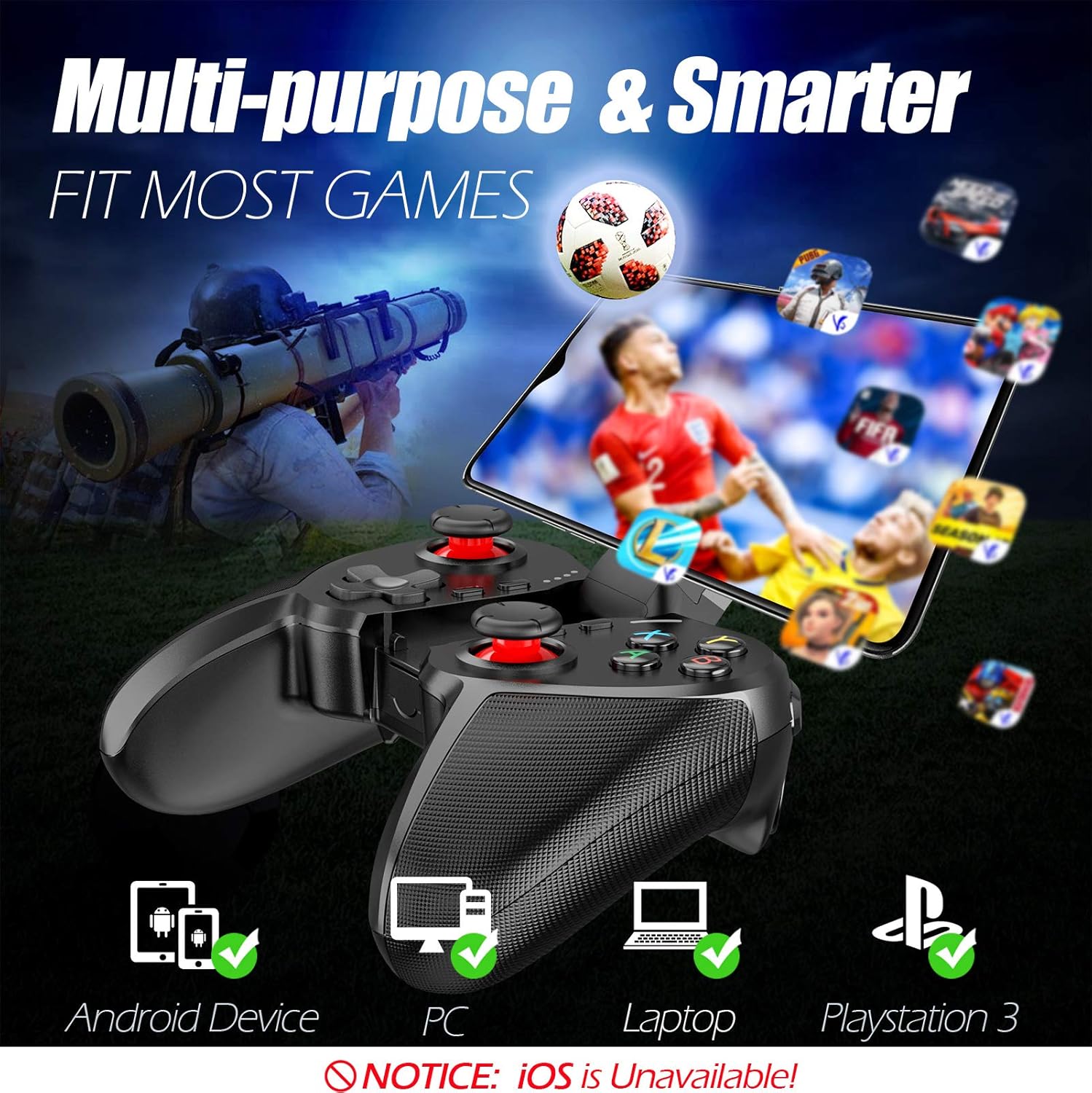
Figure 1: The TERIOS controller is compatible with Android devices, PCs, Laptops, and PlayStation 3.

Figure 2: Detail of the controller's built-in smartphone bracket, accurate buttons, and comfortable soft rubber grips.
Налаштування та підключення
1. Заряджання контролера
Before first use, fully charge the controller. Connect the provided Micro USB cable to the controller's charging port and the other end to a USB power source (e.g., computer USB port, USB wall adapter). The indicator lights will show charging status and turn off when fully charged.

Figure 3: The controller features a 400mAh battery, providing 12-14 hours of playtime with a 2-3 hour charging time.
2. Увімкнення/вимкнення живлення
- Щоб увімкнути: Натисніть і утримуйте ДІМ button for 2 seconds. The indicator lights will flash.
- Щоб вимкнути: Натисніть і утримуйте ДІМ button for 5 seconds until the indicator lights turn off. The controller will automatically power off after 5 minutes of inactivity.
3. Bluetooth Pairing (Android Smartphones / PS3)
- Переконайтеся, що контролер вимкнено.
- On your Android smartphone or PS3, enable Bluetooth.
- Натисніть і утримуйте ДІМ button on the controller until the indicator lights flash rapidly, indicating pairing mode.
- On your device, search for new Bluetooth devices. Select "TERIOS Gamepad" or similar from the list.
- Після підключення індикатор почне світитися постійно.
4. Підключення до ПК
For PC connection, the controller typically uses a USB dongle (often included). Insert the USB dongle into an available USB port on your PC. The controller should automatically connect. If not, press the ДІМ button to initiate connection.
5. Initial Setup and App (V3 App)
For optimal customization and compatibility with certain mobile games, it is recommended to download the V3 app from the Google Play Store. This app allows you to map virtual keys on your screen to the physical buttons of the controller.
- Download the "V3" app from the Google Play Store.
- Connect the TERIOS gamepad to your smartphone via Bluetooth.
- Open the V3 app and follow the on-screen instructions to customize key mappings for your desired games.

Figure 4: The V3 app allows for easy customization of virtual keys to match controller buttons, creating more combinations.
Інструкція з експлуатації
1. Розташування та функції кнопок

Figure 5: The TERIOS Mobile Game Controller with a smartphone securely mounted in its integrated holder.
- Лівий аналоговий стік: Первинний контроль руху.
- Правий аналоговий стік: Camera control or secondary movement.
- D-Pad (клавіша напрямку): Precise directional input.
- Кнопки ABXY: Standard action buttons (A, B, X, Y).
- L1/L2, R1/R2 Buttons: Shoulder and trigger buttons for various in-game actions.
- Кнопка ВИБІР: Зазвичай використовується для навігації по меню або для певних ігрових функцій.
- Кнопка ПУСК: Зазвичай використовується для паузи в іграх або доступу до меню.
- Кнопка "Додому: Powers on/off, enters pairing mode, and returns to home screen on some devices.
- Кнопка TURBO: Activates the turbo function for other buttons.
- Кнопка CLEAR: Deactivates the turbo function.

Figure 6: The dual analog sticks are designed for precise control and execution in games.
2. Функція Турбо
The Turbo function allows a button to be pressed repeatedly as long as you hold it down, which is useful for rapid-fire actions in games.
- Щоб активувати: Натисніть і утримуйте ТУРБО button, then press the desired action button (e.g., A, B, X, Y, L1, R1). Release both buttons. Now, holding down the action button will activate turbo fire.
- Щоб деактивувати: Натисніть і утримуйте ЯСНО button, then press the action button for which turbo was activated. Release both buttons.

Figure 7: The dedicated Turbo button enables rapid-fire functionality with one click.
3. Smartphone Holder Usage
The integrated smartphone holder can accommodate most smartphone sizes. Gently extend the holder and place your smartphone securely within the clamps. Ensure the phone is centered for balance.
Технічне обслуговування
- Прибирання: Використовуйте м’яку суху тканину для очищення контролера. Не використовуйте абразивні засоби для чищення або розчинники.
- Зберігання: Зберігайте контролер у прохолодному, сухому місці, подалі від прямих сонячних променів та екстремальних температур.
- Догляд за акумулятором: Щоб продовжити термін служби акумулятора, уникайте частого повного розряджання контролера. Регулярно заряджайте його, навіть якщо він не використовується протягом тривалого часу.
Усунення несправностей
| Випуск | Можлива причина | Рішення |
|---|---|---|
| Контролер не підключається через Bluetooth. | Controller not in pairing mode; device Bluetooth off; interference. | Ensure controller is in pairing mode (rapid flashing lights). Check device Bluetooth settings. Move closer to the device. Try restarting both controller and device. |
| Кнопки не реагують або реагують із затримкою. | Low battery; software glitch; interference. | Charge the controller fully. Restart the controller. Ensure no other strong wireless signals are nearby. For mobile games, check V3 app settings. |
| Контролер часто відключається. | Низький заряд батареї; занадто далеко від пристрою; перешкоди. | Charge the controller. Stay within the recommended Bluetooth range. Minimize wireless interference. |
| Функція турбо не працює. | Incorrect activation sequence; button not supported. | Ensure you press and hold TURBO, then press the desired action button, then release both. Some games or buttons may not fully support turbo. |
Технічні характеристики продукту
| Особливість | Деталь |
|---|---|
| Бренд | ТЕРІОС |
| Модель | Т-12 |
| Технологія підключення | Bluetooth 4.0 |
| Сумісні пристрої | Android Smartphones, Windows PC, PlayStation 3 |
| Джерело живлення | Живлення від батареї (літій-полімерний) |
| Ємність акумулятора | 400mAh (approx. 1.48 Watt Hours) |
| Час відтворення | До 12-14 годин |
| Час зарядки | 2-3 годин |
| Кількість кнопок | 16 (including ABXY, D-pad, analog sticks, L/R triggers/bumpers, Select, Start, Home, Turbo, Clear) |
| Особливості | Turbo Function, Dual Analog Sticks, In-built Smartphone Holder, Responsive Action Buttons |
| Розміри (упаковка) | 17 х 12.4 х 7.7 см |
| Вага (упаковка) | 310 г |
Інформація про гарантію та підтримку
The TERIOS Mobile Game Controller is designed for durability and performance. For any product-related inquiries, technical support, or warranty claims, please refer to the contact information provided with your purchase or visit the official TERIOS support webсайт. Будь ласка, збережіть підтвердження покупки для гарантійних цілей.


