1. Вступ
Thank you for choosing the Nooie Smart Wi-Fi Plug. This manual provides essential information for the safe and efficient use of your smart plug. Please read it thoroughly before installation and operation, and keep it for future reference.
The Nooie Smart Wi-Fi Plug allows you to control your home appliances remotely via the Nooie app, voice commands with Amazon Alexa or Google Home, and set schedules and timers for automated operation. Its compact and elegant design ensures it blends seamlessly into any modern home environment.
2. Інформація про безпеку
Для забезпечення безпечної роботи та запобігання пошкодженням, будь ласка, дотримуйтесь наступних запобіжних заходів:
- Тільки для використання в приміщенні: This device is designed for indoor use in dry locations. Do not expose it to water, moisture, or high humidity.
- Електричний рейтинг: Do not exceed the maximum load current of 10A. Overloading may cause overheating and damage to the device or connected appliances.
- Правильна установка: Ensure the smart plug is fully inserted into a standard electrical outlet. Do not force it into an incompatible outlet.
- Безпека дітей: Keep the device out of reach of children. Utilize the Child Lock feature in the app to prevent unintended operation.
- Прибирання: Unplug the device from the power outlet before cleaning. Use a dry, soft cloth to clean the surface. Do not use liquid cleaners.
- Розбирання: Do not attempt to disassemble, repair, or modify the device. This will void the warranty and may pose safety risks.
- Робоча температура: Operate the device within the recommended temperature range (typically 0°C to 40°C).
3. Особливості продукту
- Компактний дизайн: Mini size ensures the second outlet remains free for other devices.
- Пульт дистанційного керування: Control connected devices from anywhere using the Nooie app on your smartphone.
- Голосове керування: Сумісний з Amazon Alexa та Google Home для керування без використання рук.
- Планування та таймер: Set custom schedules and countdown timers for automatic on/off control of appliances.
- Блокування від дітей: Prevents children from accidentally tampering with the plug's settings.
- Спільне використання пристрою: Share control of your smart plugs with family members.
- Моніторинг енергії: (Feature implied by image) Track and monitor energy consumption of connected devices.
- Сертифікат безпеки: FCC and ELT approved for quality and safety.
4. Налаштування та встановлення
Follow these steps to set up your Nooie Smart Wi-Fi Plug:
- Плагін: Insert the Nooie Smart Wi-Fi Plug into a standard electrical outlet. Ensure it is firmly seated.
- Завантажте додаток: Download the free 'Nooie' app from the App Store (iOS) or Google Play Store (Android).
- Створити акаунт: Open the Nooie app and register for a new account or log in if you already have one.
- Додати пристрій: In the app, tap the '+' icon to add a new device. Select 'Smart Plug' from the device list.
- Підключіться до Wi-Fi: Дотримуйтесь інструкцій у додатку, щоб підключити розумну розетку до мережі Wi-Fi 2.4 ГГц. Note: The smart plug only supports 2.4GHz Wi-Fi.
- Сполучення: The app will guide you through the pairing process. This usually involves pressing and holding the button on the plug until an indicator light blinks, then confirming in the app.
- Перейменувати пристрій: Once successfully paired, you can rename your smart plug for easier identification (e.g., 'Living Room Lamp', 'Кавоварка').

Image: A set of four Nooie Smart Wi-Fi Plugs, illustrating the compact design.

Image: An illustration showing the compact size of the Nooie Smart Plug (5.5cm x 5.5cm) and icons representing its features: 2.4G WLAN, Device Sharing, Voice Control, Child Lock, Remote Control, and Scheduling & Timer.
5. Інструкція з експлуатації
5.1 Remote Control via Nooie App
Once your smart plug is connected to the Nooie app, you can control it from anywhere with an internet connection:
- Open the Nooie app.
- Select the desired smart plug from your device list.
- Торкніться значка живлення, щоб увімкнути або вимкнути підключений прилад.
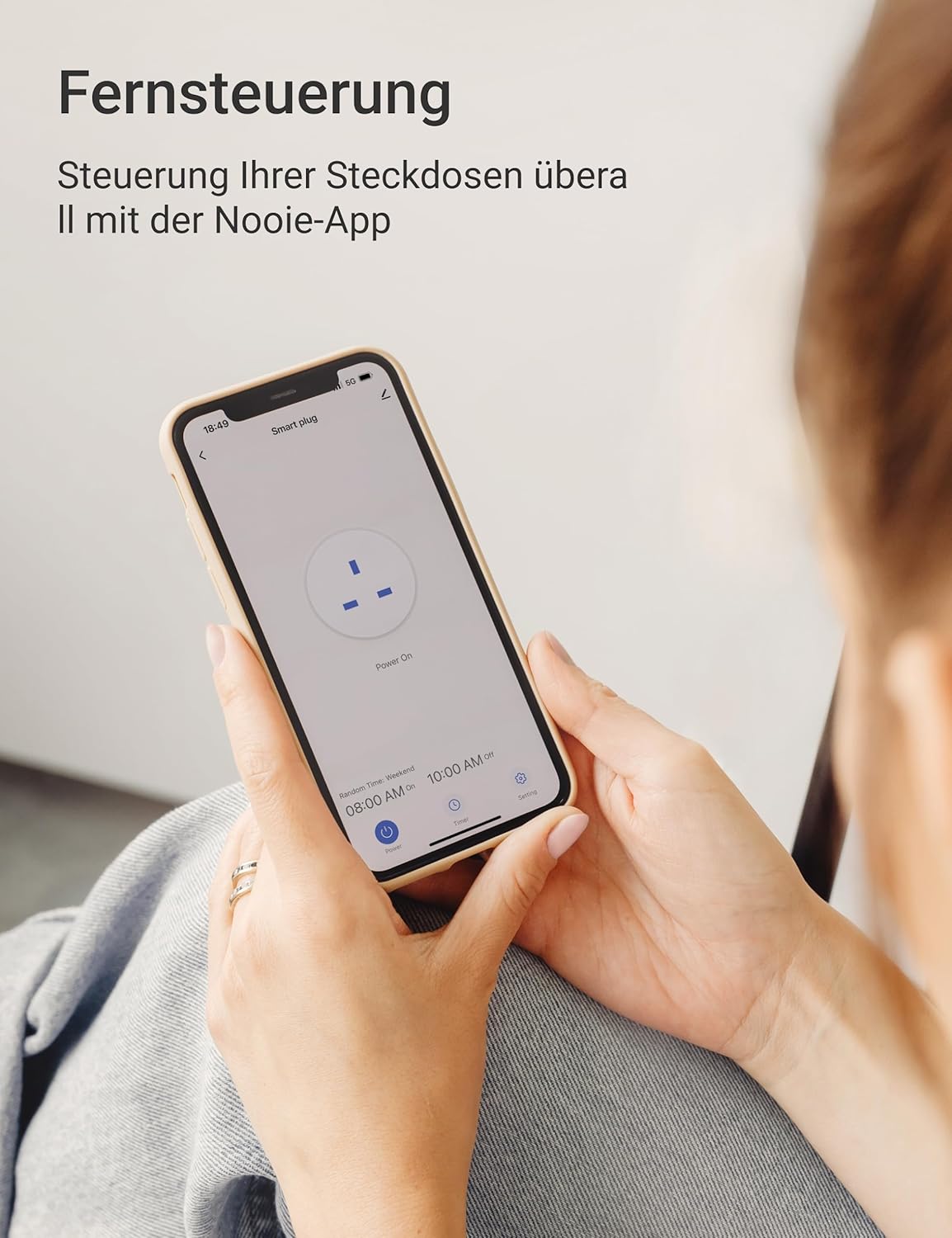
Image: A person holding a smartphone displaying the Nooie app interface, demonstrating remote control of the smart plug.
5.2 Голосове керування (Alexa/Google Home)
Integrate your Nooie Smart Plug with Amazon Alexa or Google Home for convenient voice control:
- Ensure your Alexa or Google Home device is set up and connected to the same Wi-Fi network as your smart plug.
- Відкрийте додаток Alexa або Google Home.
- Enable the 'Nooie' skill/action.
- Link your Nooie account when prompted.
- Знайдіть пристрої. Ваша розумна розетка має з’явитися.
- You can now use voice commands, e.g., "Alexa, turn on Living Room Lamp" or "Hey Google, turn off Coffee Maker."

Image: A Nooie Smart Plug connected to an outlet with an Amazon Echo Dot nearby, illustrating voice control functionality. Text indicates compatibility with Alexa and Google Assistant.
5.3 Scheduling and Timer Functions
Automate your devices with custom schedules and timers:
- Планування: In the Nooie app, select your smart plug and navigate to the 'Schedule' section. Set specific times for the plug to turn on or off on chosen days of the week. For example, schedule your coffee maker to turn on at 8:00 AM on weekdays.
- Таймер: Use the 'Timer' function to set a countdown for the plug to turn off after a specified duration (e.g., 5 minutes, 1 hour).
- Таймер циклу: Create a loop timer to turn your device on and off repeatedly at set intervals. This is useful for specific applications like aquarium lights.
- Travel Away Mode: Simulate presence in your home by setting the plug to randomly turn devices on and off while you are away.

Image: A smartphone screen displaying various scheduled on/off times for a smart plug, set against a kitchen background, demonstrating the scheduling feature.

Image: A Nooie Smart Plug connected to a lamp, with a goldfish bowl in the foreground, illustrating the 'Loop Timer' feature for repetitive on/off cycles.
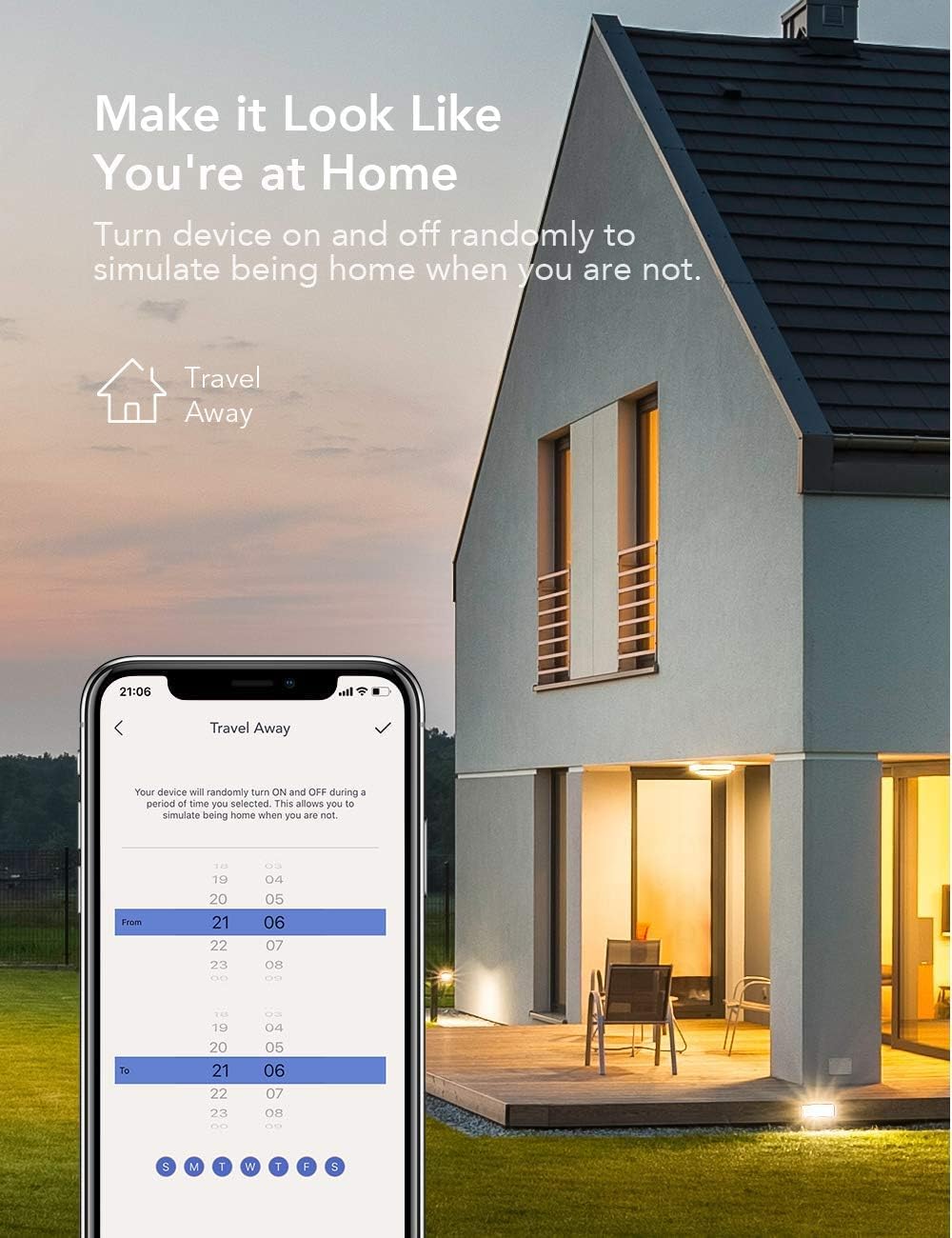
Image: A smartphone screen showing the 'Travel Away' schedule, with a house illuminated at night in the background, demonstrating how the smart plug can simulate occupancy.
5.4 Child Lock and Device Sharing
- Блокування від дітей: Activate this feature in the Nooie app to prevent accidental changes to the smart plug's settings by children.
- Спільне використання пристрою: Share control of your smart plugs with family members. In the app, go to the device settings and select 'Share Device' to invite others to control your appliances.

Image: Two people looking at their smartphones, with text indicating 'Share Access with the Whole Family' and 'Device Sharing', illustrating the multi-user control feature.
5.5 Енергетичний моніторинг
The Nooie app may provide a feature to monitor the energy consumption of devices connected to your smart plug. This allows you to track usage and potentially identify areas for energy saving.

Image: A graph showing energy usage over several days, with a Nooie Smart Plug connected to an outlet, demonstrating the energy monitoring capability.
6. Технічне обслуговування
The Nooie Smart Wi-Fi Plug requires minimal maintenance. Follow these guidelines:
- Прибирання: Always unplug the smart plug from the wall outlet before cleaning. Use a soft, dry cloth to wipe the surface. Do not use abrasive cleaners, solvents, or harsh chemicals, as these can damage the plastic.
- Зберігання: Якщо пристрій зберігається протягом тривалого часу, від’єднайте його від мережі та зберігайте в прохолодному, сухому місці, подалі від прямих сонячних променів та екстремальних температур.
- Огляд: Periodically inspect the plug for any signs of damage, such as cracks, frayed wires, or loose connections. If any damage is found, discontinue use immediately and contact customer support.
7. Вирішення проблем
If you encounter issues with your Nooie Smart Wi-Fi Plug, refer to the following common problems and solutions:
| проблема | Можлива причина | Рішення |
|---|---|---|
| Smart plug not turning on/off | No power, plug not fully inserted, device malfunction. | Check the power outlet. Ensure the plug is fully inserted. Try a different outlet. |
| Неможливо підключитися до Wi-Fi | Incorrect Wi-Fi password, 5GHz Wi-Fi network, weak signal, router issues. | Ensure you are connecting to a 2.4GHz Wi-Fi network. Double-check your Wi-Fi password. Move the plug closer to the router. Restart your router. |
| Не працює голосове керування | Incorrect device name, Nooie skill/action not enabled, account not linked. | Verify the device name in the Nooie app and your voice assistant app. Ensure the 'Nooie' skill/action is enabled and your accounts are linked. Try re-discovering devices. |
| Schedules/Timers not activating | Incorrect settings, plug offline, time zone issues. | Check the schedule/timer settings in the Nooie app. Ensure the smart plug is online. Verify your phone's time zone settings. |
| Додаток не відповідає | App glitch, network issue, outdated app version. | Close and reopen the app. Check your phone's internet connection. Update the Nooie app to the latest version. |
If the problem persists after trying these solutions, please contact Nooie customer support for further assistance.
8. Технічні характеристики
| Атрибут | Значення |
|---|---|
| Номер моделі | 673869934634 |
| Виробник | Волоський горіх |
| Розміри упаковки | 22.9 х 9 х 5.9 см |
| Вага товару | 336 грами |
| Режим роботи | Автоматичний |
| Поточний рейтинг | 10 А |
| Тип контакту | Нормально закритий |
| Тип роз'єму | Standard electrical plug |
| Тип перемикача | TRIAC |
| Термінал | Гвинт |
| матеріал | пластик |
| Тип схеми | 1 шлях |
| Тип монтажу | Без кріплення |
| Країна походження | Китай |
9. Гарантія та підтримка
Nooie products are designed and manufactured to the highest quality standards. For information regarding warranty coverage, please refer to the warranty card included with your product or visit the official Nooie webсайт.
If you require technical support, have questions about your product, or need assistance with troubleshooting, please contact Nooie customer support through their official website or the contact information provided in the Nooie app.
Щоб переглянути останні оновлення, відповіді на поширені запитання та ресурси підтримки, відвідайте веб-сайт: www.nooie.com


