1. Вступ
Thank you for choosing the ZIPRO Boost Exercise Bike. This manual provides essential information for the safe and effective assembly, operation, and maintenance of your new fitness equipment. Please read this manual thoroughly before first use and keep it for future reference.
2. Інформація про безпеку
- Проконсультуйтеся з лікарем перед початком будь-якої програми вправ.
- Перед кожним використанням переконайтеся, що всі деталі надійно закріплені.
- Тримайте дітей і домашніх тварин подалі від обладнання під час роботи.
- Поставте велотренажер на рівну, стійку поверхню.
- Одягайте відповідний одяг та взуття для тренувань.
- Не перевищуйте максимальну вагу користувача 120 кг.
- Негайно припиніть тренування, якщо ви відчуваєте слабкість, запаморочення або біль.
3. Вміст упаковки
Перед складанням перевірте наявність та цілісність усіх компонентів:
- Основна рама
- Передні та задні стабілізатори
- Педалі (ліва і права)
- Підсідельний штир і сідло
- Стійка керма та кермо
- Вправа Комп’ютер
- Монтажна фурнітура (болти, шайби, гайки)
- Інструменти для складання (гайкові ключі, шестигранні ключі)
- Посібник користувача
4. Інструкція зі складання
Виконайте ці кроки для правильного складання. Рекомендується, щоб для виконання деяких кроків брали участь дві людини.
- Прикріпити стабілізатори: Закріпіть передній та задній стабілізатори до основної рами за допомогою наданих болтів та шайб. Переконайтеся, що вони міцно затягнуті.
- Встановити педалі: Визначте ліву (L) та праву (R) педалі. Ліва педаль крутиться проти годинникової стрілки, а права – за годинниковою стрілкою. Щільно затягніть.
- Кріплення підсідельного штиря та сідла: Insert the seat post into the main frame and adjust to the desired height. Attach the saddle to the seat post and secure it.
- Attach Handlebar Post: Insert the handlebar post into the main frame.
- Install Handlebars and Computer: Attach the handlebars to the handlebar post. Connect the sensor wires from the main frame to the exercise computer. Mount the computer onto the handlebar post.

Figure 4.1: Detailed assembly diagram for the ZIPRO Boost Exercise Bike.

Малюнок 4.2: Розібраний view of the exercise bike components, illustrating how parts fit together during assembly.
5. Інструкція з експлуатації
5.1 Регулювання опору
The ZIPRO Boost features an 8-level magnetic resistance system. To adjust the resistance, turn the tension control knob located below the computer display. Turn clockwise to increase resistance (harder) and counter-clockwise to decrease resistance (easier).

Figure 5.1: The resistance adjustment knob, showing levels 1 through 8.
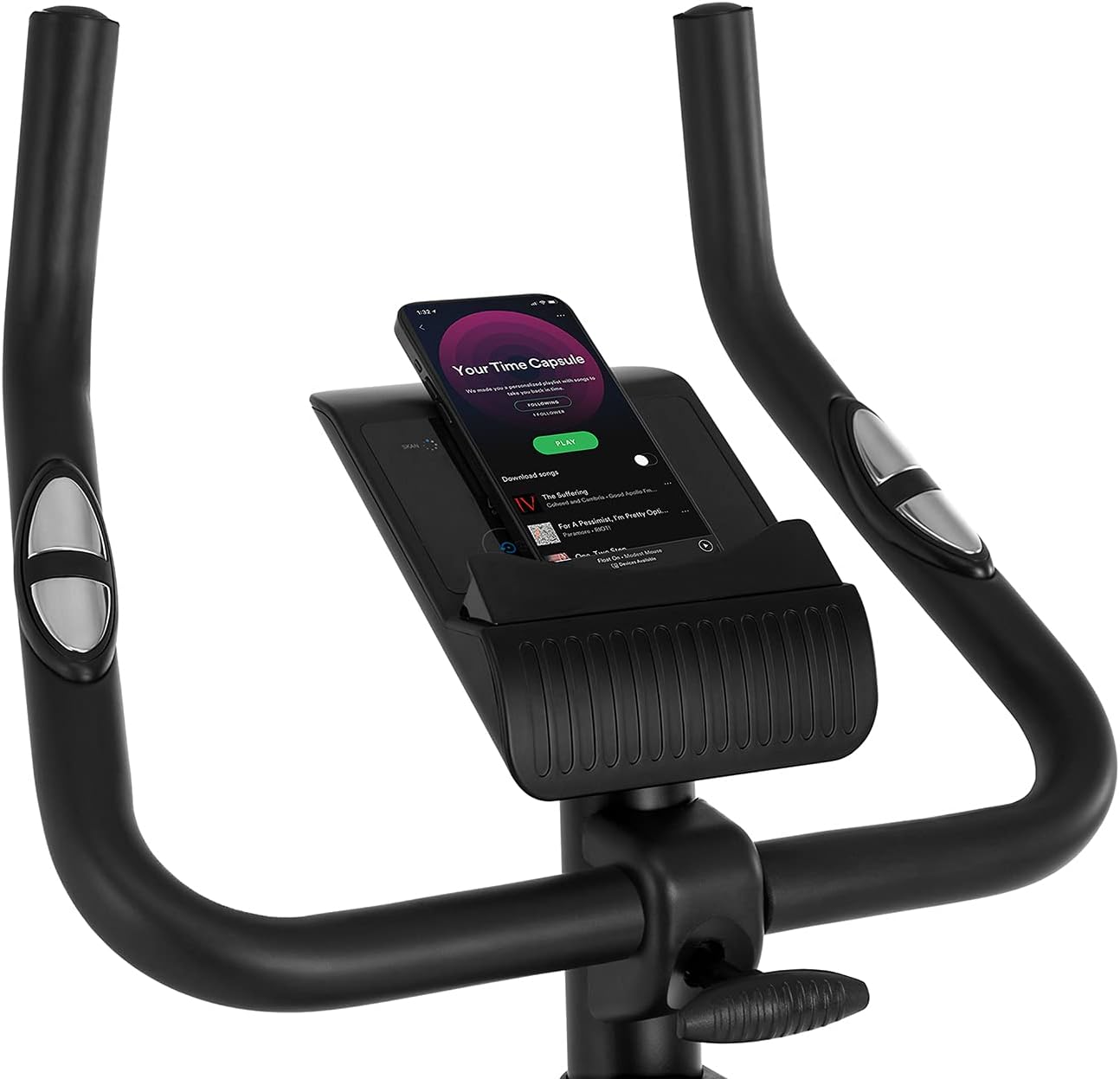
Figure 5.2: Demonstrating how to adjust the magnetic resistance using the tension control knob.
5.2 Saddle and Handlebar Adjustments
Proper adjustment of the saddle and handlebars ensures comfort and effective training.
- Висота сідла: Loosen the adjustment knob on the seat post, raise or lower the saddle to your desired height (ensure a slight bend in your knee at the bottom of the pedal stroke), and tighten the knob securely.
- Saddle Horizontal Position: Loosen the knob beneath the saddle to slide it forward or backward for optimal positioning relative to the pedals. Tighten securely.
- Висота керма: Послабте регулювальну ручку на стійці керма, підніміть або опустіть кермо до зручного положення та надійно затягніть ручку.
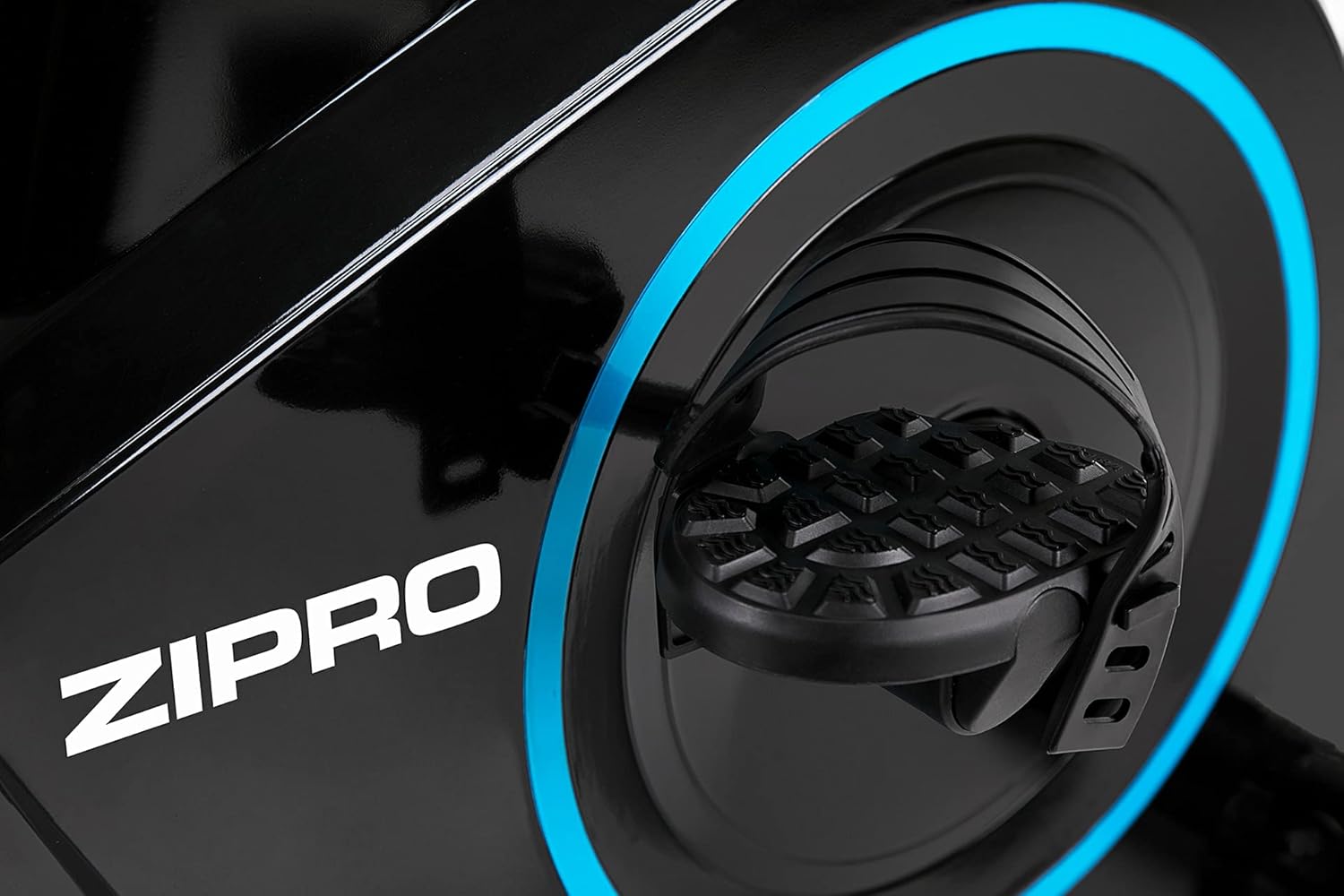
Figure 5.3: Adjusting the saddle's vertical position for user comfort.
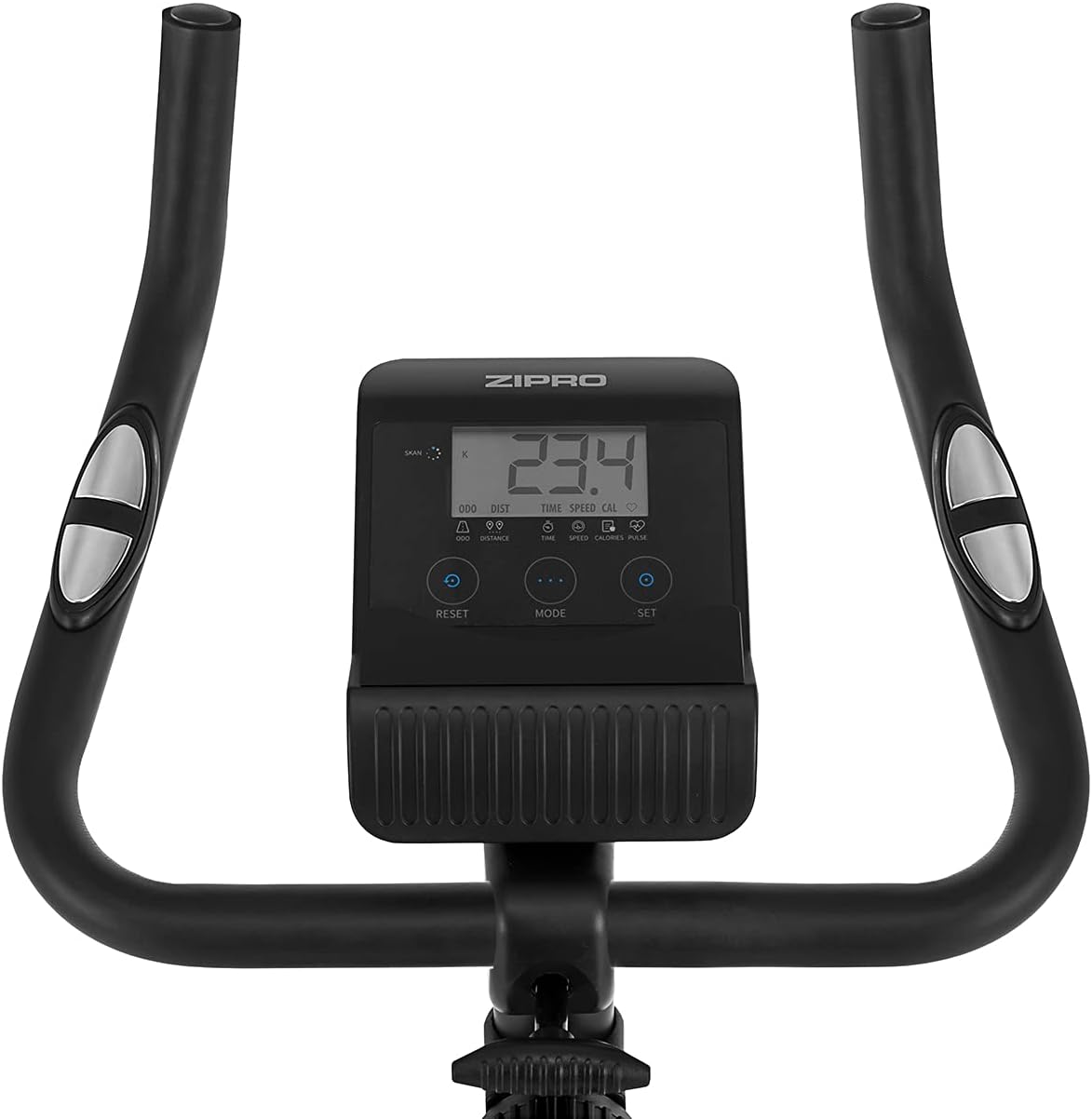
Figure 5.4: Adjusting the saddle's horizontal position for optimal riding posture.
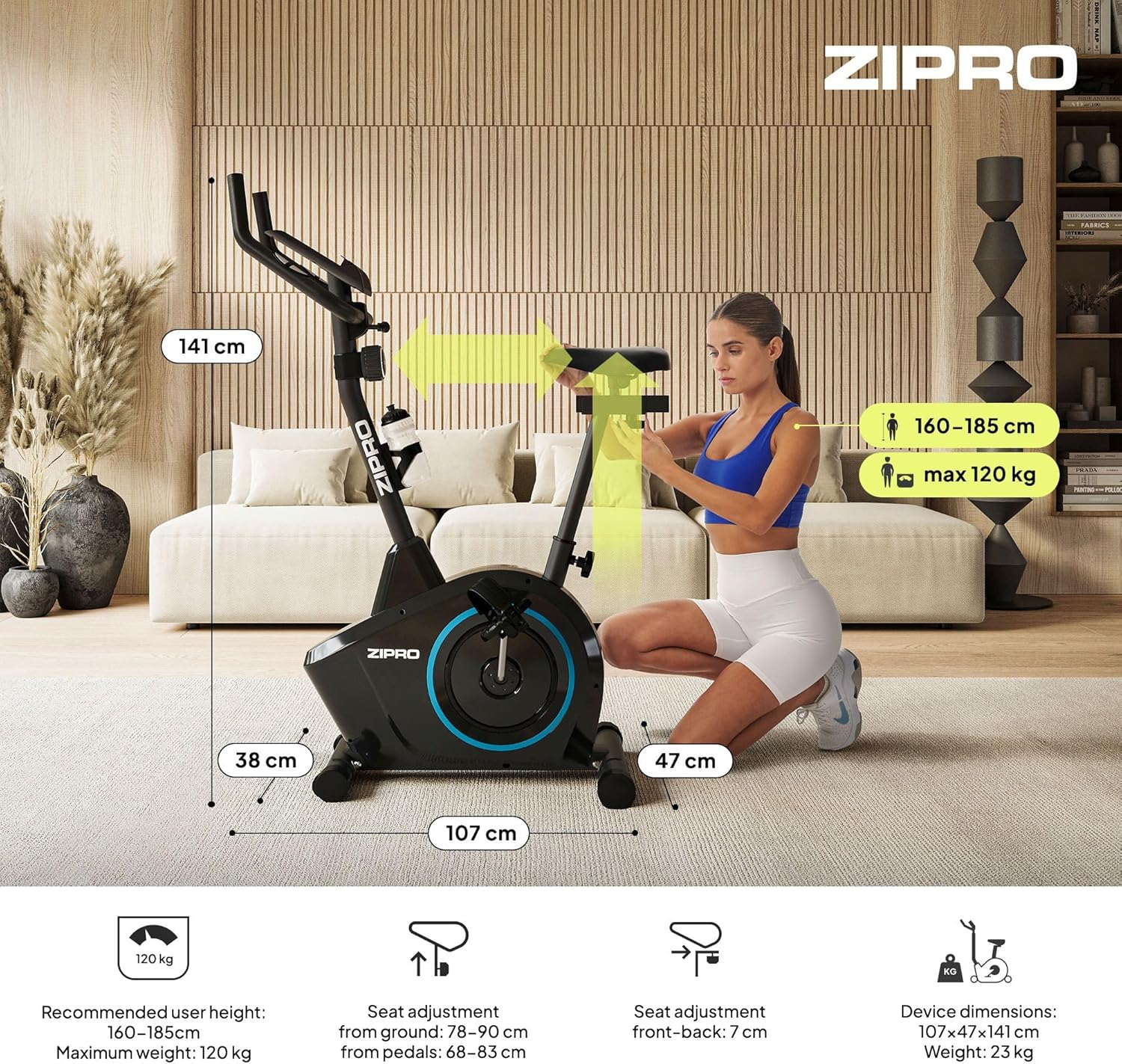
Figure 5.5: Adjusting the handlebar height to suit different user preferences and workout styles.
5.3 Computer Functions
The integrated computer tracks your workout data. It measures time, distance, speed, calories burned, and pulse (via sensors in the handlebar). The SCAN function cycles through all data alternately on the screen.
- Кнопка MODE: Press to select the display function (Time, Speed, Distance, Calories, Odometer, Pulse).
- Кнопка скидання: Press and hold to clear all current workout data (Time, Distance, Speed, Calories).
- Кнопка SET: Використовується для встановлення цільових значень для часу, відстані або калорій.
- Датчики пульсу: Grip the metal plates on the handlebars to measure your heart rate.
- Mobile Device Shelf: A convenient shelf is provided above the computer for your smartphone or tablet.

Figure 5.6: The exercise computer display with MODE, RESET, and SET buttons.

Малюнок 5.7: Закінченоview of the computer display and integrated pulse sensors.

Figure 5.8: The integrated shelf designed to hold a mobile device like a tablet during workouts.
6. Технічне обслуговування
Регулярне технічне обслуговування забезпечує довговічність та безпечну роботу вашого велотренажера.
- Прибирання: Зітріть велосипед рекламоюamp тканиною після кожного використання, щоб видалити піт і пил. Не використовуйте абразивні засоби для чищення.
- Перевірте підключення: Періодично перевіряйте всі болти, гайки та гвинти, щоб переконатися, що вони затягнуті. За потреби підтягніть.
- Змащення: The magnetic resistance system is generally maintenance-free. If you notice any squeaking from moving parts (e.g., pedal axles), apply a small amount of silicone-based lubricant.
- Зберігання: When not in use, store the bike in a dry, cool place away from direct sunlight. The integrated transport wheels allow for easy movement.

Figure 6.1: The exercise bike features transport wheels for easy relocation after use.
7. Вирішення проблем
| проблема | Можлива причина | Рішення |
|---|---|---|
| Computer display not working | Loose cable connection; Dead batteries | Check all cable connections to the computer; Replace batteries (if applicable). |
| Без зміни опору | Resistance cable disconnected or damaged | Check the resistance cable connection to the tension knob and the main unit. |
| Скрип або скрегіт | Розхитані деталі; Відсутність змащення | Check and tighten all bolts and nuts; Apply silicone lubricant to moving parts if necessary. |
| Нестабільний під час використання | Bike not on a level surface; Loose stabilizers | Ensure the bike is on a flat surface; Adjust leveling caps on stabilizers; Tighten stabilizer bolts. |
8. Технічні характеристики
| Особливість | Специфікація |
|---|---|
| Модель | 979536 |
| Розміри (Д x Ш x В) | 73 х 48 х 137 см |
| Вага продукту | 23 кг |
| Максимальна вага користувача | 120 кг |
| Система опору | Magnetic, 8-level manual adjustment |
| Система приводу | Пояс |
| Функції комп'ютера | Time, Distance, Speed, Calories, Pulse (Heart Rate) |
| Тип матеріалу | Пластик, Метал |
| Джерело живлення (комп'ютер) | Працює від батареї |
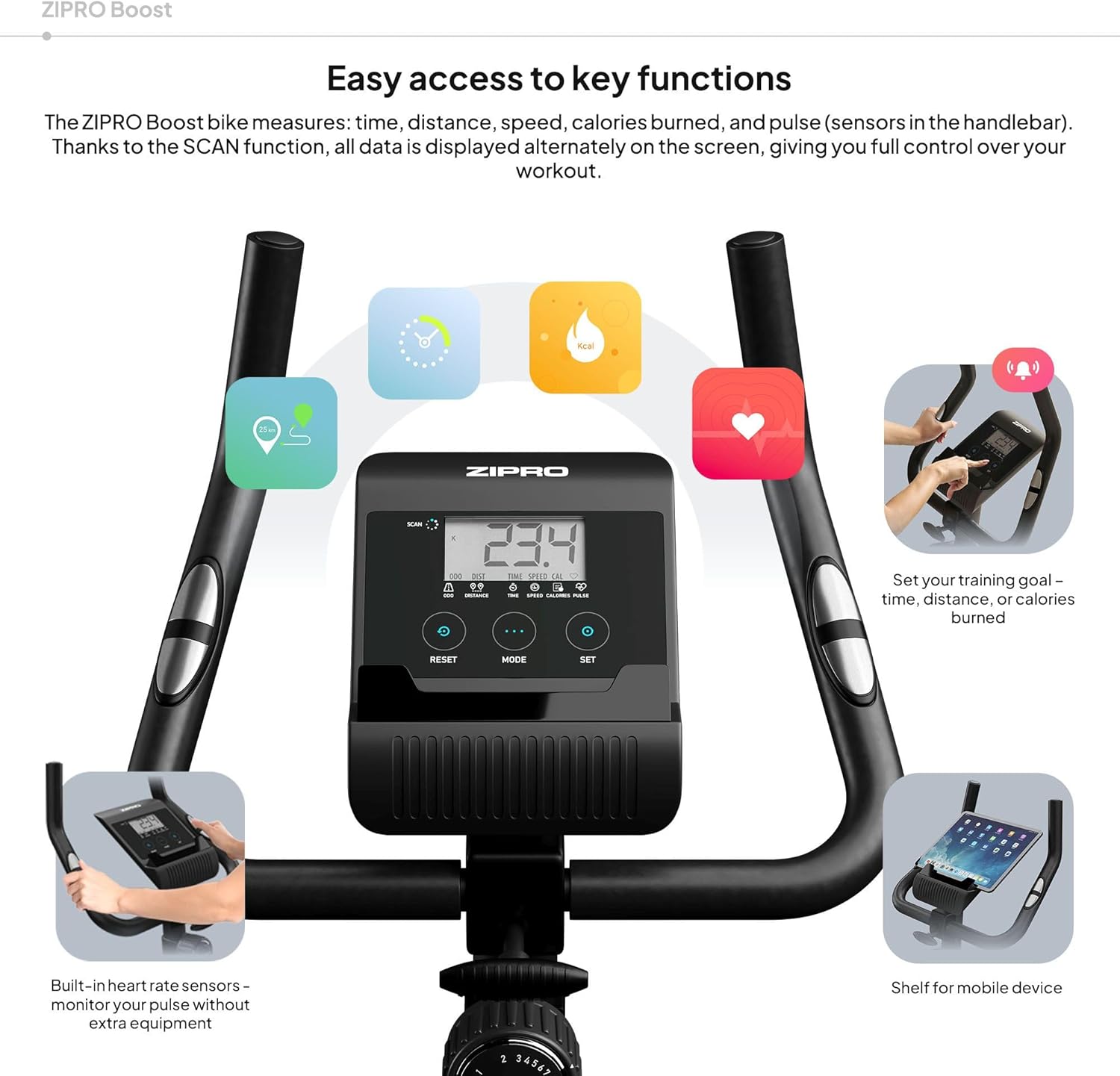
Figure 8.1: Key dimensions and user specifications for the exercise bike.
9. Гарантія та підтримка
Your ZIPRO Boost Exercise Bike comes with a standard manufacturer's warranty. Please refer to the warranty card included in your package for specific terms and conditions. For technical support, spare parts, or any inquiries not covered in this manual, please contact ZIPRO customer service through their official webсайт або магазин, де ви придбали товар.


