1. Вступ
The ViewSonic VP3481 monitor offers an immersive curved screen with stunning UWQHD+ 3440x1440 resolution. Designed for precise color accuracy, it delivers incredible detail and vivid colors across wide viewing angles. This monitor supports HDR10 for a wider dynamic range and richer contrast, making it suitable for video editing, content development, and other color-critical applications. Key features include a 100Hz refresh rate, AMD FreeSync™ technology for smooth playback, and versatile connectivity options including USB 3.1 Type-C, DisplayPort, and HDMI.
2. Налаштування
2.1. Вміст упаковки
Перш ніж розпочати встановлення, перевірте, чи всі перелічені нижче елементи присутні у вашій упаковці:
- РК-монітор
- Кабель живлення
- Адаптер змінного/постійного струму
- Кабель USB 3.1 Type C
- USB-кабель 3.0
- Кабель DP-DP
- Кабель HDMI 2.0
- Аудіокабель
- Factory Color Calibration Report
2.2. Збірка монітора
Carefully remove the monitor from its packaging. Attach the monitor stand to the back of the display panel. Ensure all connections are secure before placing the monitor on a stable surface.

Figure 2.2.1: Monitor dimensions for proper placement and setup.
2.3. Підключення
The VP3481 monitor offers flexible connectivity options to integrate with various devices. Connect your computer or other video sources using the appropriate cables.
- USB 3.1 Type-C: This single cable solution supports audio, data, video, and charging (up to 60W) for compatible laptops and devices, reducing cable clutter.
- HDMI 2.0: Two HDMI ports are available, supporting HDCP 2.2 content protection for secure 4K content playback.
- DisplayPort: One DisplayPort input is provided for high-resolution video and audio transmission.
- Концентратор USB 3.0: The monitor features a built-in USB 3.0 hub with three downstream ports and two upstream ports for connecting peripherals.

Figure 2.3.1: USB Type-C provides a single-cable solution for multiple functions.

Малюнок 2.3.2: Закінченоview портів входу/виходу монітора.
Відео 2.3.1: Оверview of ViewSonic USB-C monitor connectivity features.
3. Експлуатація монітора
3.1. Увімкнення/вимкнення живлення
Натисніть кнопку живлення, розташовану на моніторі, щоб увімкнути або вимкнути його. Індикатор живлення світитиметься, коли монітор активний.
3.2. Функції дисплея
The VP3481 offers advanced display technologies for an optimal viewдосвід роботи:
- UWQHD (3440x1440p) Resolution: Experience sharp, detailed images across the expansive 34-inch curved screen.
- Частота оновлення 100 Гц: Enjoy smooth, tear-free visuals, ideal for fast-paced content and video editing.
- Підтримка HDR10: Delivers a wider dynamic range of vivid colors and richer contrast for a more immersive viewнабутий досвід.
- AMD FreeSync™ Technology: Synchronizes the monitor's refresh rate with your graphics card to eliminate screen tearing and stuttering.

Figure 3.2.1: HDR10 support enhances color and contrast for stunning visuals.

Figure 3.2.2: The 100Hz refresh rate and AMD FreeSync™ ensure smooth playback.
3.3. Color Accuracy and Calibration
The VP3481 is engineered for ultimate color accuracy, providing 100% sRGB color space coverage and a Delta E<2 accuracy value. An integrated color uniformity function ensures consistent chromaticity across the screen, and a 14-bit 3D look-up table generates a smooth palette of 4.39 trillion colors.
For professional applications, hardware calibration is available with the optional ViewSonic Colorbration Kit (sold separately), allowing for quick and easy monitor calibration.

Figure 3.3.1: Curved viewing experience optimized for color-critical tasks.
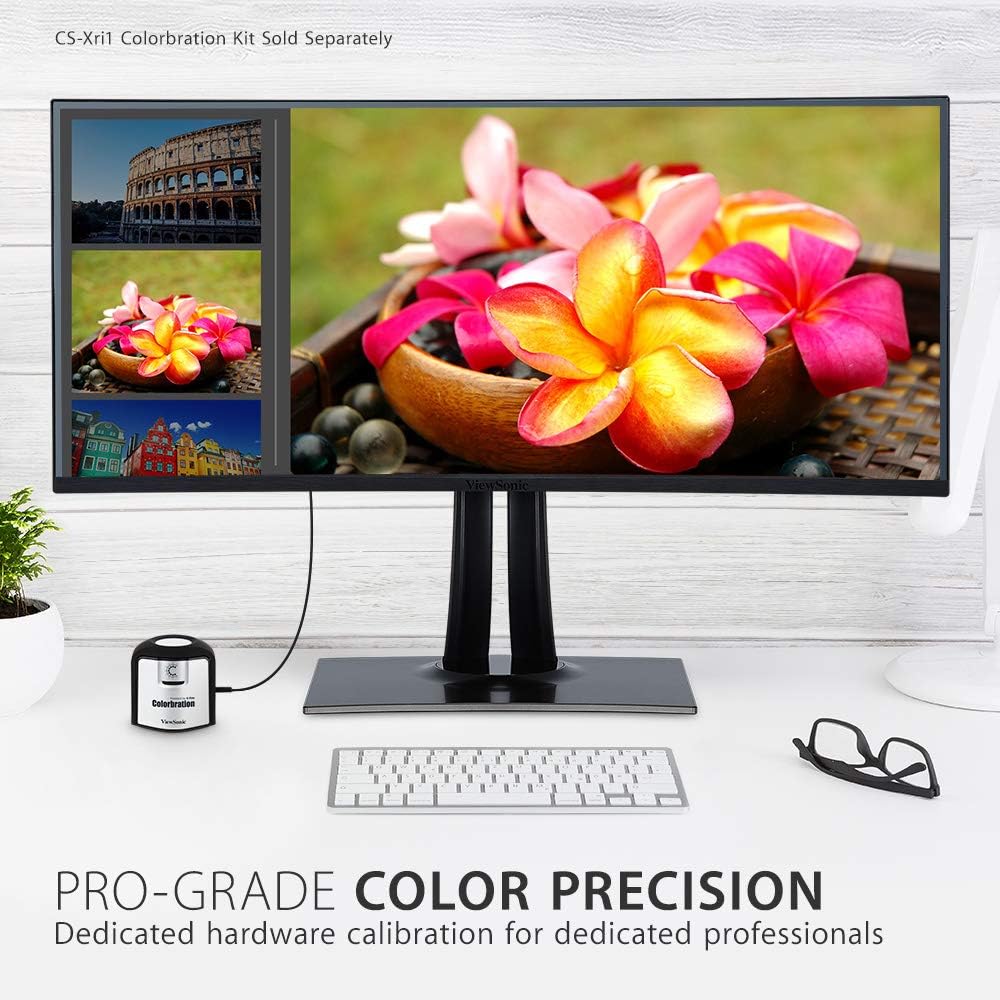
Figure 3.3.2: Dedicated hardware calibration is available for professional color precision.
4. Технічне обслуговування
Щоб забезпечити довговічність і оптимальну продуктивність вашого ViewSonic VP3481 monitor, follow these maintenance guidelines:
- Очищення екрану: Обережно протріть екран м’якою тканиною без ворсу. Для стійких плям злегка протрітьampПротріть тканину водою або м’яким неабразивним засобом для чищення екранів. Уникайте використання засобів для чищення на спиртовій основі або агресивних хімікатів.
- Очищення Casing: Використовуйте м’яку суху тканину для очищення монітораasing. Не використовуйте рідкі засоби для чищення безпосередньо наasing.
- Вентиляція: Переконайтеся, що вентиляційні отвори монітора не заблоковані, щоб запобігти перегріву.
- Управління живленням: Від’єднуйте монітор від розетки під час грози або якщо він не використовуватиметься протягом тривалого часу.
5. Вирішення проблем
Якщо у вас виникли проблеми з вашим ViewSonic VP3481 monitor, refer to the following common troubleshooting steps:
- Немає живлення: Ensure the power cable and AC/DC adapter are securely connected to both the monitor and a working power outlet. Check if the power indicator light is on.
- Немає сигналу/порожній екран: Verify that the video cable (USB-C, HDMI, or DisplayPort) is correctly connected to both the monitor and your computer. Ensure the correct input source is selected on the monitor.
- Image Problems (Distorted, Flickering, Incorrect Colors): Check your computer's display settings for correct resolution and refresh rate. Ensure the video cable is not damaged. Perform a factory reset via the monitor's On-Screen Display (OSD) menu.
- Без звуку: If using the monitor's built-in speakers or headphone jack, ensure the audio cable is connected (if applicable) and the volume is not muted or set too low on both the monitor and your computer.
- Порти USB не працюють: Ensure the USB upstream cable is connected from the monitor to your computer. Check device drivers on your computer.
6. Технічні характеристики
| Особливість | Деталь |
|---|---|
| Розмір дисплея стоячого екрана | 34 дюймів |
| Роздільна здатність екрана | UWQHD (3440x1440) |
| Максимальна роздільна здатність екрана | 3440 x 1440 пікселів |
| Частота оновлення | 100 Гц |
| Співвідношення сторін | 2.33:1 (21:9) |
| Опис поверхні екрана | Антиблікове покриття, тверде покриття (3H) |
| Кількість портів USB 3.0 | 3 |
| Кількість портів USB 2.0 | 2 |
| USB 3.1 типу C | Yes (with Power Delivery) |
| Входи HDMI | 2 (HDMI 2.0 з HDCP 2.2) |
| Входи DisplayPort | 1 |
| Вага товару | 26.6 фунта |
| Розміри продукту (ДxШxВ) | 31.9 x 11.8 x 24 дюймів |
| Колір | чорний |
| Виробник | ViewСоник |
| Дата першої доступності | 20 червня 2019 р |
7. Гарантія та підтримка
The ViewSonic VP3481 monitor comes with an industry-leading 3-year limited warranty. This coverage includes access to our US-based customer service team for technical assistance and support. For detailed warranty terms and conditions, please refer to the official ViewСоник webсайт або документацію, що додається до вашого продукту.
Для отримання додаткової допомоги, будь ласка, відвідайте ViewSonic Store або зверніться до служби підтримки клієнтів.


