1. Вступ
This manual provides essential information for the safe and efficient operation of your Marantz NR1510 5.2 Channel 4K Ultra HD AV Receiver. The NR1510 is designed to deliver impressive surround sound and high-fidelity audio in a compact form factor, approximately half the height of traditional AV receivers. It supports the latest HDMI connections, high-resolution audio formats like Dolby TrueHD and DTS-HD Master Audio, and offers extensive music streaming capabilities via Bluetooth, AirPlay 2, and the HEOS app. Voice control via Amazon Alexa, Google Assistant, and Apple Siri is also supported.
Please read this manual thoroughly before using the unit and keep it for future reference.
2. Ключові характеристики
- 5.2-канальний об'ємний звук: Supports Dolby TrueHD, DTS-HD Master Audio, and HDMI eARC for an immersive home theater experience.
- 4K Ultra HD Video Support: Compatible with Dolby Vision, BT-2020, HLG, and HDR10 for stunning 4K video quality.
- Розширене підключення: Features 6 HDMI inputs (including 1 front), Bluetooth, Wi-Fi (AirPlay 2), and Ethernet.
- Вбудований HEOS: Enables multi-room audio streaming from popular services like Spotify, TIDAL, TuneIn, and Deezer.
- Сумісність з голосовим керуванням: Seamless integration with Amazon Alexa for hands-free operation.
- High-Current Power Ampліферів: Дискретний amplifiers on all 5 channels deliver 85W per channel for exceptional sound quality and speaker control.
- Компактний дизайн: Half the height of traditional AV receivers, allowing for flexible placement.
3. Посібник із налаштування
3.1 Розпакування та розміщення
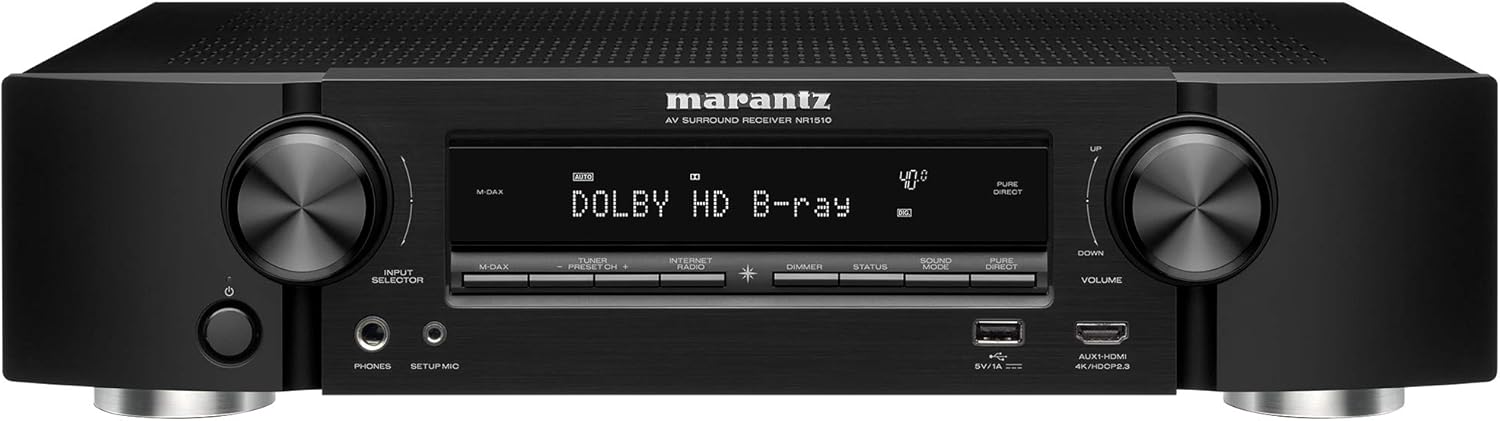
Carefully remove the NR1510 from its packaging. Place the receiver on a stable, flat surface with adequate ventilation. Ensure there is sufficient space around the unit for proper airflow to prevent overheating.

Малюнок 3.1: Спереду view of the Marantz NR1510 AV Receiver.
3.2 Підключення пристроїв
Before making any connections, ensure the NR1510 and all other devices are turned off and unplugged from the power outlet.
3.2.1 Підключення динаміків
Connect your speakers to the corresponding terminals on the rear panel. The NR1510 supports a 5.2 channel setup. Ensure correct polarity (+ to + and - to -) for optimal sound quality.

Малюнок 3.2: Детально view of speaker connection terminals.
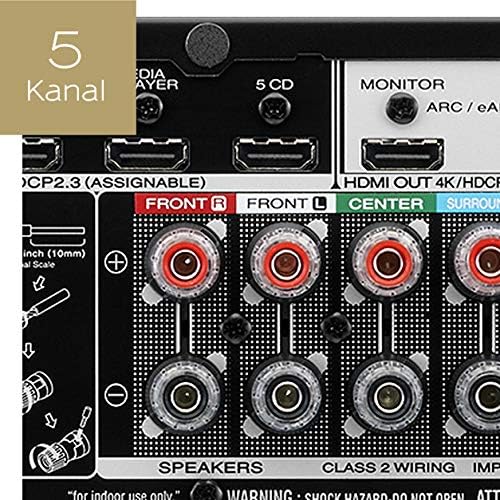
Figure 3.3: Illustration of a 5-channel speaker configuration.
3.2.2 Підключення HDMI
Connect your video sources (e.g., Blu-ray player, game console, cable box) to the HDMI IN ports. Connect your TV or projector to the HDMI OUT (MONITOR) port. The NR1510 features 6 HDMI inputs, including one on the front panel for easy access.

Figure 3.4: Front panel HDMI input for convenient connections.
3.2.3 Мережеве підключення
For network features and firmware updates, connect the NR1510 to your home network via an Ethernet cable to the NETWORK port or wirelessly via Wi-Fi. Ensure your Wi-Fi antenna is properly connected.
3.2.4 Підключення живлення
Once all audio and video connections are made, connect the power cord to the NR1510 and then to a wall outlet.
Малюнок 3.5: Закінченоview of the Marantz NR1510 rear panel connections.
3.3 Майстер початкового налаштування
Upon first power-on, the NR1510 will guide you through an on-screen setup assistant. This wizard helps with speaker calibration (using the supplied microphone), network setup, and input configuration. Follow the on-screen prompts for an easy setup process.
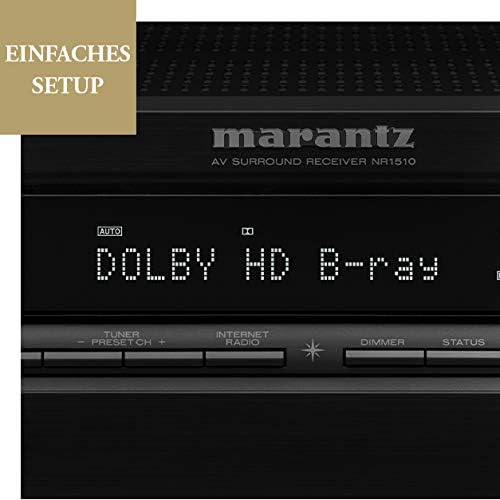
Figure 3.6: The NR1510 display indicating the easy setup process.
4. Інструкція з експлуатації
4.1 Основна операція
- Увімкнення/вимкнення живлення: Press the POWER button on the front panel or the remote control.
- Вибір входу: Use the INPUT SELECTOR knob on the front panel or the dedicated input buttons on the remote control (e.g., CBL/SAT, GAME, CD, MEDIA PLAYER, etc.) to switch between connected devices.
- Регулювання гучності: Відрегулюйте гучність за допомогою ручки ГУЧНІСТЬ на передній панелі або кнопок ГУЧНІСТЬ +/- на пульті дистанційного керування.
4.2 Функції дистанційного керування
The supplied remote control provides full command over your NR1510 receiver and connected devices. Familiarize yourself with its layout for convenient operation.

Figure 4.1: The Marantz NR1510 remote control.
- Живлення (червона кнопка): Вмикає або вимикає пристрій.
- Кнопки введення: Directly select specific inputs (e.g., CBL/SAT, GAME, CD, PHONO, USB).
- Гучність +/-: Регулює головний рівень гучності.
- Вимкнути звук: Тимчасово вимикає звук.
- Навігаційна панель: Used to navigate menus on the TV screen.
- Кнопки режиму звуку: Select various sound modes (e.g., MOVIE, MUSIC, GAME, PURE).
- Smart Select Buttons (1-4): Store and recall preferred settings for different activities.
4.3 Мережеві та потокові функції
The NR1510 offers extensive network capabilities for music streaming and multi-room audio.
- Вбудований HEOS: Access music from online streaming services (Spotify, Deezer, Tidal, etc.) and local network storage. Create a multi-room audio system with other HEOS-enabled devices.
- AirPlay 2: Транслюйте аудіо безпосередньо з ваших пристроїв Apple.
- Bluetooth: Connect your smartphone or tablet wirelessly to play music.

Figure 4.2: The HEOS Built-in feature allows integrated multi-room audio.

Figure 4.3: Wireless streaming capabilities of the NR1510.
4.4 Голосове керування
The NR1510 is compatible with Amazon Alexa. Once configured, you can use voice commands to control functions like input switching, volume adjustment, and music playback through a compatible Alexa-enabled device.
5. Технічне обслуговування
- Прибирання: Використовуйте м’яку суху тканину для очищення зовнішньої частини пристрою. Не використовуйте абразивні засоби для чищення або розчинники.
- Оновлення прошивки: Periodically check for firmware updates via the network connection. Updates can improve performance and add new features. Refer to the on-screen menu for update options.
- Вентиляція: Переконайтеся, що вентиляційні отвори на пристрої не заблоковані, щоб запобігти перегріву.
6. Вирішення проблем
If you encounter issues with your Marantz NR1510, refer to the following common troubleshooting steps. For more detailed solutions, consult the comprehensive online manual available on the Marantz support webсайт.
| проблема | Можлива причина / рішення |
|---|---|
| Немає живлення | Check if the power cord is securely connected. Ensure the power outlet is functional. |
| Ні звуку | Check speaker connections. Verify input selection. Ensure volume is not muted or too low. Check audio settings on the source device. |
| Немає зображення | Check HDMI cable connections. Verify input selection on the receiver and TV. Ensure the TV is set to the correct HDMI input. |
| Проблеми з мережевим підключенням | Check Ethernet cable connection or Wi-Fi settings. Restart your router/modem. Ensure correct network password for Wi-Fi. |
| Пульт не працює | Replace batteries. Ensure no obstructions between the remote and the receiver's IR sensor. |
7. Технічні характеристики
| Особливість | Специфікація |
|---|---|
| Бренд | Marantz |
| Номер моделі | 90766127 (NR1510) |
| Колір | чорний |
| Канали об'ємного звуку | 5.2 |
| Входи HDMI | 6 (включаючи 1 передню) |
| Вихід HDMI | 1 (eARC compatible) |
| Технологія підключення | Bluetooth, Ethernet, Wireless (Wi-Fi, AirPlay 2), USB |
| Особливості | HEOS Multiroom, Spotify Connect, Voice Control (Alexa) |
| Сумісні пристрої | телебачення |
| Режим аудіовиходу | Об'ємний |
| Кодування відео | H.265 (HEVC) |
8. Гарантія та підтримка
Marantz products are built to the highest standards and undergo rigorous quality control. For information regarding your product's warranty, please refer to the warranty card included in the original packaging or visit the official Marantz webсайт для отримання детальної інформації, що стосується вашого регіону.
For technical support, troubleshooting assistance beyond this manual, or service inquiries, please contact Marantz customer support. You can find contact information and additional resources, including a comprehensive online manual, on the official Marantz support webсайт (www.marantz.com).
Please have your model number (NR1510) and serial number ready when contacting support.


