1. Продукт закінчивсяview
The myCharge HubMax HBLC10V is a portable power bank designed to charge various mobile devices. It features an internal 10050mAh battery, built-in Lightning and USB-C cables, and an integrated foldable wall plug for convenient recharging.

Image 1.1: The myCharge HubMax HBLC10V portable charger, showcasing its compact design with integrated Lightning and USB-C cables, and a foldable wall plug.
2. Вміст упаковки
- myCharge HubMax HBLC10V Portable Charger
- Інтегрований кабель Lightning
- Інтегрований кабель USB-C
- Integrated Wall Plug
3. Налаштування та початкове заряджання
Before first use, it is recommended to fully charge your myCharge HubMax HBLC10V.
- Locate the Wall Plug: Extend the foldable wall prongs located on the side of the device.
- Підключення до живлення: Plug the device directly into a standard AC wall outlet.
- Зарядка монітора: The LED indicator lights on the device will illuminate to show the charging status. A full charge typically takes approximately 4.6 hours. All indicator lights will be solid when fully charged.
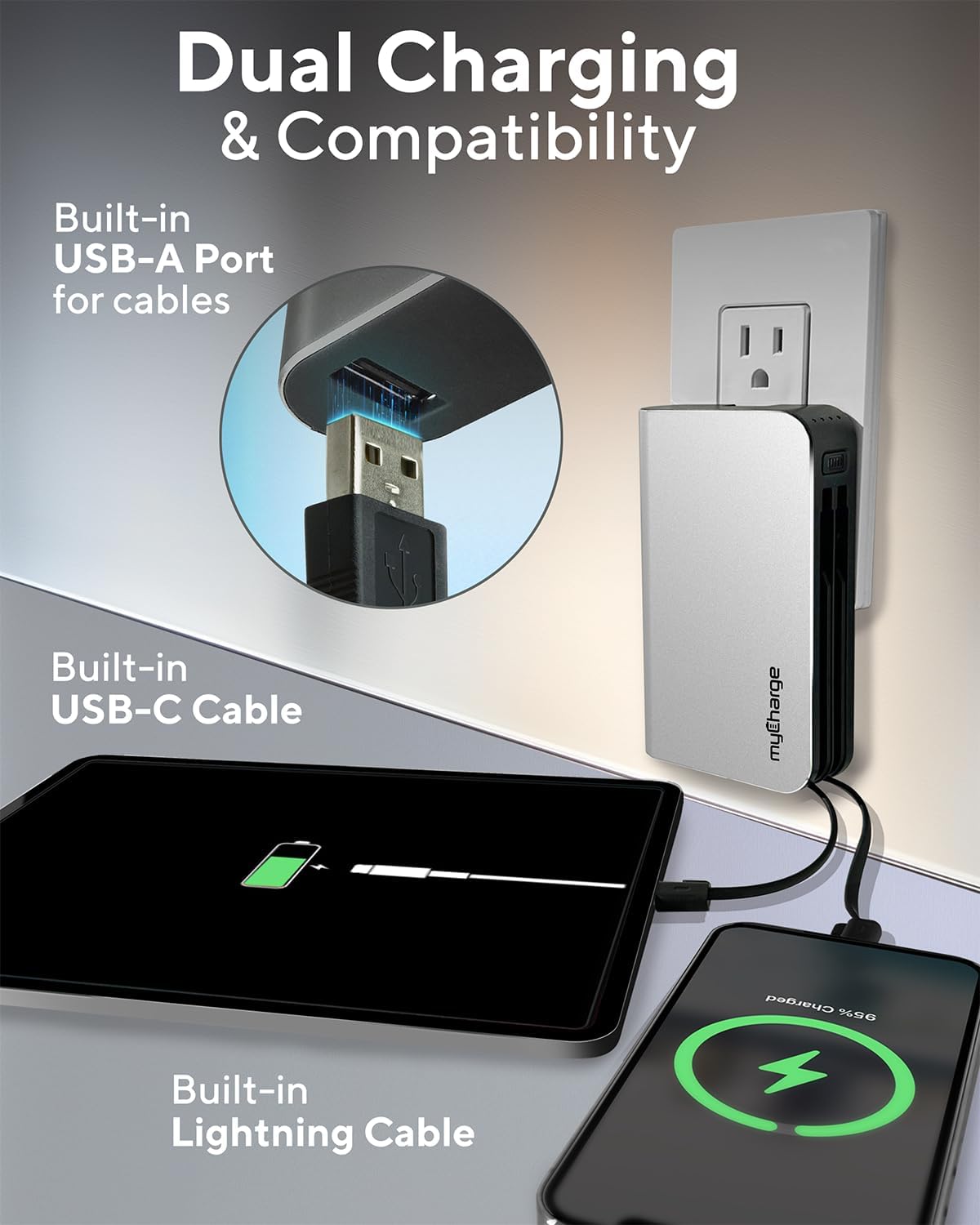
Image 3.1: The myCharge HubMax HBLC10V connected to a wall outlet for recharging, illustrating its integrated wall plug and multiple charging outputs.
4. Інструкція з експлуатації
The myCharge HubMax HBLC10V allows you to charge up to three devices simultaneously.
4.1 Charging Devices with Built-in Cables
- Identify Cable: Select the appropriate built-in cable for your device (Lightning for Apple devices, USB-C for compatible Android and other devices).
- Підключити пристрій: Plug the selected cable directly into your mobile device's charging port.
- Почати зарядку: The myCharge HubMax will automatically begin charging your device. The LED indicator lights will show the remaining battery level of the power bank.
4.2 Charging a Third Device via USB-A Port
For devices requiring a standard USB-A connection, use the integrated USB-A port.
- Connect Your Cable: Plug your device's USB-A charging cable (not included) into the USB-A port on the myCharge HubMax.
- Підключити пристрій: Plug the other end of your cable into your mobile device.
- Почати зарядку: Зарядка розпочнеться автоматично.

Зображення 4.1: Детальний view of the myCharge HubMax HBLC10V, emphasizing its all-in-one design with built-in wall prongs, Lightning and USB-C cables, and an additional USB-A port for charging up to three devices.
4.3 Можливості швидкої зарядки
The HubMax supports Power Delivery and Quick Charge 3.0 via its USB-C cable, enabling faster charging for compatible devices. This can charge devices up to 2.4 times faster than standard chargers.
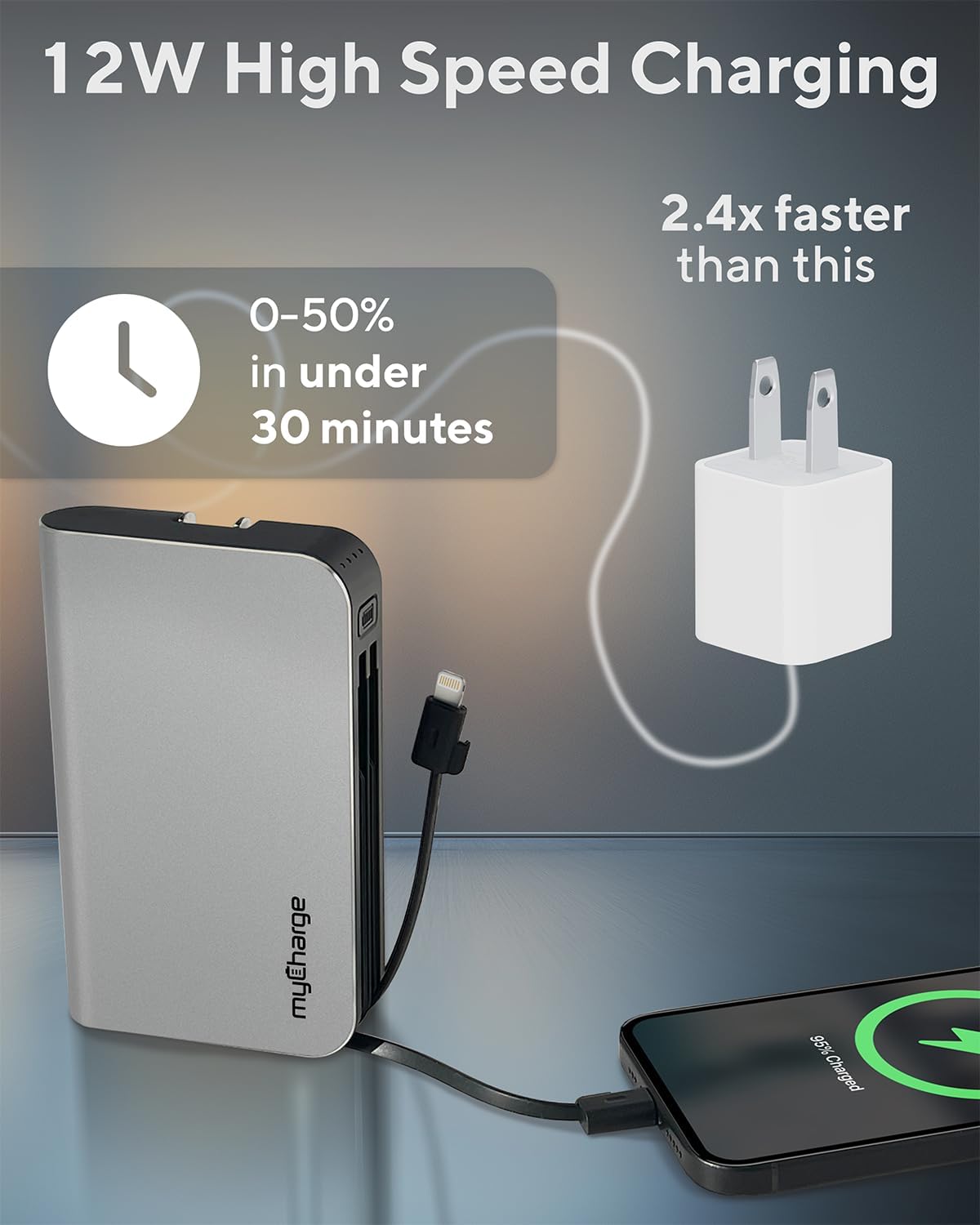
Image 4.2: The myCharge HubMax HBLC10V demonstrating its 12W high-speed charging capability, capable of charging a device from 0% to 50% in under 30 minutes.
5. Технічне обслуговування та догляд
- Зберігання: Зберігайте портативний зарядний пристрій у прохолодному, сухому місці, подалі від прямих сонячних променів та екстремальних температур.
- Прибирання: Використовуйте м’яку суху тканину для очищення зовнішньої частини пристрою. Уникайте використання агресивних хімікатів або абразивних матеріалів.
- Обробка: Handle the device with care. Avoid dropping it or subjecting it to strong impacts, as this can damage internal components and shorten its lifespan.
- Термін служби батареї: For optimal battery health, avoid completely draining the power bank frequently. Recharge it when the battery level is low.
6. Вирішення проблем
If you encounter issues with your myCharge HubMax HBLC10V, refer to the following common solutions:
- Пристрій не заряджається:
- Ensure the myCharge HubMax itself is sufficiently charged. Check the LED indicators.
- Verify that the built-in cable or your external USB-A cable is securely connected to both the power bank and your device.
- Try a different device or cable to rule out issues with the connected device or cable.
- Повільна зарядка:
- Ensure your device supports fast charging protocols (Power Delivery, Quick Charge 3.0) to benefit from the HubMax's fast charging capabilities.
- Одночасне заряджання кількох пристроїв може знизити швидкість заряджання окремих пристроїв.
- Перевірте, чи не пошкоджено зарядний кабель.
- Зовнішній акумулятор не заряджається:
- Ensure the wall plug is fully extended and securely inserted into a working AC wall outlet.
- Спробуйте іншу розетку.
If problems persist, please contact myCharge customer support for further assistance.
7. Технічні характеристики
| Особливість | Деталь |
|---|---|
| Номер моделі | HBLC10V |
| Ємність акумулятора | 10050 мАг (літій-іонний) |
| Розміри продукту | 2.8 x 0.9 x 4.6 дюймів |
| Вага товару | 10.2 унції |
| Вбудовані кабелі | Lightning, USB-C |
| Additional Port | USB-A |
| Час перезарядки | Approx. 4.6 hours (via integrated wall plug) |
| Особливості | Integrated Wall Plug, Fast Charging (PD, QC 3.0) |
| Виробник | myCharge |
8. Гарантія та підтримка
myCharge products are typically covered by a manufacturer's warranty. For specific warranty details, registration, or to initiate a warranty claim, please refer to the official myCharge webсайт або зверніться безпосередньо до служби підтримки клієнтів.
For technical assistance, troubleshooting not covered in this manual, or general inquiries, please visit the myCharge support page or contact their customer service department.
Note: Warranty terms and support availability may vary. Always refer to the latest information provided by the manufacturer.


