вступ
The PDP Gaming Faceoff Deluxe+ Audio Wired Controller is designed for use with the Nintendo Switch. It features a 3.5mm audio jack for in-game audio and USB chat, customizable programmable back buttons, and interchangeable faceplates. This manual provides instructions for setting up, operating, and maintaining your controller.
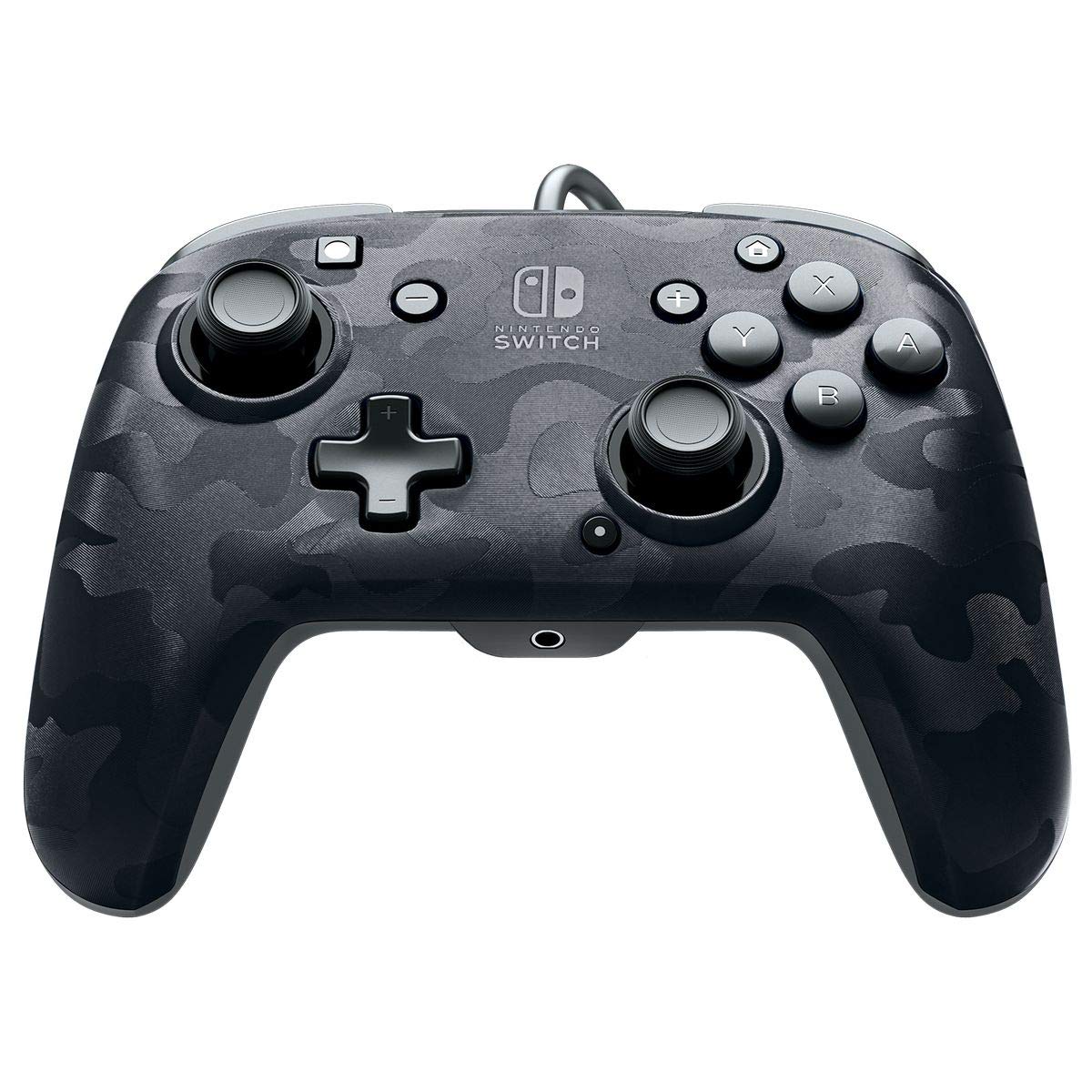
Зображення: спереду view of the PDP Gaming Faceoff Deluxe+ Audio Wired Controller in Black Camo.
Налаштування
1. Початкове підключення
- Переконайтеся, що ваша консоль Nintendo Switch підключена до док-станції та увімкнена.
- Connect the controller's fixed USB cable to an available USB port on the Nintendo Switch dock.
- The controller should automatically be recognized by the console.
2. Налаштування аудіо
- Plug your 3.5mm headset into the audio jack located at the bottom center of the controller.
- In-game audio will now be routed through your headset. USB chat is supported for compatible titles.
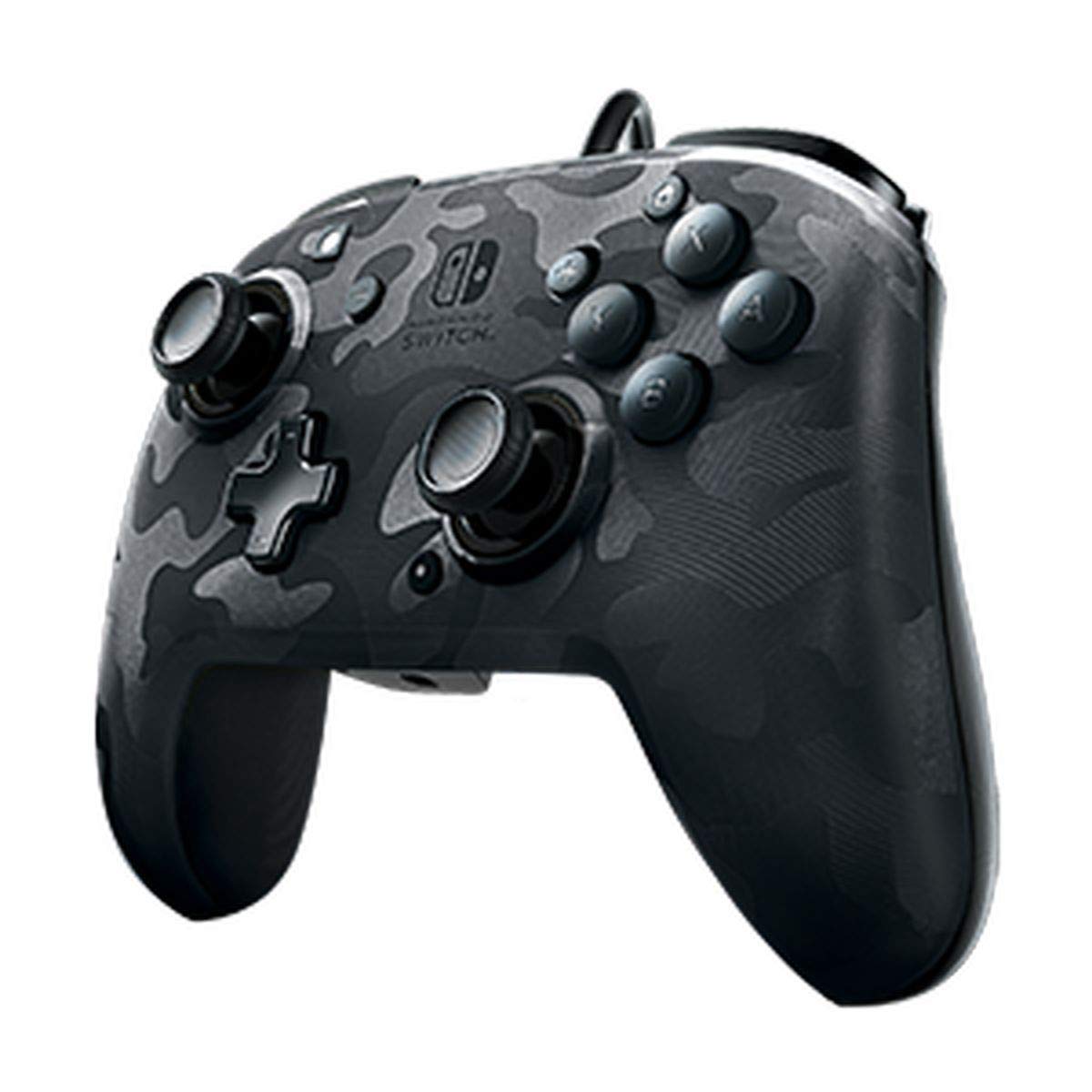
Image: A user playing with the PDP Gaming Faceoff Deluxe+ Audio Wired Controller, demonstrating the headset connection.
Керування контролером
1. Розташування та функції кнопок
Ознайомтеся з розташуванням кнопок контролера для оптимального ігрового процесу.

Зображення: Детальне view of the controller with key buttons labeled for easy identification.
- View кнопка: Typically used for in-game menus or map access.
- Кнопка "Додому: Повернення до головного меню Nintendo Switch.
- Регулювання гучності: Регулює гучність звуку гарнітури.
- Функціональна кнопка: Used in conjunction with other buttons for specific features (refer to game instructions).
- Аналогові стіки: Provide precise movement and camera control. Features low friction rings for smooth performance.
2. Programmable Back Buttons
The controller features dual programmable paddle-style buttons on the back, allowing for customized gameplay. These can be mapped to other buttons on the controller to suit your play style.

Image: The back of the controller highlighting the programmable paddle buttons.
3. Adjusting Audio Volume
Volume can be adjusted directly on the controller using the D-pad while holding the Function button (refer to the labeled image above for button location).
4. Faceplate Customization
The unique interchangeable design allows you to swap out and snap in different Faceoff faceplates to personalize your controller's appearance.

Image: Illustration demonstrating the interchangeable faceplate design of the controller.
Технічне обслуговування
- Тримайте контролер у чистоті, протираючи його м’якою сухою тканиною.
- Уникайте впливу екстремальних температур, вологості або прямих сонячних променів на контролер.
- Не намагайтеся розбирати контролер, оскільки це може призвести до анулювання гарантії.
Усунення несправностей
- Контролер не відповідає: Ensure the USB cable is securely connected to the Nintendo Switch dock. Try a different USB port.
- Немає звуку через гарнітуру: Verify the headset is fully plugged into the controller's 3.5mm jack. Check the volume settings on the controller and the Nintendo Switch console.
- Buttons not working correctly: Ensure the controller's firmware is up to date (if applicable, check PDP's official website). If issues persist, try restarting the Nintendo Switch console.
Технічні характеристики
| Особливість | Деталь |
|---|---|
| Номер моделі | 500-134-NA-CM00 |
| Підключення | Wired (10-foot fixed USB cable) |
| Аудіороз'єм | 3.5mm (supports in-game audio and USB chat) |
| Налаштування | Interchangeable faceplates, dual programmable paddle-style back buttons |
| Розміри | 0.35 x 0.12 x 0.83 дюймів |
| вага | 14.1 унції |
| Сумісність | Nintendo Switch |
| Виробник | PDP |

Image: Controller dimensions for reference.
Офіційне відео продукту
Відео: Чесне словоview of the PDP Gaming Wired Nintendo Switch Controller, showcasinйого характеристики та функціональність.
Гарантія та підтримка
For warranty information and customer support, please refer to the documentation included with your product or visit the official PDP webсайт.
Ви також можете відвідати Магазин PDP на Amazon для отримання додаткової інформації про продукт та ресурсів підтримки.


