1. Вступ
This manual provides comprehensive instructions for the ASHATA 12V ATX Power Supply, a 90W DC-ATX power module. This compact and efficient module is designed for various low-power computing systems, including mini computers, HTPC systems, POS machines, ITX boxes, network servers, advertising machines, and bank terminals.
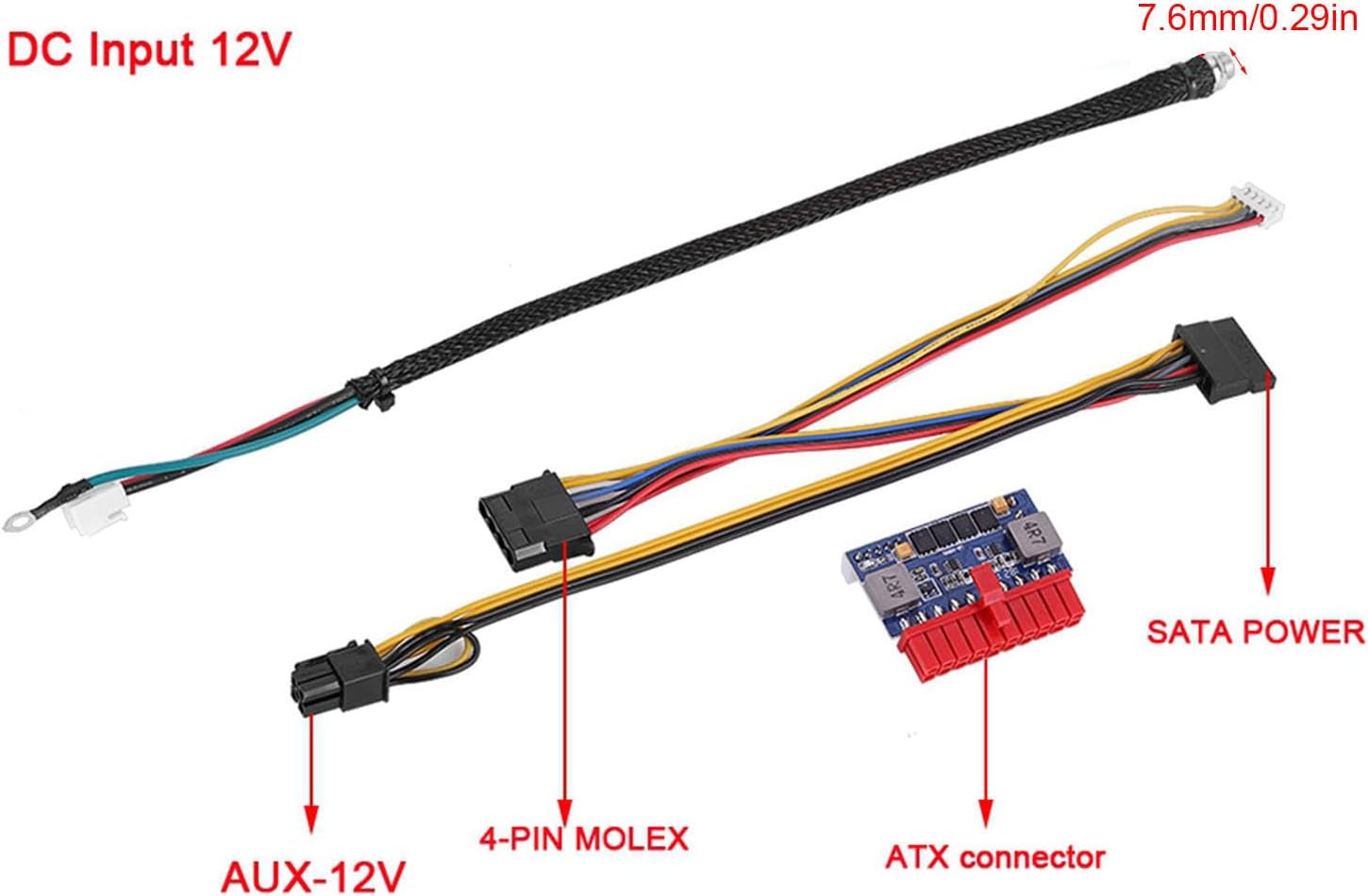
Image 1: ASHATA 90W DC-ATX Power Module suitable for various applications.
2. Інформація про безпеку
- Переконайтеся, що вхід обtage is within the specified range (12VDC ± 5%). Incorrect voltage може пошкодити пристрій.
- Do not expose the power module to moisture or extreme temperatures.
- Уникайте короткого замикання вихідних клем.
- Від’єднайте живлення перед будь-якими під’єднаннями або від’єднаннями.
- This device is designed for internal use within a computer chassis.
3. Продукт закінчивсяview
3.1 Особливості
- Industrial Solid Capacitors: Designed for reliability and stability in demanding environments.
- Висока продуктивність: Features high heat-stand capabilities for enhanced durability.
- Робота без вентилятора: Ensures silent operation, ideal for noise-sensitive applications.
- Компактний дизайн: Specifically engineered for mini-ITX and 1U cases, optimizing space.
- Вихідна потужність 90 Вт: Provides up to 90W of power, requiring an external 12V power adapter (not included).

Image 2: The power module features high performance and heat-stand capabilities.

Image 3: Industrial solid capacitors ensure reliability in harsh environments.

Image 4: Compact design makes the module suitable for mini-ITX and 1U cases.
3.2 Вміст упаковки
- 1 x ASHATA 90W DC-ATX Power Module
4. Технічні характеристики
| Особливість | Специфікація |
|---|---|
| Номер моделі | ASHATAni8c7fy1wd |
| Вхідний об'ємtage Дальність | 12 В постійного струму ± 5% |
| Вихідна потужність | 90 Вт |
| Ефективність роботи | ≥ 90% |
| Розміри (Д x Ш x В) | Приблизно 35 x 47 x 12 мм (1.3 x 1.8 x 0.4 дюйма) |
| Вага товару | 2.39 унції |
| Робоча температура/вологість | 0°C to 55°C / 45% - 75% |
| Температура/вологість зберігання | -40°C to +70°C / 10% - 90% |
| Сумісні пристрої | Персональний комп'ютер |
| Тип роз'єму | ATX |
| Форм-фактор | ATX |
| Спосіб охолодження | Air (Fanless) |
| Конструкція джерела живлення | внутрішній |
4.1 Вихідні характеристики
| Вихідний випtage | Мінімум (V) | Максимум (V) | Ripple Wave (mV) | Standby Current Unloading | Максимальне навантаження |
|---|---|---|---|---|---|
| +3.30В | +3.14 | +3.47 | 50МАКС | 0 | 4.0 |
| +5.00VSB | +4.75 | +5.25 | 50МАКС | 0.1 | 2.0 |
| +5.00В | +4.75 | +5.25 | 50МАКС | 0 | 4.0 |
| +12.00В | +11.40 | +12.60 | 120МАКС | 0 | 4.0 |
| -12.00В | -10.80 | -12.60 | 120МАКС | 0 | 0.05 |
5. Налаштування та встановлення
Follow these steps to properly install your ASHATA 90W DC-ATX Power Module:
- Підготуйте свою систему: Ensure your computer system is powered off and disconnected from any power source.
- Встановіть модуль: Securely mount the ASHATA power module within your computer chassis, typically near the motherboard.
- Підключення до материнської плати: Connect the main 20-pin ATX connector from the power module to the corresponding port on your motherboard.
- Підключення периферійних пристроїв: Connect the 4-pin Molex and SATA power connectors to your storage drives (HDDs/SSDs) and other peripherals as required by your system.
- Connect AUX-12V: If your motherboard or specific components require it, connect the AUX-12V connector.
- Provide DC Input: Connect a stable 12V DC power source (external power adapter, not included) to the DC input port of the power module. Ensure the DC input cable is securely connected.
- Перевірте підключення: Double-check all connections to ensure they are firm and correctly seated.
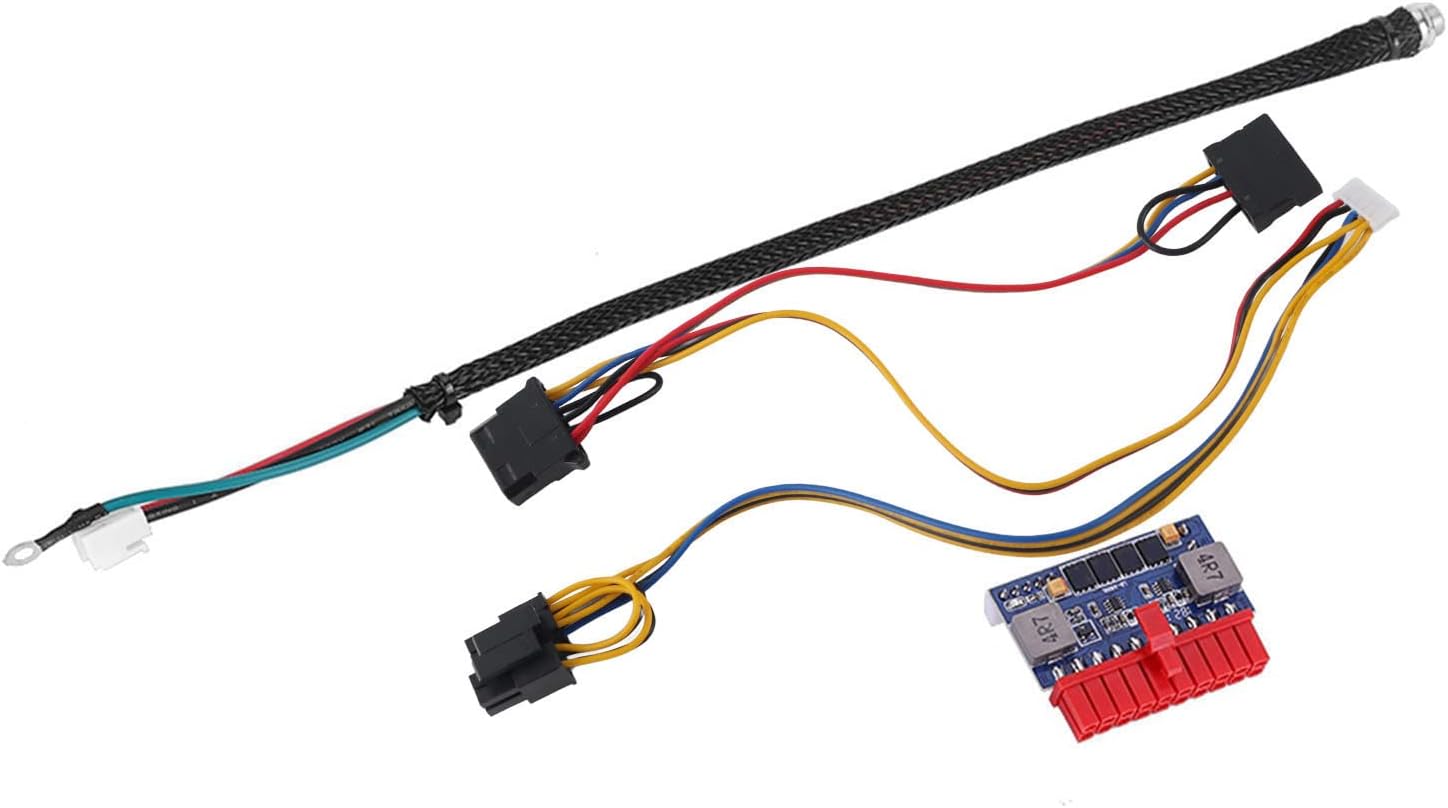
Image 5: Connection points on the ASHATA 90W DC-ATX Power Module.
6. Інструкція з експлуатації
Once the power module is correctly installed and all connections are secure:
- Connect your external 12V DC power adapter to a wall outlet.
- The system should power on automatically or can be powered on via the system's power button, depending on your motherboard's configuration.
- To power off the system, use the operating system's shutdown function or the system's power button.
7. Технічне обслуговування
The ASHATA 90W DC-ATX Power Module is designed for low maintenance. To ensure optimal performance and longevity:
- Тримати в чистоті: Periodically inspect the module and surrounding area for dust accumulation. Use compressed air to gently remove dust.
- Забезпечте потік повітря: Although fanless, adequate airflow within the chassis is important to dissipate heat. Ensure no obstructions block air circulation around the module.
- Уникайте перевантаження: Do not exceed the maximum 90W output power. Overloading can lead to instability or damage.
8. Вирішення проблем
If you encounter issues with your power module, refer to the following troubleshooting tips:
- Немає живлення системи:
- Verify that the external 12V DC power adapter is connected and receiving power from the wall outlet.
- Check all cable connections between the power module, motherboard, and peripherals for secure seating.
- Ensure the 12V DC input cable to the module is firmly connected.
- System Instability or Unexpected Shutdowns:
- Confirm that the total power consumption of your components does not exceed the module's 90W capacity.
- Check for proper ventilation within the chassis to prevent overheating.
- Verify that the input 12V DC power source is stable and provides sufficient current.
- Peripheral Devices Not Functioning:
- Ensure the 4-pin Molex and SATA power connectors are correctly attached to the respective devices.
- Check the power requirements of the peripheral devices.
9. Гарантія та підтримка
For technical assistance, product support, or warranty inquiries regarding your ASHATA 90W DC-ATX Power Module, please contact ASHATA customer service through the retailer where the product was purchased or visit the official ASHATA webсайт для контактної інформації.
