вступ
Дякуємо за покупкуasing the Mersoco M435 Portable Stereo Turntable. This device allows you to enjoy your vinyl records with its 3-speed playback, integrated speakers, and versatile connectivity options including Bluetooth, AUX-in, and RCA line-out. Please read this manual carefully before use to ensure proper operation and to maximize your listening experience.

Image 1: The Mersoco M435 Portable Stereo Turntable in its open position, showcasing a vinyl record on the platter and the tonearm.
Вміст упаковки
- Mersoco M435 Portable Stereo Turntable
- Адаптер живлення
- Інструкція з експлуатації (цей документ)
- (Optional: 45 RPM adapter, if included)
Продукт закінченийview
Familiarize yourself with the various parts and controls of your turntable.

Зображення 2: Зверху вниз view of the turntable's platter, tonearm, speed selector, and volume/power knob.
Ключові компоненти:
- Поворотний стіл: Де лежить вінілова платівка.
- Тонеарм: Тримає стилус (голку) та відстежує канавки платівки.
- Stylus/Needle: Reads the audio information from the record.
- Перемикач швидкості: Дозволяє вибрати 33 1/3, 45 або 78 об/хв.
- Ручка живлення/гучності: Turns the unit on/off and adjusts playback volume.
- Auto-Stop Switch: Вмикає або вимикає функцію автоматичної зупинки.
- Вбудовані динаміки: Для прямого аудіовиходу.
- Порт AUX-in: Для підключення зовнішніх аудіопристроїв за допомогою кабелю 3.5 мм.
- RCA Line-out Ports: Для підключення до зовнішніх ampпідсилювачі або потужні динаміки.
- Роз'єм для навушників: Для приватного прослуховування.
- Індикатор Bluetooth: Lights up when Bluetooth is active.

Image 3: Close-up of the rear panel showing the power input, AUX-in, and RCA line-out ports.
Налаштування
- Розпакування: Carefully remove the turntable from its packaging. Retain the packaging for future transport or storage.
- Розміщення: Розмістіть програвач на стійкій рівній поверхні подалі від прямих сонячних променів, джерел тепла, надмірного пилу чи вібрацій.
- Підключення живлення: Connect the provided power adapter to the DC IN port on the rear of the turntable and then plug it into a wall outlet.
- Пилозахисний чохол: Open the dust cover (if applicable) or remove any protective materials from the platter and tonearm.
- Захист стилуса: Remove the stylus protector from the needle before use.
Підключення зовнішніх аудіопристроїв:
- Лінійний вихід RCA: Для підключення до зовнішнього amplifier or powered speakers, use an RCA cable (not included) to connect the RCA L/R OUTPUT ports on the turntable to the corresponding input ports on your audio system.
- Вхід AUX: To play audio from an external device (e.g., smartphone, MP3 player) through the turntable's speakers, connect a 3.5mm audio cable (not included) from your device's headphone jack to the AUX IN port on the turntable.

Image 4: Visual guide illustrating how to connect external speakers via RCA, external audio sources via AUX-in, and headphones.
Інструкція з експлуатації
Playing a Vinyl Record:
- Увімкнення: Turn the Power/Volume knob clockwise to turn on the turntable.
- Виберіть швидкість: Set the speed selector switch to the appropriate speed (33 1/3, 45, or 78 RPM) for your record. Use the 45 RPM adapter for records with larger center holes.
- Запис місця: Place your vinyl record on the turntable platter.
- Автоматична зупинка: Ensure the AUTO STOP switch is set to ON if you want the platter to stop automatically at the end of the record. Set to OFF for continuous play or for some records that may trigger auto-stop prematurely.
- Почати відтворення: Gently lift the tonearm using the cue lever and position the stylus over the desired track on the record. Slowly lower the tonearm onto the record using the cue lever.
- Регулювання гучності: Відрегулюйте гучність за допомогою ручки живлення/гучності.
- Кінець відтворення: When the record finishes (if auto-stop is ON) or when you manually stop it, gently lift the tonearm using the cue lever and return it to the tonearm rest. Secure it with the tonearm lock.
Відтворення Bluetooth:
- Активувати Bluetooth: Turn on the turntable. The Bluetooth indicator light will flash, indicating it's in pairing mode.
- Підключити пристрій: On your smartphone, tablet, or other Bluetooth-enabled device, search for "Mersoco" (or similar name) in the Bluetooth settings and select it to pair.
- Підтвердження: Once paired, the Bluetooth indicator light will stop flashing and remain solid.
- Відтворення аудіо: Start playing music on your connected device. The audio will play through the turntable's built-in speakers or connected external speakers.
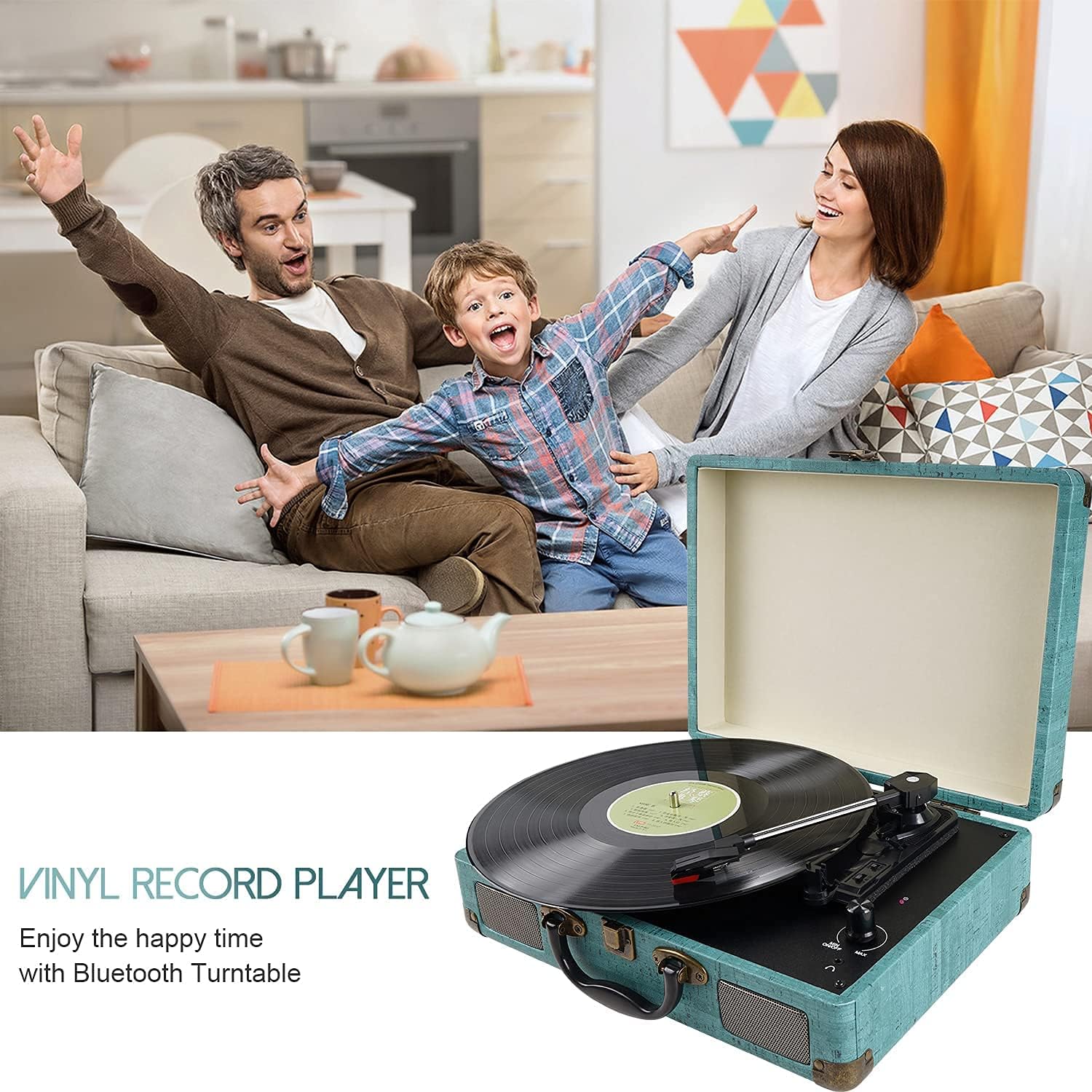
Image 5: A visual representation of a smartphone wirelessly connected to the turntable via Bluetooth, playing music.
Відтворення з AUX-входу:
- Підключити кабель: Connect a 3.5mm audio cable from your external audio device's headphone jack to the AUX IN port on the turntable.
- Відтворення аудіо: Start playing music on your external device. The audio will automatically route through the turntable's speakers.
- Регулювання гучності: Adjust the volume using both your external device's volume control and the turntable's Power/Volume knob.
Технічне обслуговування
Очищення стилуса:
- Use a soft brush (not included) designed for stylus cleaning. Brush gently from back to front (the direction the stylus tracks the record).
- Avoid touching the stylus with your fingers, as oils can damage it.
Очищення програвача:
- Wipe the turntable cabinet with a soft, slightly damp тканина. Не використовуйте агресивні хімікати або абразивні засоби для чищення.
- Тримайте пилозахисну кришку закритою, коли вона не використовується, щоб запобігти накопиченню пилу.
Догляд за записами:
- Handle records by their edges to avoid fingerprints.
- Зберігайте платівки вертикально в їхніх конвертах, щоб запобігти деформації.
- Clean records regularly with a record brush or cleaning solution to remove dust and static.
Усунення несправностей
| проблема | Можлива причина | Рішення |
|---|---|---|
| Немає живлення | Power adapter not connected; Power outlet not working; Power knob off. | Ensure power adapter is securely connected. Try a different outlet. Turn Power/Volume knob clockwise to power on. |
| Немає звуку з динаміків | Volume too low; Stylus protector still on; Tonearm not lowered; External speakers not connected/powered. | Increase volume. Remove stylus protector. Lower tonearm onto record. Check external speaker connections and power. |
| Пропуск запису | Record is dirty or scratched; Turntable not level; Stylus is worn or dirty. | Clean the record. Place turntable on a level surface. Clean or replace the stylus. |
| Bluetooth не підключається | Turntable not in pairing mode; Device too far; Device already connected to another Bluetooth device. | Ensure turntable Bluetooth indicator is flashing. Move device closer. Disconnect from other Bluetooth devices and try again. |
| Auto-stop not working correctly | Auto-stop switch is OFF; Some records may not trigger auto-stop. | Ensure AUTO STOP switch is ON. For records that don't trigger it, manual stop is required. |
Технічні характеристики
- модель: M435
- Бренд: Мерсоко
- Швидкість відтворення: 33 1/3, 45, 78 об/хв
- Підключення: Bluetooth, 3.5mm AUX-in, RCA Line-out
- Доповідачі: Вбудовані стереодинаміки
- вага: Приблизно 5.28 фунтів (2.4 кг)
- Джерело живлення: DC Power Adapter (specific voltage/current not provided in data)
- Compatible Devices (AUX-in/Bluetooth): Headphones, Stereo System, Speakers, MP3 Player, Laptop, Smartphone, Tablet
Гарантія та підтримка
Information regarding product warranty and customer support is not available in the provided product data. Please refer to the retailer or manufacturer's website for details on warranty coverage and how to contact customer support for your Mersoco M435 turntable.


