1. Вступ
This manual provides essential information for the installation, operation, and maintenance of your Intel Xeon Gold 6230 Icosa-core (20 Core) 2.10 GHz Processor. Designed for demanding server and workstation environments, this processor delivers high performance and reliability. Please read this manual thoroughly before proceeding with installation.
2. Продукт закінчивсяview
The Intel Xeon Gold 6230 processor is a high-performance CPU featuring 20 physical cores and 40 threads, operating at a base frequency of 2.10 GHz. It is part of the Intel Xeon Scalable processor family, optimized for data centers, cloud computing, high-performance computing (HPC), and enterprise applications. Its architecture supports advanced technologies for enhanced security, reliability, and performance.

Малюнок 2.1: Спереду view of the Intel Xeon Gold 6230 processor, displaying the integrated heat spreader with branding and model details.
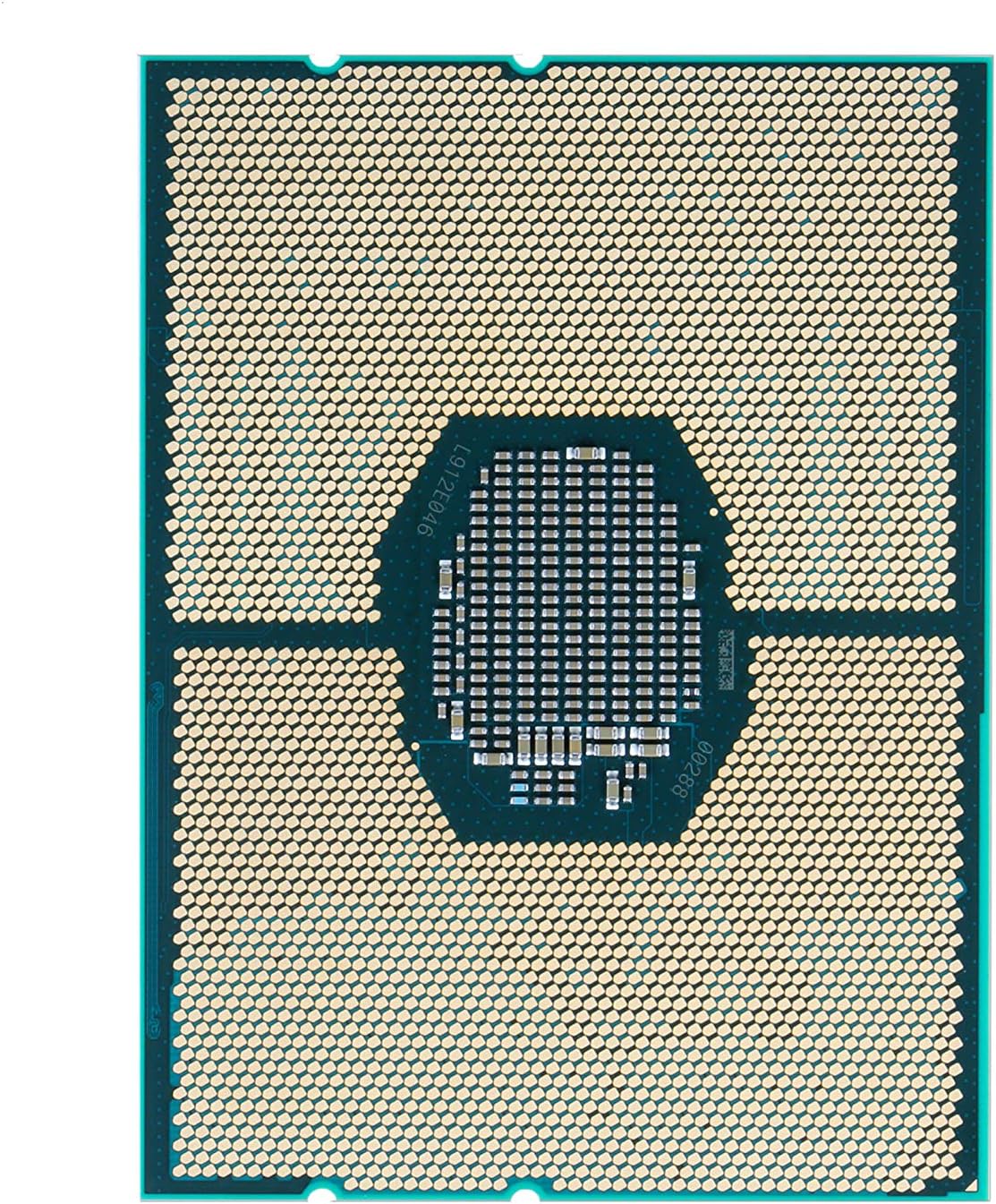
Малюнок 2.2: Задня частина view of the Intel Xeon Gold 6230 processor, illustrating the LGA 3647 contact pads.
3. Вміст упаковки
The Intel Xeon Gold 6230 processor is typically sold as an OEM (Original Equipment Manufacturer) pack. The contents usually include:
- 1 x Intel Xeon Gold 6230 Processor
- (Note: Thermal solution and installation tools are generally not included with OEM processors and must be acquired separately.)
4. Налаштування та встановлення
Proper installation is crucial for the optimal performance and longevity of your processor. It is highly recommended that installation be performed by a qualified professional. Ensure your motherboard is compatible with the LGA 3647 socket and supports Intel Xeon Gold 6230 processors.
4.1. Контрольний список перед інсталяцією
- Compatible Motherboard (LGA 3647 socket)
- Compatible CPU Cooler (designed for LGA 3647 and appropriate TDP)
- Термопаста
- Антистатичний браслет
- Чисте, добре освітлене робоче місце
4.2. Етапи встановлення
- Підготуйте материнську плату: Ensure the motherboard is securely mounted in the chassis. Open the CPU socket retention mechanism.
- Обережно поводьтеся: Always hold the processor by its edges. Avoid touching the gold contact pads on the underside or the integrated heat spreader (IHS) surface.
- Вирівняйте процесор: Carefully align the processor with the socket. The processor has specific notches that must align with the socket's keys. Do not force the processor into the socket.
- Захистіть процесор: Once properly seated, close the socket retention mechanism to secure the processor.
- Нанесіть термопасту: Apply a small amount of high-quality thermal paste to the center of the processor's IHS. Follow the thermal paste manufacturer's instructions for application.
- Встановлення кулера процесора: Mount the compatible CPU cooler onto the motherboard, ensuring proper contact with the processor's IHS. Connect the cooler's fan cable to the appropriate header on the motherboard.
- Підключіть живлення: Connect the necessary power cables from the power supply unit (PSU) to the motherboard and any auxiliary CPU power connectors.
After physical installation, connect your display, keyboard, and mouse. Power on the system and enter the BIOS/UEFI settings to verify that the processor is recognized correctly and to configure any necessary settings.
5. Робота процесора
The Intel Xeon Gold 6230 processor operates as the central processing unit within your server or workstation system. Once installed and the operating system is loaded, the processor manages all computational tasks. Its 20 cores and 40 threads are designed to handle intensive multi-threaded applications, virtualization, and complex data processing workloads efficiently.
5.1. Програмне забезпечення та драйвери
Ensure your operating system (e.g., Windows Server, Linux distributions) is up-to-date with the latest patches and drivers. While processors typically do not require specific drivers beyond what the operating system provides, motherboard chipset drivers are essential for optimal system performance and stability. Visit your motherboard manufacturer's webсайт для завантаження найновіших драйверів.
5.2. Моніторинг ефективності
Monitor processor temperature and utilization using system monitoring tools provided by your operating system or third-party software. Maintaining appropriate temperatures is critical for processor longevity and stable operation.
6. Технічне обслуговування
Processors generally require minimal maintenance. However, ensuring a clean operating environment and effective cooling is vital.
- Видалення пилу: Regularly clean dust from your system's cooling fans and heatsinks. Dust accumulation can impede airflow and lead to overheating. Use compressed air for this purpose, ensuring the system is powered off and unplugged.
- Термопаста: The thermal paste between the processor and the heatsink may degrade over several years. If you observe consistently high temperatures, consider reapplying fresh thermal paste. This procedure should be done carefully and ideally by a professional.
- Екологічний контроль: Operate your system in a cool, dry, and well-ventilated environment to prevent excessive heat buildup.
7. Вирішення проблем
If you encounter issues with your system after processor installation, consider the following troubleshooting steps:
- Немає живлення/Немає завантаження:
- Verify all power cables (24-pin ATX, 8-pin CPU) are securely connected to the motherboard and PSU.
- Ensure the CPU is correctly seated in its socket and the retention mechanism is fully closed.
- Перевірте, чи правильно встановлено модулі оперативної пам'яті.
- Перегрів:
- Confirm the CPU cooler is correctly installed and making full contact with the processor's IHS.
- Check if thermal paste was applied correctly and sufficiently.
- Ensure CPU cooler fan(s) are spinning and connected to the motherboard.
- Verify adequate airflow within the computer case.
- Нестабільність/збої системи:
- Оновіть BIOS/UEFI материнської плати до останньої версії.
- Ensure all system drivers (chipset, etc.) are up-to-date.
- Run diagnostic tools to check memory (RAM) integrity.
- Processor Not Recognized:
- Confirm motherboard BIOS/UEFI supports the Intel Xeon Gold 6230 processor. An older BIOS version might not recognize newer CPUs.
- Re-seat the processor carefully.
If issues persist, consult your system integrator or Intel's official support resources.
8. Технічні характеристики
| Особливість | Деталь |
|---|---|
| Сімейство процесорів | Intel Xeon Gold |
| Номер моделі | 6230 |
| Номер деталі (OEM) | CD8069504193701 |
| Ядра / потоки | 20 ядра / 40 потоки |
| Базова тактова частота | 2.10 ГГц |
| Кеш | 27.5 МБ кешу L3 |
| Теплова потужність (TDP) | 125 Вт |
| Тип розетки | LGA 3647 |
| Сумісні операційні системи | Windows Server, Linux distributions (e.g., Windows 10 as listed in product specs) |
| Виробник | Intel |
9. Гарантія та підтримка
For detailed warranty information, please refer to the terms and conditions provided by your point of purchase or the official Intel website. As an OEM product, warranty terms may vary depending on the system integrator or reseller.
For technical support, drivers, and additional resources, please visit the official Intel support webсайт:


