1. Вступ
The Bewinner Fixed Wireless Terminal (FWT) is designed to provide voice services using a GSM mobile phone SIM card, eliminating the need for traditional ground wire lines. This device allows you to use standard telephone landline operations with the flexibility of a mobile network. It supports international and domestic, local, fixed/mobile voice services and is suitable for various applications including telephone landlines, alarm systems, and recording boxes.
This manual provides detailed instructions for the proper installation, operation, and maintenance of your Bewinner FWT.
2. Інформація про безпеку
- Перед використанням пристрою уважно прочитайте всі інструкції.
- Не піддавайте пристрій впливу води, вологи або екстремальних температур.
- Використовуйте лише наданий адаптер живлення. Використання неправильного адаптера може пошкодити пристрій та анулювати гарантію.
- Тримайте пристрій подалі від прямих сонячних променів і джерел тепла.
- Не намагайтеся самостійно відкривати або ремонтувати пристрій. Звертайтеся до кваліфікованого персоналу для проведення будь-яких робіт з обслуговування.
- Забезпечте належну вентиляцію навколо пристрою, щоб запобігти перегріванню.
3. Вміст упаковки
Будь ласка, перевірте упаковку на наявність наступних предметів:
- Bewinner Fixed Wireless Terminal Main Unit
- Адаптер живлення (DC 12 В)
- GSM антена
- Telephone Line Cables (RJ11)

Зображення 3.1: Contents of the Bewinner Fixed Wireless Terminal package, including the main unit, power adapter, antenna, and telephone cables.
4. Продукт закінчивсяview
4.1 Індикатори на передній панелі
The front panel of the Bewinner FWT features several LED indicators that display the device's status:
- ПОТУЖНІСТЬ: Вказує на те, що пристрій увімкнено.
- INUSE: Indicates the telephone line is in use.
- ГОВОРИМ: Indicates an active call.
- МОДУЛЬ: Indicates the GSM module status.
- SIM: Indicates the SIM card status.
- Індикатори сили сигналу: Multiple LEDs to show the strength of the GSM signal.

Зображення 4.1: Фронт view of the Bewinner FWT, highlighting the LED indicators for power, usage, call status, module, SIM, and signal strength.
4.2 Порти задньої панелі
На задній панелі розташовані всі необхідні порти підключення:
- 12 В постійного струму: Порт введення живлення.
- УВІМК./ВИМК.: Вимикач живлення.
- PHONE1 / PHONE2: RJ11 ports for connecting standard telephones or alarm systems.
- USB: Micro USB port (for potential data/configuration, typically not user-accessible for basic operation).
- RST: Кнопка скидання.
- МУРАВ: SMA connector for the external GSM antenna.
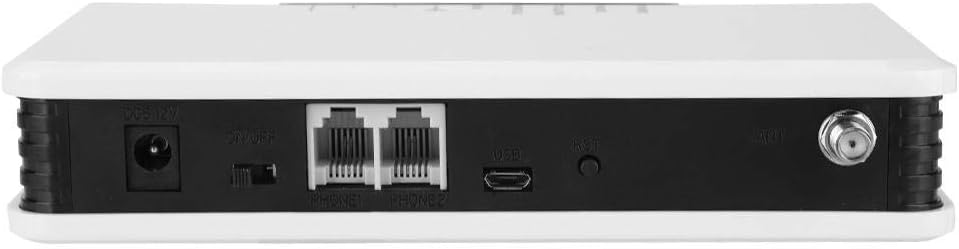
Зображення 4.2: Задня view of the Bewinner FWT, showing the DC power input, ON/OFF switch, PHONE1/PHONE2 ports, USB port, Reset button, and antenna connector.
5. Інструкції з налаштування
Follow these steps to set up your Bewinner Fixed Wireless Terminal:
5.1 Встановлення SIM -карти
- Ensure the device is powered off using the ON/OFF switch on the rear panel.
- Locate the SIM card slot on the bottom of the device. It is usually covered by a small flap or a swing-up mechanism.
- Carefully insert your activated GSM SIM card into the slot. Ensure the SIM card is correctly oriented according to the diagram near the slot. The SIM card slot typically swings up to allow insertion.
- Close the SIM card slot securely.

Зображення 5.1: Дно view of the Bewinner FWT, indicating the location of the SIM card slot. Ensure the SIM card is activated by your mobile carrier before insertion.
5.2 Підключення антени
- Locate the ANT connector on the rear panel of the device.
- Screw the provided GSM antenna onto the ANT connector clockwise until it is finger-tight.
- Position the antenna vertically for optimal signal reception.
5.3 Підключення живлення
- Connect the power adapter to the DC 12V input port on the rear panel.
- Підключіть адаптер живлення до стандартної електричної розетки.
5.4 Connecting a Telephone
- Using a standard RJ11 telephone cable, connect your telephone or alarm system to either the PHONE1 or PHONE2 port on the rear panel of the FWT.
5.5 Увімкнення
- Переведіть перемикач УВІМК./ВИМК. на задній панелі в положення «УВІМК.».
- Observe the LED indicators on the front panel. The POWER LED should illuminate. The SIM and MODULE LEDs should also light up, and the signal strength indicators should show the network signal. This process may take a few moments as the device registers with the GSM network.
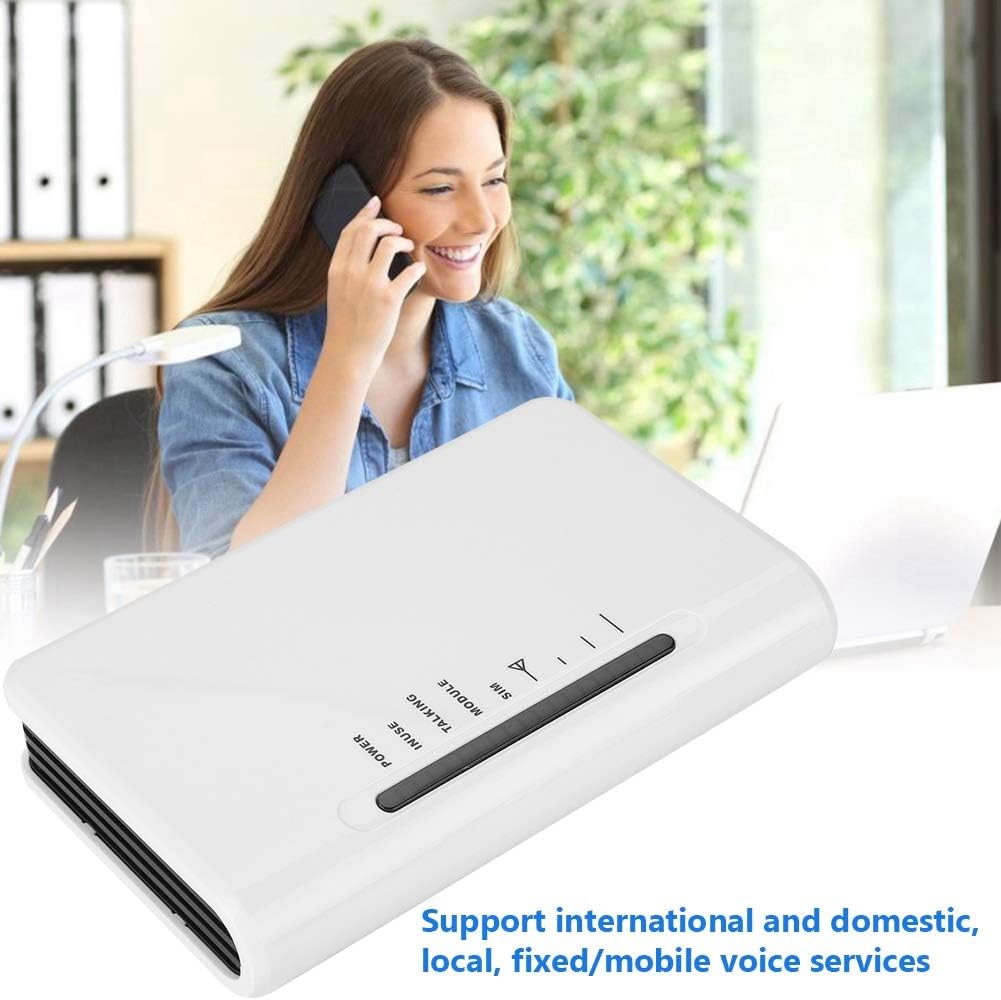
Зображення 5.2: The Bewinner FWT in an operational setting, demonstrating its use for making calls via a connected telephone.
6. Інструкція з експлуатації
6.1 Здійснення дзвінка
- Pick up the handset of the connected telephone. You should hear a dial tone.
- Наберіть потрібний номер телефону.
- The TALKING LED will illuminate during an active call.
6.2 Отримання дзвінка
- When an incoming call is received, the connected telephone will ring.
- Щоб відповісти на дзвінок, підніміть слухавку.
6.3 Значення світлодіодних індикаторів
| Індикатор | Статус | опис |
|---|---|---|
| ПОТУЖНІСТЬ | On | Пристрій увімкнено. |
| В ВЖИВАННІ | On | Telephone line is active (off-hook). |
| РОЗМОВА | On | An active call is in progress. |
| МОДУЛЬ | Увімкнено/блимає | Indicates GSM module status (e.g., searching for network, registered). |
| SIM | Увімкнено/блимає | Indicates SIM card status (e.g., detected, error). |
| Сила сигналу | Varying LEDs | Indicates the strength of the GSM network signal. More LEDs lit means stronger signal. |
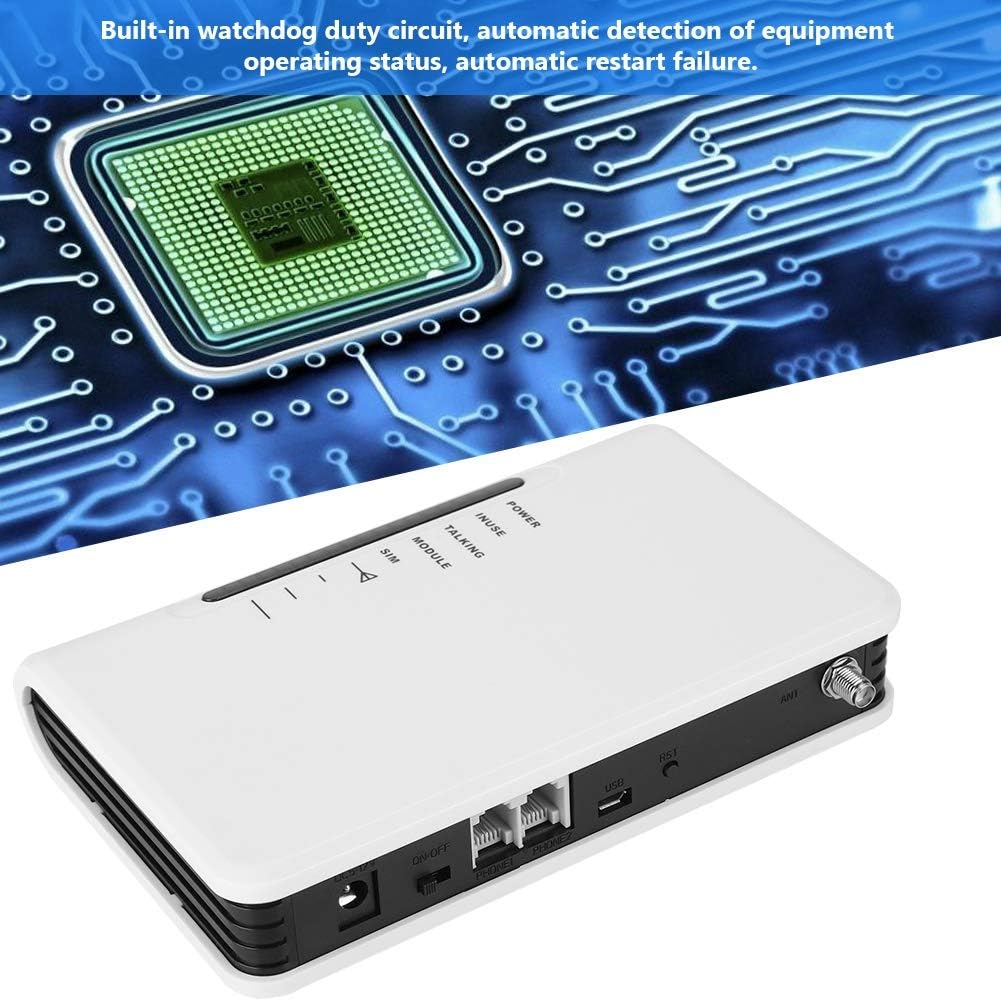
Зображення 6.1: The Bewinner FWT displaying various LED statuses, including signal, standby, and working status.
7. Технічне обслуговування
- Прибирання: Використовуйте м’яку суху тканину для очищення зовнішньої частини пристрою. Не використовуйте рідкі засоби для чищення або аерозолі.
- Зберігання: Якщо пристрій зберігатиметься протягом тривалого часу, від’єднайте його від живлення та зберігайте у прохолодному сухому місці.
- Watchdog Circuit: The device includes a built-in watchdog duty circuit for automatic detection of operating status and automatic restart in case of failure, minimizing the need for manual intervention.
8. Вирішення проблем
| проблема | Можлива причина | Рішення |
|---|---|---|
| Немає живлення | Power adapter not connected; Power switch off; Faulty adapter/outlet. | Ensure power adapter is securely connected and plugged into a working outlet. Turn the ON/OFF switch to 'ON'. |
| Немає тонального сигналу | SIM card not inserted or activated; Poor GSM signal; Telephone not connected properly. | Check SIM card insertion and activation status. Ensure antenna is connected and positioned for best signal. Verify telephone cable connection to PHONE1/PHONE2 port. |
| Poor Call Quality / Cannot Hear | Weak GSM signal; Network congestion; Device compatibility issues with specific network bands. | Relocate the FWT to an area with better signal strength (check signal LEDs). Ensure your SIM card's network provider supports the device's GSM bands (850/900/1800/1900Mhz). Note that some networks (e.g., in the US) may no longer support 2G devices. |
| Не вдається здійснювати/приймати дзвінки | SIM card not activated; SIM card balance low; Network issues; Device not registered on network. | Verify SIM card activation and account balance with your mobile carrier. Check signal strength. Restart the device. |
| Device restarts automatically | Normal operation of watchdog circuit; Temporary system error. | This may be the built-in watchdog circuit functioning. If restarts are frequent and disruptive, contact support. |
9. Технічні характеристики
| Особливість | Деталь |
|---|---|
| Бренд | Переможець |
| Номер моделі | Bewinner42sg1ohuke-01 |
| GSM Frequency Bands | Quad-Band GSM 850/900/1800/1900Mhz |
| Джерело живлення | DC |
| томtage | 12 Volts, 5 Volts (Input/Output) |
| Wattage | 2 Вт |
| Розміри продукту | 10L x 10W x 10H millimetres (approx. 1 x 1 x 1 cm) |
| Вага товару | 399 г |
| Сумісні пристрої | PC (for potential configuration, not typical user operation), Standard Telephones, Alarm Systems |
| Рівень шуму | 104 децибели |
| UPC | 753874206541 |

Зображення 9.1: Bottom label of the Bewinner FWT, displaying the model number, serial number, and checkboxes for supported network technologies (GSM, CDMA, WCDMA, 4G).
Примітка: Specifications are subject to change without notice. The "Noise level" specification of 104 Decibels may be a general specification for a component within the device or a misinterpretation; the device itself is not expected to produce such high noise during normal operation.
10. Гарантія та підтримка
Щоб отримати інформацію про гарантію та технічну підтримку, зверніться до документації, що додається до вашої покупки, або зверніться до продавця. Зберігайте чек про покупку для гарантійних претензій.


