вступ
This manual provides detailed instructions for the safe and efficient operation, maintenance, and troubleshooting of your Amazon Basics 18-Sheet Cross-Cut Paper, CD, and Credit Card Shredder. Please read this manual thoroughly before using the shredder and retain it for future reference.
The Amazon Basics 18-Sheet Cross-Cut Shredder is designed to shred paper, CDs, DVDs, and credit cards, providing a secure way to dispose of sensitive information. It features a cross-cut mechanism for enhanced security, turning documents into small confetti-like pieces.
Інформація про безпеку
To reduce the risk of fire, electric shock, or injury, always follow basic safety precautions when using this product.
- Зберігати в недоступному для дітей та домашніх тварин місці.
- Keep loose clothing, jewelry, hair, and other small items away from the shredder opening.
- Do not place hands or fingers into the shredder opening.
- Always unplug the shredder when not in use or before moving, cleaning, or emptying the waste bin.
- Do not operate the shredder with a damaged power cord or plug.
- Do not shred adhesive labels, continuous forms, or plastic other than credit cards.
- Не розпилюйте на подрібнювач жодних легкозаймистих речовин та не використовуйте його поблизу легкозаймистих матеріалів.
- Цей продукт містить хімічні речовини, які, як відомо штату Каліфорнія, спричиняють рак та вроджені дефекти або інші репродуктивні порушення.
Налаштування
Розпакування
- Обережно вийміть шредер з упаковки.
- Remove all packing materials, including any protective films or inserts.
- Inspect the shredder for any signs of damage. If damaged, do not operate and contact customer support.
Розміщення
- Поставте шредер на рівну, стійку поверхню.
- Ensure there is adequate space around the shredder for ventilation and access to the waste bin.
- The shredder is equipped with casters for easy mobility. Lock the casters once the shredder is in its desired position.

Загалом view of the Amazon Basics 18-Sheet Cross-Cut Shredder, showing its compact design and casters.
Підключення живлення
- Ensure the shredder is in the 'OFF' position (or unplugged) before connecting to power.
- Підключіть шнур живлення до стандартної електричної розетки.
Інструкція з експлуатації
Елементи управління та індикатори
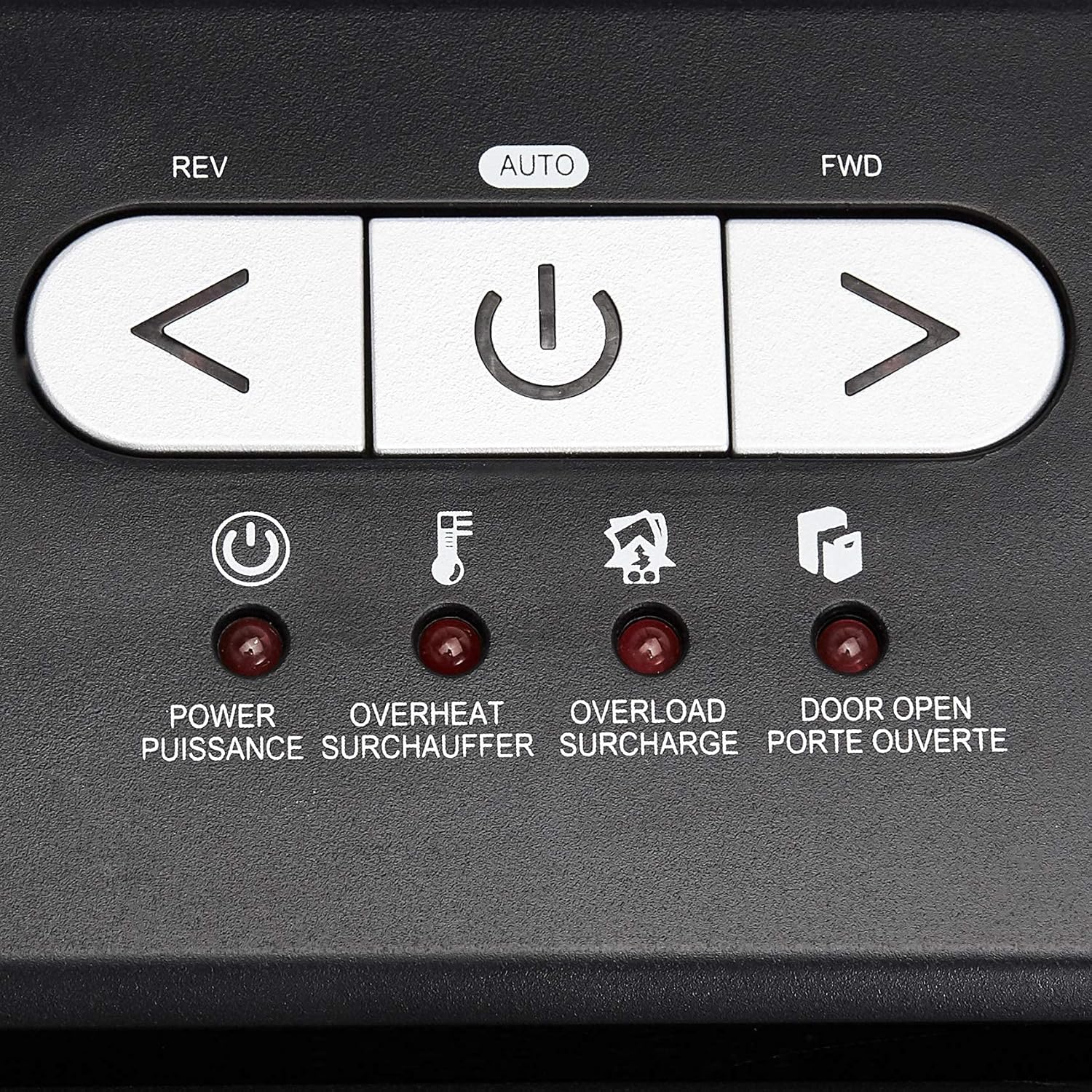
Крупним планом view of the shredder's control panel, showing the REV, AUTO, FWD buttons and LED indicators.
| Контроль/Індикатор | опис |
|---|---|
| REV (Reverse) Button | Moves the shredder blades in reverse to clear paper jams. |
| AUTO (Power/Auto) Button | Activates the shredder's automatic shredding function. The shredder will start when paper is inserted. |
| FWD (Forward) Button | Moves the shredder blades forward continuously. Useful for clearing small debris. |
| Індикатор живлення | Indicates the shredder is powered on. |
| Світлодіод перегріву | Illuminates when the shredder has exceeded its maximum continuous run time and needs to cool down. |
| Світлодіод перевантаження | Illuminates when too much material is inserted, causing the motor to strain. |
| Door Open LED | Indicates that the shredder head is not properly seated on the waste bin, or the bin is not fully closed. |
Основна операція подрібнення
- Ensure the shredder is plugged in and the power switch on the back (if present) is ON.
- Натисніть АВТО button on the control panel. The Power LED will illuminate.
- Для паперу: Insert up to 18 sheets of 20-pound bond paper into the paper entry slot. The shredder will automatically start and stop once the paper has passed through. Staples and small paper clips do not need to be removed.
- For CDs/DVDs: Insert one CD or DVD into the dedicated CD/DVD slot. The shredder will process the disc.
- Для кредитних карток: Insert one credit card into the dedicated credit card slot. The shredder will process the card.
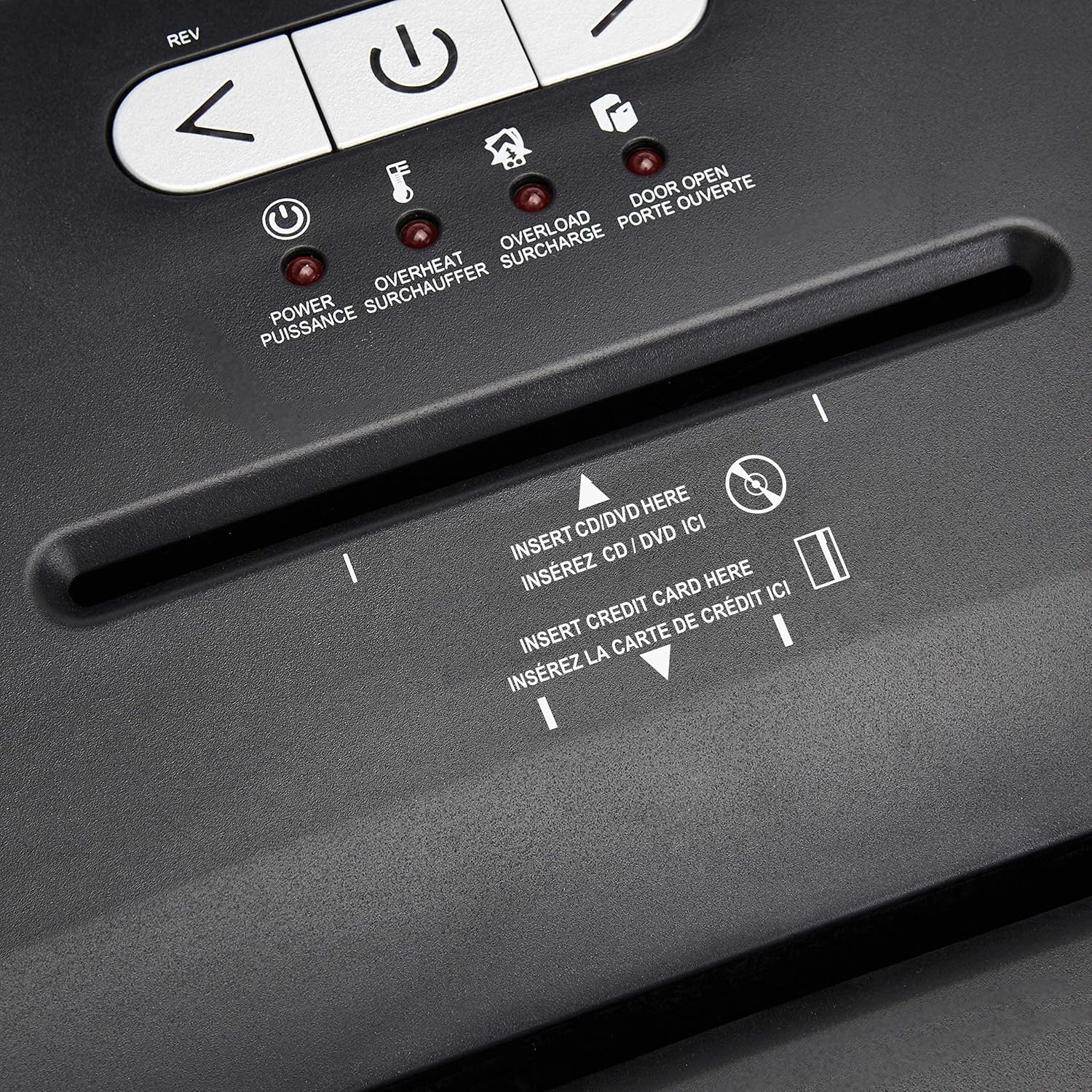
Детальний view of the dedicated slots for shredding CDs/DVDs and credit cards.
Continuous Run Time and Overheat Protection
The shredder is designed for a continuous run time of 30 minutes, followed by a 10-minute cool-down period. If the shredder operates continuously beyond its maximum run time, it will automatically shut off to protect the motor from overheating. The Overheat LED will illuminate. Allow the shredder to cool down for at least 10 minutes before resuming operation. The shredder will automatically reset once cooled.
Захист від перевантаження
If too many sheets of paper or an item too thick is inserted, the shredder may jam and the Overload LED will illuminate. To clear an overload, press the REV button to reverse the blades and remove the excess material. Reduce the amount of material and re-insert.
Технічне обслуговування
Emptying the Shredder Bin
- Always unplug the shredder before emptying the waste bin.
- The 6-gallon bin has a window to monitor the fill level.
- Carefully pull out the waste bin from the front of the shredder.
- Empty the shredded material into a suitable recycling or waste container.
- Slide the waste bin back into place, ensuring it is fully seated. The Door Open LED should turn off.
прибирання
- Від’єднайте подрібнювач від мережі перед чищенням.
- Протріть зовнішню частину шредера м’якою сухою тканиною. Не використовуйте абразивні засоби для чищення або розчинники.
- Periodically clean the shredder blades by running a shredder lubricant sheet or applying shredder oil to a sheet of paper and shredding it. This helps maintain optimal performance and extends the life of the blades.
Усунення несправностей
| проблема | Можлива причина | Рішення |
|---|---|---|
| Шредер не вмикається. | Not plugged in; Power switch OFF; Waste bin not properly seated; Overheated. | Ensure power cord is securely plugged in. Turn the power switch ON. Push the waste bin firmly into place. Allow shredder to cool down if Overheat LED is on. |
| Зминання паперу. | Вставлено забагато паперу; папір вставлено нерівно. | Натисніть REV button to clear the jam. Remove excess paper. Reduce the amount of paper per pass. |
| Shredder stops during operation and Overheat LED is on. | Exceeded continuous run time. | Allow the shredder to cool down for at least 10 minutes. The shredder will automatically reset. |
| Shredder stops and Overload LED is on. | Too much material inserted. | Натисніть REV button to remove the material. Reduce the amount of material and re-insert. |
| Door Open LED is on. | Waste bin not fully inserted or shredder head not properly seated. | Ensure the waste bin is pushed all the way in and the shredder head is correctly positioned on top. |
Технічні характеристики
| Особливість | Деталь |
|---|---|
| Номер моделі | C218-A |
| Тип подрібнення | Поперечний розріз |
| Розмір подрібнення | 4 х 35 мм |
| Рівень безпеки | П-3 |
| Листова місткість | Up to 18 sheets (20-pound bond paper) |
| Клаптики | Paper, CDs, DVDs, Credit Cards |
| Ємність бункера | 6 галони |
| Час безперервної роботи | 30 хвилин |
| Час охолодження | 10 хвилин |
| Розміри (Д x Ш x В) | 10.35 x 14.45 x 20.47 дюймів |
| Вага товару | 24.4 фунта |
| Колір | чорний |
| Тип матеріалу | Легована сталь, метал, пластик |
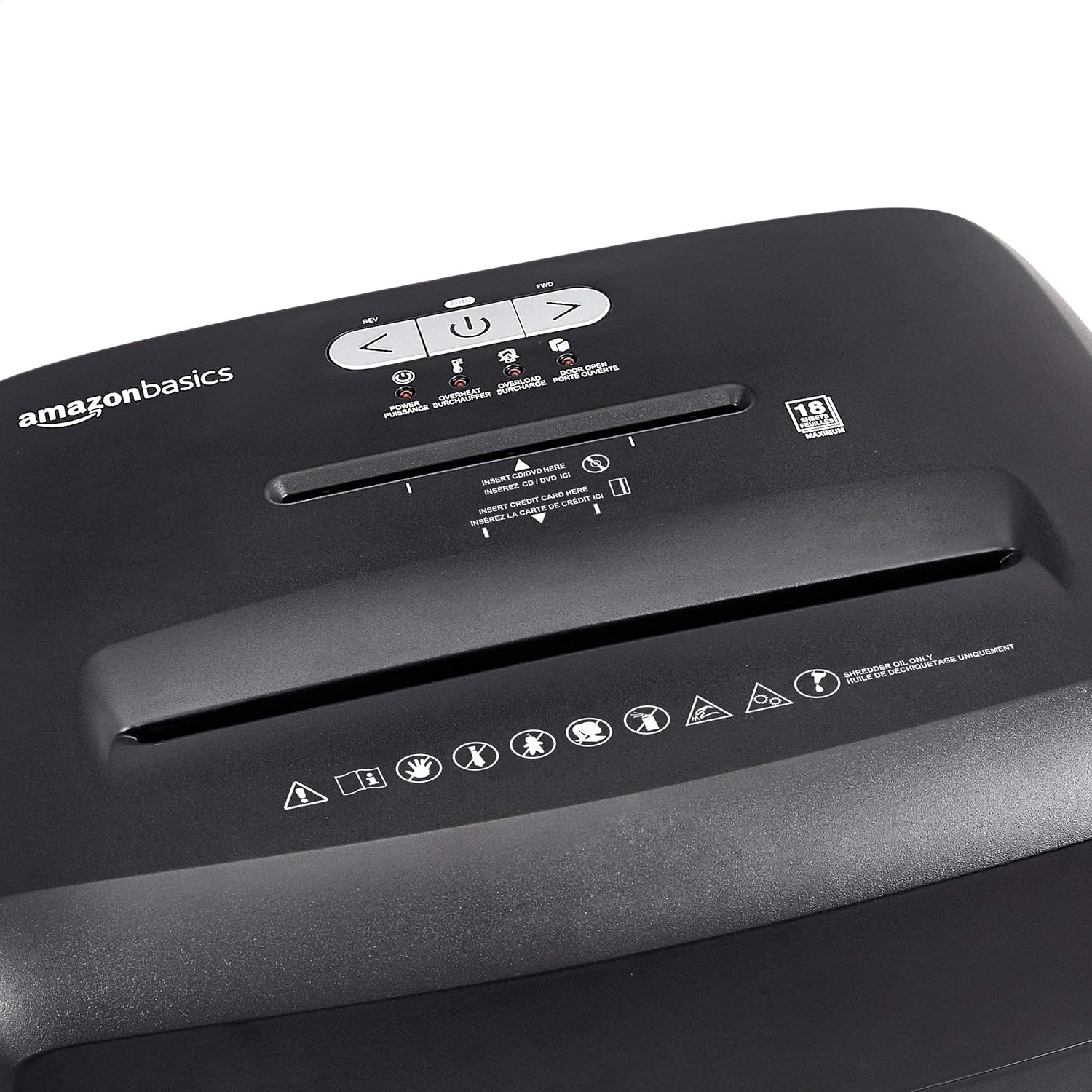
Diagram illustrating the dimensions of the shredder: 20.47 inches (51.51 cm) in height.
Інформація про гарантію
This Amazon Basics product is backed by a limited warranty. For specific details regarding warranty coverage, duration, and terms, please refer to the warranty document included with your purchase or visit the official Amazon Basics webсайт. Зберігайте чек про покупку для гарантійних претензій.
Підтримка клієнтів
For any questions, assistance, or troubleshooting not covered in this manual, please contact Amazon Basics Customer Service. You can typically find contact information on the Amazon website under the 'Help' or 'Customer Service' sections, or by visiting the Основи магазину Amazon.


