вступ
This manual provides instructions for the Calvas USARMT LTV-914 Universal Remote Control, designed for use with various LG TV models, including AKB73715634, AKB73715679, and 3D Smart TV LN577S. This remote operates via infrared (IR) technology and is intended as a direct replacement, requiring no programming for most compatible LG televisions.
Вміст упаковки
- 1 x USARMT LTV-914 Universal Remote Control
Технічні характеристики
- Номер моделі: LTV-914
- Бренд: лисини
- тип: Пульт дистанційного керування телевізором
- Зв'язок: Інфрачервоний (ІЧ)
- Частота: 433 МГц
- Канали: 1
- Джерело живлення: 2 лужні батарейки типу AAA (не входять до комплекту)
- матеріал: ABS
- Сумісні пристрої: LG Televisions (e.g., AKB73715634, AKB73715679, 3D Smart TV LN577S)
- Особливість: Універсальна сумісність
Налаштування
Установка батарей
- Знайдіть батарейний відсік на задній панелі пульта дистанційного керування.
- Посуньте кришку відсіку для батарейок вниз або натисніть на засувку та підніміть її, щоб відкрити.
- Вставте дві (2) лужні батарейки типу AAA, переконавшись, що позитивний (+) та негативний (-) полюси батарейок правильно збігаються з позначками всередині відсіку.
- Встановіть кришку відсіку для батарейок, зсунувши її на місце до клацання.

Image: Back of the remote control with the battery compartment open, illustrating battery insertion.
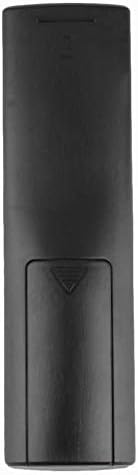
Зображення: Задня частина view пульта дистанційного керування із закритою кришкою відсіку для батарейок.
Інструкція з експлуатації
Початкове використання
The Calvas USARMT LTV-914 remote control is designed to work directly with most compatible LG TV models without requiring any programming. Simply insert the batteries and point the remote towards your television.
Direct Use and Basic Functions
Most functions, such as power on/off, volume control, channel selection, and navigation, should operate immediately upon pointing the remote at your LG TV.

Зображення: спереду view of the remote control, displaying the button layout.
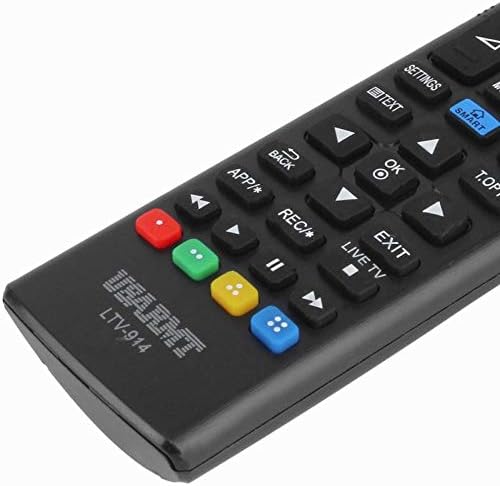
Image: Close-up of the remote's buttons, showing details of the control interface.
Factory Reset / Reconfiguration (If direct use fails)
In rare cases, if the remote does not operate your TV directly, you may need to perform a factory reset or attempt a reconfiguration.
- To reset to factory settings: Press and hold the ПОТУЖНІСТЬ button and the number 0 кнопку одночасно протягом кількох секунд.
- To attempt re-pairing (if applicable, though typically not required for this universal remote): Press and hold the ПОТУЖНІСТЬ button and the number 1 кнопку одночасно протягом кількох секунд.
After performing either of these steps, release the buttons and test the remote's functionality with your TV.
Усунення несправностей
- Пульт не відповідає:
- Перевірте, чи правильно вставлені батарейки з дотриманням полярності.
- Replace old or depleted batteries with new AAA alkaline batteries.
- Переконайтеся, що між пультом дистанційного керування та ІЧ-приймачем телевізора немає перешкод.
- Переконайтеся, що ви перебуваєте в межах ефективної дії ІЧ-приймача телевізора.
- Деякі функції не працюють:
- While this is a universal remote, some advanced or specific smart TV functions might not be fully supported on all LG models.
- Try the factory reset/reconfiguration steps mentioned in the "Operating Instructions" section.
- Remote LED indicator not lighting up:
- This usually indicates dead batteries or incorrect battery insertion. Replace batteries.
Технічне обслуговування
- Keep the remote control dry. Avoid exposure to liquids.
- Do not drop or subject the remote to strong impacts.
- Протирайте пульт дистанційного керування м’якою сухою тканиною. Не використовуйте абразивні засоби для чищення або розчинники.
- Якщо пульт дистанційного керування не використовуватиметься протягом тривалого часу, вийміть батарейки, щоб запобігти їх витіканню.
Гарантія та підтримка
Specific warranty information for this product is not provided in the available data. For support or warranty inquiries, please contact your retailer or the manufacturer, Calvas.


