вступ
This manual provides instructions for the setup, operation, and maintenance of your LG 32QN600-B QHD 32-inch IPS monitor. Please read this manual thoroughly before operating your device to ensure safe and optimal performance. Keep this manual for future reference.
Важлива інформація з безпеки
Завжди дотримуйтесь основних запобіжних заходів під час використання цього виробу, щоб зменшити ризик пожежі, ураження електричним струмом та травмування людей. Це включає, але не обмежується:
- Не перекривайте вентиляційні отвори.
- Не встановлюйте поблизу будь-яких джерел тепла.
- Захищайте шнур живлення від наступання або защемлення.
- Використовуйте лише насадки/аксесуари, зазначені виробником.
- Звертайтеся до кваліфікованого сервісного персоналу.
Налаштування
1. Розпакування
Carefully remove all components from the packaging. Ensure all parts listed in the packing list are present and undamaged. Keep packaging materials for future transport or return.
2. Stand Assembly / Wall Mounting
The monitor can be set up using its adjustable Edge-ArcLine stand or mounted to a wall using a VESA compatible mount (100 x 100 mm). Follow the instructions provided with the stand or wall mount kit for proper assembly.

Зображення: Задня частина view of the LG 32QN600-B monitor with its Edge-ArcLine stand attached. The stand provides stability and allows for tilt and height adjustments.
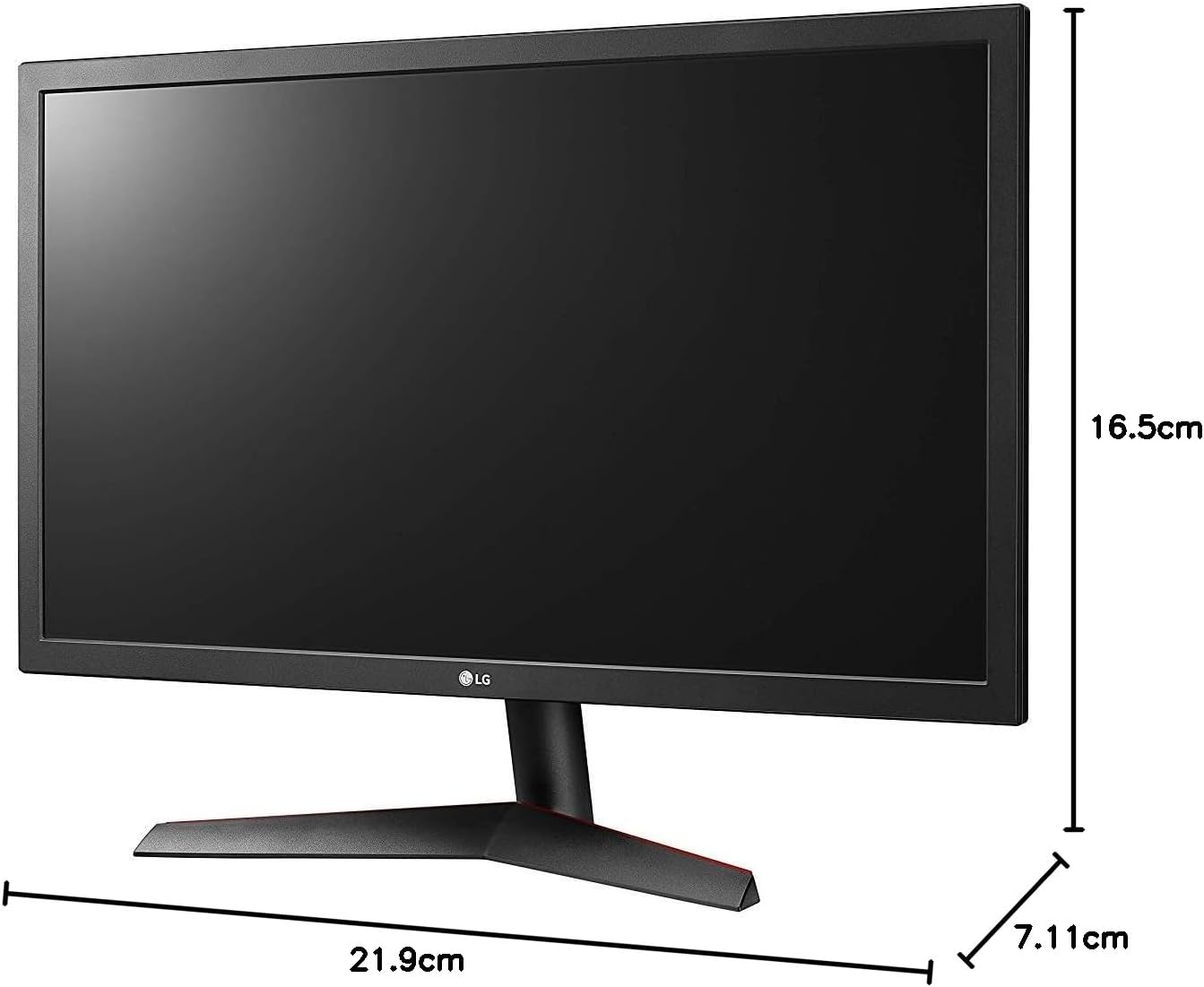
Image: Diagram illustrating the approximate dimensions of a similar LG monitor, showing width, height, and depth. Note: Specific dimensions for the 32QN600-B model are not provided in the available data.
3. Підключення до комп'ютера
Connect the monitor to your computer using one of the following cable types. Ensure the monitor and computer are powered off before making connections.
- Підключення HDMI: Use an HDMI cable to connect the monitor's HDMI port to the HDMI port on your computer's graphics card. This monitor supports 2 HDMI inputs.
- Підключення DisplayPort: Use a DisplayPort cable to connect the monitor's DisplayPort to the DisplayPort on your computer's graphics card. This monitor supports 1 DisplayPort input.

Image: Close-up of the rear panel of the LG 32QN600-B monitor, displaying the available input ports including HDMI and DisplayPort connections.
4. Підключення живлення
Підключіть адаптер живлення до входу живлення монітора, а потім підключіть шнур живлення до розетки.
Експлуатація монітора
1. Увімкнення/вимкнення живлення

Зображення: спереду view of the LG 32QN600-B QHD 32-inch IPS monitor, showing the display and stand.
Press the power button (usually a joystick-style button located on the bottom center of the monitor) to turn the monitor on or off.
2. Навігація по екранному меню (OSD)
The OSD menu allows you to adjust various monitor settings. Use the joystick button to navigate the menu:
- Натисніть кнопку джойстика, щоб відкрити головне екранне меню.
- Переміщуйте джойстик вгору/вниз/вліво/вправо для навігації між пунктами меню.
- Натисніть кнопку джойстика, щоб вибрати опцію або підтвердити налаштування.
- Перемістіть джойстик ліворуч, щоб вийти з підменю або екранного меню.
3. Налаштування зображення
Налаштуйте параметри дисплея для оптимального viewдосвід роботи:
- Яскравість: Контролює загальну яскравість екрана.
- Контраст: Регулює різницю між світлими та темними ділянками.
- Колірна температура: Changes the color warmth or coolness.
- Гамма: Adjusts the mid-tone luminance.
4. Особливості
The LG 32QN600-B monitor includes several features to enhance your viewдосвід гри та ігор:
- HDR 10 Compatibility: Supports High Dynamic Range content for enhanced contrast and color detail.
- Режим читання: Reduces blue light emissions to minimize eye strain during long reading sessions.
- Захист від мерехтіння: Virtually eliminates screen flicker to reduce eye fatigue.
- AMD FreeSync: Synchronizes the monitor's refresh rate with compatible AMD graphics cards to reduce screen tearing and stuttering for smoother gameplay.
- Синхронізація динамічних дій (DAS): Мінімізує затримку введення, забезпечуючи швидшу реакцію в динамічних іграх.
- Чорний стабілізатор: Automatically brightens dark areas in games, making it easier to spot objects or enemies hidden in shadows.
Технічне обслуговування
Очищення монітора
To clean the monitor, ensure it is powered off and unplugged from the power outlet. Use a soft, lint-free cloth lightly dampened with water or a mild, non-abrasive screen cleaner. Do not spray cleaner directly onto the screen. Avoid using harsh chemicals, abrasives, or solvents.
Загальний догляд
Avoid placing heavy objects on the monitor or its cables. Do not expose the monitor to direct sunlight, high humidity, or extreme temperatures. Ensure adequate ventilation around the monitor.
Усунення несправностей
If you experience issues with your monitor, refer to the following common problems and solutions:
| проблема | Можлива причина / рішення |
|---|---|
| Немає живлення | Ensure the power cord is securely connected to the monitor and a working power outlet. Check if the power adapter is functioning. |
| Немає сигналу / Порожній екран | Verify that the video cable (HDMI or DisplayPort) is securely connected to both the monitor and the computer. Ensure the correct input source is selected in the OSD menu. Check if the computer is powered on and not in sleep mode. |
| Зображення розмите або спотворене | Adjust the resolution settings on your computer to match the monitor's native resolution (2560 x 1440). Check the video cable for damage. Perform an auto-adjustment or reset picture settings in the OSD menu. |
| Кольори неправильні | Adjust color settings (color temperature, gamma) in the OSD menu. Ensure your graphics card drivers are up to date. |
| Розриви або заїкання екрана (під час гри) | Ensure AMD FreeSync is enabled on both the monitor (via OSD) and your compatible AMD graphics card settings. |
Якщо проблема не зникає після спроби цих рішень, зверніться до служби підтримки клієнтів LG.
Технічні характеристики
| Назва моделі | LG 32QN600-B |
| Розмір екрана | 32 дюймів |
| Тип панелі | IPS |
| роздільна здатність | QHD (2560 x 1440) |
| Співвідношення сторін | 16:9 |
| Підтримка HDR | Сумісність з HDR 10 |
| Яскравість (типова) | 350 ніт |
| Колірна гамма | DCI-P3 90% (типовий) |
| Технологія адаптивної синхронізації | AMD FreeSync |
| Підключення | 2 x HDMI, 1 x DisplayPort |
| Настінне кріплення VESA | 100 х 100 мм |
| Особливості | Reader Mode, Flicker Safe, Dynamic Action Sync, Black Stabilizer |
| Вхідна потужність | 100-240 Вольт |
| Розміри (Ш x В x Г) | Specific dimensions for the 32-inch model are not available in the provided data. |
| вага | Specific weight for the 32-inch model is not available in the provided data. |
Інформація про гарантію
LG monitors typically come with a limited manufacturer's warranty. For detailed information regarding your product's warranty period, coverage, and terms and conditions, please refer to the warranty card included with your product or visit the official LG webсайт. Зберігайте чек про покупку для гарантійних претензій.
Підтримка клієнтів
For technical assistance, troubleshooting beyond this manual, or service inquiries, please contact LG Customer Support:
- Webсайт: Відвідайте офіційний сайт LG website for support resources, FAQs, and driver downloads.
- телефон: Зверніться до документації до вашого продукту або до LG webсайт регіональних контактних телефонів.