1. Вступ
Welcome to the instruction manual for your new SWIFT SW350T Trinocular Compound Lab Microscope. This powerful and versatile instrument is designed for detailed observation of specimen slides, making it ideal for clinical instruction, scientific research, and educational purposes. With its advanced features, including a Siedentopf head, wide-field eyepieces, and camera compatibility, the SW350T provides exceptional clarity and performance. Please read this manual thoroughly to ensure proper setup, operation, and maintenance of your microscope.
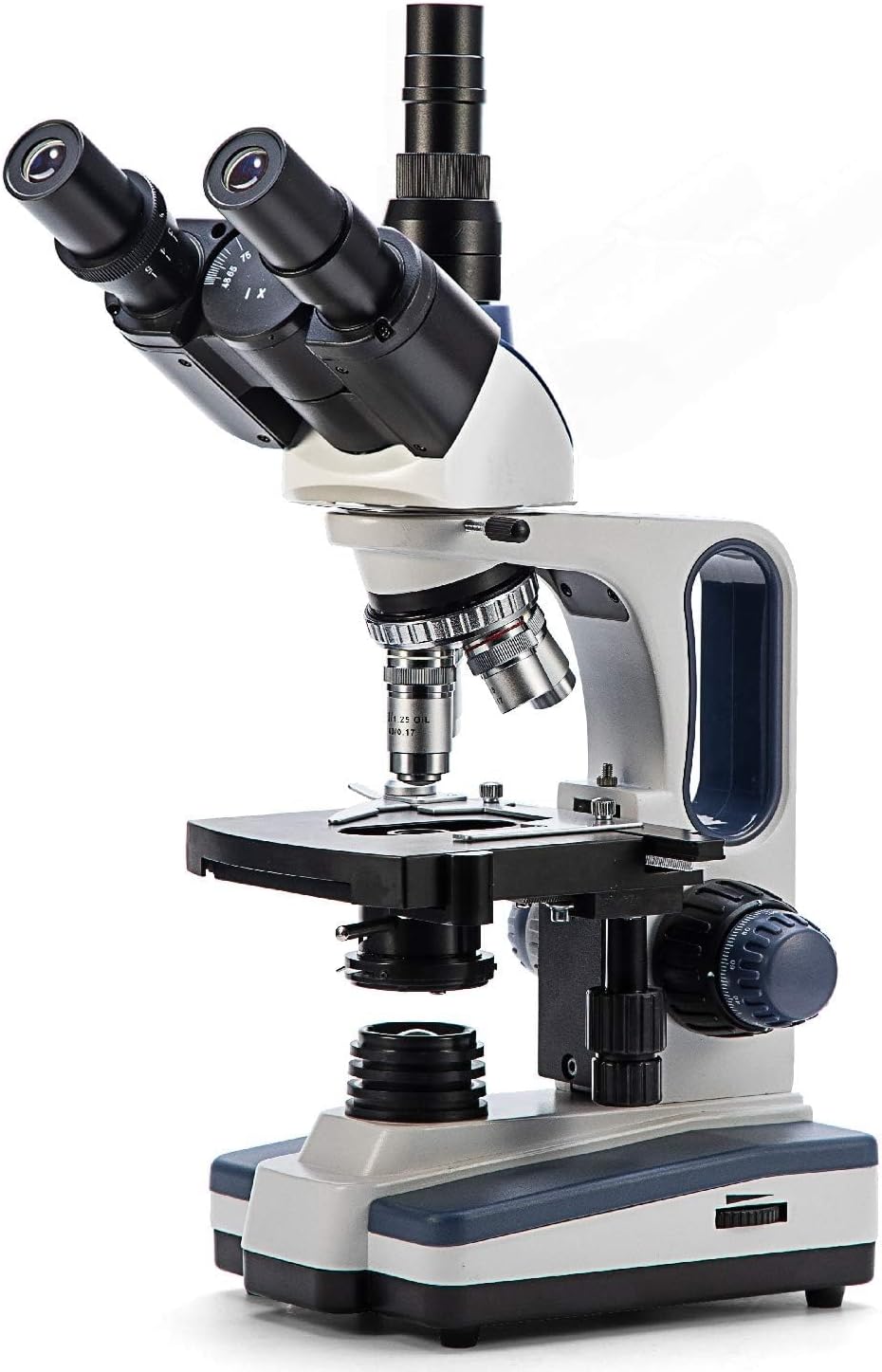
Figure 1: The SWIFT SW350T Trinocular Compound Lab Microscope, showcasing its robust design and key optical components.
2. Продукт закінчивсяview і компоненти
Familiarize yourself with the various parts of your SWIFT SW350T microscope. Understanding each component's function is crucial for effective operation.

Figure 2: Detailed diagram illustrating the main components of the SWIFT SW350T microscope.
Ключові компоненти:
- Siedentopf Head: Fully rotatable for shared viewing, equipped with trinocular port for camera attachments.
- Окуляри: Interchangeable wide-field 10X and 25X glass eyepieces, ergonomically tilted at 30 degrees.
- Обертова носова частина: Holds 4 DIN Achromatic objective lenses (4X, 10X, 40X, 100X Oil).
- Об'єктиви: Provide magnification levels of 40X, 100X, 250X, 400X, 1000X, 2500X.
- Механічний Stage: Double-layered with a secure slide holder for precise specimen positioning.
- Конденсатор Аббе: Illuminates slide specimens from below, with adjustable brightness.
- Coarse and Fine Adjustment Knobs: For precise focusing.
- Світлодіодне джерело світла: Brilliant and adjustable illumination.
- Порт камери: Dedicated port for connecting microscope cameras (not included).
3. Інструкції з налаштування
Follow these steps to set up your microscope for the first time.
- Розпакування: Carefully remove all components from the packaging. Retain the original packaging for future storage or transport.
- Розміщення: Place the microscope on a stable, level surface away from direct sunlight, excessive dust, and vibrations.
- Head Installation: Gently attach the Siedentopf head to the microscope body. Secure it with the set screw, ensuring it is firmly in place but not overtightened.
- Eyepiece Insertion: Insert the desired wide-field eyepieces (10X or 25X) into the eyepiece tubes on the Siedentopf head.
- Objective Lens Installation: Ensure the objective lenses are securely screwed into the revolving nosepiece. The 4X objective should be aligned with the light path for initial setup.
- Підключення живлення: Connect the power cord to the microscope's power input and then to a standard electrical outlet (110 Volts AC).

Figure 3: The SWIFT SW350T microscope along with its power cord, additional eyepieces, and other accessories, ready for setup.
4. Operating Your Microscope
4.1 Powering On and Illumination
Locate the power switch on the base of the microscope and turn it on. Adjust the brightness of the LED illumination using the dimming handwheel to achieve optimal viewing conditions for your specimen.
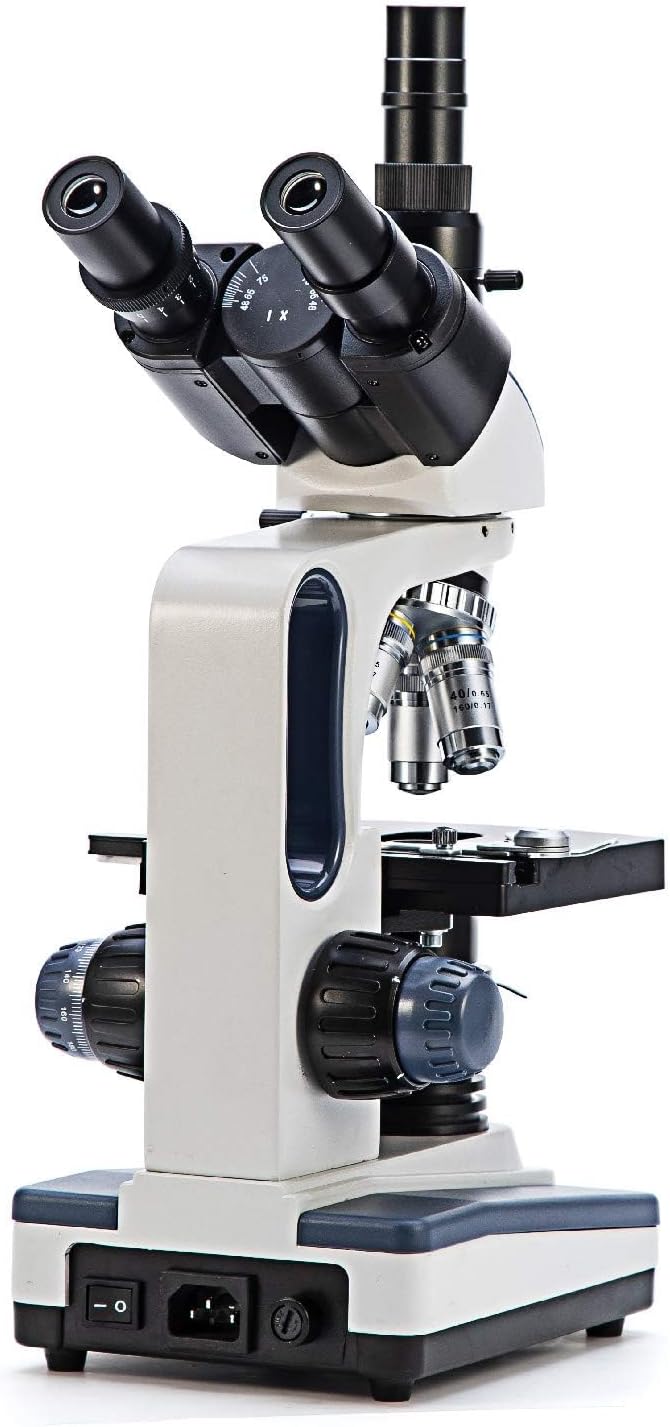
Малюнок 4: Задня частина view of the microscope, highlighting the power input and switch for operation.
4.2 Розміщення предметного скла
Помістіть підготовлений предметний зразок на механічнийtage. Use the slide holder clips to secure the slide in place.

Рисунок 5: Крупний план view механічного сtage, showing the slide holder and X-Y translational axis controls.
4.3 Налаштування збільшення
Rotate the revolving nosepiece to select the desired objective lens. Start with the lowest magnification (4X or 10X) for initial viewing and then gradually increase as needed. The total magnification is calculated by multiplying the eyepiece magnification by the objective lens magnification.

Рисунок 6: Детальний view of the objective lenses mounted on the revolving nosepiece.
4.4 Фокусування
Use the coarse adjustment knob for large focus changes, typically with lower magnification objectives. Once the image is roughly in focus, use the fine adjustment knob for precise focusing, especially at higher magnifications.
4.5 Using the Abbe Condenser
The Abbe condenser, located beneath the stage, helps to concentrate and direct light through the specimen. Adjust its height and the iris diaphragm to control contrast and resolution. For optimal viewing, the condenser should be raised close to the stage for higher magnifications and lowered for lower magnifications.

Figure 7: Close-up of the Abbe condenser and the light source beneath the mechanical stage.
4.6 Using the Trinocular Port (Camera Compatibility)
The SW350T features a dedicated trinocular port for attaching microscope cameras (sold separately). This allows for digital imaging, live streaming, and recording of your observations. To use, simply insert your compatible microscope camera into the trinocular port and follow the camera's specific instructions for setup and software installation.

Рисунок 8: Крупний план view of the trinocular head, showing the dedicated camera port for digital imaging.
5. Технічне обслуговування та догляд
Proper maintenance will extend the life and performance of your microscope.
- Очищення оптики: Use only specialized lens cleaning paper and optical cleaning solution for objective lenses and eyepieces. Gently wipe in a circular motion from the center outwards. Avoid touching optical surfaces with bare hands.
- Очищення тіла: Протріть корпус мікроскопа м’якою серветкоюamp тканина. Не використовуйте агресивні хімікати або абразивні засоби для чищення.
- Зберігання: Коли мікроскоп не використовується, накривайте його наданою пилозахисною кришкою, щоб захистити від пилу та сміття. Зберігайте у прохолодному, сухому місці.
- Обробка: Always carry the microscope by its arm and base. Avoid sudden movements or impacts.
- Oil Immersion (100X Objective): If using the 100X oil immersion objective, ensure to clean off immersion oil immediately after use to prevent damage to the lens.
6. Посібник з усунення несправностей
Зверніться до таблиці нижче, щоб дізнатися про поширені проблеми та їх вирішення.
| проблема | Можлива причина | Рішення |
|---|---|---|
| Немає підсвічування | Power switch off, power cord disconnected, brightness knob set to minimum. | Turn on power switch, check power cord connection, increase brightness. |
| Image blurry or out of focus | Incorrect focus adjustment, slide upside down, objective lens not fully engaged. | Adjust coarse and fine focus, ensure slide is correctly oriented, rotate nosepiece until objective clicks into place. |
| Dark or uneven field of view | Condenser not adjusted correctly, iris diaphragm closed too much, objective lens dirty. | Adjust condenser height, open iris diaphragm, clean objective lens. |
| Dust or spots visible in image | Dust on eyepiece, objective, or slide. | Clean eyepieces, objectives, and slide using appropriate cleaning methods. |
7. Технічні характеристики
Detailed specifications for the SWIFT SW350T microscope.
| Особливість | Специфікація |
|---|---|
| Бренд | SWIFT |
| Номер моделі | EF12021 |
| Максимальне збільшення | 2500X |
| Окуляри | Wide-Field 10X and 25X |
| Об'єктиви | 4 DIN Achromatic (4X, 10X, 40X, 100X Oil) |
| Тип голови | Siedentopf Trinocular, 30-degree inclined, 360-degree rotatable |
| Stage | Double-layered Mechanical Stage |
| Конденсатор | Конденсор Abbe з ірисовою діафрагмою |
| Тип джерела світла | LED, adjustable brightness |
| Джерело живлення | 110 вольт (перемінний струм) |
| матеріал | метал |
| Колір | Чорний, срібний, білий |
| Вага товару | 7.81 фунта (3.55 кілограма) |
| Розміри упаковки | 18.35 x 12.8 x 9.09 дюймів |
| Сумісні пристрої | Laptop, Personal Computer (via camera port) |
| Дата першої доступності | 29 січня 2019 р |
| Виробник | NJEDU |
8. Гарантія та підтримка
8.1 Інформація про гарантію
Your SWIFT SW350T microscope is covered by a manufacturer's warranty. Please refer to the official SWIFT webна сайті або в доданому гарантійному талоні для отримання інформації про конкретні умови та положення щодо покриття та терміну дії.
8.2 Подальша підтримка
For more detailed information, advanced techniques, or specific inquiries, please consult the comprehensive User Guide PDF available online: SWIFT SW350T User Guide (PDF). You may also visit the official SWIFT store on Amazon for additional resources and product information.


