вступ
This user manual provides comprehensive instructions for the setup, operation, maintenance, and troubleshooting of your Alienware M15 Gaming Laptop. Please read this manual thoroughly to ensure optimal performance and longevity of your device. For additional support, refer to the official Alienware support resources.
Продукт закінченийview
Ключові характеристики
- 8th Generation Intel Core i7-8750H (6-Core, 9MB Cache, up to 4.1GHz w/ Turbo Boost)
- 15.6" FHD (1920 x 1080) 60Hz Anti-glare IPS, 300-nits 72% Color gamut, narrow-border Display
- 16GB, 2x8GB, DDR4, 2666MHz RAM
- 128GB PCIe M.2 SSD + 1TB (+8GB SSHD) Hybrid Drive
- Nvidia GeForce GTX 1060 with 6GB GDDR5 Graphics Card
- Операційна система Windows 10 Home
Фізичні компоненти

малюнок 1: Фронт view of the Alienware M15 laptop, showcasing the display with the Alienware logo.

малюнок 2: З верху до низу view of the open Alienware M15 laptop, highlighting the keyboard layout and touchpad.

малюнок 3: Ліва сторона view of the Alienware M15 laptop, showing various ports such as USB 3.0.
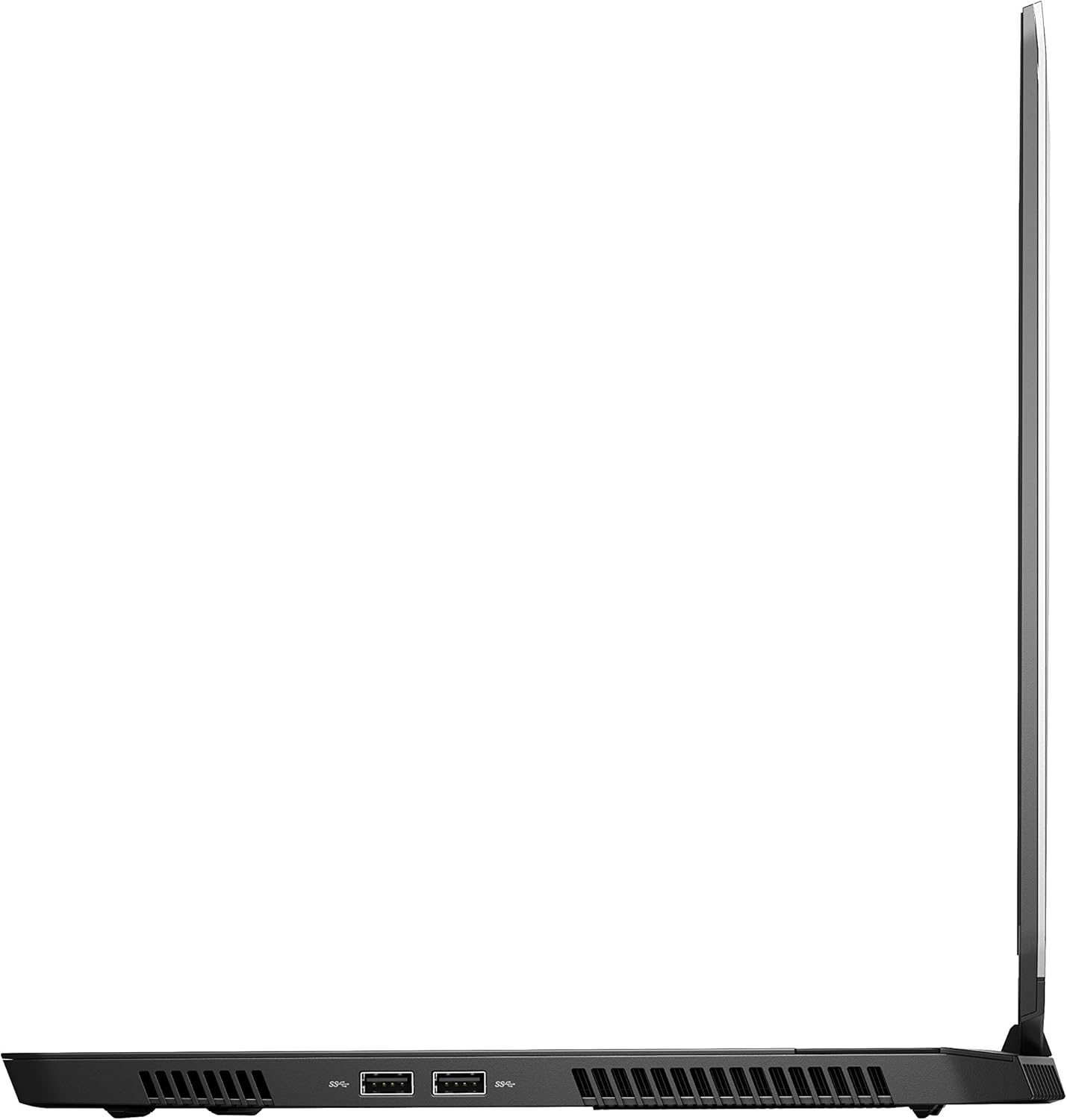
малюнок 4: Права сторона view of the Alienware M15 laptop, displaying additional ports and ventilation.

малюнок 5: Вибухнув view illustrating the internal cooling system of the Alienware M15 laptop, including fans and heat sinks.
Налаштування
Розпакування
Обережно вийміть усі компоненти з упаковки. Переконайтеся, що є такі предмети:
- Alienware M15 Gaming Laptop
- Шнур живлення
- Адаптер живлення 180 Вт
Початкове ввімкнення
- Підключіть адаптер живлення до вхідного порту живлення ноутбука.
- Вставте шнур живлення в розетку.
- Open the laptop lid and press the power button, typically located on the top right of the keyboard deck or a dedicated button on the chassis.
- Дотримуйтесь інструкцій на екрані, щоб завершити процес налаштування Windows 10 Home, включаючи вибір мови, підключення до мережі та створення облікового запису користувача.
Інструкція з експлуатації
Основна операція
Your Alienware M15 laptop runs on Windows 10 Home. Familiarize yourself with the operating system's interface. The keyboard features customizable backlighting via Alienware's software. The touchpad supports multi-touch gestures for navigation.
Продуктивність у іграх
The Alienware M15 is designed for high-performance gaming. For optimal gaming experience, ensure the laptop is connected to the power adapter. This allows the system to utilize its full power capabilities for the CPU and GPU. While gaming, the laptop may generate significant heat; this is normal for high-performance hardware. Consider using a cooling pad for extended gaming sessions to enhance thermal management.
Технічне обслуговування
прибирання
- екран: Злегка протріть м’якою тканиною без ворсу dampводою або засобом для чищення екранів. Уникайте агресивних хімікатів.
- Клавіатура та корпус: Use a soft brush or compressed air to remove dust from keys and vents. Wipe surfaces with a microfiber cloth.
- Порти: Use compressed air to clear dust from USB, HDMI, and other ports.
Оновлення програмного забезпечення
Regularly update your Windows operating system, graphics drivers (NVIDIA GeForce), and Alienware software. Updates often include performance improvements, security patches, and bug fixes. Access Windows updates through Settings > Update & Security. Graphics drivers can be updated via the NVIDIA GeForce Experience application.
Догляд за акумулятором
To maximize battery lifespan, avoid consistently discharging the battery completely. For prolonged use while plugged in, consider using battery management features (if available in Alienware Command Center) to limit charging to 80-90% capacity.
Усунення несправностей
This section addresses common issues you might encounter with your Alienware M15 laptop.
| проблема | Можлива причина / рішення |
|---|---|
| Laptop gets excessively hot during use. | High-performance components generate heat. Ensure ventilation vents are clear. Use a cooling pad. Update graphics drivers. |
| "No media present" error or SSD/HDD not detected. | This can sometimes be a temporary software glitch. Try restarting the laptop. If persistent, ensure the power cable is securely connected and try a hard reboot (unplug power, hold power button for 15 seconds, then reconnect and power on). If the issue persists, contact support. |
| Wi-Fi connection drops frequently. | Ensure Wi-Fi drivers are up to date. Check for interference from other devices. Restart your router and the laptop. If the issue persists, consider reinstalling Wi-Fi drivers or contacting support. |
| System performance is slow or lagging. | Ensure the laptop is plugged into power for full performance. Close unnecessary background applications. Check for malware. Ensure sufficient free space on the SSD/HDD. |
Технічні характеристики
Detailed technical specifications for the Alienware M15 Gaming Laptop (Model: AWM15-7830SLV-PUS).
| Особливість | Деталь |
|---|---|
| Розмір дисплея на постійному екрані | 15.6 дюймів |
| Роздільна здатність екрана | 1920 x 1080 пікселів |
| Максимальна роздільна здатність екрана | 1920x1080 пікселів |
| Процесор | 4.1 GHz core_i7_8750h |
| ОЗУ | 16 ГБ DDR4 |
| Швидкість пам'яті | 2666 МГц |
| Жорсткий диск | 1000 GB 128GB PCIe M.2 SSD + 1TB (+8GB SSHD) Hybrid Drive |
| Графічний співпроцесор | NVIDIA GeForce GTX 1060 |
| Бренд чіпсетів | NVIDIA |
| Опис картки | Присвячений |
| Розмір оперативної пам'яті відеокарти | 6 ГБ |
| Бездротовий тип | 802.11a/b/g/n |
| Кількість портів USB 3.0 | 3 |
| Бренд | Alienware |
| Серія | AWm15-7830SLV-PUS |
| Номер моделі товару | AWM15-7830SLV-PUS |
| Операційна система | Windows 10 Домашня |
| Вага товару | 4.8 фунта |
| Розміри продукту | 10.8 x 14.3 x 0.8 дюймів |
| Колір | чорний |
| Марка процесора | Intel |
| Кількість процесорів | 6 |
| Тип пам'яті комп'ютера | DDR4 SDRAM |
| Розмір флеш-пам'яті | 16 |
| Інтерфейс жорсткого диска | твердий стан |
| Швидкість обертання жорсткого диска | 5400 об / хв |
| Тип оптичного приводу | Без оптичного приводу |
| томtage | 240 вольт |
| Акумулятори | Потрібна 1 літій-металева батарея. (в комплекті) |
| Дата першої доступності | 5 січня 2019 р |
| Назва моделі | AWm15-7830SLV-PUS |
| Розмір екрана | 15.6 дюймів |
| Розмір жорсткого диска | 1000 ГБ |
| Модель процесора | Core i7 8750H |
| Розмір встановленої оперативної пам'яті | 16 ГБ |
| Особливість | Покриття проти відблисків |
Гарантія та підтримка
For detailed warranty information, please refer to the documentation included with your purchase or visit the official Alienware support website. For technical assistance, driver downloads, and further resources, please visit the Alienware support portal.
Офіційний посібник користувача (PDF) також доступний для завантаження: Завантажити PDF-файл інструкції користувача


