вступ
The Sharp Atomic Clock provides precise timekeeping and temperature monitoring for your home or office. Featuring a large, easy-to-read display, this clock automatically synchronizes with the atomic time signal (WWVB) broadcast from Fort Collins, Colorado, ensuring accuracy without manual adjustments. It also includes a wireless outdoor sensor to display both indoor and outdoor temperatures.
Особливості продукту
- Atomic Time Accuracy: Automatically synchronizes with the WWVB atomic time signal for precise timekeeping.
- Jumbo 3" Easy-to-Read Numbers: Large digital display for clear visibility of time, date, and temperature.
- Indoor/Outdoor Temperature Display: Monitors both indoor ambient temperature and outdoor temperature via a wireless sensor.
- Бездротовий зовнішній датчик: Transmits outdoor temperature data to the main unit.
- Живлення від батареї: Operates on batteries for flexible placement (batteries not included).
- Automatic Daylight Saving Time (DST) Adjustment: Automatically adjusts for daylight saving time changes.
- Вибір часових поясів: Allows selection of various US time zones.
- 12/24-годинний формат: Можливість відображення часу у 12-годинному або 24-годинному форматі.
- Celsius/Fahrenheit Display: Перемикання між одиницями вимірювання температури за Цельсієм та Фаренгейтом.
Вміст упаковки
Будь ласка, переконайтеся, що всі елементи присутні, перш ніж продовжити налаштування.
- Sharp Atomic Clock Main Unit
- Бездротовий зовнішній датчик
- Інструкція з експлуатації
Note: Batteries are not included. The main unit requires 2 AA batteries, and the outdoor sensor requires 2 AA batteries.
Налаштування
1. Встановлення батареї
- Відкрийте батарейний відсік на задній панелі головного годинника.
- Insert 2 AA batteries, observing the correct polarity (+ and -).
- Закрийте кришку батарейного відсіку.
- Open the battery compartment on the wireless outdoor sensor.
- Insert 2 AA batteries into the outdoor sensor, observing the correct polarity.
- Close the outdoor sensor's battery compartment cover.
2. Initial Synchronization and Settings
After battery installation, the clock will attempt to receive the WWVB atomic time signal and connect to the outdoor sensor. This process may take several minutes or up to 24 hours depending on your location and environmental interference.
- часовий пояс: Press the "TIME ZONE" button (often labeled "UP TIME ZONE") on the back of the clock to cycle through available time zones (PST, MST, CST, EST). Select your desired time zone.
- 12/24-годинний формат: Press the "12/24" button to switch between 12-hour and 24-hour display.
- Цельсія/Фаренгейта: Press the "°C/°F" button to toggle between Celsius and Fahrenheit temperature display.
- Сполучення зовнішніх датчиків: If the outdoor temperature does not appear, press the "CHANNEL" button on the main unit to search for the sensor signal. Ensure the outdoor sensor is within range and not obstructed.
For optimal signal reception, place the clock away from large metal objects, electronic devices, and areas with heavy concrete or brick walls. The outdoor sensor should be placed in a shaded, dry location, protected from direct sunlight and precipitation, for accurate readings.
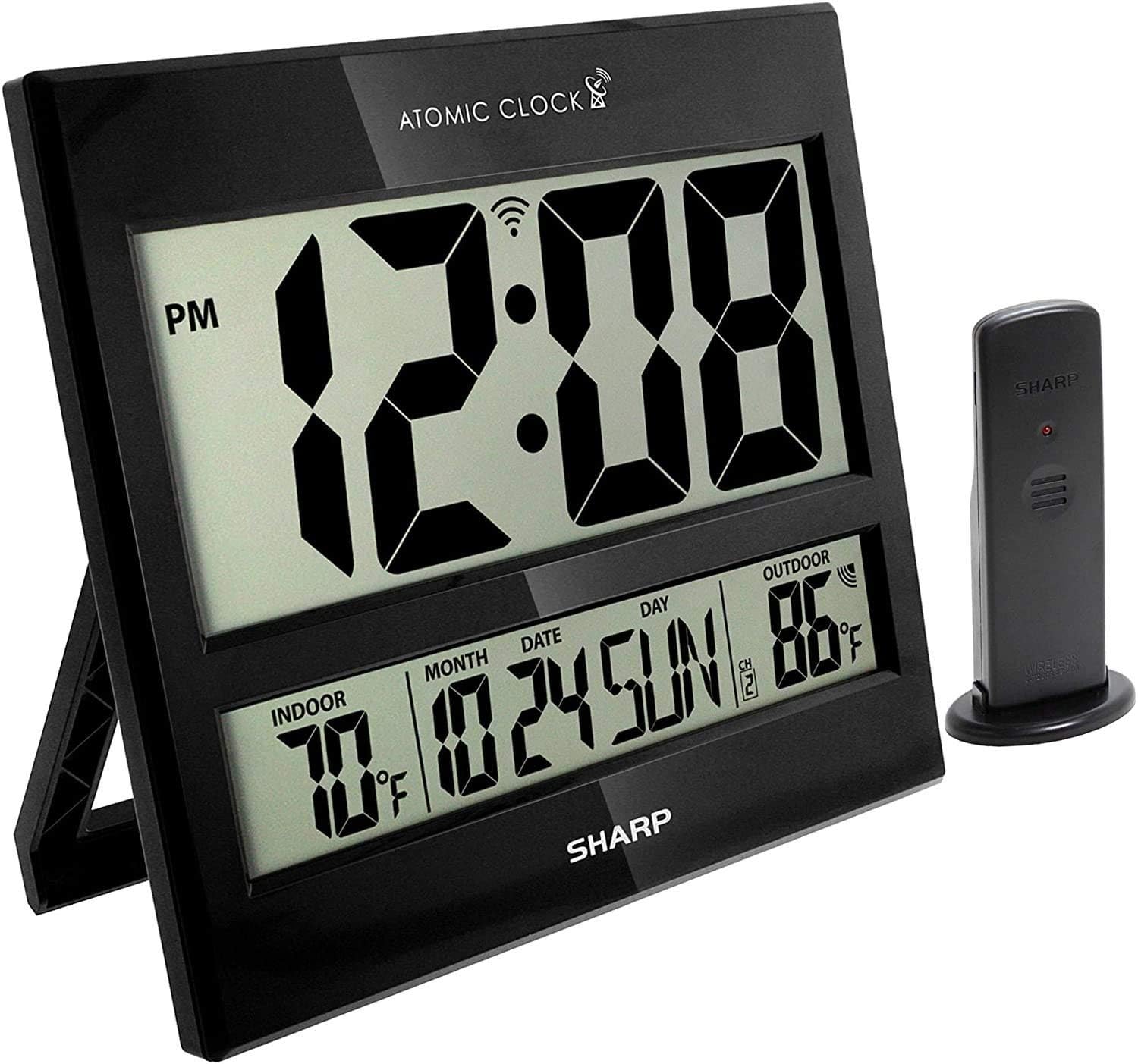
Image: The Sharp Atomic Clock main unit displaying time, indoor temperature, date, and outdoor temperature, alongside its wireless outdoor sensor.
Операція
Відображення інформації
The clock's large LCD screen displays the following information:
- час: Current time in selected 12-hour or 24-hour format.
- Індикатор PM: Displays "PM" for afternoon hours in 12-hour format.
- Atomic Signal Indicator: Shows the status of the WWVB atomic time signal reception.
- Температура в приміщенні: Поточна температура, виміряна головним блоком.
- Month/Date/Day: Current calendar information.
- Зовнішня температура: Current temperature measured by the wireless outdoor sensor.
- Outdoor Sensor Channel: Indicates the channel the outdoor sensor is transmitting on.
- Індикатор низького заряду батареї: An icon will appear when batteries are low and need replacement.
Button Functions (Rear Panel)
| Кнопка | функція |
|---|---|
| КАЛЕНДАР | Press and hold for 2 seconds to manually set calendar (Year, Month, Date, Language). Use UP/DOWN buttons to change values. |
| ЧАС | Press and hold for 2 seconds to manually set time (DST ON/OFF, Hour, Minute). Use UP/DOWN buttons to change values. |
| 12/24 | Switches between 12-hour and 24-hour time display. |
| КАНАЛ | Press to switch between outdoor sensor channels (1, 2, 3). Press and hold for 2 seconds to pair with the outdoor sensor. |
| ° C / ° F | Перемикає між відображенням температури за Цельсієм та Фаренгейтом. |
| ХВИЛЯ | Initiates a manual search for the WWVB atomic time signal. |
| СКИДАННЯ | Resets the clock to factory default settings. Requires a pointed object (e.g., paperclip). |
| UP / TIME ZONE | Increases values during manual setting. Press to cycle through time zones. |
| ВНИЗ | Decreases values during manual setting. |
Технічне обслуговування
- Заміна батареї: Replace batteries in both the main unit and outdoor sensor when the low battery indicator appears on the display. Always replace all batteries at the same time with new ones.
- Прибирання: Clean the clock and sensor with a soft, dry cloth. Do not use abrasive cleaners or solvents.
- Розміщення зовнішнього датчика: Periodically check the outdoor sensor's location to ensure it remains protected from extreme weather conditions, direct sunlight, and moisture.
Усунення несправностей
- Clock not syncing with atomic time:
- Ensure the clock is placed away from electronic interference (TVs, computers, microwaves).
- Try placing the clock near a window facing Fort Collins, Colorado (if applicable to your region).
- Press the "WAVE" button to initiate a manual signal search.
- Allow up to 24 hours for initial synchronization.
- Outdoor temperature not displaying or incorrect:
- Check batteries in the outdoor sensor.
- Ensure the outdoor sensor is within the effective transmission range (typically up to 100 feet, line of sight).
- Press the "CHANNEL" button on the main unit to re-establish connection.
- Verify the outdoor sensor is placed in a location protected from direct sunlight and rain, which can affect readings.
- Дисплей тьмяний або порожній:
- Replace all batteries in the main unit with fresh ones.
- Переконайтеся, що батарейки вставлені з дотриманням правильної полярності.
- Неправильний час або дата:
- Перевірте, чи вибрано правильний часовий пояс.
- Check if Daylight Saving Time (DST) setting is correct for your region.
- If atomic signal is not received, manually set the time and date using the "TIME" and "CALENDAR" buttons.
Технічні характеристики
| Особливість | Деталь |
|---|---|
| Бренд | Гострий |
| Номер моделі | 8541848315 |
| UPC | 049353998732 |
| Колір | Блиск чорний |
| Тип дисплея | Цифровий РК-дисплей |
| Особливість | Atomic Time Synchronization (WWVB), Indoor/Outdoor Temperature |
| Розміри продукту | 13"W x 1.5"H (Main Unit) |
| Джерело живлення | Працює від батареї |
| Необхідна кількість батарей | Main Unit: 2 AA; Outdoor Sensor: 2 AA |
| матеріал | пластик |
| Тип монтажу | Wall Mount / Tabletop Stand |
| Використання в приміщенні/зовні | Indoor (Main Unit), Outdoor (Sensor) |
Гарантія та підтримка
Sharp products are manufactured to high-quality standards. For warranty information, technical support, or service inquiries, please refer to the contact information provided with your product packaging or visit the official Sharp webсайт. Зберігайте чек про покупку як підтвердження покупки для гарантійних претензій.


