вступ
This manual provides essential instructions for the safe and effective use of your PEAK Portable Jump Starter. Please read this manual thoroughly before operating the device and retain it for future reference. This device is designed to provide a portable power source for jump-starting vehicles and charging electronic devices.
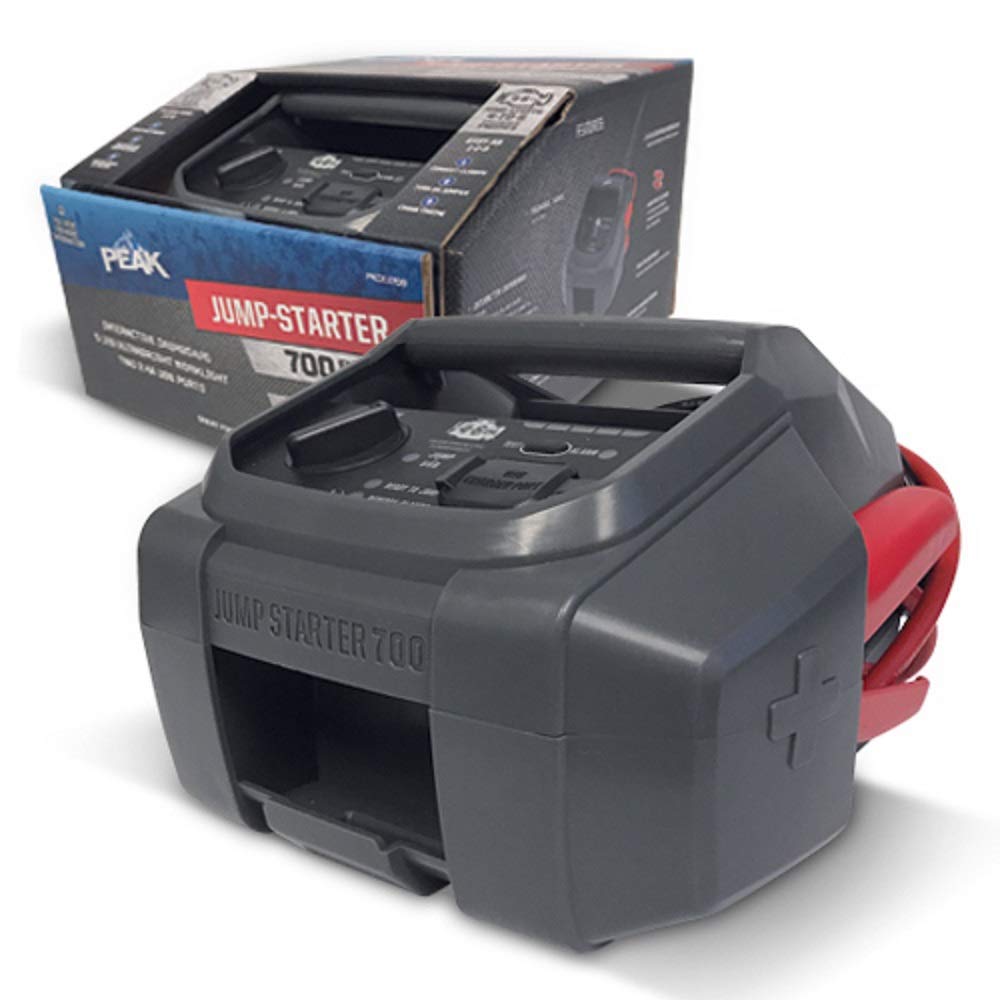
Image 1: The PEAK Portable Jump Starter unit, showing its compact design and included cables for vehicle connection.
Налаштування
1. Початкове заряджання
Before first use, fully charge the PEAK Portable Jump Starter. Connect the provided charging cable to the jump starter's charging port and plug the other end into a suitable power source (e.g., wall adapter, car charger). The charging indicator lights will illuminate to show the charging status. A full charge typically takes several hours.
2. Перевірка рівня заряду батареї
Periodically check the jump starter's battery level. Most units feature indicator lights or a digital display to show the remaining charge. Ensure the unit is sufficiently charged before attempting to jump-start a vehicle.
Інструкція з експлуатації
1. Запуск транспортного засобу за допомогою дроту
- Ensure the vehicle's ignition is off and all accessories (lights, radio) are turned off.
- Підключіть червоний позитивний (+) клamp of the jump starter to the позитивний (+) terminal of the vehicle's battery.
- Підключіть чорний негативний (-) клamp of the jump starter to a clean, unpainted metal part of the vehicle's engine block or chassis, away from the battery. Не підключайте безпосередньо до негативного виводу акумулятора.
- Turn on the PEAK Portable Jump Starter.
- Attempt to start the vehicle. If it does not start immediately, wait at least 30 seconds before trying again. Do not crank the engine for more than 5 seconds per attempt.
- Як тільки автомобіль заведеться, негайно від’єднайте чорний негативний (-) клamp from the vehicle chassis, then disconnect the червоний позитивний (+) клamp від акумулятора.
- Вимкніть пусковий пристрій.
Image 2: Illustrative diagram of connecting the red clamp до плюсової клеми акумулятора та чорного клемуamp to the vehicle's chassis.
2. Charging Electronic Devices
The PEAK Portable Jump Starter may include USB output ports for charging smartphones, tablets, and other USB-powered devices. Connect your device's charging cable to the appropriate USB port on the jump starter. The charging process will typically begin automatically.
Технічне обслуговування
1. Зберігання
Store the jump starter in a cool, dry place, away from direct sunlight and extreme temperatures. Ensure it is fully charged before storing for extended periods. Recharge every 3-6 months to maintain battery health.
2. прибирання
Clean the exterior of the jump starter with a soft, damp cloth. Do not use harsh chemicals or abrasive cleaners. Keep the clampчистий та без корозії.
Усунення несправностей
| проблема | Можлива причина | Рішення |
|---|---|---|
| Пуск-стартер не вмикається | Низький заряд акумулятора | Recharge the jump starter fully. |
| Автомобіль не заводиться після спроби стрибка | Неправильний клamp connection; Severely discharged vehicle battery; Vehicle issue | Перевірити клamp connections are secure and correct. Wait 30 seconds and try again. If still no start, vehicle may require professional service. |
| Jump starter not charging | Faulty charging cable or adapter; Charging port issue | Try a different charging cable and adapter. Contact support if issue persists. |
Технічні характеристики
- Бренд: ПІК
- модель: B07J2P5KTR
- Тип батареї: 1 літій-іонний акумулятор (у комплекті)
- Особливість: Портативний
- колір: чорний
- Дата першої доступності: 26 вересня 2018 р
Інформація про гарантію
This PEAK Portable Jump Starter is covered by a limited warranty against defects in materials and workmanship. The specific terms and duration of the warranty may vary. Please refer to the warranty card included with your product or visit the official PEAK webсайт для отримання детальної інформації.
Підтримка клієнтів
For technical assistance, troubleshooting, or warranty claims, please contact PEAK customer support. Contact information can typically be found on the product packaging, the official PEAK website, or by referring to the documentation included with your purchase.


