1. Вступ
This manual provides detailed instructions for the safe and efficient use of your ASHATA 14-inch portable digital TV. Please read this manual thoroughly before operating the device and keep it for future reference. This portable digital TV is designed for versatile use, offering high-definition viewing and multiple connectivity options.
2. Інформація про безпеку
Для забезпечення безпечної роботи та запобігання пошкодженням, будь ласка, дотримуйтесь наступних запобіжних заходів:
- Не піддавайте пристрій впливу дощу або вологи.
- Уникайте розміщення пристрою поблизу джерел тепла або під прямими сонячними променями.
- Не перекривайте вентиляційні отвори.
- Використовуйте лише наданий адаптер живлення.
- Тримайте пристрій подалі від сильних магнітних полів.
- Не намагайтеся розбирати або ремонтувати пристрій самостійно. Звертайтеся до кваліфікованого персоналу для проведення будь-яких робіт з обслуговування.
- Clean the screen with a soft, dry cloth. Avoid liquid cleaners.
3. Вміст упаковки
Будь ласка, перевірте упаковку на наявність наступних предметів:
- 1 x ASHATA 14-inch Portable Digital TV
- 1 х посібник користувача
- 1 x Пульт дистанційного керування
- 1 x AV кабель
- 1 x антена
- 1 x адаптер живлення (штекер ЄС)
4. Продукт закінчивсяview
The ASHATA 14-inch portable digital TV features a high-resolution 1080P TFT-LED screen and a high-sensitivity tuner for clear reception of digital and analog television signals. It includes dual 32mm stereo speakers and supports multiple external input sources.

Опис зображення: Передня і задня view of the ASHATA 14-inch Portable Digital TV. The front shows the screen, while the rear displays the integrated stand and speaker grilles. This image illustrates the physical design and the stand for tabletop use.

Опис зображення: The ASHATA 14-inch Portable Digital TV screen displaying a vibrant, high-resolution image of various berries in a basket, demonstrating its 1080P display capability.

Опис зображення: The ASHATA 14-inch Portable Digital TV positioned on a desk, showing a clear image of a baby on a beach. This image emphasizes the high sensitivity TV tuner, which ensures smooth and stable television playback.
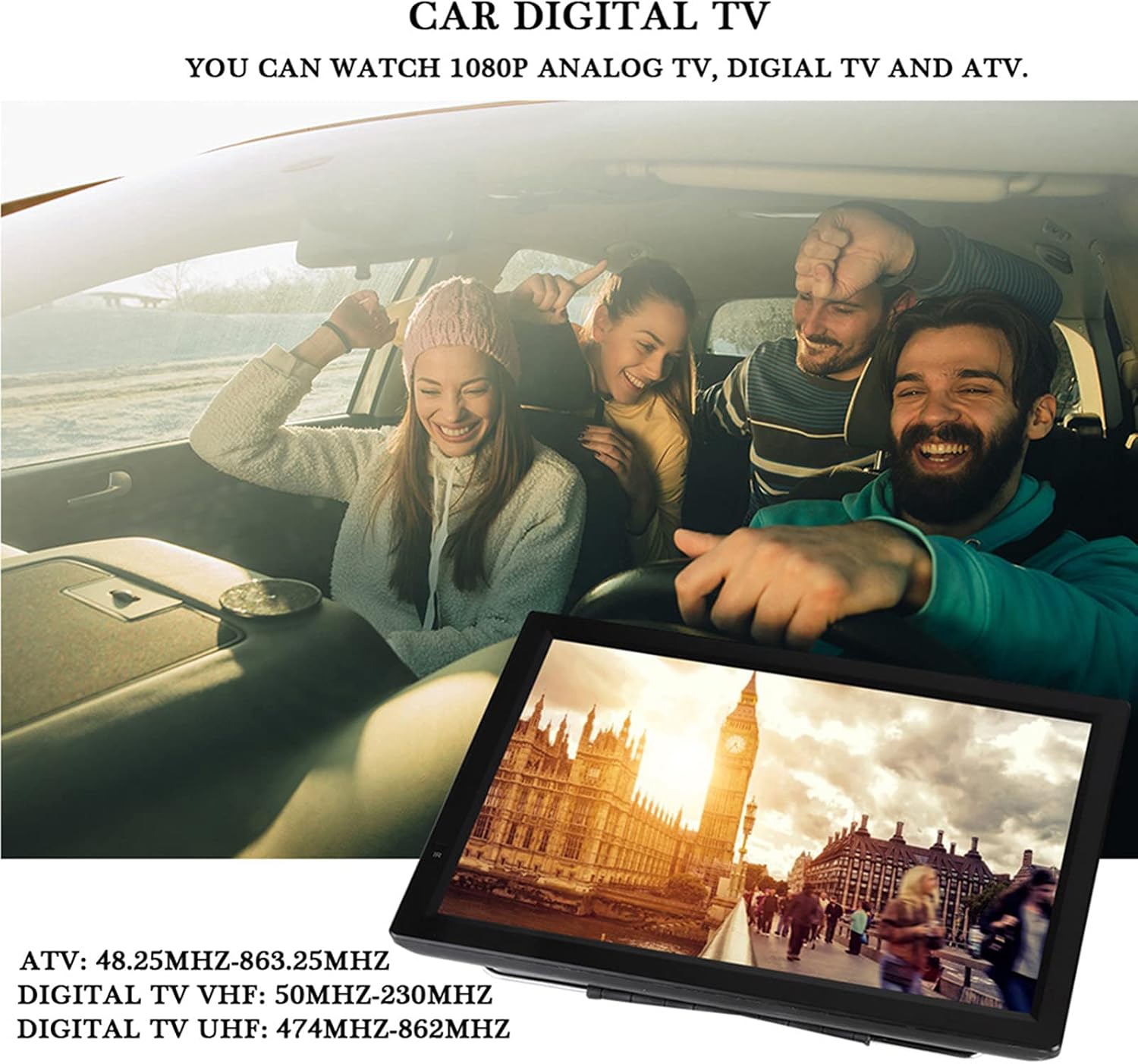
Опис зображення: The ASHATA 14-inch Portable Digital TV installed in a car, with passengers in the background appearing to enjoy the content displayed on the screen. This illustrates its use as a car digital TV, capable of displaying 1080P analog TV, digital TV, and ATV.
5. Налаштування
5.1 Підключення живлення
Connect the provided power adapter to the DC input port on the TV and then plug it into a suitable power outlet (AC100-220V). The TV has a built-in 1800mAh rechargeable lithium battery for portable use.
5.2 Підключення антени
Connect the included antenna to the antenna input port on the TV. For optimal signal reception, position the antenna in an area with good signal strength.
5.3 Connecting External Sources
The TV supports multiple external sources including AV input/output, SD and MMC card, USB devices, HDMI port, and VGA port.

Опис зображення: A diagram illustrating the various external connectivity options available on the ASHATA Portable Digital TV. Icons represent HDMI, AV, USB, VGA, and SD & MMC card slots, with examples of devices like speakers, laptops, game consoles, and external monitors connected.
- HDMI: Connect HDMI-compatible devices such as game consoles or media players.
- AV: Використовуйте AV-кабель для підключення старіших пристроїв, таких як DVD-програвачі.
- USB: Insert a USB flash drive or external hard disk to play media files or record TV programs.
- VGA: Connect to a computer or laptop for use as an external monitor.
- SD & MMC: Insert an SD or MMC card to view photos or play videos.
6. Інструкція з експлуатації
6.1 Увімкнення/вимкнення живлення
Натисніть ПОТУЖНІСТЬ button on the TV or remote control to turn the device on or off.
6.2 Початкове сканування каналів
Upon first use or after moving to a new location, perform an automatic channel scan to find available TV channels. Navigate to the МЕНЮ, виберіть КАНАЛ, а потім АВТОМАТИЧНЕ СКАНУВАННЯ.
6.3 Channel and Volume Control
- Використовуйте CH +/- buttons on the remote or TV to change channels.
- Використовуйте VOL +/- buttons on the remote or TV to adjust the volume.
6.4 Вибір джерела
Натисніть ДЖЕРЕЛО button on the remote control to switch between different input sources (TV, AV, HDMI, USB, VGA, SD/MMC).
6.5 Recording TV Programs
HD TV programs can be recorded and stored on a connected USB device or external hard disk.

Опис зображення: The ASHATA 14-inch Portable Digital TV screen showing a group of people in a jeep, with text indicating the "TV Program Recording" feature. This highlights the ability to record and store HD TV programs on external storage.
To record, ensure a USB storage device is connected. Consult the on-screen menu for recording options.
6.6 Використання дистанційного керування
The included remote control provides full functionality for operating the TV.

Опис зображення: A hand holding the ASHATA Portable Digital TV remote control, with a car interior and a person driving in the background. This image demonstrates the convenience of using the remote control for easier operation.
Familiarize yourself with the buttons for power, volume, channel, menu, source, and playback controls.
7. Технічне обслуговування
7.1 Очищення
Wipe the screen and exterior surfaces with a soft, dry, lint-free cloth. Do not use liquid cleaners, aerosols, or abrasive materials, as they may damage the finish or screen.
7.2 Догляд за акумулятором
The device contains a built-in rechargeable lithium battery. To prolong battery life:
- Уникайте частого повного розряджання акумулятора.
- Charge the battery regularly, even if the device is not in use for extended periods.
- Зберігайте пристрій у прохолодному сухому місці, коли він не використовується.
8. Вирішення проблем
| проблема | Можлива причина | Рішення |
|---|---|---|
| Немає живлення | Power adapter not connected; battery discharged. | Ensure power adapter is securely connected and plugged in. Charge the battery. |
| Немає сигналу/Погана якість зображення | Antenna not connected; poor antenna position; weak signal. | Connect antenna securely. Adjust antenna position. Perform an auto channel scan. Check signal strength in your area. |
| Ні звуку | Volume too low; mute function active. | Increase volume. Press the MUTE button on the remote to deactivate. |
| Пульт не працює | Розряджені батарейки; між пультом дистанційного керування та телевізором є перешкода. | Replace remote control batteries. Ensure no obstructions and point remote directly at the TV's IR sensor. |
| Cannot play media from USB/SD | Не підтримується file format; device not properly connected. | Забезпечте носії інформації files are in a supported format (MKV, MOV, AVI, WMV, MP4, FLV, MPEG1-4, RMVB, 1080p video, MP3). Reconnect the USB/SD device. |
9. Технічні характеристики
| Особливість | Деталь |
|---|---|
| Тип продукту | Portable Digital TV |
| Розмір екрана | 14 дюймів |
| Тип дисплея | TFT-світлодіодний |
| роздільна здатність | 1080p |
| Частота оновлення | 60 Гц |
| Співвідношення сторін | 1.77:1 (16:9) |
| Підтримувані формати | MKV, MOV, AVI, WMV, MP4, FLV, MPEG1-4, RMVB, 1080p video, MP3 |
| Receiving Channels (ATV) | 48.25 МГц - 863.25 МГц |
| Receiving Channels (Digital TV VHF) | 50 МГц - 230 МГц |
| Receiving Channels (Digital TV UHF) | 474 МГц - 862 МГц |
| Зовнішні джерела | AV Input/Output, SD & MMC Card, USB Devices, HDMI Port, VGA Port |
| Доповідачі | 2 x 32mm Round Stereo Speakers |
| Аудіовихід | 2 Вт максимум |
| Споживана потужність | 18 Вт |
| Ємність акумулятора | 1800mAh (Rechargeable Lithium) |
| Вхідна потужність | AC100-220V |
| Номер моделі | ASHATAumkxhb6sd4 |
| Виробник | АШАТА |
| Країна походження | Китай |
10. Гарантія та підтримка
ASHATA products are manufactured to high-quality standards. This product has been professionally inspected and tested.
For any quality issues or questions regarding this product, please contact ASHATA customer service. A professional online customer service team is available 24 hours a day to assist you.
Будь ласка, зверніться до документації щодо придбання, щоб дізнатися про конкретні гарантійні умови.
