вступ
This manual provides essential instructions for the Lexmark E460DN laser printer. Designed for small and midsize workgroups, the E460DN offers efficient, high-quality monochrome printing with advanced features. This document covers unpacking, setup, operation, maintenance, and troubleshooting to ensure optimal performance of your device.
The Lexmark E460DN is a Certified Refurbished product, meaning it has been tested and certified to function like new. It includes a toner drum and comes with a 90-day warranty.
Продукт закінченийview
The Lexmark E460DN is a compact laser printer featuring a light gray and dark gray exterior. It is equipped with a user-friendly control panel and supports various paper handling options.
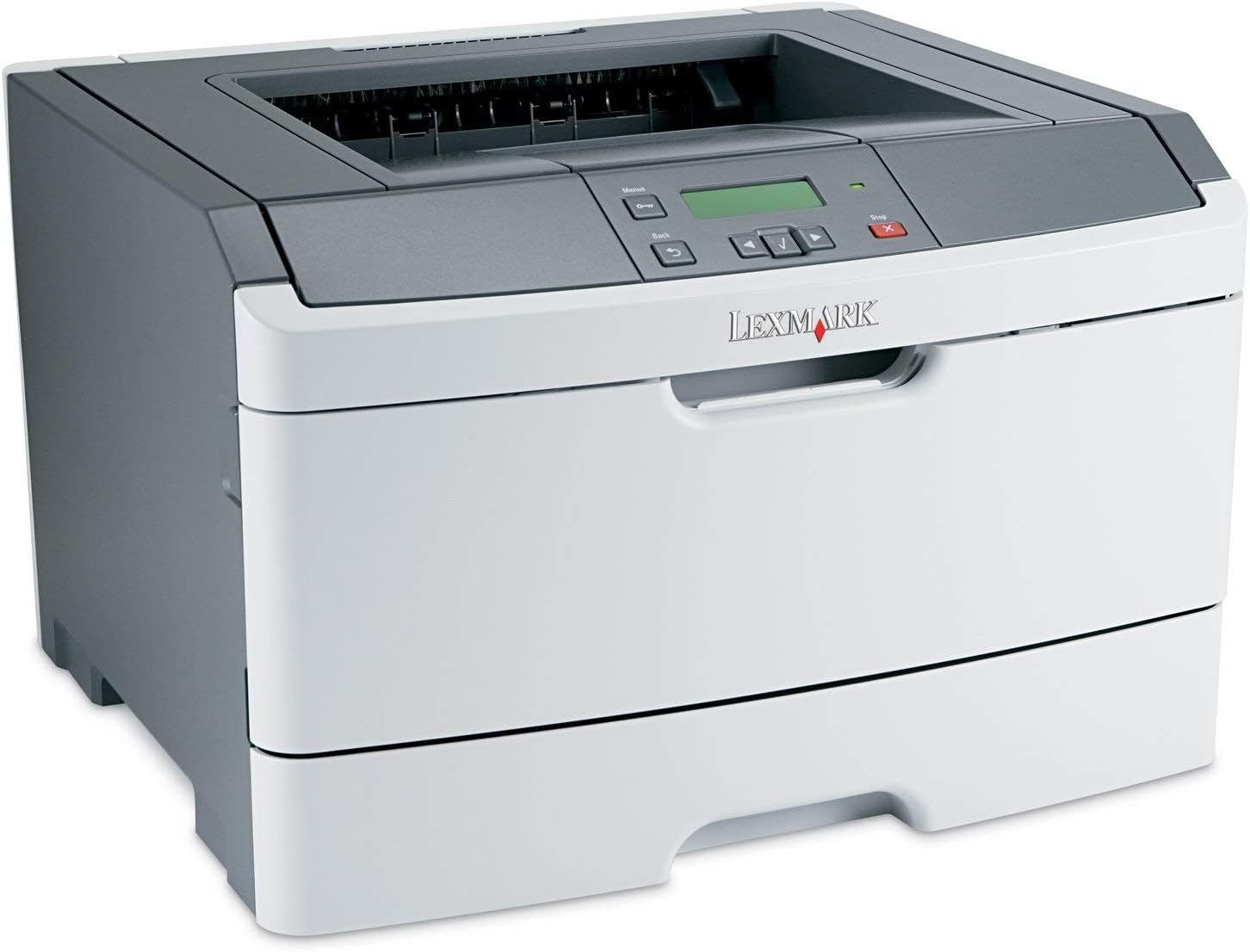
малюнок 1: Фронт view of the Lexmark E460DN Laser Printer. The image displays the printer's light gray body with a dark gray top section, including the output tray and control panel. The Lexmark logo is visible on the front panel.
Ключові характеристики:
- Висока швидкість друку: До 40 сторінок за хвилину (стор./хв.) для монохромних документів.
- Висока якість друку: True 1200 x 1200 dpi resolution for sharp text and graphics.
- Automatic Duplexing: Standard feature for two-sided printing, reducing paper consumption.
- Готовий до роботи в мережі: Ethernet connectivity for shared use in workgroup environments.
- Зручний інтерфейс: Four-line operator panel for easy navigation and control.
- Покращена безпека: Numeric pad for confidential printing.
- Ефективна робота: Instant warm-up fuser for fast first-page-out times and reduced power consumption.
Інструкції з налаштування
- Розпакуйте принтер: Обережно вийміть принтер з упаковки. Видаліть усі пакувальні матеріали, стрічки та захисні плівки.
- Розмістіть принтер: Position the printer on a stable, level surface with adequate ventilation. Ensure sufficient space around the printer for paper loading and output.
- Підключіть живлення: Plug the power cord into the printer's power inlet, then into a grounded electrical outlet.
- Install Toner/Drum (if applicable): If the toner cartridge and imaging drum are not pre-installed, follow the instructions provided with the consumables to install them. For refurbished units, these components are typically pre-installed.
- Завантажте папір: Open the paper tray and adjust the paper guides to fit the paper size. Load the desired print media (e.g., plain paper, envelopes) into the tray.
- Підключення до мережі/комп'ютера:
- Ethernet (дротовий): Підключіть кабель Ethernet від порту Ethernet принтера до мережевого маршрутизатора або комутатора.
- USB (Optional, if available): Підключіть USB-кабель від принтера до комп’ютера.
- Встановити драйвери: Turn on the printer. Install the appropriate printer drivers on your computer. Drivers can usually be found on the manufacturer's webсайт.
- Виконайте пробний друк: After driver installation, print a test page to confirm proper setup and connectivity.
Інструкція з експлуатації
Control Panel Navigation:
The Lexmark E460DN features a four-line display and several buttons for navigating menus and controlling printer functions. Use the arrow buttons to scroll through options and the 'Menu' or 'Select' button to confirm selections. The 'Back' button allows you to return to previous menus, and the 'Stop' button can cancel print jobs.
Базовий друк:
- Переконайтеся, що принтер увімкнено та підключено до комп’ютера або мережі.
- Відкрийте на комп’ютері документ, який потрібно роздрукувати.
- Виберіть File > Друк (або еквівалентну команду у вашій програмі).
- Choose the Lexmark E460DN from the list of available printers.
- За потреби налаштуйте параметри друку (наприклад, кількість копій, розмір паперу, якість друку).
- For two-sided printing, select the duplex option in your printer settings. The E460DN supports automatic duplexing.
- Натисніть Роздрукувати.
Confidential Printing:
The printer supports confidential printing using a numeric pad. When sending a confidential print job from your computer, you will be prompted to enter a PIN. To release the job at the printer, enter the same PIN using the control panel's numeric pad.
Технічне обслуговування
Toner Cartridge and Imaging Drum Replacement:
The Lexmark E460DN uses a combined toner cartridge and imaging drum unit. The printer's control panel will display early-warning alerts for low toner. When prompted:
- Відкрийте передні дверцята доступу до принтера.
- Carefully remove the old toner/drum unit by pulling it straight out.
- Unpack the new toner/drum unit and gently shake it to distribute the toner.
- Insert the new unit into the printer until it clicks into place.
- Зачиніть передні дверцята доступу.
Dispose of used toner cartridges according to local regulations or return them to Lexmark for recycling.
Очищення принтера:
- Зовні: Протріть зовнішні поверхні м’якою, damp, тканина без ворсу. Не використовуйте абразивні засоби для чищення або розчинники.
- Інтер'єр: Periodically clean the paper path and other accessible interior areas to remove dust and paper debris. Refer to the printer's on-screen messages or full service manual for detailed internal cleaning procedures.
Усунення несправностей
This section provides solutions to common issues you may encounter with your Lexmark E460DN printer. For more complex problems, consult the full service manual or Lexmark support.
Поширені проблеми та рішення:
- Принтер не відповідає:
- Перевірте підключення живлення та переконайтеся, що принтер увімкнено.
- Перевірте мережеве або USB-кабельне з’єднання.
- Перезавантажте принтер і комп’ютер.
- Переконайтеся, що драйвери принтера правильно встановлені та оновлені.
- Зминання паперу:
- Follow the instructions on the printer's display or in the full service manual to locate and clear jammed paper.
- Переконайтеся, що папір завантажено правильно та не переповнено лоток.
- Використовуйте рекомендовані типи паперу.
- Погана якість друку:
- Check toner levels. Replace the toner/drum unit if low or empty.
- Ensure the imaging drum is clean and free from damage.
- Perform a print quality test from the printer's menu to diagnose issues.
- Clean the printer's interior as described in the maintenance section.
- Повідомлення про помилки:
Refer to the customizable operator panel messaging for specific error codes or descriptions. Consult the full service manual for detailed explanations and solutions for each error message.
Технічні характеристики
| Особливість | Специфікація |
|---|---|
| Номер моделі | E460DN |
| Технологія друку | Лазерна |
| Вихід на принтер | Монохромний |
| Максимальна швидкість друку (монохромний) | Up to 40 ppm (letter-size paper) |
| Роздільна здатність друку | 1200 x 1200 dpi |
| Двосторонній друк | Автоматичний (двосторонній друк) |
| Технологія підключення | Wired; Ethernet |
| Апаратний інтерфейс | Ethernet |
| Ємність пам'яті | 64 Мб |
| Максимальна ємність вхідного аркуша | 300 аркушів |
| Місткість вихідних аркушів | 150 аркушів |
| Підтримувані друковані носії | Конверти, звичайний папір |
| Розміри продукту | 14.55 x 15.98 x 10.2 дюймів |
| Колір | Світло-сірий/темно-сірий |
| UPC | 748926547406 |
Гарантія та підтримка
This Lexmark E460DN printer is a Certified Refurbished product and comes with a 90-денна обмежена гарантія. Ця гарантія поширюється на дефекти матеріалів і виготовлення за нормального використання.
For warranty claims, technical support, or further assistance, please refer to the documentation provided with your refurbished product or contact the seller directly. Additional support resources may be available on the official Lexmark webсайт.


