вступ
This manual provides essential information for the safe and efficient operation of your Nedis UPSD2000VBK Uninterruptible Power Supply. Please read these instructions carefully before installation and use, and retain them for future reference. This UPS is designed to provide backup power and protect your electronic devices from power outagстрибки, сплески та коливання.
Інструкції з техніки безпеки
- Тільки для використання в приміщенні: This UPS is designed for indoor use in a controlled environment. Do not expose it to rain, snow, or direct sunlight.
- Вентиляція: Ensure adequate ventilation around the UPS. Do not block ventilation openings. Maintain at least 20 cm of clearance from walls or other obstructions.
- Джерело живлення: Connect the UPS to a properly grounded AC power outlet. Do not remove the grounding prong.
- Перевантаження: Do not overload the UPS. The total power consumption of connected equipment must not exceed the UPS's rated capacity (1200 W).
- Безпека батареї: The UPS contains internal batteries. Do not attempt to open the UPS casing or service the batteries yourself. Refer all servicing to qualified personnel.
- Контакт з рідиною: Avoid placing liquids on or near the UPS. In case of accidental spillage, immediately disconnect the UPS from the power source and contact support.
- Аварійне відключення: Ensure the AC power outlet for the UPS is easily accessible for quick disconnection in an emergency.
Продукт закінченийview
The Nedis UPSD2000VBK is a compact and efficient uninterruptible power supply. Familiarize yourself with its components before proceeding with installation.

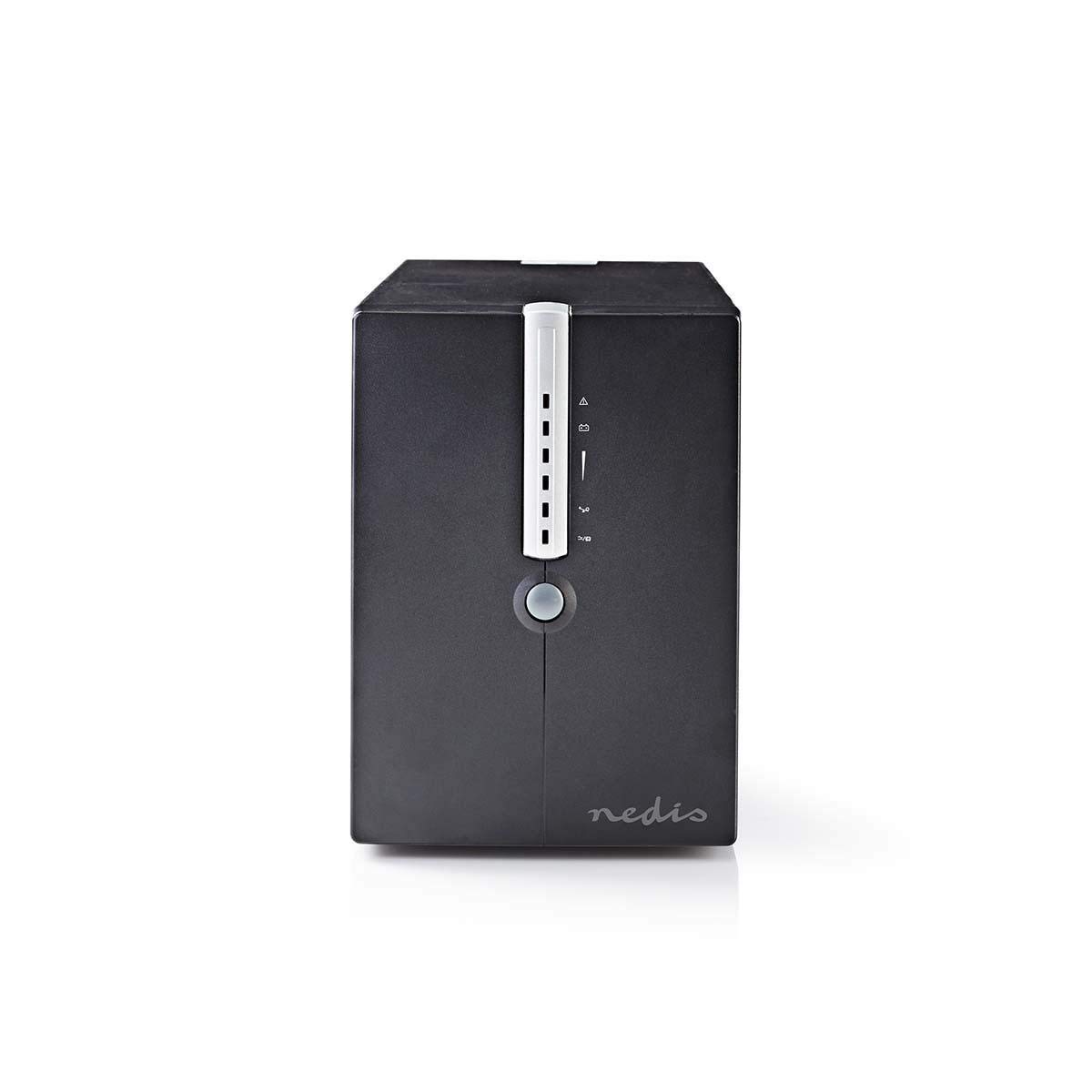
малюнок 1: Спереду і збоку view of the Nedis UPSD2000VBK. This image displays the main power button and the vertical strip of LED indicators on the front panel, along with ventilation grilles on the side.
малюнок 2: Задня view of the Nedis UPSD2000VBK. This image highlights the four power outlets, the USB communication port, and the RJ45 network protection ports (IN/OUT), along with the main power input and cooling fan.
Ключові компоненти:
- Передня панель: Power button, LED status indicators (AC mode, battery mode, fault, battery level).
- Задня панель: AC input, 4 x Schuko output sockets, USB communication port, RJ45 network protection ports (IN/OUT).
- внутрішні: Sealed lead-acid batteries, inverter, charger, control circuitry.
Налаштування
1. Розпакування
- Обережно вийміть ДБЖ з упаковки.
- Перевірте пристрій на наявність пошкоджень під час транспортування. Якщо виявлено пошкодження, не використовуйте пристрій та зверніться до дилера.
2. Розміщення
- Place the UPS on a flat, stable surface in a well-ventilated area.
- Avoid locations with excessive dust, humidity, or extreme temperatures.
- Ensure the ambient temperature is between 0°C and 40°C (32°F and 104°F).
3. Підключення пристроїв
- Підключіть шнур живлення ДБЖ до заземленої розетки.
- Plug your computer, monitor, and other critical devices into the output sockets on the rear of the UPS. Ensure the total load does not exceed 1200 W.
- Додатково: Connect a USB cable from the UPS to your computer for monitoring software functionality (software not included, typically available from manufacturer's webсайт).
- Додатково: Connect network cables through the RJ45 IN/OUT ports to protect your network devices from surges.
4. Початкове заряджання
For optimal performance, charge the UPS for at least 8 hours before initial use. Leave the UPS connected to the AC power outlet with no load connected during this period.
Операційна
1. Увімкнення/вимкнення
- Увімкнути: Натисніть і утримуйте кнопку живлення на передній панелі приблизно 3 секунди, доки не почуєте звуковий сигнал і не засвітяться індикатори.
- Вимикати: Press and hold the power button for approximately 3 seconds until you hear a beep and the indicators turn off.
2. Розуміння індикаторів та сигналів тривоги
The front panel features LED indicators and an audible alarm to communicate the UPS status:
- AC Mode (Green LED): Solid green indicates the UPS is operating on utility power and charging the battery.
- Режим роботи від батареї (жовтий світлодіод): Flashing yellow indicates the UPS is operating on battery power. An audible alarm will sound periodically.
- Несправність (червоний світлодіод): Solid red indicates a fault condition. Refer to the troubleshooting section. An audible alarm may sound continuously.
- Індикатори рівня заряду батареї: A series of LEDs typically indicates the remaining battery capacity.
3. Робота в режимі батареї
When utility power fails, the UPS automatically switches to battery mode, providing power to connected devices. The duration of battery backup depends on the load connected. During battery mode, save your work and shut down your equipment properly to prevent data loss.
Технічне обслуговування
1. Догляд за акумулятором
- To maximize battery life, keep the UPS connected to an AC outlet at all times.
- Perform a full discharge/recharge cycle every 3-6 months if the UPS is rarely used on battery power.
- Batteries are consumable items and will eventually require replacement. Contact qualified service personnel for battery replacement.
2. прибирання
- Disconnect the UPS from the AC power outlet and all connected devices before cleaning.
- Use a soft, dry cloth to wipe the exterior surfaces. Do not use liquid or aerosol cleaners.
- Переконайтеся, що вентиляційні отвори вільні від пилу та сміття.
3. Зберігання
- If storing the UPS for an extended period, turn it off and disconnect it from all power sources.
- Зберігати в прохолодному сухому місці.
- Recharge the UPS battery every 3 months to prevent battery degradation.
Усунення несправностей
Review the following common issues and solutions before contacting technical support.
| проблема | Можлива причина | Рішення |
|---|---|---|
| ДБЖ не вмикається. | Немає вхідного живлення змінного струму. Акумулятор глибоко розряджений. | Check AC power cord connection. Ensure wall outlet has power. Allow UPS to charge for 8 hours. |
| ДБЖ безперервно пищить у режимі змінного струму. | Overload condition. Internal fault. | Reduce connected load. Disconnect non-essential devices. If problem persists, contact support. |
| ДБЖ часто перемикається в режим роботи від батареї. | Unstable utility power. Low battery capacity. | Check utility power quality. Allow battery to fully charge. Consider battery replacement if old. |
| Підключені пристрої втрачають живлення під час вимкнення.tage. | UPS overloaded. Battery depleted. | Ensure total load is within capacity. Allow UPS to recharge. |
Технічні характеристики
| Особливість | Специфікація |
|---|---|
| Модель | UPSD2000VBK |
| Бренд | Недіс |
| Ємність | 2000 ВА / 1200 Вт |
| Вхідний об'ємtage | 120 вольт (змінного струму) |
| Вихідні розетки | 4 (Schuko type) |
| Розміри (Д x Ш x В) | 14.5 х 40 х 20.5 см |
| вага | 30 кг |
| Тип батареї | Sealed Lead-Acid (internal, non-user replaceable) |
| Час зарядки | 8 hours to 90% capacity (typical) |
| Робоча температура | від 0°C до 40°C |
| Вологість | 0-90% RH (без конденсації) |
| Комунікаційний порт | USB |
| Захист мережі | RJ45 (IN/OUT) |
Гарантія та підтримка
Щоб отримати інформацію про гарантію, технічну підтримку або запити щодо обслуговування, зверніться до гарантійного талона, що додається до вашого продукту, або відвідайте офіційний веб-сайт Nedis. website. Do not attempt to repair the unit yourself, as this may void your warranty and pose safety risks. Always contact qualified service personnel for assistance.


