Продукт закінченийview
The Utilitech GYQ27-W is a white wire-in replacement motion sensor designed for outdoor lighting applications. It provides automatic light control by detecting motion and activating the light for a set duration. This sensor offers wide coverage and includes features for energy efficiency and manual override.
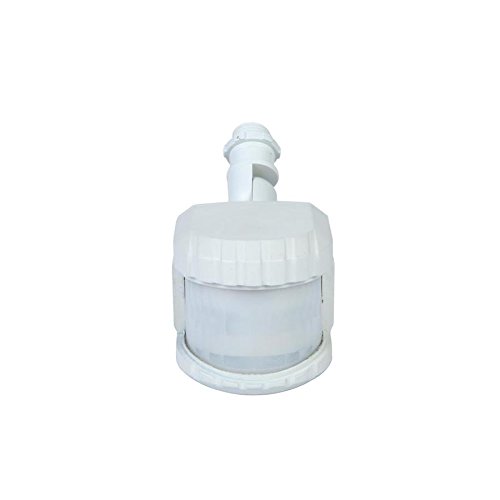
малюнок 1: Фронт view of the Utilitech GYQ27-W White Wire-in Replacement Motion Sensor. The sensor features a compact, white housing with a translucent detection lens at the front and a threaded base for wire-in installation.
Ключові характеристики
- Automatic Light Control: Turns lights on when motion is detected.
- Регульований таймер: Light remains on for 1, 3, or 10 minutes after motion ceases, with a 5-second test mode.
- Широке охоплення: Provides up to 240° coverage and 69-ft of downward perimeter protection.
- Датчик від заходу до світанку: Automatically activates at dusk and deactivates at dawn.
- Широка сумісність: Compatible with dimmable LED, dimmable CFL, halogen, and incandescent bulbs.
- Енергоефективність: Features 2-level brightness technology.
- Ручне перевизначення: Allows the light to operate constantly for a selected period.
Налаштування та встановлення
Proper installation is crucial for optimal performance and safety. It is recommended to consult a qualified electrician if you are unsure about any steps.
Техніка безпеки
- Завжди вимикайте живлення автоматичним вимикачем перед встановленням або обслуговуванням.
- Ensure wiring connections are secure and comply with local electrical codes.
- Не перевищуйте максимальну потужністьtage rating of the connected lighting fixture.
Етапи встановлення
- Вимкніть живлення: Locate the circuit breaker controlling the outdoor light fixture and switch it to the OFF position. Verify power is off using a voltagтестер.
- Remove Existing Sensor (if applicable): Carefully disconnect the wiring from the old motion sensor or light fixture.
- Підключіть проводку: Follow the wiring diagram provided with your specific light fixture. Typically, this involves connecting the sensor's wires (line, load, neutral) to the corresponding wires from the power supply and the light fixture. Ensure all connections are tight and insulated with wire nuts.
- Монтажний датчик: Securely mount the Utilitech GYQ27-W motion sensor to the desired location. Ensure it has a clear line of sight to the area you wish to monitor.
- Відновлення живлення: Once all connections are secure and the sensor is mounted, turn the power back on at the circuit breaker.
Інструкція з експлуатації
The GYQ27-W motion sensor offers several adjustable settings to customize its operation.
Налаштування параметрів
- Налаштування часу: The sensor allows you to set the duration the light remains on after motion is detected. Common settings are 1, 3, or 10 minutes. Refer to the sensor's physical controls for specific adjustment methods (e.g., dial, switch).
- Тестовий режим: A 5-second test mode is available for initial setup and aiming. In this mode, the light will turn on for approximately 5 seconds each time motion is detected, regardless of the set time.
- Функція від заходу до світанку: The integrated photocell automatically prevents the light from activating during daylight hours, conserving energy. The sensor will only activate the light when ambient light levels fall below a certain threshold.
- Регулювання чутливості: Some models may include a sensitivity dial to adjust the range or sensitivity of motion detection. Adjust this to prevent false triggers from small animals or distant objects.
Ручне перевизначення
To keep the light on continuously for a period, you can typically activate the manual override function. This is often done by quickly turning the light switch OFF and then ON within a few seconds. The light will then stay on until the override period expires or the switch is cycled again. Consult the specific instructions that came with your sensor for precise manual override steps.
Технічне обслуговування
The Utilitech GYQ27-W motion sensor requires minimal maintenance to ensure long-term performance.
- Прибирання: Періодично протирайте лінзу датчика м’якоюamp тканина для видалення пилу, бруду або стружкиwebs that may obstruct the sensor's viewНе використовуйте абразивні засоби для чищення.
- Огляд: Annually inspect the wiring and mounting for any signs of wear, damage, or loosening. Ensure the sensor is still securely positioned.
- Екологічні фактори: Keep the area around the sensor clear of obstructions like tree branches or tall shrubs that could block the detection field or cause false triggers due to wind movement.
Усунення несправностей
If your Utilitech GYQ27-W motion sensor is not functioning as expected, refer to the following common issues and solutions:
| проблема | Можлива причина | Рішення |
|---|---|---|
| Світло не вмикається, коли виявляється рух. |
|
|
| Світло горить постійно. |
|
|
| Світло вмикається без видимої причини (хибні спрацьовування). |
|
|
Технічні характеристики
| Атрибут | Значення |
|---|---|
| Номер моделі | GYQ27-W |
| Бренд | Utilitech |
| Колір | Білий |
| Джерело живлення | Провідний електричний |
| Розміри продукту | 5 x 3 x 2 дюймів |
| Вага товару | 1.2 фунта |
| Максимальна дальність | 69 футів |
| Кут охоплення | До 240° |
| Сумісні лампочки | Dimmable LED, Dimmable CFL, Halogen, Incandescent |
Гарантія та підтримка
Information regarding specific warranty terms for the Utilitech GYQ27-W motion sensor is not provided in this manual. For warranty details, technical support, or replacement parts, please refer to the original product packaging or contact Utilitech customer service directly.
You may also visit the official Utilitech webсайт для отримання найактуальнішої інформації та ресурсів підтримки.


