вступ
The DigiTech Multi-Function LCD Wall Clock (Model XC0225) is a versatile device designed to provide convenient time display along with additional environmental information. This clock features a large LCD screen displaying time, date, day of the week, indoor temperature, and humidity. It also includes alarm and snooze functions, making it suitable for various settings, whether mounted on a wall or placed on a desktop.
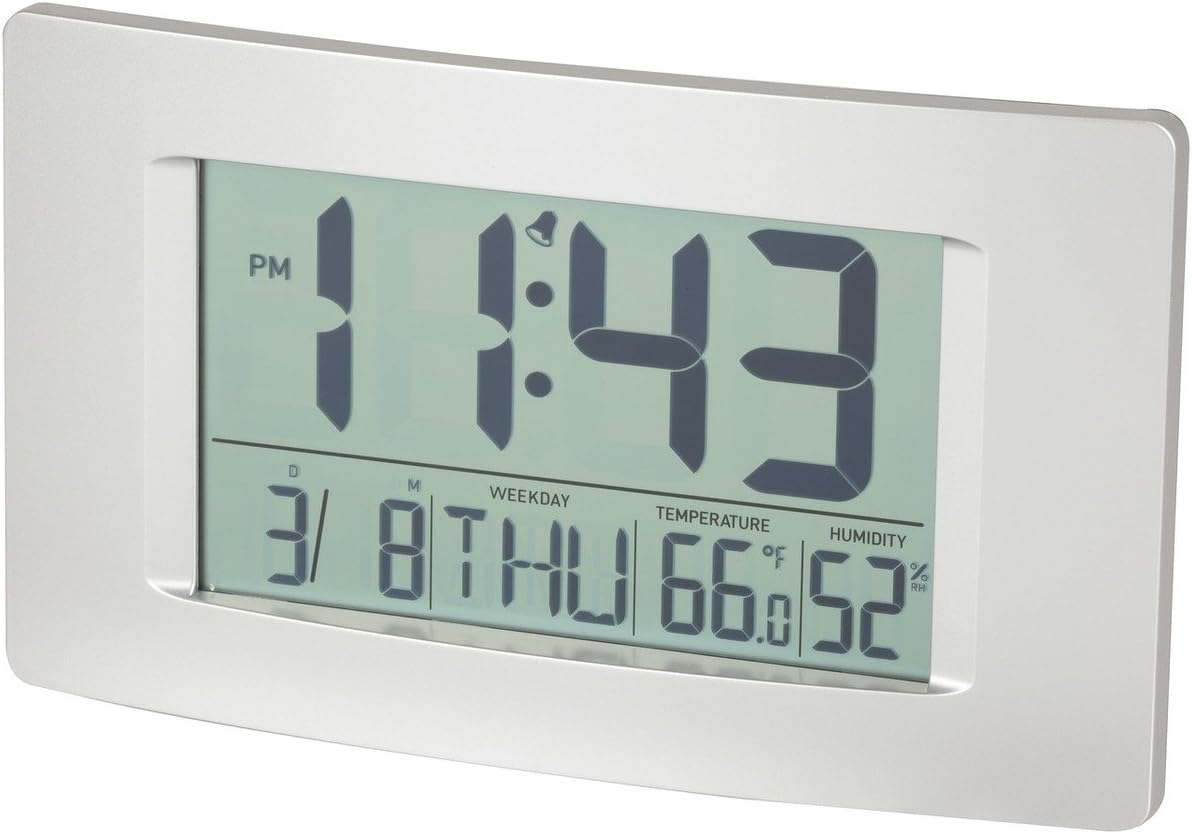
Малюнок 1: Спереду view of the Multi-Function LCD Wall Clock.
Вміст упаковки
- DigiTech Multi-Function LCD Wall Clock (Model XC0225)
- Посібник користувача (цей документ)
Примітка: 3 x AA batteries are required for operation and are not included in the package.

Figure 2: Product packaging illustrating the clock and its features.
Налаштування
1. Встановлення батареї
- Знайдіть батарейний відсік на задній панелі годинника.
- Відкрийте кришку батарейного відсіку.
- Insert 3 x AA batteries, ensuring correct polarity (+ and -) as indicated inside the compartment.
- Надійно закрийте кришку батарейного відсіку.
2. Початкове увімкнення
Upon battery installation, the clock will power on automatically and display default settings. You may need to adjust the time, date, and other settings as described in the "Operating Instructions" section.
3. Варіанти монтажу
- Розміщення на робочому столі: Utilize the integrated stand on the back of the clock to place it on any flat surface.
- Настінне кріплення: Use the integrated hang-hole on the back of the clock to mount it securely on a wall using a suitable screw or hook (not included).
Інструкція з експлуатації
The clock features several buttons on the back for setting and adjusting functions. Refer to the labels next to each button for their specific functions (e.g., MODE, UP, DOWN, ALARM, SNOOZE/LIGHT).
1. Встановлення часу та дати
- Натисніть РЕЖИМ кілька разів, доки дисплей часу не почне блимати.
- Використовуйте UP or ВНИЗ кнопки для налаштування години.
- Прес РЕЖИМ again to move to minutes, then use UP or ВНИЗ налаштувати.
- Продовжуйте натискати РЕЖИМ щоб перемикатися між налаштуваннями року, місяця та дня, коригуючи кожне з них за допомогою UP or ВНИЗ.
- Прес РЕЖИМ востаннє, щоб вийти з режиму налаштування.
2. Налаштування будильника
- Натисніть ТРИВОГА один раз, щоб відобразити поточний час будильника.
- Натисніть і утримуйте ТРИВОГА кнопку, доки не почне блимати година будильника.
- Використовуйте UP or ВНИЗ кнопки для налаштування години будильника.
- Прес ТРИВОГА again to move to alarm minutes, then use UP or ВНИЗ налаштувати.
- Прес ТРИВОГА one last time to confirm and exit alarm setting mode.
- Щоб увімкнути/вимкнути будильник, натисніть кнопку ТРИВОГА button briefly when not in setting mode. An alarm icon will appear/disappear on the display.
3. Функція повтору будильника
Коли пролунає будильник, натисніть кнопку СНУЗ / СВІТЛО button to activate the snooze function. The alarm will temporarily stop and sound again after the set snooze interval (1-60 minutes, adjustable in settings).
4. Вибір одиниці вимірювання температури (°C/°F)
Коротко натисніть UP button (or a dedicated °C/°F button if present) to toggle between Celsius (°C) and Fahrenheit (°F) temperature display.
5. 12/24-годинний формат
Коротко натисніть ВНИЗ button (or a dedicated 12/24H button if present) to switch between 12-hour and 24-hour time formats.
Технічне обслуговування
1. прибирання
- Протріть поверхню годинника м’якою сухою тканиною.
- Do not use abrasive cleaners, solvents, or chemical sprays, as these may damage the display or casing.
2. Заміна батареї
When the display becomes dim or functions become erratic, it is time to replace the batteries. Follow the "Battery Installation" steps in the Setup section to replace the 3 x AA batteries. Always replace all batteries at the same time with new ones.
Усунення несправностей
| проблема | Можлива причина | Рішення |
|---|---|---|
| Дисплей порожній або тьмяний. | Батареї розряджені або встановлені неправильно. | Замініть батарейки новими трьома батарейками типу АА, дотримуючись правильної полярності. |
| Час/дата неправильні. | Not set correctly after battery installation or power interruption. | Виконайте інструкції з розділу «Налаштування часу та дати», щоб скинути налаштування. |
| Сигналізація не звучить. | Alarm is not activated or alarm time is incorrect. | Ensure the alarm icon is displayed. Verify the alarm time setting. |
| Показники температури/вологості здаються неточними. | Clock placed near heat sources, vents, or in direct sunlight. | Relocate the clock to an area with stable ambient temperature and humidity. Allow time for readings to stabilize. |
Технічні характеристики
| Особливість | Деталь |
|---|---|
| Модель | XC0225 |
| Тип дисплея | Цифровий РК-дисплей |
| Розмір LCD | 194 мм (Ш) x 110 мм (В) |
| Функції | Time, Date, Day of Week, Alarm, Snooze, Indoor Temperature, Indoor Humidity |
| Формат часу | 12 Hour / 24 Hour selectable |
| Діапазон температур | -9.9°C до +50°C (14.1°F до 122.0°F) |
| діапазон вологості | Відносна вологість від 20% до 95% (RH) |
| Тривалість відкладення | 1 - 60 minutes (adjustable) |
| Джерело живлення | 3 батарейки типу АА (не входять в комплект) |
| Dimensions (Overall, W x H x D) | 306 мм x 176 мм x 36 мм (прибл.) |
| вага | 540g (without batteries) / 660g (shipping weight) |
| Варіанти монтажу | Integrated Stand, Wall Hang-hole |

Figure 3: Main display area dimensions of the clock for reference.
Гарантія та підтримка
This DigiTech product comes with a Гарантія 1 рік з дати покупки. Ця гарантія поширюється на дефекти матеріалів і виготовлення за нормального використання.
For technical support, warranty claims, or further assistance, please contact your retailer or the DigiTech customer service department. Please have your model number (XC0225) and proof of purchase ready when contacting support.


