1. Вступ
This manual provides essential information for the installation, operation, and maintenance of the Hirschmann RS20-0800T1T1SDAUHH Ethernet Rail Switch. This unmanaged Fast Ethernet switch is designed for industrial applications, offering reliable network connectivity with 8 ports and DIN rail mounting capabilities. Please read this manual thoroughly before operating the device.
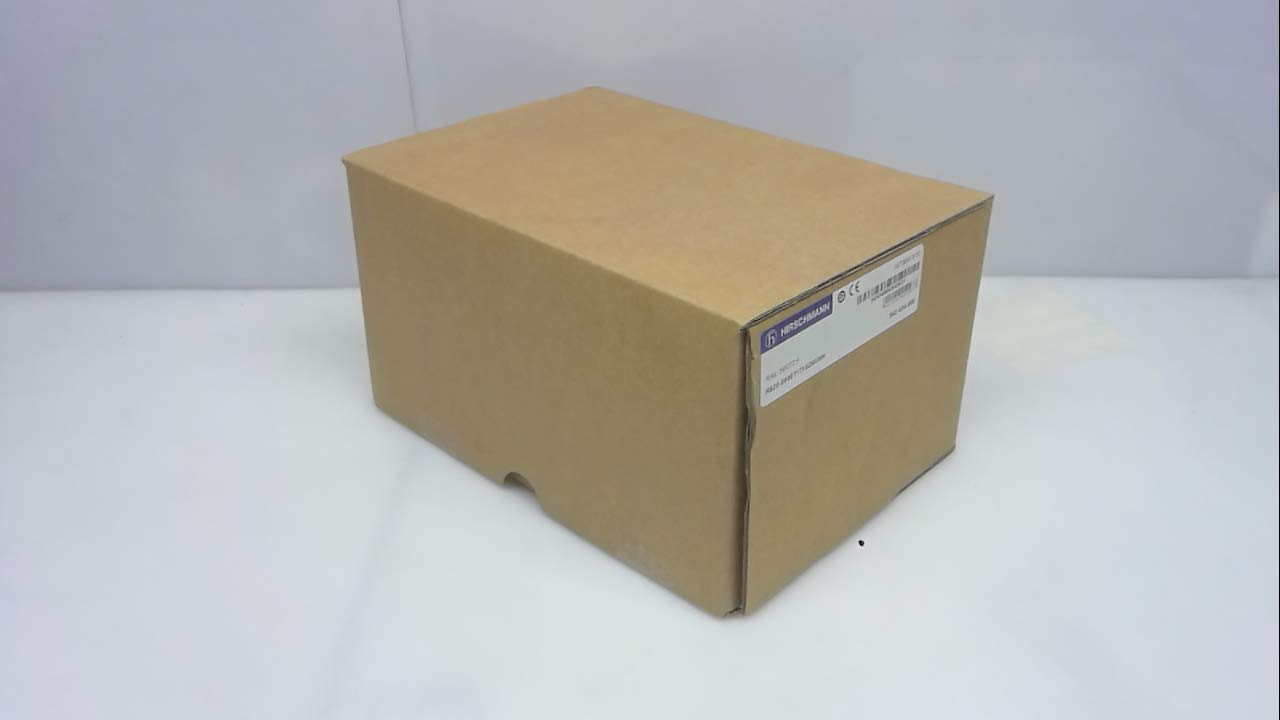
малюнок 1: Hirschmann RS20-0800T1T1SDAUHH Ethernet Rail Switch in its original packaging. The packaging indicates the model number and brand for verification.
2. Налаштування та встановлення
Follow these steps for proper installation of your Hirschmann RS20-0800T1T1SDAUHH switch.
2.1 Розпакування
- Обережно вийміть перемикач з упаковки.
- Verify that all components are present and undamaged. The package should contain the switch and any included hardware.
2.2 Монтаж
The RS20-0800T1T1SDAUHH is designed for DIN rail mounting.
- Attach the switch securely to a standard DIN rail in an industrial enclosure.
- Забезпечте належну вентиляцію навколо пристрою, щоб запобігти перегріву.
2.3 Підключення живлення
Підключіть блок живлення до вимикача.
- The switch operates on 24V AC or 24-48V DC.
- Переконайтеся, що джерело живлення відповідає зазначеному об'ємуtagе діапазон.
- Connect the power cables to the designated power input terminals on the switch.
2.4 Мережеві підключення
Connect Ethernet devices to the switch ports.
- The switch features 8 Fast Ethernet ports.
- Use standard Ethernet cables (e.g., Cat5e or Cat6) to connect your network devices (e.g., PLCs, industrial PCs, sensors) to any of the 8 ports.
- The switch automatically detects link speed and duplex mode.

малюнок 2: The Hirschmann RS20-0800T1T1SDAUHH switch, illustrating the 8 Ethernet ports and the power input terminal block for connection.
3. Інструкція з експлуатації
The Hirschmann RS20-0800T1T1SDAUHH is an unmanaged switch, designed for simple plug-and-play operation.
3.1 Увімкнення живлення
Once the power supply is connected, the switch will power on automatically. There is no power button.
3.2 Підключення до мережі
Upon connecting Ethernet devices to the switch ports, the switch will automatically establish network links. Data transmission will commence without further configuration.
3.3 світлодіодні індикатори
Observe the LED indicators on the switch for status information:
- Світлодіод живлення: Indicates the power status of the device. Typically green when powered on.
- Світлодіоди зв'язку/активності (на кожен порт):
- Світиться зеленим: Indicates a successful network link.
- Блимає зеленим: Показує активність передачі даних на порту.
- Вимкнено: No link detected or device is not connected.
4. Технічне обслуговування
The Hirschmann RS20-0800T1T1SDAUHH switch requires minimal maintenance.
4.1 Очищення
- Перед чищенням переконайтеся, що пристрій вимкнено.
- Використовуйте м’яку суху тканину для протирання зовнішньої частини вимикача.
- Do not use liquid cleaners or solvents, as these can damage the device.
4.2 Екологічні міркування
The switch has an IP00 rating, meaning it is not protected against dust or water ingress. It must be installed in an appropriate enclosure that provides protection from environmental factors.
5. Вирішення проблем
This section provides solutions to common issues.
5.1 Немає живлення
- Симптом: Світлодіод живлення не світиться.
- Дія:
- Check the power cable connection to the switch.
- Verify the power source is active and providing the correct voltage (24V AC / 24-48V DC).
- Inspect the power terminals for secure contact.
5.2 Немає підключення до мережі
- Симптом: Link/Activity LED for a port is off, or devices cannot communicate.
- Дія:
- Переконайтеся, що кабель Ethernet надійно підключено як до порту комутатора, так і до підключеного пристрою.
- Спробуйте інший кабель Ethernet.
- Переконайтеся, що підключений пристрій увімкнено та працює належним чином.
- Спробуйте підключити пристрій до іншого порту комутатора.
6. Технічні характеристики
Technical specifications for the Hirschmann RS20-0800T1T1SDAUHH Ethernet Rail Switch.
| Особливість | Специфікація |
|---|---|
| Номер моделі | RS20-0800T1T1SDAUHH |
| Бренд | Гіршман |
| Тип перемикача | Некерований комутатор Fast Ethernet |
| Кількість портів | 8 |
| Тип монтажу | DIN-рейка |
| Робочий випtage | 24V AC / 24-48V DC |
| Протокол підключення | Ethernet |
| Розміри продукту (Д x Ш x В) | 0.31 x 0.31 x 0.28 дюймів |
| вага | 5.67 фунта |
| Міжнародний захист рейтингу | IP00 |
| Контактний матеріал | Мідь |
| Дата першої доступності | 11 травня 2018 р |

малюнок 3: Product label for the Hirschmann RS20-0800T1T1SDAUHH, displaying key identification numbers such as UPC 4002044252977 and Alt ID 943 434-999.
7. Гарантія та підтримка
7.1 Інформація про гарантію
For specific warranty details regarding your Hirschmann RS20-0800T1T1SDAUHH switch, please refer to the warranty documentation provided with your purchase or contact Hirschmann directly. Warranty terms typically cover manufacturing defects for a specified period from the date of purchase.
7.2 Технічна підтримка
If you encounter issues that cannot be resolved using the troubleshooting guide, or require further technical assistance, please contact Hirschmann customer support or your authorized distributor. Have your product model number (RS20-0800T1T1SDAUHH) and serial number ready when contacting support.


